STEP File Viewer

STEP File Viewer

Download on App Store
Logo of STEP File Viewer

STEP File Viewer: Professional 3D CAD Visualization on Any Device

View, analyze, and export .step and .iges models with industrial precision. A lightweight, privacy-first tool designed for engineers, designers, and CNC operators across macOS, iPad, and iPhone.

Download on App Store

Publisher

维 艾

Category

Developer Tools

Downloads

200

User Rating

1.0/5

Total Ratings

0

Locales

1

Precision in Every Perspective

Discover the interface used by 200 users.

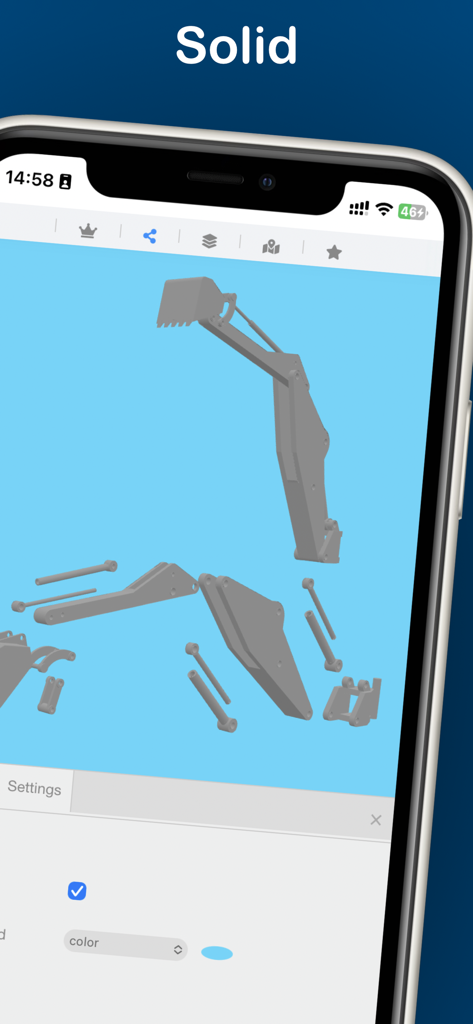
Exploded 3D CAD model of an excavator arm in shaded rendering mode on the STEP File Viewer iPhone app.

Exploded 3D CAD model of an excavator arm in shaded rendering mode on the STEP File Viewer iPhone app.

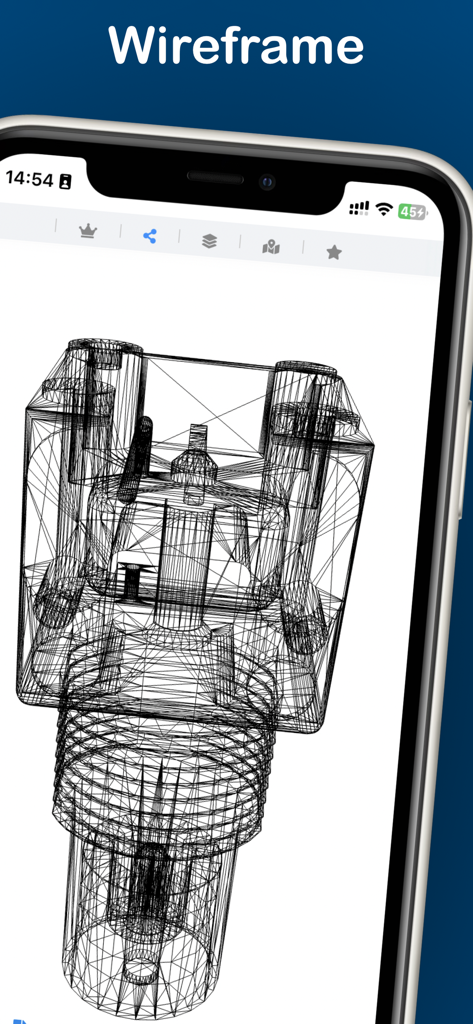
A 3D mechanical model displayed in wireframe mode within the STEP File Viewer mobile app

A 3D mechanical model displayed in wireframe mode within the STEP File Viewer mobile app

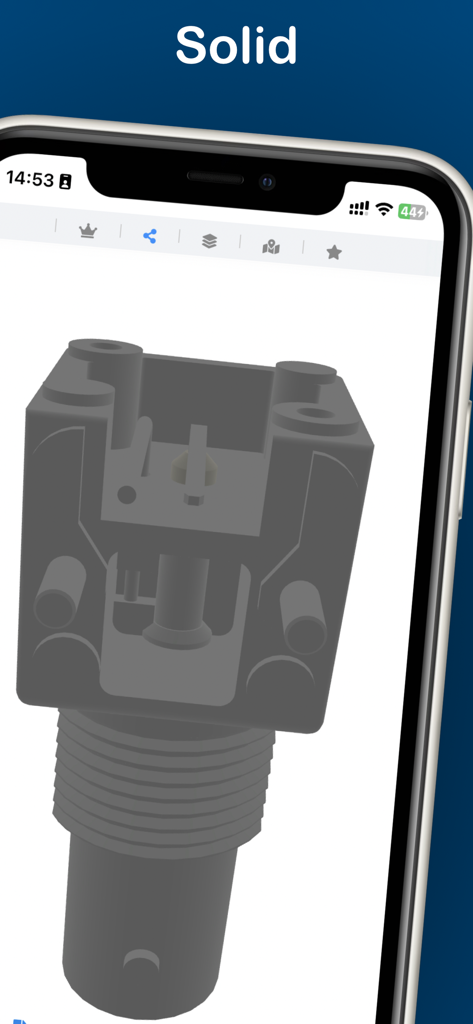
3D mechanical part assembly in solid view on the STEP File Viewer app

3D mechanical part assembly in solid view on the STEP File Viewer app

A 3D mechanical part displayed in shaded mode on the STEP File Viewer mobile app

A 3D mechanical part displayed in shaded mode on the STEP File Viewer mobile app

A 3D mechanical model displayed in wireframe mode on a smartphone using the STEP File Viewer app.

A 3D mechanical model displayed in wireframe mode on a smartphone using the STEP File Viewer app.

3D mechanical model displayed in solid view mode on the STEP File Viewer app

3D mechanical model displayed in solid view mode on the STEP File Viewer app

Shaded 3D view of a mechanical part on the STEP File Viewer app interface

Shaded 3D view of a mechanical part on the STEP File Viewer app interface

An iPhone screen displaying a 3D mechanical part in solid rendering mode using the STEP File Viewer app.

An iPhone screen displaying a 3D mechanical part in solid rendering mode using the STEP File Viewer app.

A 3D CAD model displayed in wireframe mode within the STEP File Viewer mobile app

A 3D CAD model displayed in wireframe mode within the STEP File Viewer mobile app

A 3D chair model displayed in wireframe mode on a mobile device screen using the STEP File Viewer app.

A 3D chair model displayed in wireframe mode on a mobile device screen using the STEP File Viewer app.

Industrial-Grade 3D Viewing at Your Fingertips

The tools that make this app stand out, trusted by 200 users.

🔍

Deep Assembly Inspection

Parse STEP and IGES models with full assembly support. Use section planes and explode views to reveal internal geometry and verify parts on the go.

🔄

Seamless Workflow Integration

Convert industrial STEP files to STL, OBJ, or USDZ instantly. Perfect for 3D printing slicing, CAD collaboration, or showcasing designs in AR.

🛡️

Total Privacy & Local Performance

No ads, no tracking, and no cloud uploads. Your sensitive IP stays on your device. One purchase unlocks professional power across Mac, iPad, and iPhone.

About the app

Everything you need to know about STEP File Viewer.

Description

STEP File Viewer is a lightweight yet powerful tool for viewing .step and .stp files on macOS, iPad, and iPhone. Key Features • View STEP models in 3D with rotate, pan, and zoom controls using perspective projection. • Display 3D models in solid, shaded, or wireframe modes. • Load IGES/IGS models. • Parse and load STEP models as assemblies (requires the model to include assembly data). • Apply axis-aligned section planes (XY, XZ, YZ) to reveal the model’s internal geometry. • Explode model components to inspect each part clearly in expanded space. • Export 3D models in STL, OBJ, glTF, GLB, or USDZ formats for further use or sharing. • Capture high-quality viewport screenshots for easy sharing. • No ads. No tracking. No data collection. Just a clean, efficient tool built for productivity. The STEP format (ISO 10303) is widely supported by 3D CAD, CAM, CAE, and PLM applications. Recommended For: • Engineers & Designers: Review designs on the shop floor or during client meetings. • Machinists & CNC Operators: Quickly verify part geometry before production. • 3D Printing Enthusiasts: Easily convert professional STEP files to STL for slicing. • Students & Educators: Visualize complex structures without expensive CAD licenses. Pricing & Access • Free: Load and view unlimited STEP models. • Subscription: Unlimited access to every feature. One subscription covers all versions—macOS, iPhone, and iPad. • Purchase individually: Unlock only the features you need with a one-time payment (no subscription required). • Payment is charged to your App Store account. • Auto-renews unless turned off at least 24 hours before the current period ends. • Manage your subscriptions in the App Store settings. Privacy & Purchase Terms • Privacy Policy: https://h53d.github.io/step/policy.txt • Terms of Use (EULA): https://www.apple.com/legal/internet-services/itunes/dev/stdeula/ Have questions or need support? Reach out to danjian42@gmail.com.

Latest Version

1.0.3

Size

24.1 MB

First Released

Dec 8, 2025

Take Your CAD Designs From the Desk to the Shop Floor

Get the lightweight, ad-free viewer trusted by engineers. One universal access for macOS, iPad, and iPhone—no data collection, just professional-grade precision.

Download on App Store

App information, icons, screenshots, and descriptions displayed on this page are sourced from the Apple App Store and are the property of their respective developers. Download estimates and rankings are based on MWM's proprietary models and may not reflect actual figures. This page is provided for informational and analytical purposes only.

Believe this page infringes your intellectual property? File a dispute