Steps Widget - Walking Tracker

This page is not an official page of the app or its developer, but an independent editorial publication created for informational and commentary purposes. Unless expressly stated otherwise, neither the app nor its developer is affiliated with, endorsed by, sponsored by, authorized by, or otherwise officially connected with MWM, Apple, Google Play, the app publisher, or the app's developer, and nothing on this page implies that the app was developed using MWM's services. Any trademarks, logos, screenshots, and other content remain the property of their respective owners.
Logo of Steps Widget - Walking Tracker

Steps Widget - Walking Tracker

Track your movement with beautiful, customizable widgets designed for your Home and Lock Screen. Privacy-first, battery-friendly, and perfectly synced with Apple Health for the modern wellness lifestyle.

Key Figures

Downloads

100+

User Rating

1.0/5

Total Ratings

0

Publisher

CrazyLazy OU

Category

Health & Fitness

Locales

6

Latest Version

2.4

Size

6.5 MB

First Released

Jan 1, 2026
Features

Step Up Your Aesthetic

Elevate your daily movement with beautifully designed widgets that turn your fitness journey into a reflection of your personal style.

Tailored to Your Vibe

From minimalist lock screen stats to vibrant home screen charts, customize every color and style to match your curated iPhone aesthetic.

Privacy-First tracking

No GPS pings and no data collection. We simply display your Apple Health data so your location and battery stay fully protected.

The following screenshots and description are sourced directly from the app's official store listing and are the property of the app developer.

App Store

Screenshots
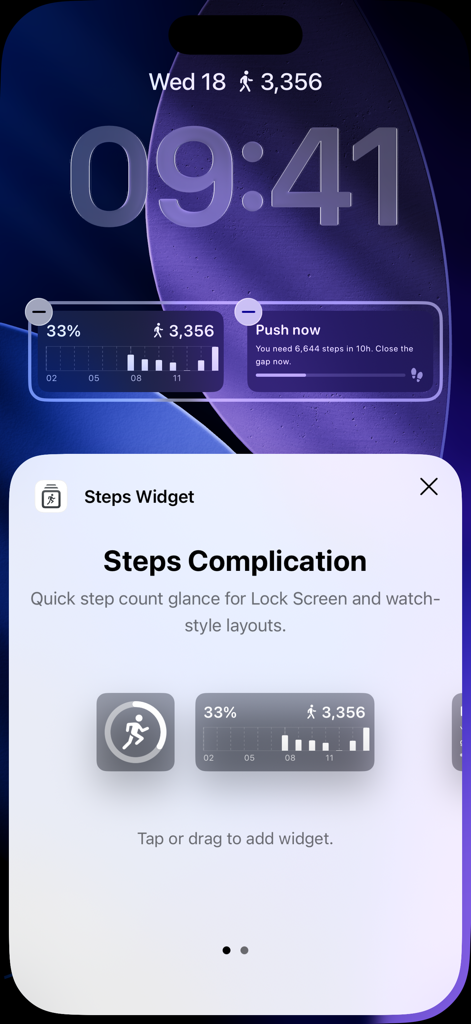
Steps Widget - Walking Tracker - iPhone lock screen displaying personalized step tracking widgets and goal progress.
iPhone lock screen displaying personalized step tracking widgets and goal progress.

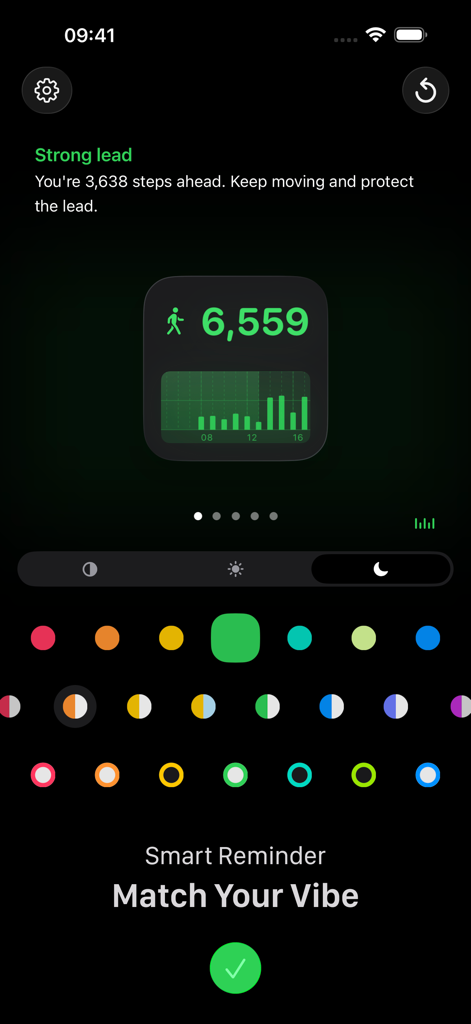
Steps Widget - Walking Tracker - Step tracking app customization screen with color palette and widget preview
Step tracking app customization screen with color palette and widget preview

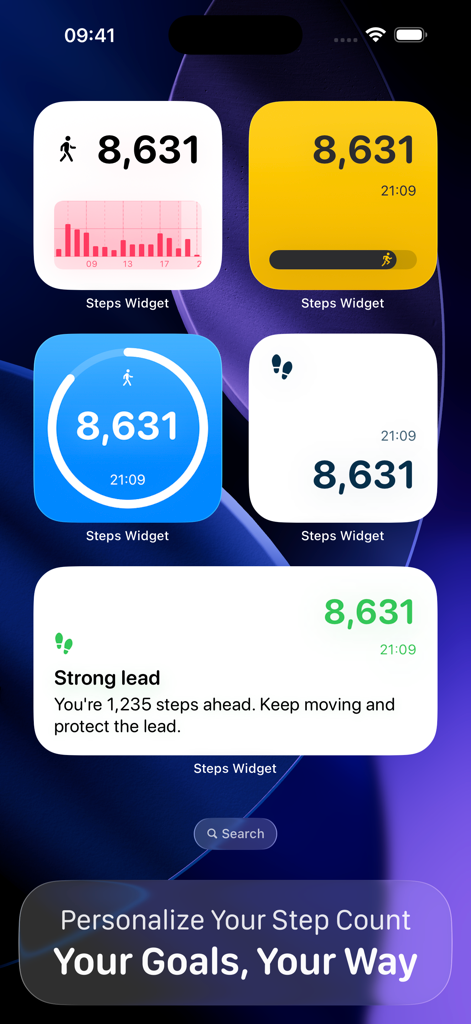
Steps Widget - Walking Tracker - A variety of customizable and aesthetic step tracker widgets displayed on an iPhone home screen
A variety of customizable and aesthetic step tracker widgets displayed on an iPhone home screen

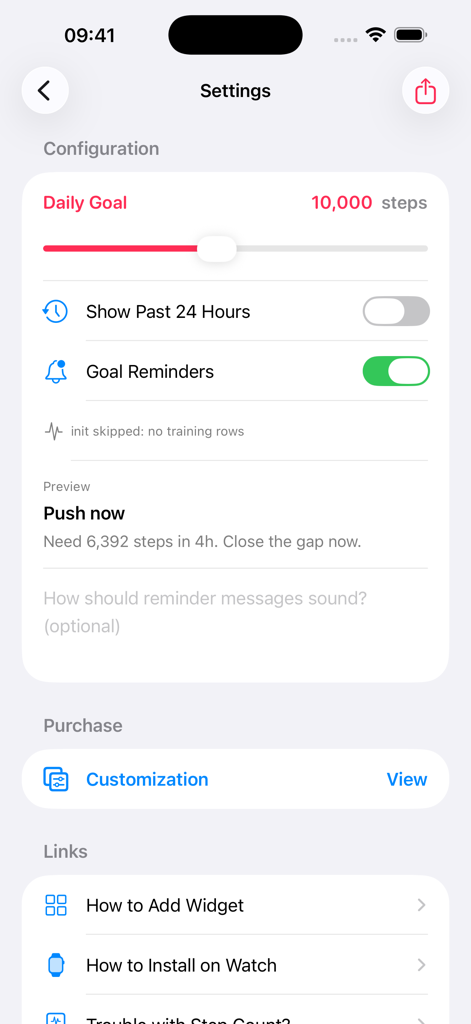
Steps Widget - Walking Tracker - Settings screen of Steps Widget app showing daily goal configuration and notification reminders
Settings screen of Steps Widget app showing daily goal configuration and notification reminders

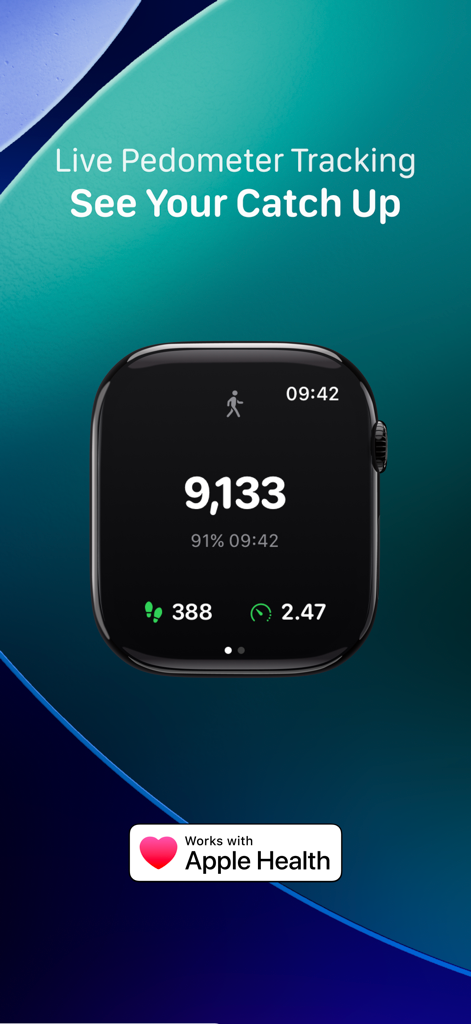
Steps Widget - Walking Tracker - Apple Watch displaying live pedometer tracking and step count data from the Steps Widget app
Apple Watch displaying live pedometer tracking and step count data from the Steps Widget app

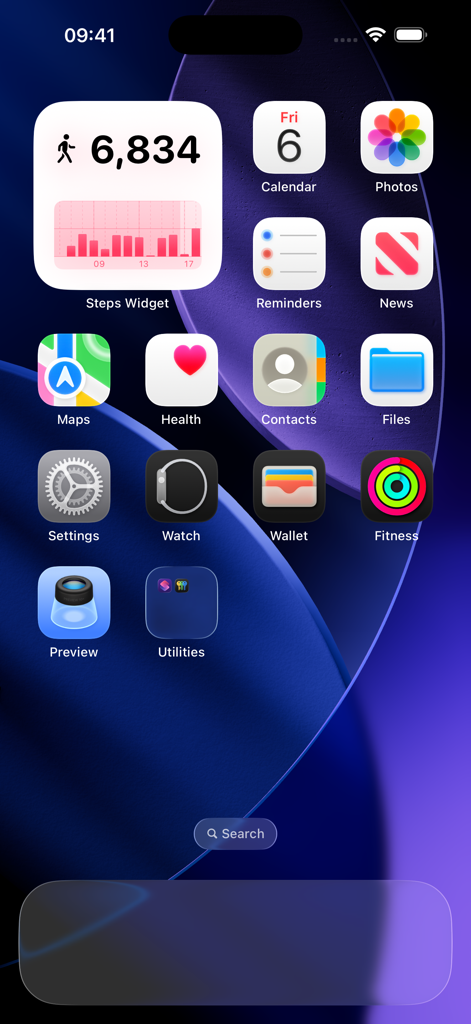
Steps Widget - Walking Tracker - iPhone home screen featuring a minimalist steps widget showing 6,834 daily steps and an activity bar chart
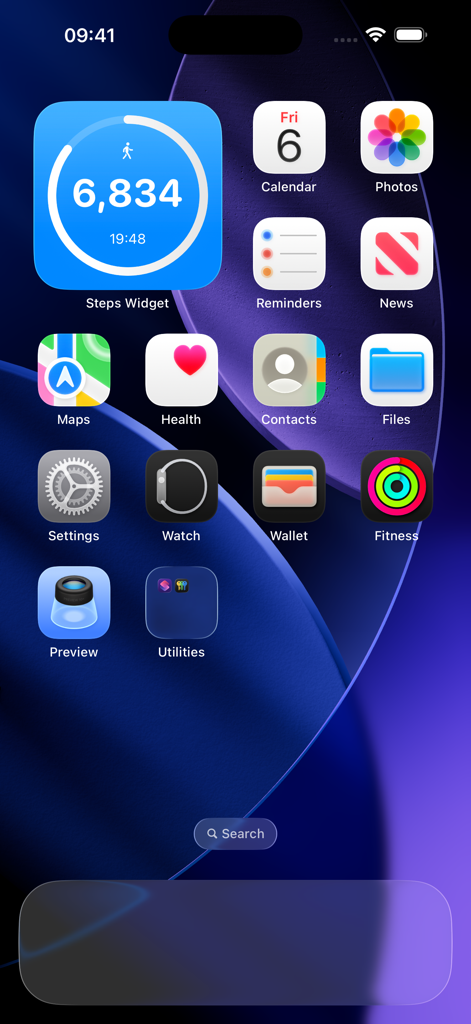
iPhone home screen featuring a minimalist steps widget showing 6,834 daily steps and an activity bar chart

Steps Widget - Walking Tracker - A minimalist iPhone home screen featuring a large blue step tracker widget showing 6,834 steps among other app icons.
A minimalist iPhone home screen featuring a large blue step tracker widget showing 6,834 steps among other app icons.

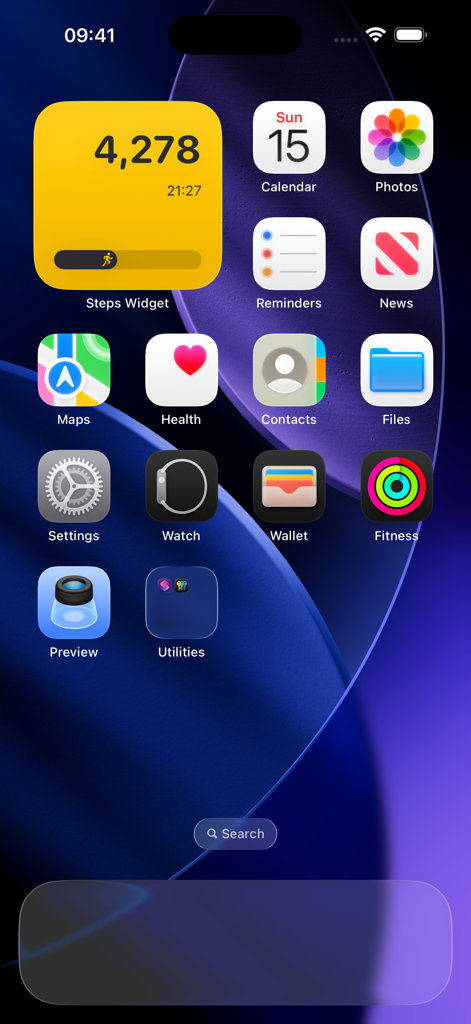
Steps Widget - Walking Tracker - An iPhone home screen featuring a prominent yellow square widget from the Steps Widget app showing a daily step count of 4278
An iPhone home screen featuring a prominent yellow square widget from the Steps Widget app showing a daily step count of 4278

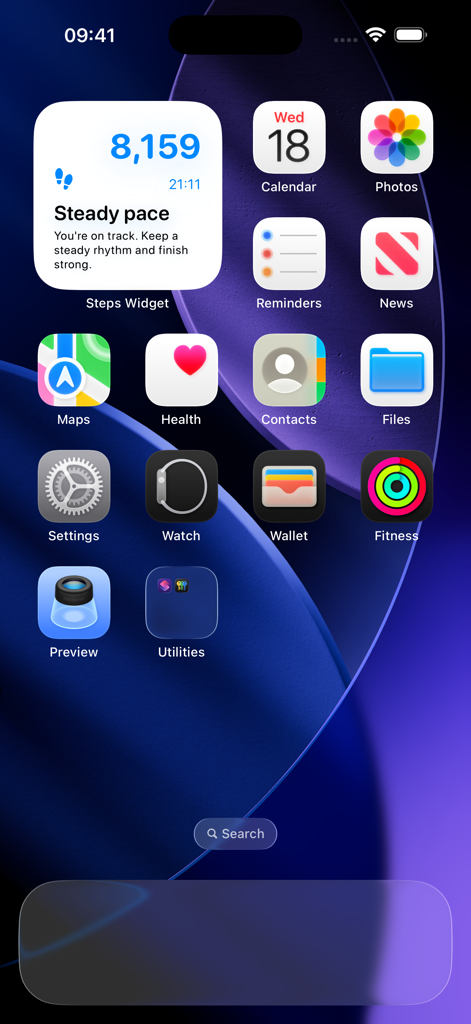
Steps Widget - Walking Tracker - An iPhone home screen featuring a clean and aesthetic walking tracker widget showing step count and progress.

An iPhone home screen featuring a clean and aesthetic walking tracker widget showing step count and progress.

Description

Track steps in your style and vibe. Get the Walk Widget, and add custom step widgets to your iPhone and Apple Watch. The app easily integrates with Apple Health, making step tracking even easier and more enjoyable. A Steps Widget for Every Screen From minimalist Lock Screen numbers to rich data charts on your Home Screen, your stats are always in view. And you are in control of the widget style and displayed info. On-Device Intelligence to Help You Achieve Your Goal It uses on-device intelligence to predict your step progress throughout the day. If you fall behind your goal, smart notifications encourage you at the right time. Messages can be personalized in native language, with everything processed on your device. Real-Time INFO Don't wait for a step count sync or your regular pedometer app. See your daily step count instantly, keeping you motivated during calls or walks. MATCH YOUR Aesthetic Fully customizable color palettes ensure your widgets complement your theme, not clutter it. Adjust or change colors, and pick widget styles to match your vibe. Zero Battery Drain By utilizing your existing Apple Health data instead of constant GPS pings, we keep your battery full. Privacy-First We never collect your personal info. The app just displays your Apple Health data. So, your data stays on your device, and our "display-only" tech ensures zero extra battery impact. Free to Start Enjoy our default styles free of charge with no hidden fees. Then upgrade to unlock all app features. Whether you’re hitting a personal best or just getting started, Walk Widget turns every step into a streak you’ll be proud to keep. ► Download Walk Widget today and make your progress part of your home screen. By using this app, you agree to the Terms of Use. You can view the Terms of Use (Standard Apple EULA) here: https://www.apple.com/legal/internet-services/itunes/dev/stdeula/

Download

This page is not an official page of the app or its developer, but an independent editorial publication created for informational and commentary purposes. Unless expressly stated otherwise, neither the app nor its developer is affiliated with, endorsed by, sponsored by, authorized by, or otherwise officially connected with MWM, Apple, Google Play, the app publisher, or the app's developer, and nothing on this page implies that the app was developed using MWM's services. Any trademarks, logos, screenshots, and other content remain the property of their respective owners.