Sticky Note & Create Wallpaper

Sticky Note & Create Wallpaper


Download on App Store
Logo of Sticky Note & Create Wallpaper

Sticky Note & Create Wallpaper: Organize Your Life at a Glance

Transform your to-dos and reminders into custom, aesthetic wallpapers. Keep your most important tasks front and center every time you check your phone.

Download on App Store

Publisher

勇 牛

Category

Productivity

Downloads

2K+

User Rating

1.0/5

Total Ratings

0

Locales

2

Productivity at a Glance

Discover the interface used by 2K+ users.
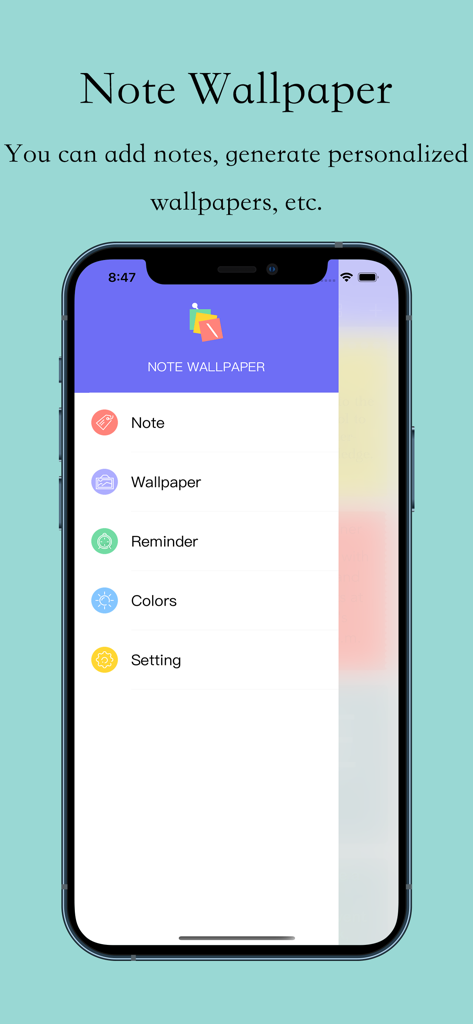
Main menu of Sticky Note and Create Wallpaper app showing note and wallpaper creation options

Main menu of Sticky Note and Create Wallpaper app showing note and wallpaper creation options

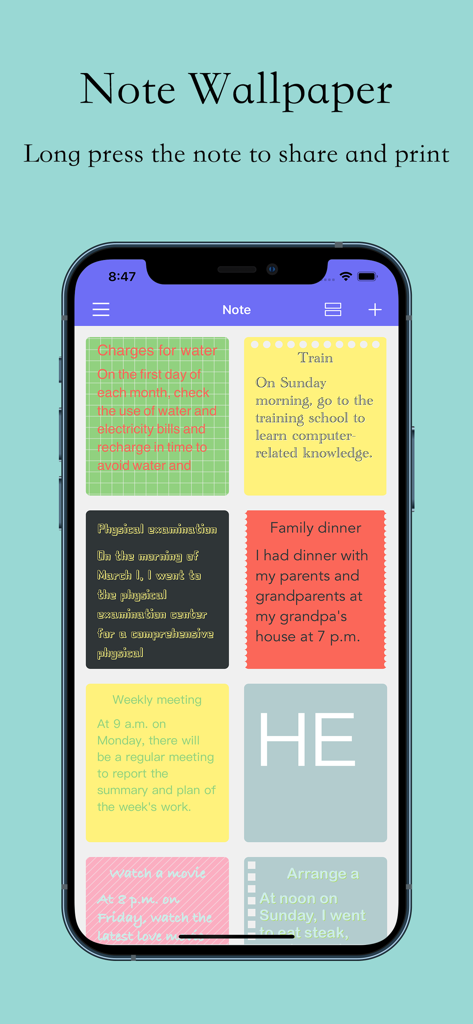
A smartphone displaying a grid of colorful digital sticky notes with different tasks and reminders

A smartphone displaying a grid of colorful digital sticky notes with different tasks and reminders

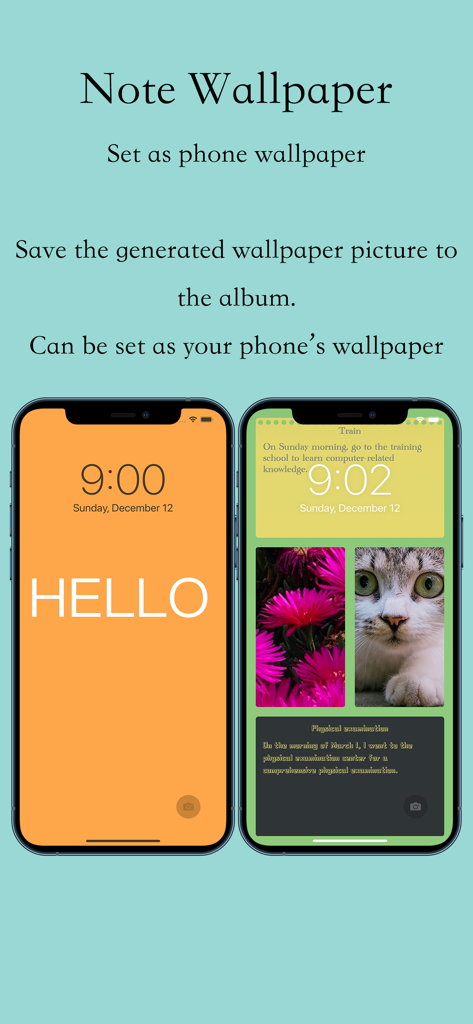
Two iPhones showing custom lock screen wallpapers with text notes and photos

Two iPhones showing custom lock screen wallpapers with text notes and photos

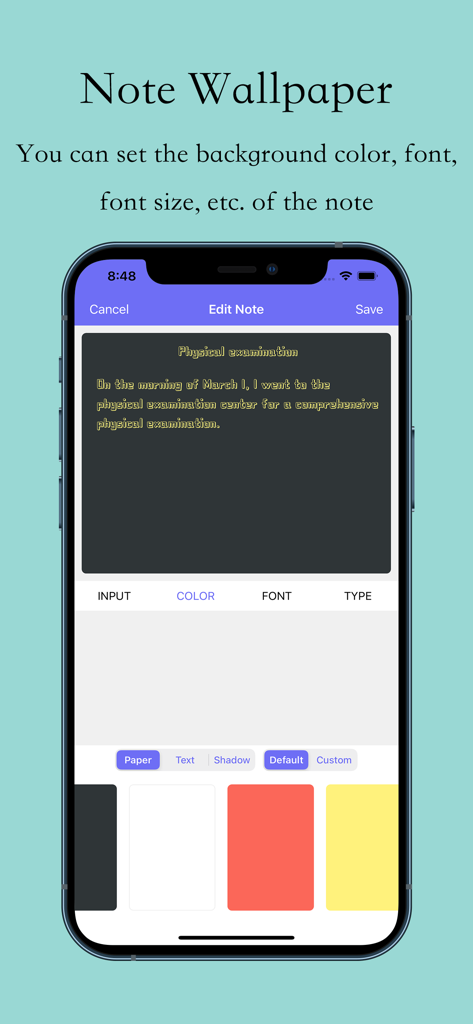
iPhone interface showing the Edit Note screen with options to customize note background color and font for a wallpaper

iPhone interface showing the Edit Note screen with options to customize note background color and font for a wallpaper

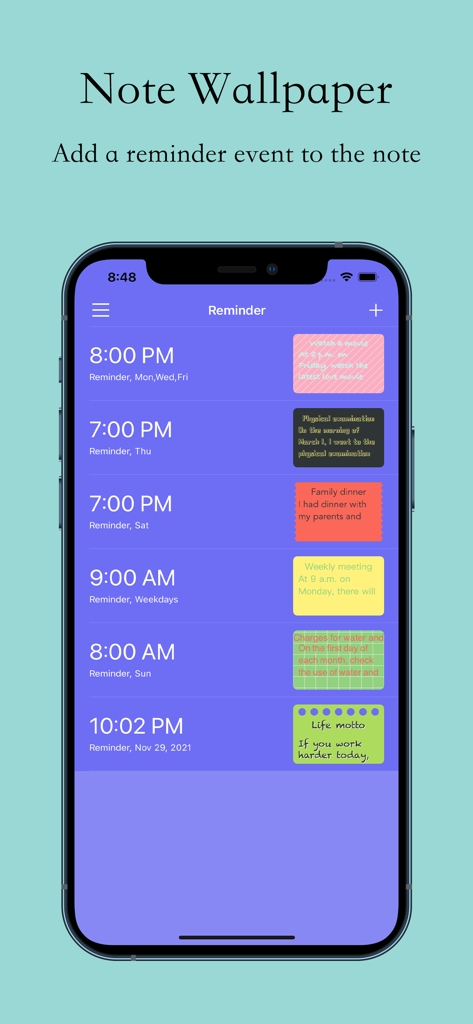
Mobile app interface displaying a list of scheduled reminders represented by colorful sticky notes

Mobile app interface displaying a list of scheduled reminders represented by colorful sticky notes

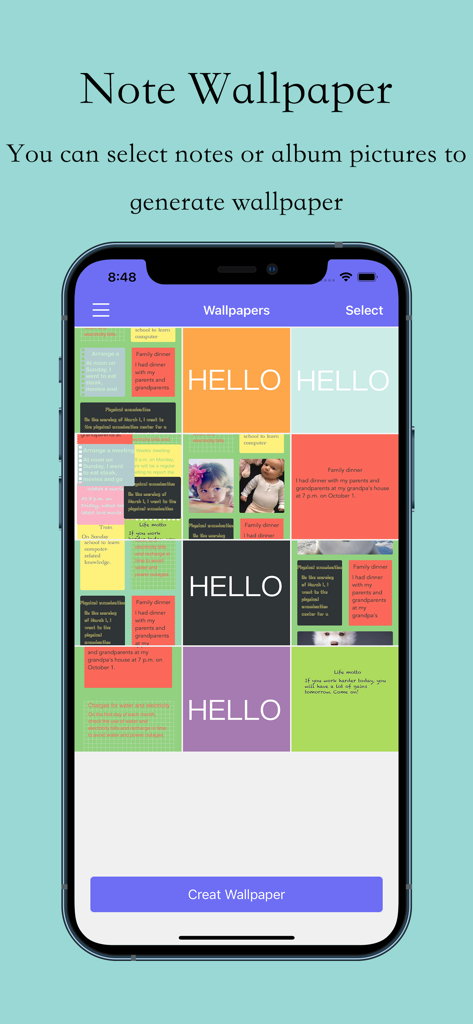
Smartphone screen displaying a grid of colorful notes and images for wallpaper creation

Smartphone screen displaying a grid of colorful notes and images for wallpaper creation

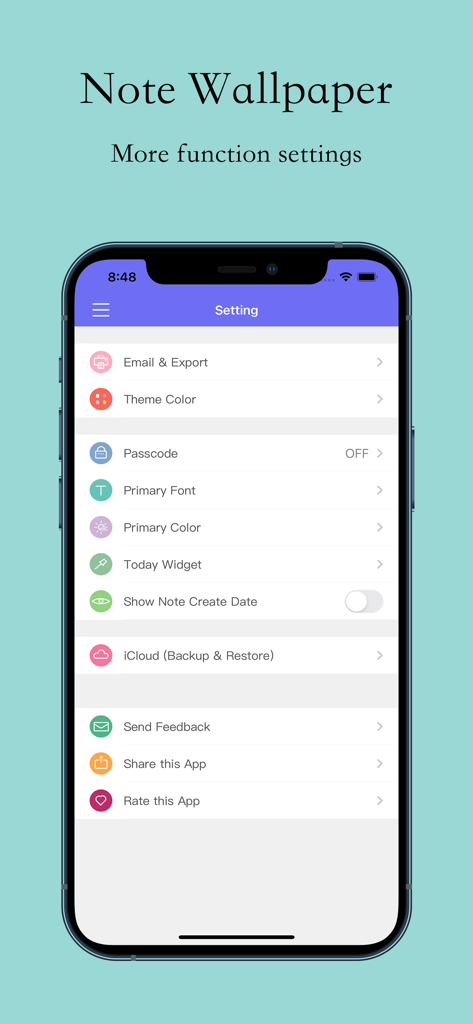
Settings screen for Sticky Note and Create Wallpaper app featuring options for theme color passcode and iCloud backup.

Settings screen for Sticky Note and Create Wallpaper app featuring options for theme color passcode and iCloud backup.

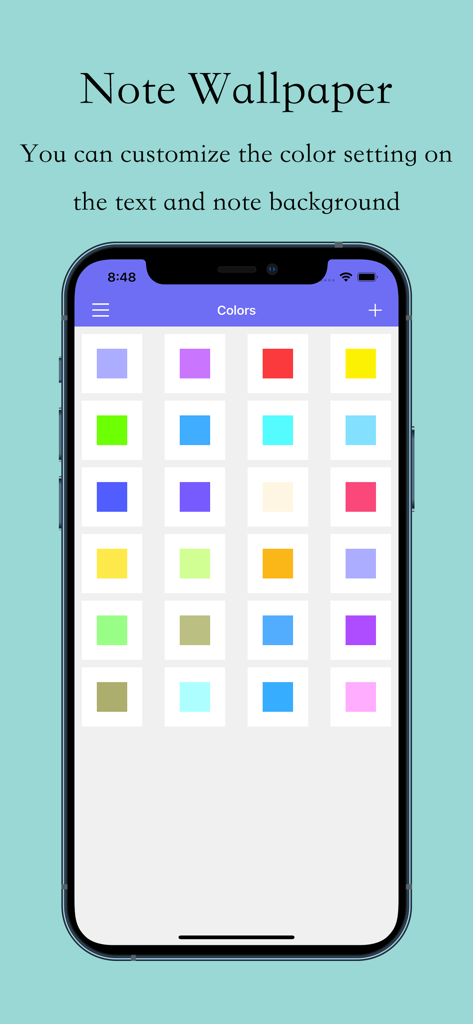
iPhone screen showing a grid of various color options to customize sticky note backgrounds

iPhone screen showing a grid of various color options to customize sticky note backgrounds

Master Your Day at a Glance

The tools that make this app stand out, trusted by 2K+ users.

🖼️

Notes as Wallpapers

Merge your daily tasks into a custom lock screen. Stop missing deadlines by putting your to-do list on the most valuable real estate on your phone.

Aesthetic Customization

Express your style with personalized colors and layouts. Create a productivity setup that fits your personal vibe without sacrificing functionality.

🛡️

Privacy & Protection

Keep your sensitive notes safe with Touch ID and Passcode support, while iCloud ensures your lists are always synced across your iPhone and iPad.

About the app

Everything you need to know about Sticky Note & Create Wallpaper.

Description

***Notes can record things you might forget but need to do. So Note Wallpaper is a app that you can quickly add notes and combine multiple notes to create wallpapers, making it easier for you to know what you need to do. You can add various styles and colors of notes, and you can set reminders, share them, or print them. You can select one or more notes in a convenient way to generate pictures and set them as your device's wallpaper. The features of the app: - Add/Edit Note. - Create/Preview Wallpaper. - Add/Edit Reminder. - Add/Edit Color. - Email & Print. - Passcode. - Touch ID. - Today Widget. - iCloud.

Latest Version

2.9.1

Size

83.0 MB

First Released

Aug 31, 2018

Your Most Important Notes, Always in Sight

Stop forgetting and start achieving. Join thousands of visual organizers who turn their to-do lists into beautiful, custom wallpapers that stay front and center every time you check your phone.

Download on App Store

App information, icons, screenshots, and descriptions displayed on this page are sourced from the Apple App Store and are the property of their respective developers. Download estimates and rankings are based on MWM's proprietary models and may not reflect actual figures. This page is provided for informational and analytical purposes only.

Believe this page infringes your intellectual property? File a dispute