Stop Motion Plus

Stop Motion Plus

Download on App Store
Logo of Stop Motion Plus

Stop Motion Plus: Create Pro-Level Animations with Ease

Transform your LEGO, clay, and toys into 4K cinematic stories. Master the art of animation with voice-controlled capture, onion skinning, and advanced object removal tools.

Download on App Store

Publisher

Heng Jia Liang

Category

Photo & Video

Downloads

1K+

User Rating

3.8/5

Total Ratings

0

Locales

1

Frame by Frame Perfection

Discover the interface used by 1K+ users.
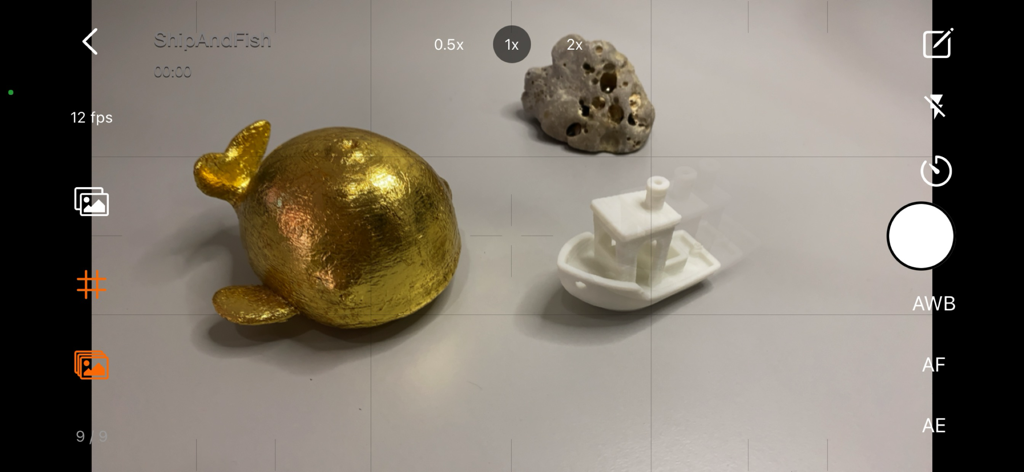
Camera interface of Stop Motion Plus app showing onion skinning for animating a gold fish and boat.

Camera interface of Stop Motion Plus app showing onion skinning for animating a gold fish and boat.

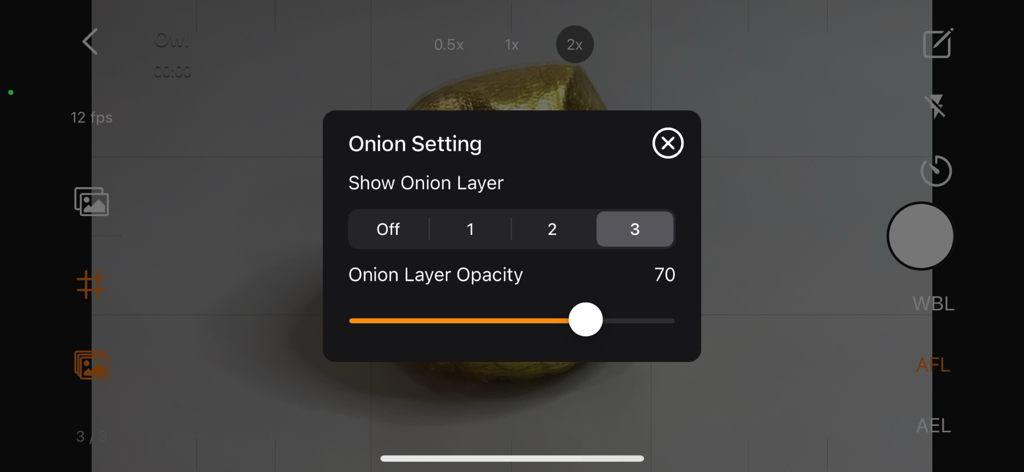
Interface showing onion skinning settings and opacity controls in the Stop Motion Plus app

Interface showing onion skinning settings and opacity controls in the Stop Motion Plus app

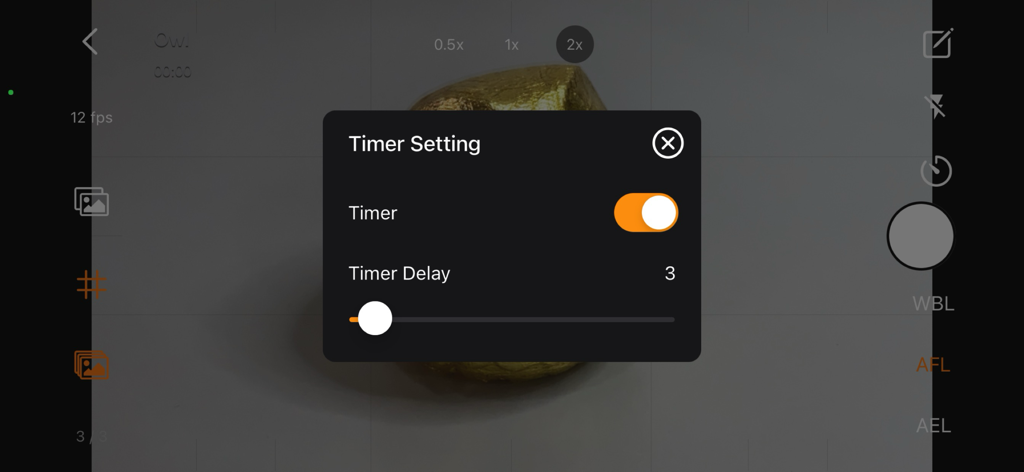
A screenshot of the Stop Motion Plus app showing the timer setting menu with a delay slider over a camera view.

A screenshot of the Stop Motion Plus app showing the timer setting menu with a delay slider over a camera view.

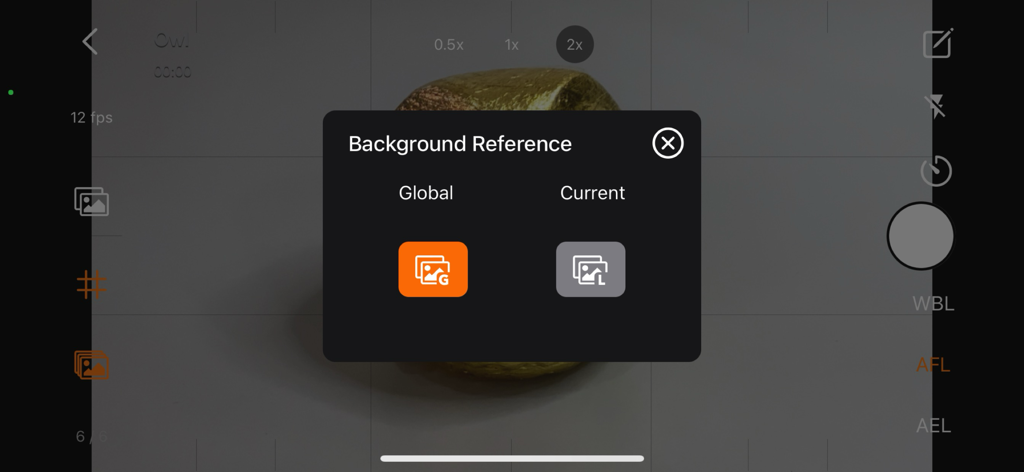
Background Reference selection menu in Stop Motion Plus app for object and rig removal

Background Reference selection menu in Stop Motion Plus app for object and rig removal

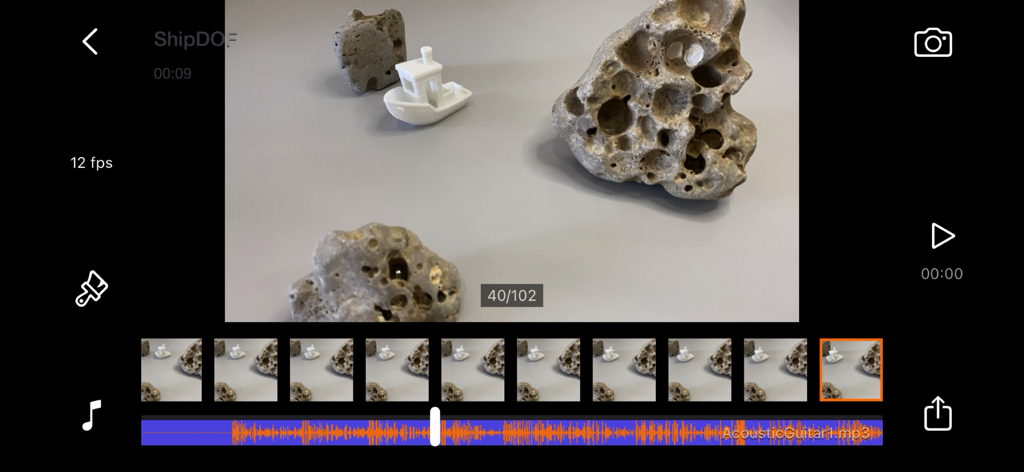
Stop Motion Plus app editing interface with frame sequence and audio track layering

Stop Motion Plus app editing interface with frame sequence and audio track layering

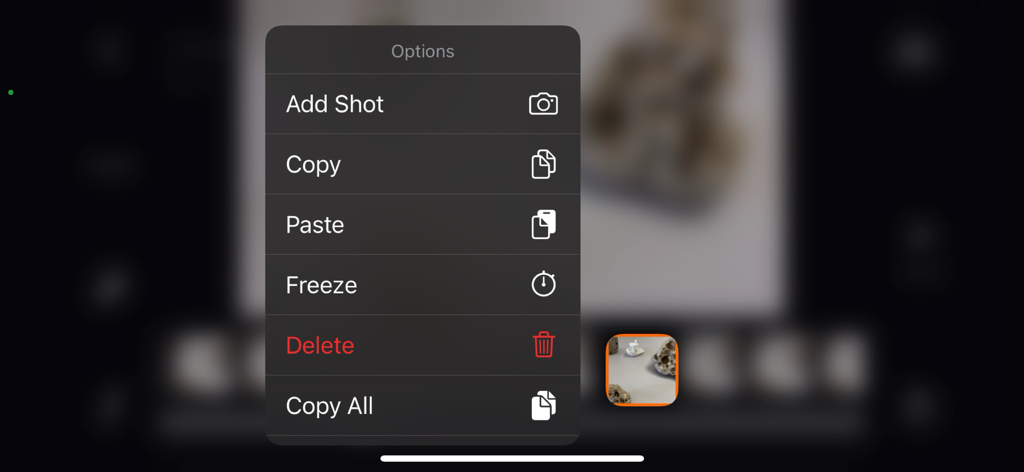
Context menu in Stop Motion Plus showing options to add shot copy paste freeze and delete frames

Context menu in Stop Motion Plus showing options to add shot copy paste freeze and delete frames

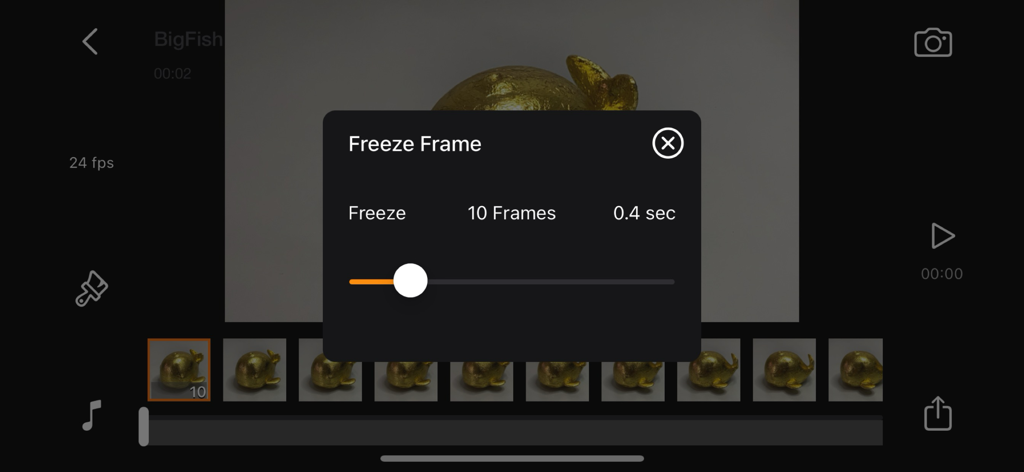
Editing a freeze frame duration in the Stop Motion Plus app timeline.

Editing a freeze frame duration in the Stop Motion Plus app timeline.

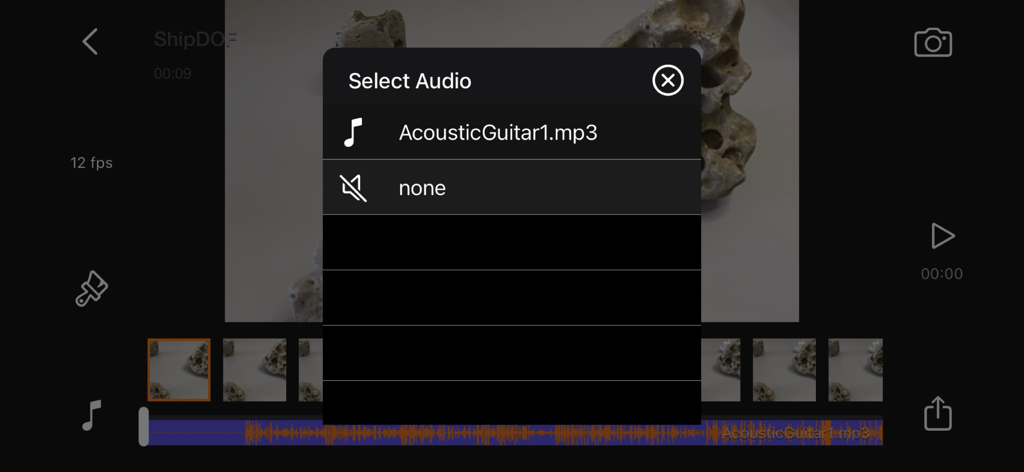
Audio selection menu in Stop Motion Plus app for adding sound effects and music to animations

Audio selection menu in Stop Motion Plus app for adding sound effects and music to animations

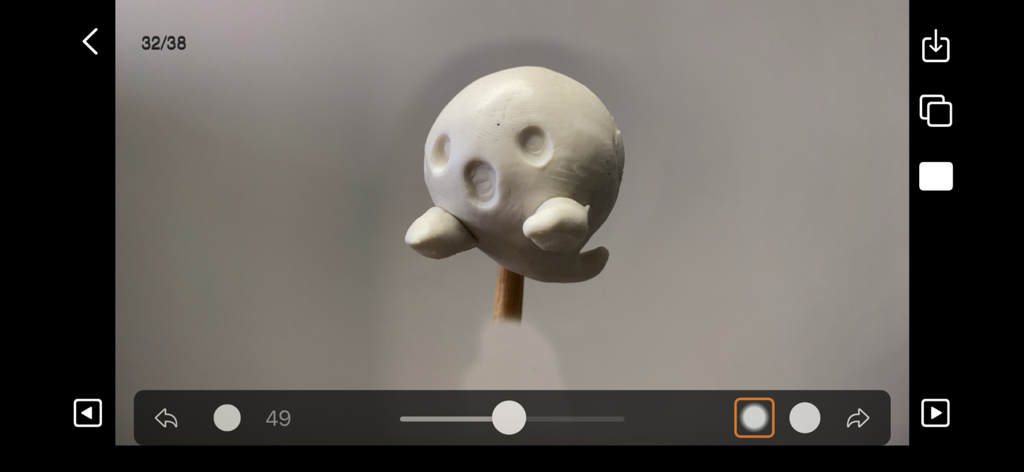
Stop Motion Plus app interface showing the editing panel with a white clay ghost figure

Stop Motion Plus app interface showing the editing panel with a white clay ghost figure

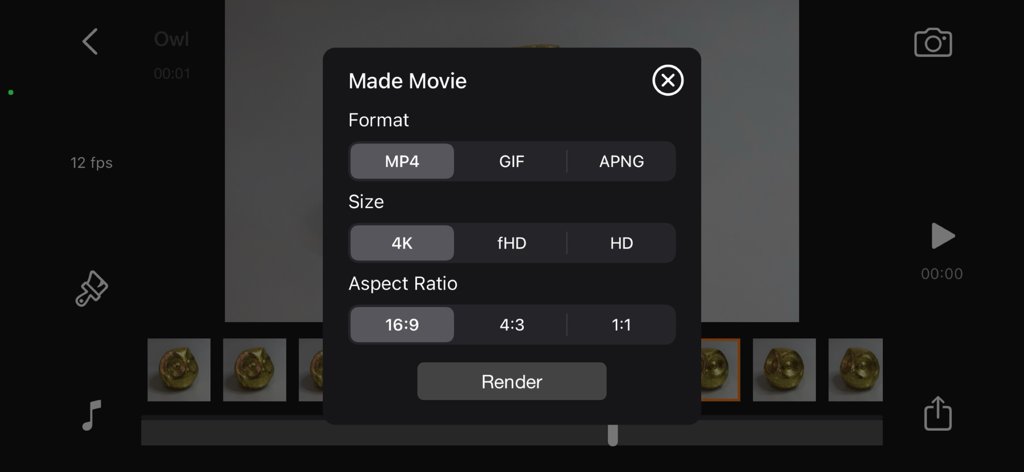
Stop Motion Plus movie export panel showing format size and aspect ratio options

Stop Motion Plus movie export panel showing format size and aspect ratio options

Pro-Level Animation Made Simple

The tools that make this app stand out, trusted by 1K+ users.

🎙️

Hands-Free Voice Control

Capture frames without touching your device to prevent camera bumps and keep your shots perfectly steady for a professional look.

đź‘»

Precision Onion Skinning

Use transparent ghost-frame overlays to see your previous movement, making it easy to create fluid and lifelike animations.

🪄

Magic Object Removal

Effortlessly erase wires and support rigs using background reference frames to make your characters fly or jump with ease.

About the app

Everything you need to know about Stop Motion Plus.

Description

Stop Motion for iOS Simple and robust stop motion app. Create amazing stop-motion videos with ease. Perfect for casual users with an easy-to-use control panel. Project Management: • Rename, delete project, or export movie option via long press. • Projects are copyable to other devices using the Files app. Go to Stop Motion and copy the project folder. Stop Motion Plus Camera Features: • Default highest photo quality output depending on device. • Support for dual-lens or triple-lens devices. • Auto/Lock White Balance. • Auto/Touch Focus/Exposure control. • Timer for interval capture ranging from 1–60 seconds. • Show/Hide grid option. • Option to show onion/overlay of previous frames for reference — up to 3 overlay frames. • Opacity adjustment for onion/overlay frames. • Capture background reference to support object removal. • Photos are saved immediately to prevent accidental data loss. • Photos are saved to internal storage and available for external editing (access files via iTunes or Files app). • Support for voice control to capture images. • Simple UI and easy to use. Stop Motion Plus Edit Panel Features: • Set movie frame rate (FPS) from 1–60 fps. • Edit images by removing supporting structures using background reference. • Add sound to project — sounds are placed in Files app > Stop Motion > [Project Name] > Audio folder. • Preview stop motion animation. • Switch between Camera Panel and Edit Panel. • Select a frame in Edit Panel, switch back to Camera Panel, and new capture will be inserted after the selected frame. • Long press frame thumbnail to access Copy/Paste/Delete frame options. • Add freeze-frame duration for delay/pause effect. • Copy All Frames / Paste Frames / Paste Inverted Frames. • Copy Selected Frames / Paste Frames / Paste Inverted Frames. • Movie info available for better understanding of video length. Render Panel: • Video name matches the project title (e.g., Ship.mp4). • Set video resolution: HD, Full HD, or 4K. • Set video aspect ratio: 16:9, 4:3, or 1:1. • Render output as animated GIF or APNG. • Size options for GIF/APNG: 1280x720, 640x360, or 320x180. • Videos and animated GIFs are saved to the camera roll. • Animated APNGs are saved into the project folder. Quick Start Guide: 1. Tap on the Create button and enter a name. 2. Tap on the project name to load it. 3. Position your camera and start capturing. 4. After finishing, go to the Edit Panel. 5. Set your desired FPS and preview your animation. 6. Hit Render and your video will be saved to the camera roll. 2 Types of Background Reference: • Global Reference – for static backgrounds; uses a single background image. • Current Reference – for dynamic backgrounds; captures individual background images for each frame. Tips: • Use the overlay image feature to help position objects precisely. • Use the grid for better object alignment. • Start your project in a well-lit environment. Ideally, use a dedicated light source. • Use voice control to capture frames if your hands are occupied. • Create your project in multiple scenes and use iMovie for advanced video editing. What is Stop Motion? Stop motion is an animated filmmaking technique in which objects are physically manipulated in small increments between individually photographed frames. When played in sequence, the objects appear to move independently. Dolls with movable joints or clay figures are often used because they are easy to reposition. Stop-motion animation using plasticine is called clay animation or claymation. However, stop motion isn't limited to figures or models. It can also involve humans, household items, or everyday objects—often used for comedic or creative effects. Sequential drawings can also be used, similar to traditional animation, like a flipbook. When stop motion involves human actors, it's referred to as pixilation or pixillated animation. Thanks for your support! Visit nitrio.com for more apps for your iOS devices.

Latest Version

1.9

Size

2.3 MB

First Released

Feb 12, 2014

Start Bringing Your Stories to Life in 4K

The ultimate tool for LEGO® builders, claymation artists, and social creators. Download Stop Motion Plus and turn your ideas into cinematic reality today.

Download on App Store

App information, icons, screenshots, and descriptions displayed on this page are sourced from the Apple App Store and are the property of their respective developers. Download estimates and rankings are based on MWM's proprietary models and may not reflect actual figures. This page is provided for informational and analytical purposes only.

Believe this page infringes your intellectual property? File a dispute