Stream HTTP Sniffer

Stream HTTP Sniffer

Download on App Store
Logo of Stream HTTP Sniffer

Stream HTTP Sniffer: Professional Network Debugging and Packet Capture on the Go

Ditch the desktop proxy. Inspect, rewrite, and script HTTP/HTTPS traffic directly on your device with the ultimate mobile toolkit designed for developers and QA engineers.

Publisher

Xiamen Yidong Network Technology Company Limited

Category

Developer Tools

Downloads

36K+

User Rating

1.7/5

Total Ratings

0

Locales

1

Full Network Visibility

Discover the interface used by 36K+ users.
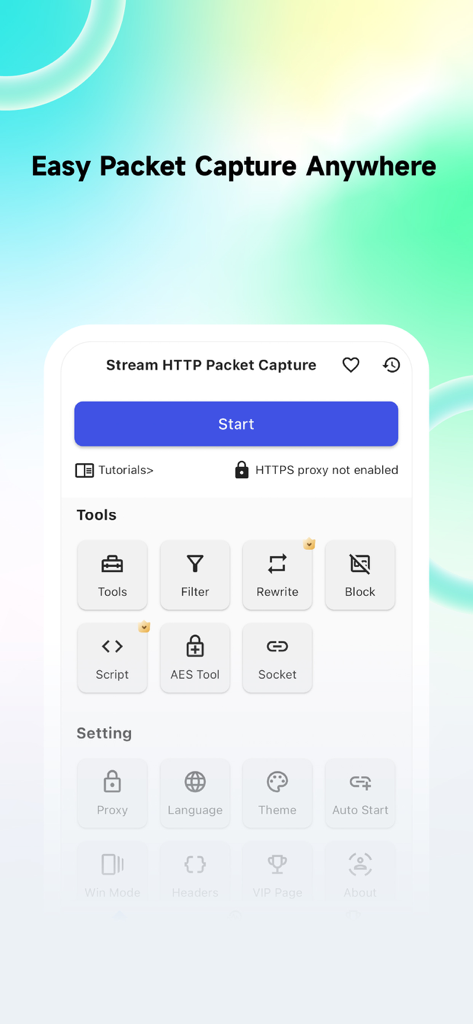
Main interface of Stream HTTP Sniffer app showing network debugging tools and packet capture options

Main interface of Stream HTTP Sniffer app showing network debugging tools and packet capture options

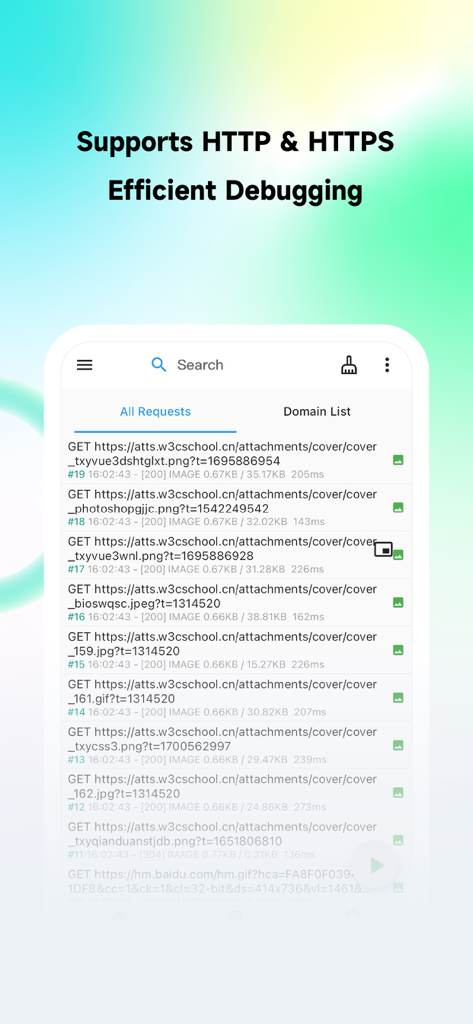
Interface of Stream HTTP Sniffer showing a list of intercepted HTTP and HTTPS network requests on a mobile device.

Interface of Stream HTTP Sniffer showing a list of intercepted HTTP and HTTPS network requests on a mobile device.

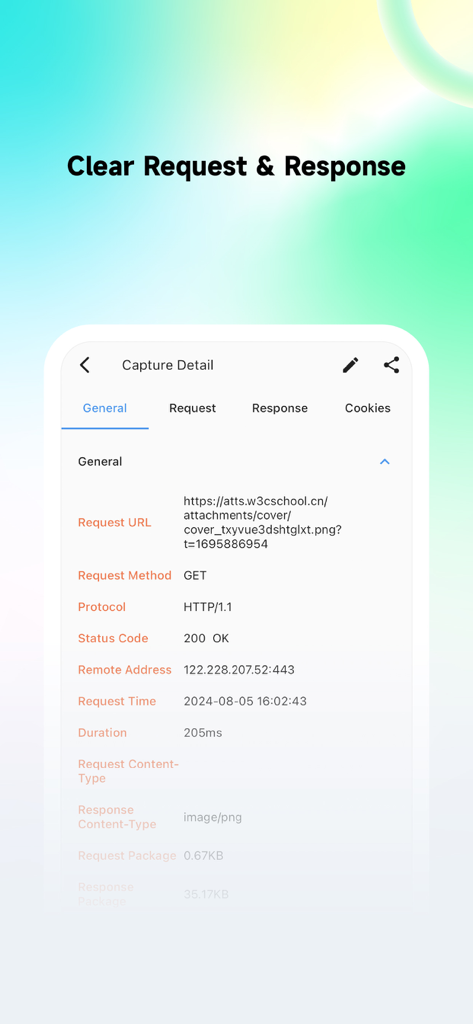
Stream HTTP Sniffer mobile app interface showing detailed network request information including URL method and status code

Stream HTTP Sniffer mobile app interface showing detailed network request information including URL method and status code

Interface of Stream HTTP Sniffer showing the request rewrite list feature

Interface of Stream HTTP Sniffer showing the request rewrite list feature

Domain filtering screen in Stream HTTP Sniffer app showing whitelist and blacklist options

Domain filtering screen in Stream HTTP Sniffer app showing whitelist and blacklist options

Professional Network Debugging, Decoupled

The tools that make this app stand out, trusted by 36K+ users.

📱

On-Device Traffic Inspection

Analyze live HTTP/HTTPS packets anywhere, even on 5G or public Wi-Fi, without the need for Charles Proxy or Fiddler on a computer.

🛠️

Dynamic Request Rewriting

Mock API responses and test edge cases on the fly using JavaScript or regex to simulate server failures or modify payloads in real-time.

🎯

Precision Domain Filtering

Cut through the system noise by targeting only the traffic you need, ensuring your debugging session remains focused and efficient.

About the app

Everything you need to know about Stream HTTP Sniffer.

Description

Stream HTTP Packet Capture Tool is a mobile HTTP/HTTPS packet capture and network debugging tool. It is used for local packet capture on the client side, intended solely for local network debugging by QA and development teams. You can capture and view all HTTP/HTTPS requests and responses on your device without connecting to a computer, making it easy to debug application network issues. 1. Capture HTTP & HTTPS requests, with HTTPS requests requiring the configuration of a CA certificate. 2. Access capture history to preview request bodies and response bodies, currently supporting text, JSON, files, and forms. 3. Domain Filtering: Intercept only the traffic you need, avoiding interference with other applications. 4. Request Rewriting: Supports redirection and replacement of request or response messages, and modifications based on regular expressions. 5. Request Blocking: Block requests based on URLs to prevent them from being sent to the server. 6. Scripting: Write JavaScript scripts to handle requests or responses. 7. Search: Search requests based on keywords, response types, and various conditions. Before you start using the tool, please read the following: 1. The target audience for Stream HTTP Packet Capture Tool includes front-end developers, client developers, back-end developers, DevOps engineers, QA engineers, and general users with some network analysis skills. 2. The sole purpose of Stream HTTP Packet Capture Tool is network debugging, and it has no other intended purposes. Additionally, enabling Stream requires your authorization for VPN permissions. 3. Stream HTTP Packet Capture Tool does not upload any user data. Please use it with confidence, and we hope our trusted users will share it with industry professionals. If you do not agree with the above purposes, lack network analysis skills, or inherently distrust third-party apps with sensitive data, we recommend you carefully consider before downloading.

Latest Version

1.9.0

Size

43.1 MB

First Released

Apr 23, 2024

Stop Tethering, Start Sniffing.

Join over 36,000 engineers debugging on the go. Download Stream to capture, inspect, and rewrite HTTP/HTTPS traffic directly on your device—no computer required.

Download on App Store

App information, icons, screenshots, and descriptions displayed on this page are sourced from the Apple App Store and are the property of their respective developers. Download estimates and rankings are based on MWM's proprietary models and may not reflect actual figures. This page is provided for informational and analytical purposes only.

Believe this page infringes your intellectual property? File a dispute