
This page is not an official page of the app or its developer, but an independent editorial publication created for informational and commentary purposes. Unless expressly stated otherwise, neither the app nor its developer is affiliated with, endorsed by, sponsored by, authorized by, or otherwise officially connected with MWM, Apple, Google Play, the app publisher, or the app's developer, and nothing on this page implies that the app was developed using MWM's services. Any trademarks, logos, screenshots, and other content remain the property of their respective owners.


Strikeman
The ultimate dry-fire training system for serious firearm owners. Practice safely at home, get real-time laser feedback, and track your accuracy with professional-grade performance metrics.
Downloads
243K+User Rating
Total Ratings
1K+Publisher
Category
SportsLocales
10Latest Version
2.1.75Size
369.0 MBFirst Released
Sep 17, 2019Sharpen Your Skills Without the Range Fees
Transform your home into a high-tech training facility. Our laser-based system provides the precision of a professional range with the convenience of your living room.
Unlimited Zero-Cost Practice
Stop burning through expensive ammunition. Train with thousands of virtual rounds and save hundreds on ammo and range fees.
Instant Shot Feedback
Get real-time audio and visual scoring for every trigger pull. Identify and correct your shooting mechanics in seconds.
Frequently Asked Questions
Everything you need to know about Strikeman
What is the Strikeman app used for?
The Strikeman app enables users to practice shooting skills without live ammunition. It records shot scores using a laser bullet, a physical target, and a smartphone mount.
How does Strikeman record shooting scores?
The Strikeman app records scores by detecting laser strikes on a physical target. After calibration, each laser shot triggers the app to log the score and provide metrics.
Can users review their shooting performance history in Strikeman?
Yes, the Strikeman app's History section provides detailed records. Users access screenshots, shooting metrics, and graphs, including average score, range, total shots, and sessions.
What performance data does the Strikeman app display during training?
During training, the Strikeman app displays shots taken, yards range, time left, average shot time, average rating, and total score. These metrics appear on the screen.
Does the Strikeman app offer different target and game modes?
Yes, the Strikeman app provides customizable training. Users select their firearm, choose single or multi-target setups, and pick game modes like "Target Call out" or "Critical Thinking."
Can Strikeman provide audio feedback during practice sessions?
Yes, the Strikeman app offers audio feedback during training. Users control gunshot audio and voice feedback settings via the app's dedicated Settings section.
Is there a competitive mode in the Strikeman app?
Yes, Strikeman includes a competitive feature. Users can compete against others, viewing match rankings, average scores, average shot times, total points, and earned badges.
How do I change the distance units in the Strikeman app?
Users change distance units within the Strikeman app's Settings section. There, they toggle between feet or yards to adjust the displayed metric for their training sessions.
Where is the Strikeman app's privacy policy located?
The Strikeman app's privacy policy is available at https://www.strikeman.io/pages/ios-privacy-page. This URL is provided directly within the app's description.
Does Strikeman save my shooting session data?
Yes, Strikeman saves all shooting session data. It archives screenshots, detailed metrics, and graphical representations of performance for long-term progress tracking.
How do I calibrate the target in the Strikeman app?
Users calibrate the target by using two fingers to cover the circumference of the target on the screen. This step ensures accurate shot recording during training sessions.
The following screenshots and description are sourced directly from the app's official store listing and are the property of the app developer.
App Store
Screenshots
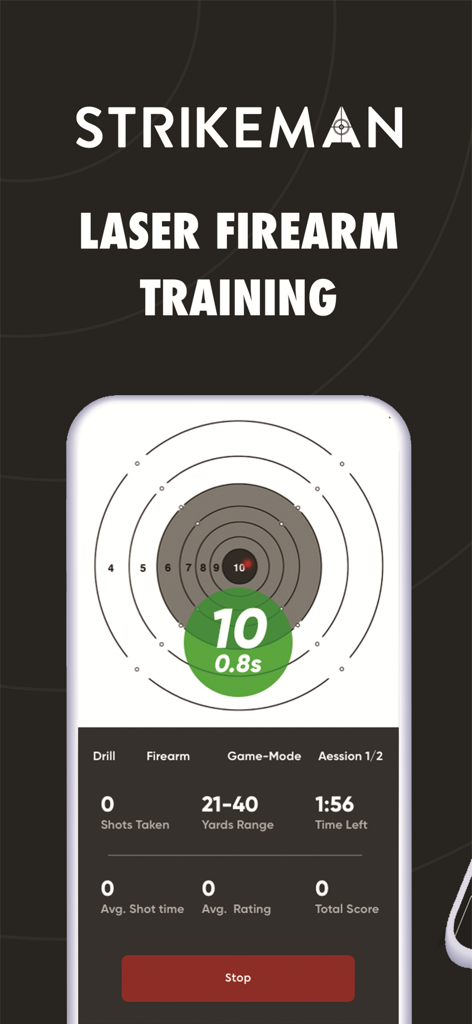
Strikeman app interface displaying a digital shooting target and training performance metrics
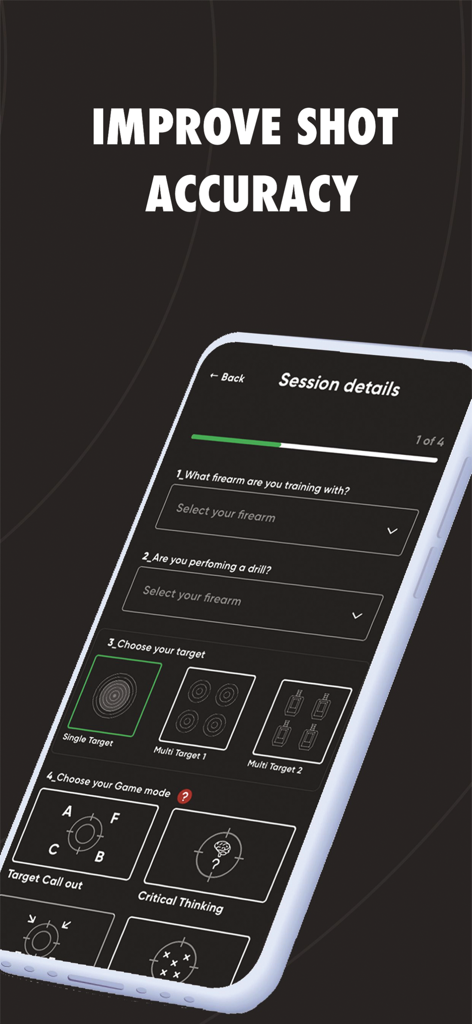
Strikeman app session details screen for selecting firearms, drills, and target modes to improve shot accuracy.
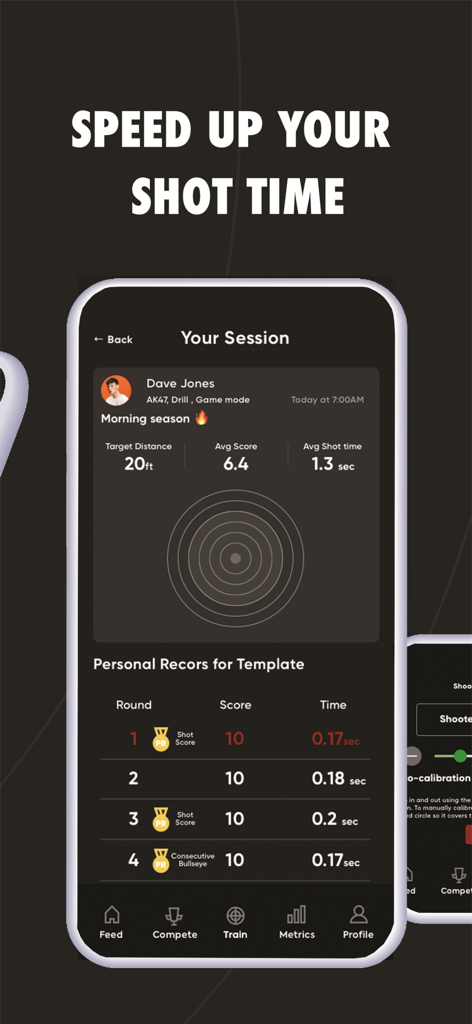
Strikeman app session summary screen showing shot time and accuracy scores
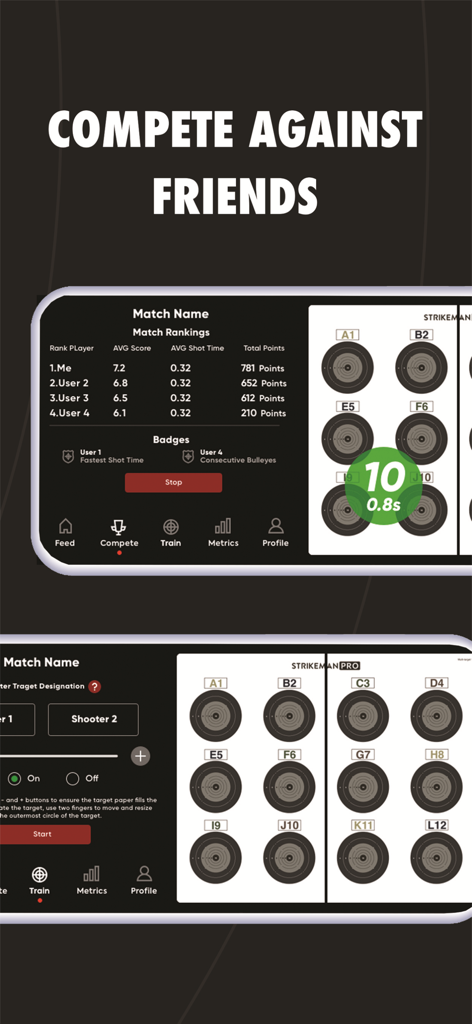
Strikeman app interface showing match rankings and shooting target practice modes for competing against friends
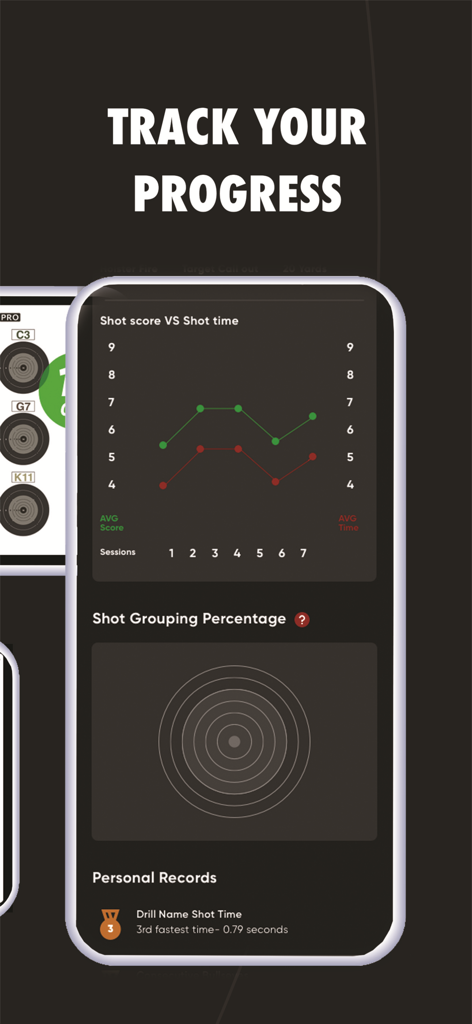
Strikeman app interface showing shot score versus shot time graphs and performance metrics.
Description
Download
More Like This
Apps with similar features and user experience

GoodShot - Badminton tracker
GoodShot Technology Co., Ltd
YaoYao - Jump Rope
家浩 汪

TrainerDay - Indoor Cycling
TrainerDay Inc

Arm Care
Fitworks, Inc

Wahoo
Wahoo Fitness L.L.C.

HOTWORX
Planet Beach Franchising Corporation

Zwift Companion
Zwift, Inc

Dribbleup - Sports & Fitness
DribbleUp Inc

MOWL: Intelligent Training
Intelligent Training Group ApS
This page is not an official page of the app or its developer, but an independent editorial publication created for informational and commentary purposes. Unless expressly stated otherwise, neither the app nor its developer is affiliated with, endorsed by, sponsored by, authorized by, or otherwise officially connected with MWM, Apple, Google Play, the app publisher, or the app's developer, and nothing on this page implies that the app was developed using MWM's services. Any trademarks, logos, screenshots, and other content remain the property of their respective owners.