StudyLock: Block Distractions
Download on App Store

This page is not an official page of the app or its developer, but an independent editorial publication created for informational and commentary purposes. Unless expressly stated otherwise, neither the app nor its developer is affiliated with, endorsed by, sponsored by, authorized by, or otherwise officially connected with MWM, Apple, Google Play, the app publisher, or the app's developer, and nothing on this page implies that the app was developed using MWM's services. Any trademarks, logos, screenshots, and other content remain the property of their respective owners.

Logo of StudyLock: Block Distractions
Download on App Store

StudyLock: Block Distractions

Stop the endless scroll and master your materials. Lock distracting apps and only unlock them by passing AI-powered quizzes on your study notes. Turn your focus into rewards and become the ultimate academic weapon.

Key Figures

Downloads

2K+

User Rating

1.0/5

Total Ratings

0

Publisher

Mikita Shpak

Category

Education

Locales

3

Latest Version

1.53

Size

56.0 MB

First Released

May 16, 2025
Features

Master Your Focus with Reward-Based Learning

StudyLock is the ultimate 'Monk Mode' tool for students who want to crush their goals. By turning social media into a reward for real progress, we help you stop procrastinating and start achieving.

Earn Your Screen Time

Break the scrolling habit. Lock distracting apps like TikTok and Instagram, and only unlock them once you pass an AI-generated quiz on your study materials.

AI-Powered StudyBuddy

Upload your PDFs, images, or voice notes. Our AI instantly creates summaries, answers complex questions, and builds the quizzes you need to master your subjects.

The following screenshots and description are sourced directly from the app's official store listing and are the property of the app developer.

App Store

Screenshots
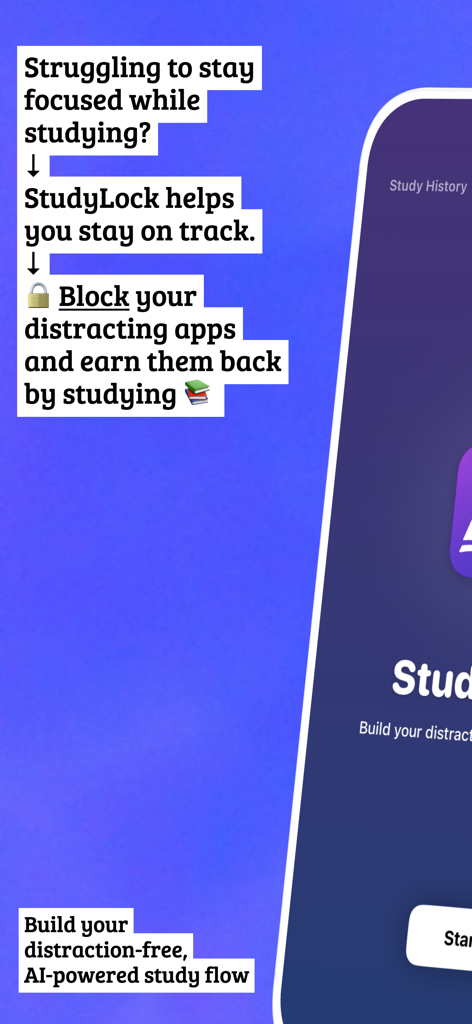
StudyLock: Block Distractions - StudyLock app introduction showing the block distracting apps feature to improve study focus
StudyLock app introduction showing the block distracting apps feature to improve study focus

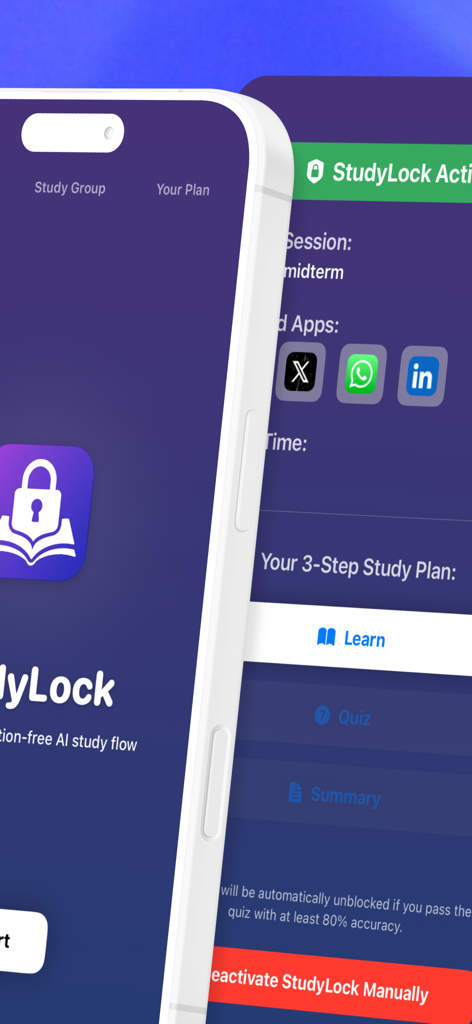
StudyLock: Block Distractions - StudyLock app interface showing blocked social media apps and a three step study plan to unlock them
StudyLock app interface showing blocked social media apps and a three step study plan to unlock them

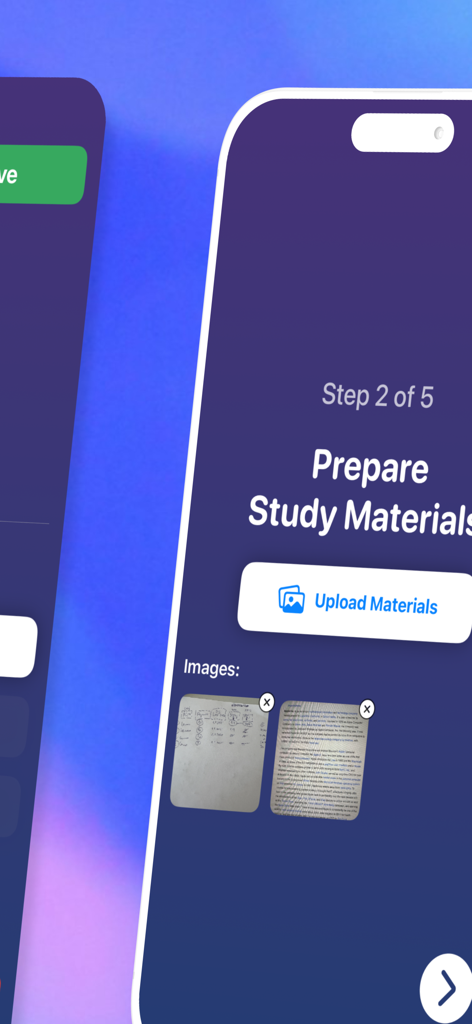
StudyLock: Block Distractions - Interface for uploading images and study materials in the StudyLock app
Interface for uploading images and study materials in the StudyLock app

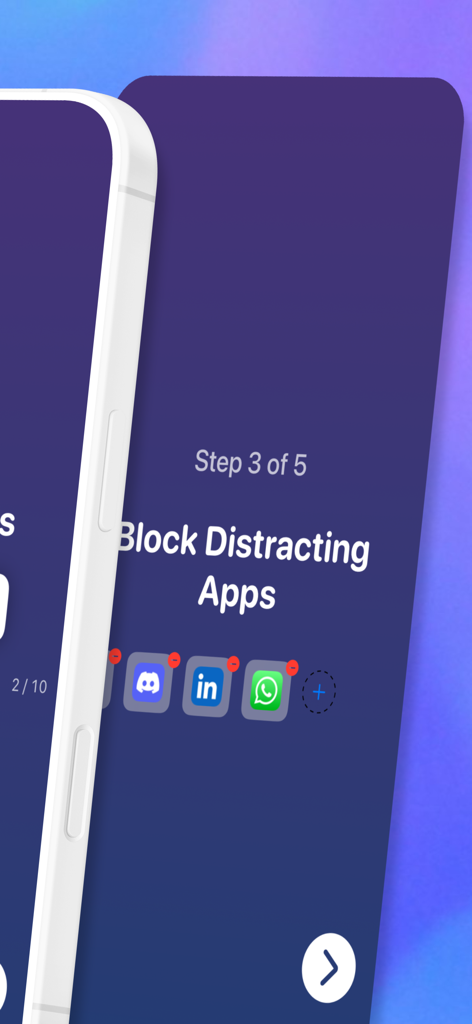
StudyLock: Block Distractions - Interface showing the step to block distracting social media apps like Discord and WhatsApp
Interface showing the step to block distracting social media apps like Discord and WhatsApp

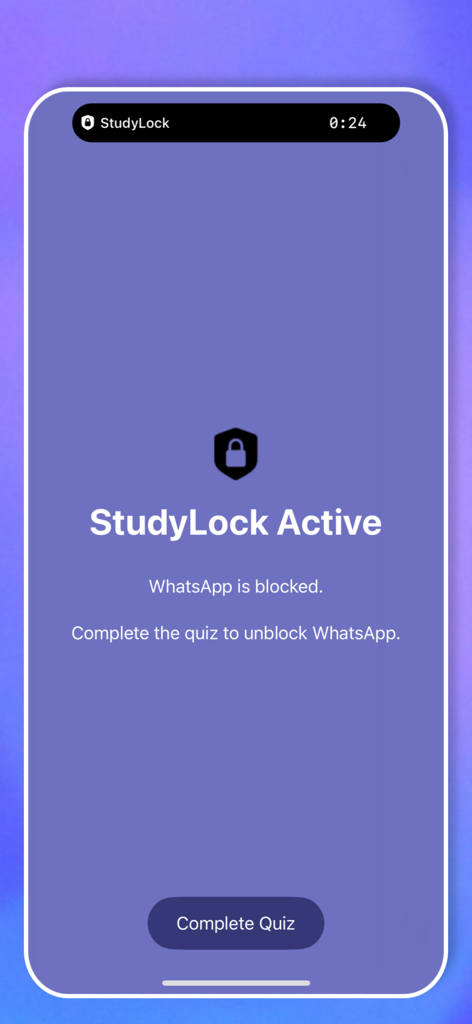
StudyLock: Block Distractions - StudyLock app interface showing WhatsApp is blocked with a button to complete a quiz for access.
StudyLock app interface showing WhatsApp is blocked with a button to complete a quiz for access.

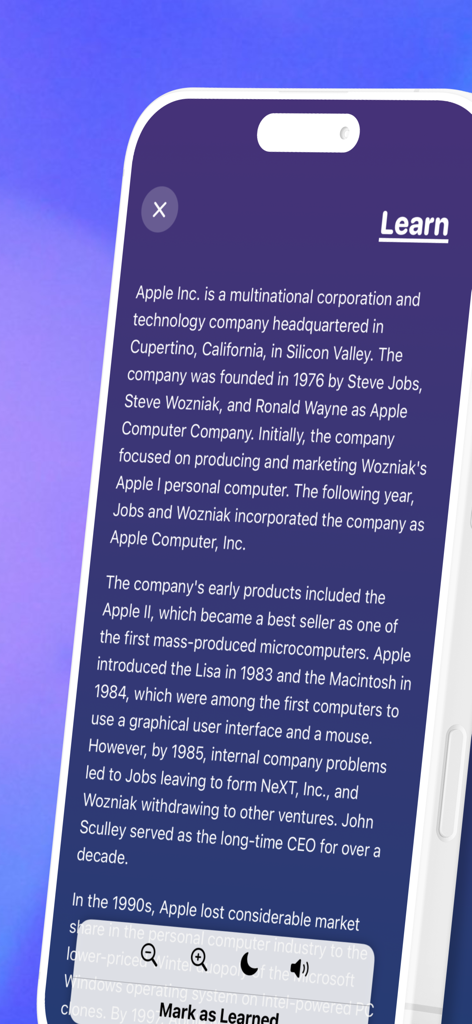
StudyLock: Block Distractions - StudyLock app reading screen with text to speech and mark as learned features.
StudyLock app reading screen with text to speech and mark as learned features.

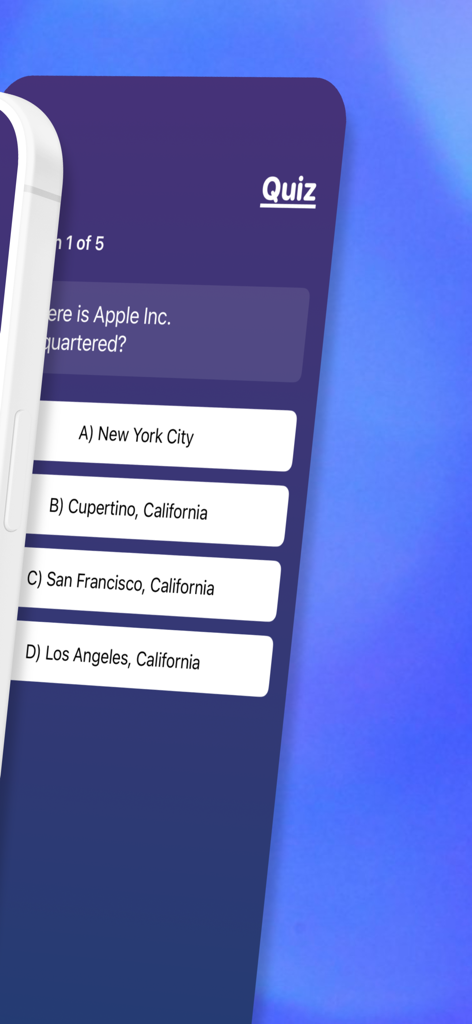
StudyLock: Block Distractions - Multiple choice quiz question in the StudyLock app
Multiple choice quiz question in the StudyLock app

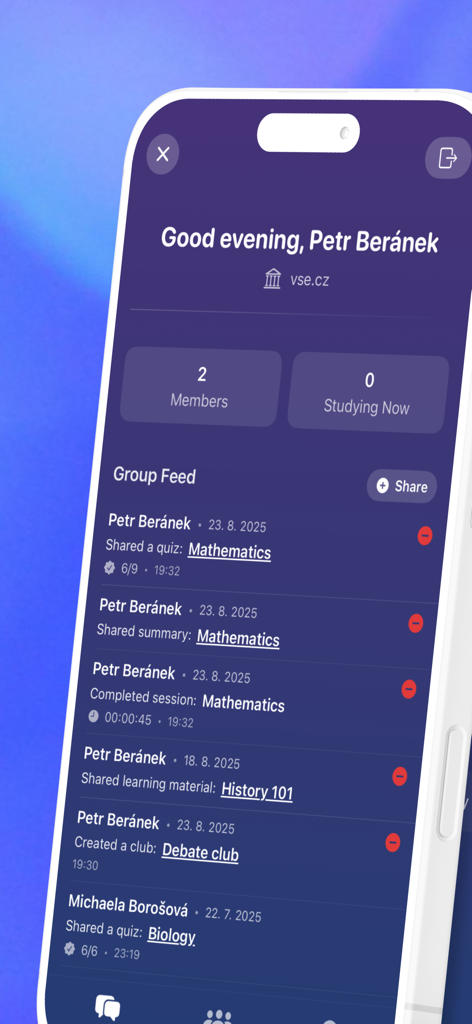
StudyLock: Block Distractions - StudyLock app screen showing a study group feed with student activity and shared learning materials
StudyLock app screen showing a study group feed with student activity and shared learning materials

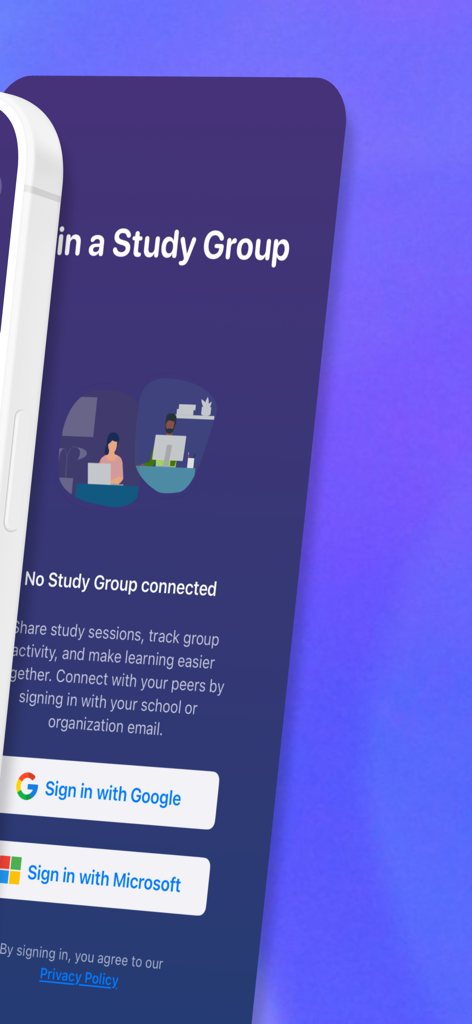
StudyLock: Block Distractions - Join a Study Group screen with options to sign in with Google or Microsoft
Join a Study Group screen with options to sign in with Google or Microsoft

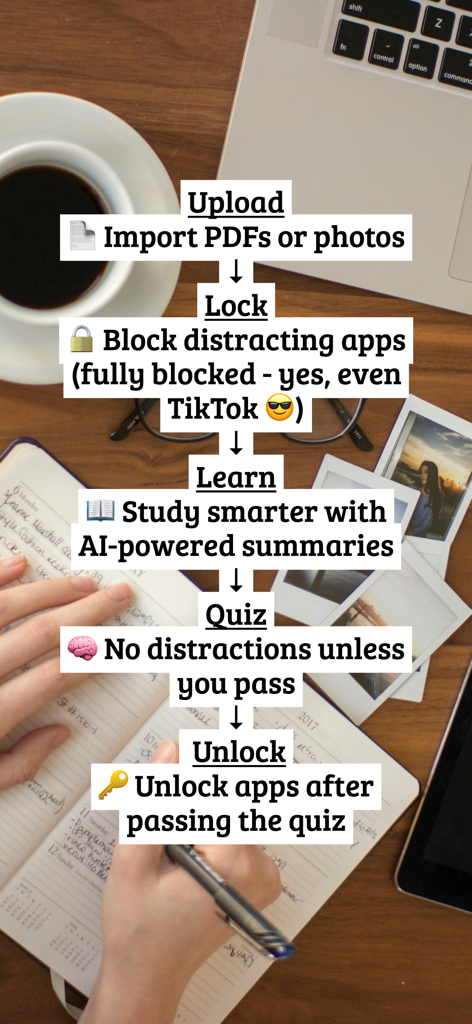
StudyLock: Block Distractions - An infographic showing the five steps of the StudyLock process: upload materials, lock distracting apps, learn with AI summaries, pass a quiz, and unlock apps.

An infographic showing the five steps of the StudyLock process: upload materials, lock distracting apps, learn with AI summaries, pass a quiz, and unlock apps.

Description

Struggling to stay focused while studying? StudyLock helps you stay on track by blocking distracting apps - and only unlocking them once you’ve studied and passed a quiz. Whether you're preparing for exams, tackling daily assignments, or working on long-term projects, StudyLock creates a structured, distraction-free environment powered by AI to support your learning. How it works: Upload study materials (PDFs, images, or dictate notes by voice) → Block distracting apps (yes, even TikTok) → Learn through AI-generated summaries → Take a quiz to prove you've studied → Unlock your apps once you meet the score threshold Features: • Chat directly with your materials using AI StudyBuddy: ask questions, get examples, or request quizzes • Stay focused with Focus Mode, which automatically detects lost attention and closes study when you look away • Download completed sessions as PDF to review key material, track progress, or share your work • Set your own quiz score requirement to unlock apps • Learn in the language you're most comfortable with • Listen as your study material is read aloud, with each word highlighted as it’s spoken • Adjust text size and background for easier reading • Track completed sessions and study time • Get personalised insights and study statistics • Join study groups using your school or organization email Earn your screen time with real study time. -------------------------- StudyLock offers premium access through two auto-renewable subscription plans or a one-time lifetime purchase to help you stay focused and boost your productivity: Monthly – StudyLockPRO Access all premium features and unlock your best study flow. Includes a 3-day free trial, then renews monthly. Duration: 1 month Weekly – StudyLockPRO Enjoy the same benefits as the Monthly plan with a shorter commitment. Duration: 1 week One-Time Purchase – StudyLockPRO Lifetime Unlock all premium features forever with a single payment. Billing & Auto-Renewal Payment will be charged to your iTunes account at confirmation of purchase. Subscriptions automatically renew unless auto-renew is turned off at least 24 hours before the end of the current period. Your account will be charged for renewal within 24 hours before the end of the current period, at the cost of your selected plan. Free Trial Information If you choose the Monthly plan, you will not be charged until the end of the 3-day free trial period. After the trial, your subscription will automatically begin and renew each month unless canceled at least 24 hours before the trial ends. Manage Your Subscription You can manage your subscription and turn off auto-renewal at any time via your iTunes Account Settings. Important Deleting the StudyLock app does not cancel your subscription. You must cancel via iTunes to avoid future charges. Terms of Use: https://studylock.github.io/terms Privacy Policy: https://studylock.github.io/privacy Need Help? Have questions or feedback? Reach out anytime at studylock@icloud.com

Download

Download on App Store

This page is not an official page of the app or its developer, but an independent editorial publication created for informational and commentary purposes. Unless expressly stated otherwise, neither the app nor its developer is affiliated with, endorsed by, sponsored by, authorized by, or otherwise officially connected with MWM, Apple, Google Play, the app publisher, or the app's developer, and nothing on this page implies that the app was developed using MWM's services. Any trademarks, logos, screenshots, and other content remain the property of their respective owners.








