
This page is not an official page of the app or its developer, but an independent editorial publication created for informational and commentary purposes. Unless expressly stated otherwise, neither the app nor its developer is affiliated with, endorsed by, sponsored by, authorized by, or otherwise officially connected with MWM, Apple, Google Play, the app publisher, or the app's developer, and nothing on this page implies that the app was developed using MWM's services. Any trademarks, logos, screenshots, and other content remain the property of their respective owners.


Suica
Japan's pace demands speed. This app delivers instant command over travel and purchases, turning your device into the ultimate access tool.
Downloads
12.5M+User Rating
Total Ratings
33.3KPublisher
Category
FinanceLocales
1Latest Version
3.5.3Size
62.5 MBFirst Released
Oct 24, 2016Evaluating Key Features for Japan's Digital Commuters and Travelers
Suica App: A Comprehensive Analysis
Seamless Contactless Travel & Payments
The app allows users to seamlessly board trains and buses and make cashless payments at stores nationwide by simply waving their iPhone or Apple Watch.
Apple Pay & Apple Watch Support
This tool provides full integration with Apple Pay and Apple Watch, enabling convenient use of Suica functions directly from Apple devices for a truly mobile experience.
Nationwide IC Card Acceptance
It allows users to utilize Suica for transportation across Japan, interoperating with major IC card areas (e.g., PASMO, ICOCA), and for purchases at IC-marked stores and online.
In-App Suica Management
The app enables comprehensive management of Suica, including issuance of new digital cards, topping up balances, and purchasing commuter passes directly within the application.
Shinkansen Direct Boarding
This tool features "Touch de Go! Shinkansen" service registration, allowing users to board Shinkansen non-reserved seats using their Suica balance without prior reservations.
Ekinet Shinkansen e-Ticket
It facilitates ticketless Shinkansen travel on JR East lines by linking Suica to an Ekinet account, including access to discounted tickets like 'Ekinet Tokudane'.
Flexible Payment & Auto-Charge
The app supports multiple credit card options for topping up Suica, and it offers an auto-charge setting for View Card holders, ensuring continuous balance availability.
Digital Suica Issuance & Import
It allows users to easily issue a new digital Suica card without needing a physical card, or to import an existing physical Suica into their iPhone's Apple Pay.
Special Ticket Purchases
The app provides the convenience of purchasing special tickets such as commuter passes, Suica Green Car tickets, and other discounted travel options.
JRE POINT Integration
This tool integrates with JRE POINT, enabling users to earn points when using JR East services and at partner stores, with the option to charge accumulated points back to their Suica.
Frequently Asked Questions
Everything you need to know about Suica
Can I issue and charge a Suica card using the Suica application?
Yes, the Suica app allows users to easily issue a new Suica, charge it, and purchase commuter passes directly within the application.
What devices are compatible with the Suica app?
The Suica app is compatible with iPhone 8 or later, Apple Watch Series 3 or later, and iPhone 7 and Apple Watch Series 2 models sold in Japan.
Are there any fees to use the Suica application?
No, the Suica app does not charge any enrollment fees, annual fees, or deposits for its use.
What payment methods can I use to charge my Suica in the Suica app?
Users can charge their Suica using a credit card registered in the Suica app or a credit card set up with Apple Pay. View Card registration enables auto-charge.
Can the Suica app be used throughout Japan?
Yes, the Suica app works nationwide for transportation services, including various IC card areas, and for payments at stores and online shops displaying the IC mark.
Can I purchase Suica Green Tickets using the Suica app?
Yes, Suica Green Tickets can be purchased directly within the Suica app. The app allows users to confirm purchase details and complete the transaction.
Can I import my physical Suica card into the Suica application?
Yes, existing physical Suica cards can be imported into the Suica app. After import, the physical card becomes invalid for use.
What features are available in the Suica app for managing my Suica?
The Suica app allows users to set up auto-charge, check electronic money balance and usage history, purchase various tickets, and manage registered credit card information.
Do I need to enable Express Card settings for the Suica app?
To use Suica without biometric authentication at automatic ticket gates, you must set it as an 'Express Card'. Biometric authentication may be required for non-transportation uses.
Does the Suica app integrate with JRE POINT?
Yes, by registering Mobile Suica with JRE POINT, users earn points when riding JR East trains, often more than with physical Suica cards. Points can also be charged to Suica.
The following screenshots and description are sourced directly from the app's official store listing and are the property of the app developer.
App Store
Screenshots
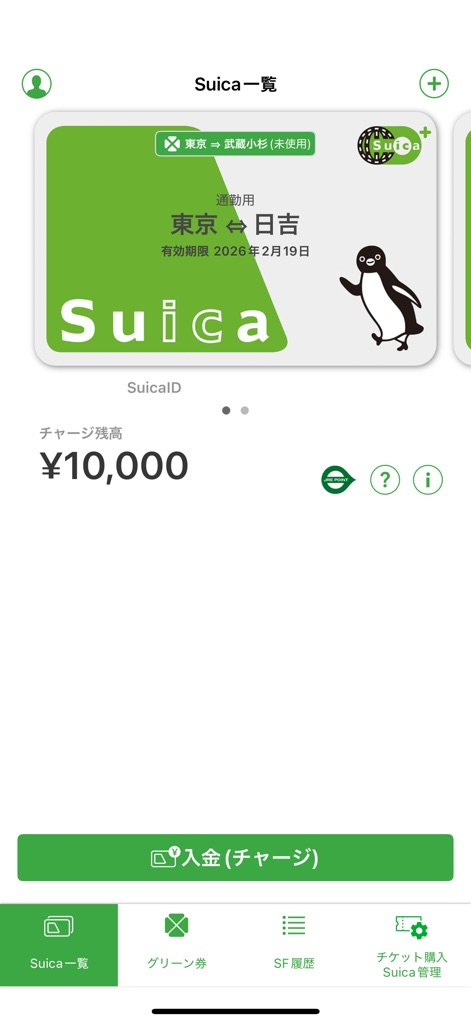
The app centralizes transit payments, prominently displaying the main Suica card and its current balance for effortless access.
Your Digital Wallet
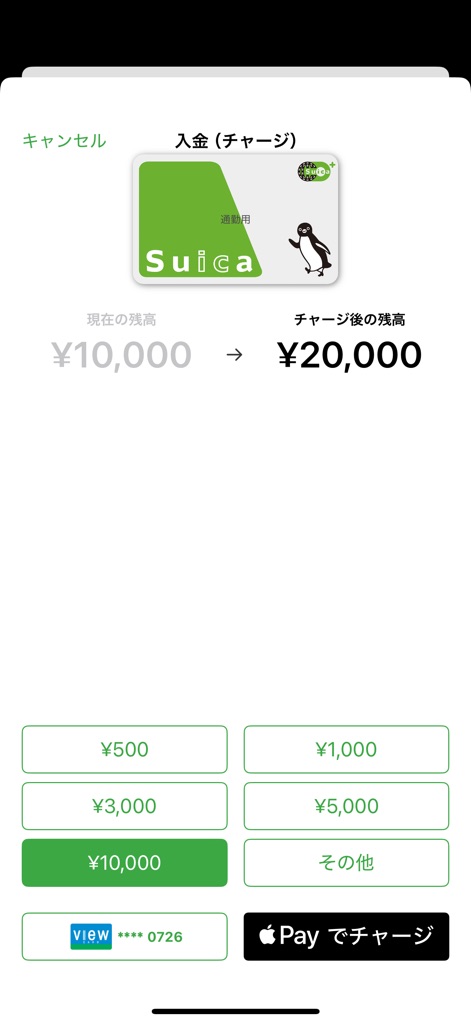
Users can quickly add funds to their Suica with convenient preset amounts or by utilizing the integrated Apple Pay option.
Effortless Top-Ups
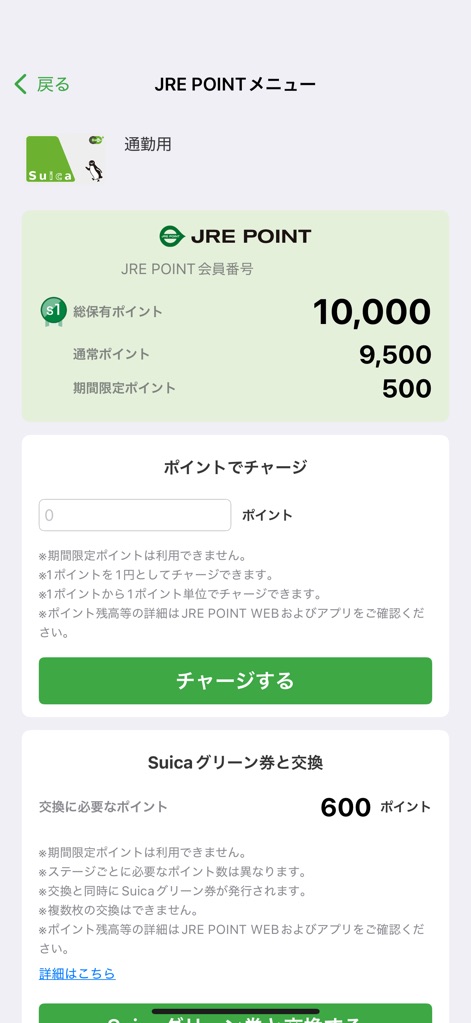
This screen details JRE POINT balances, allowing users to conveniently charge accumulated points directly to their Suica or check their total point holdings.
Loyalty Rewards Hub
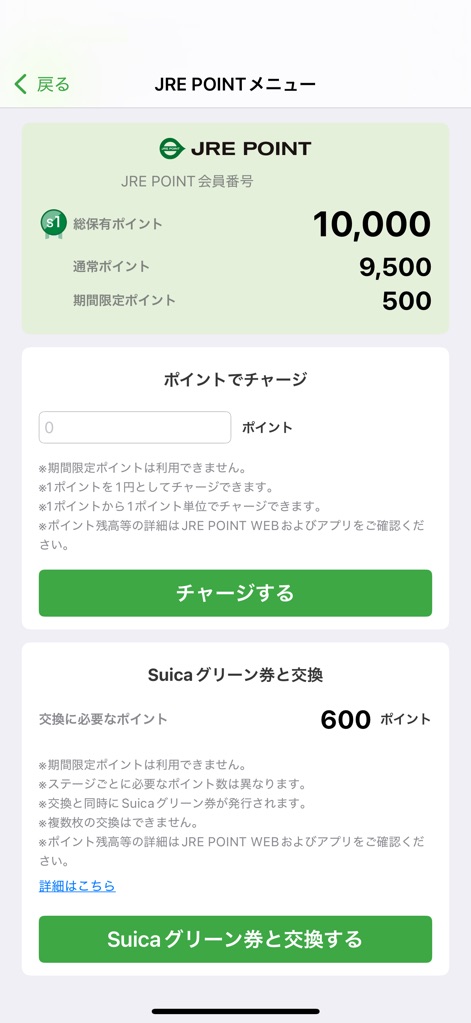
Manage loyalty benefits by viewing detailed JRE POINTs and opting to exchange them for a Suica Green Ticket.
Point Management
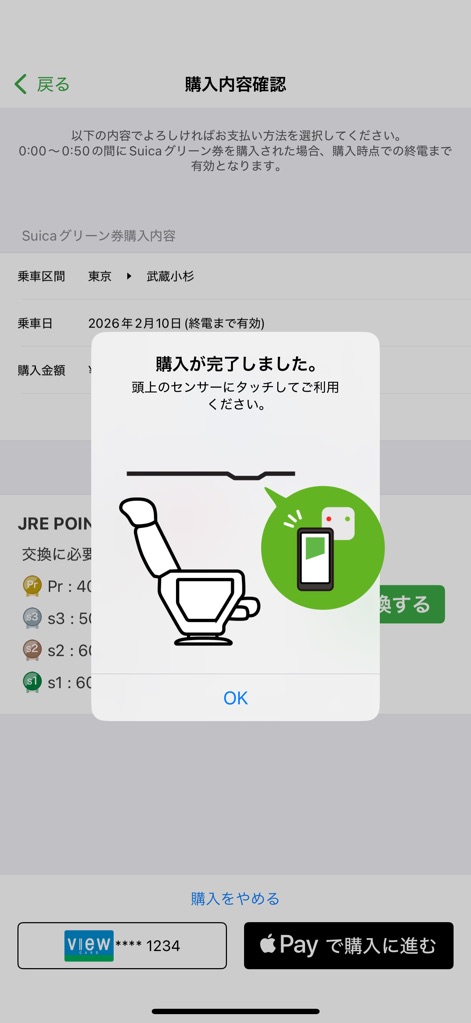
The app provides clear purchase confirmation, instructing users to tap their device on a sensor for seamless ticket use.
Confirming Your Ride
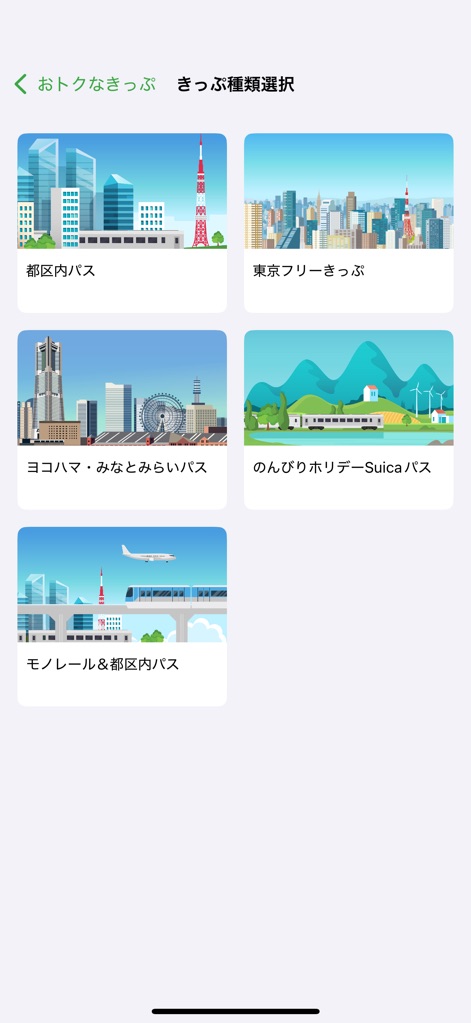
Discover a variety of discount tickets, presented with clear names and engaging cityscape graphics for quick selection.
Explore Discount Tickets
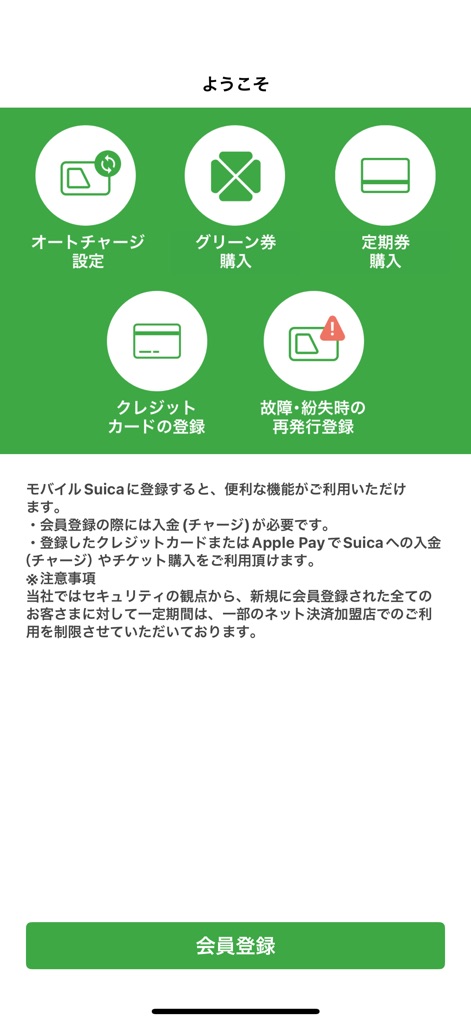
New users are guided through essential setup steps, including auto-charge settings and credit card registration for a convenient experience.
Getting Started
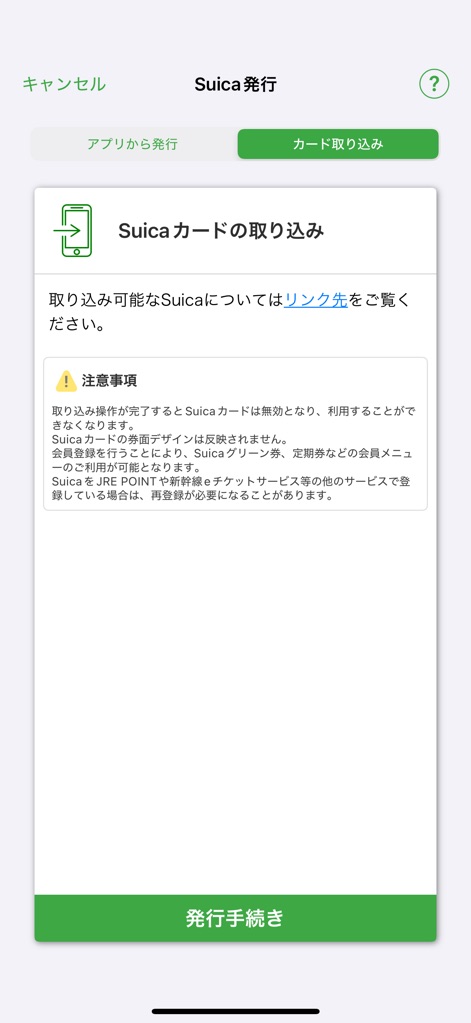
This feature enables users to seamlessly import an existing physical Suica card, complete with important precautions for a smooth transition.
Digitalize Your Suica
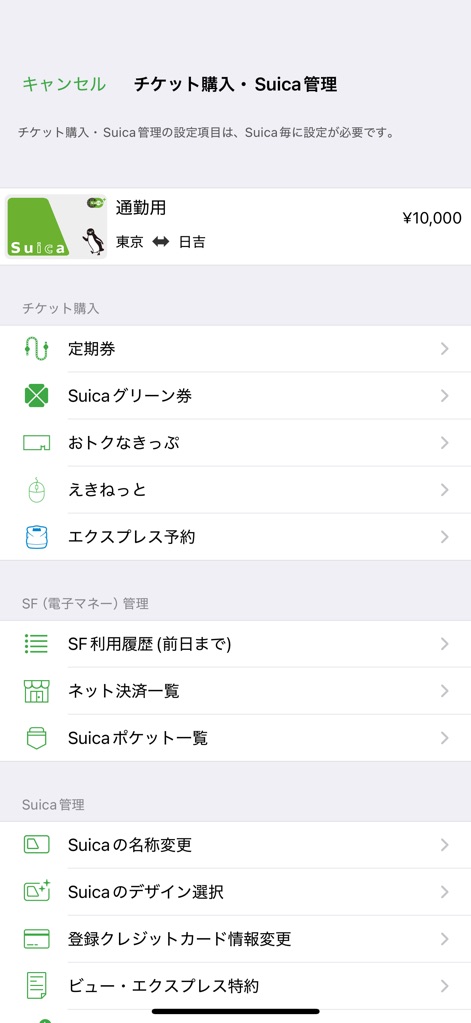
The app offers comprehensive management of tickets and Suica settings, including options for commuter passes and changing Suica card designs.
Comprehensive Management
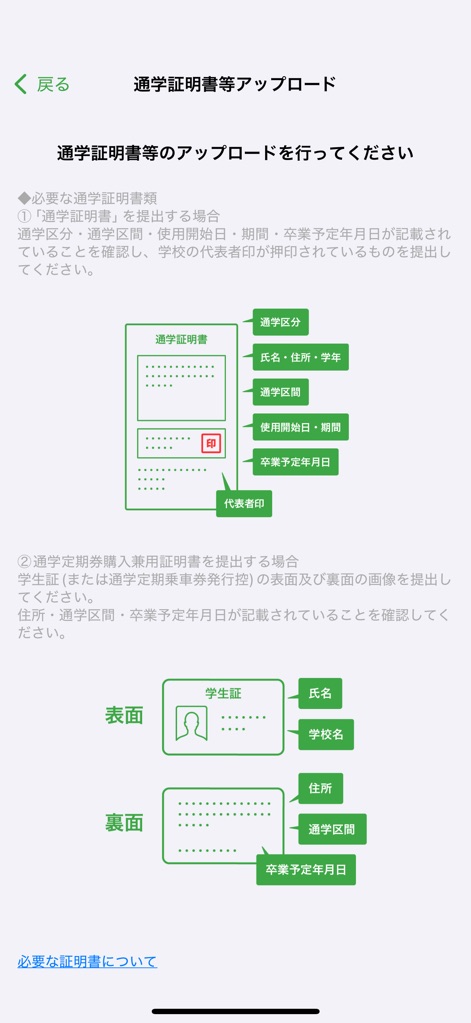
Users can securely upload necessary documents like student IDs and commuter pass certificates, guided by clear visual diagrams and instructions.
Document Uploads
Description
Download
More Like This
Apps with similar features and user experience

MTA TrainTime
MTA/New York City Transit

NJ TRANSIT Mobile App
NJ TRANSIT

쏘카 - 라이프타임 모빌리티 플랫폼
SOCAR Inc.

ONAY! - Ваш городской помощник
ONAI PAY, TOO

Chennai One
Chennai Unified Metropolitan Transport Authority

哈啰-骑车顺风车打车租车
Shanghai Haluo Pratt&Whitney Technology Co., Ltd

Transit • Subway & Bus Times
9280-0366 Quebec inc.

Île-de-France Mobilités
Ile de France Mobilites

MARTI: TAG & Scooter
MARTI TEKNOLOJI LIMITED SIRKETI
This page is not an official page of the app or its developer, but an independent editorial publication created for informational and commentary purposes. Unless expressly stated otherwise, neither the app nor its developer is affiliated with, endorsed by, sponsored by, authorized by, or otherwise officially connected with MWM, Apple, Google Play, the app publisher, or the app's developer, and nothing on this page implies that the app was developed using MWM's services. Any trademarks, logos, screenshots, and other content remain the property of their respective owners.