SuperScale Photo Enhancer AI

SuperScale Photo Enhancer AI


Download on App Store
Logo of SuperScale Photo Enhancer AI

SuperScale Photo Enhancer AI: Transform Low-Res Images into Sharp HD Masterpieces

Professional-grade upscaling and sharpening for prints, posters, and social media. No accounts, no cloud uploads, and total privacy—just stunning, high-resolution results in one tap.

Download on App Store

Publisher

Fresno Heavy Industries Pty. Ltd.

Category

Photo & Video

Downloads

900

User Rating

4.2/5

Total Ratings

0

Locales

8

Stunning Details Revealed

Discover the interface used by 900 users.
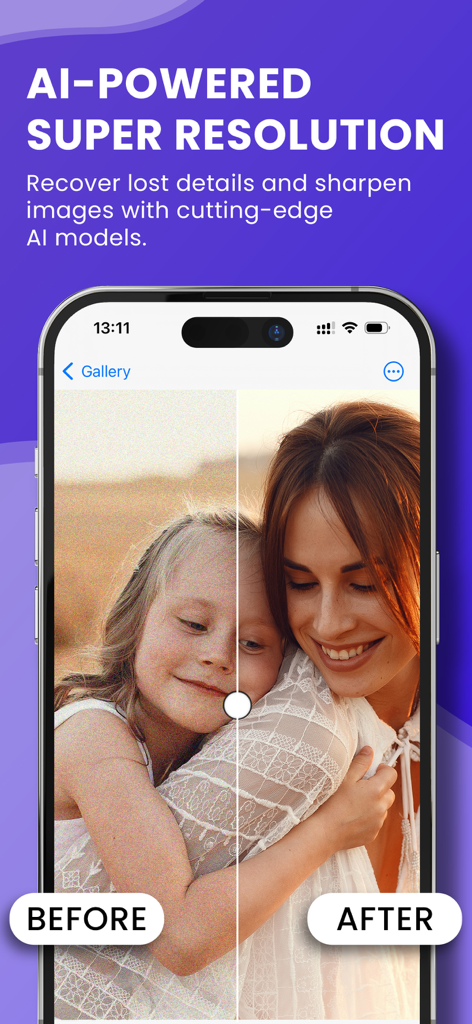
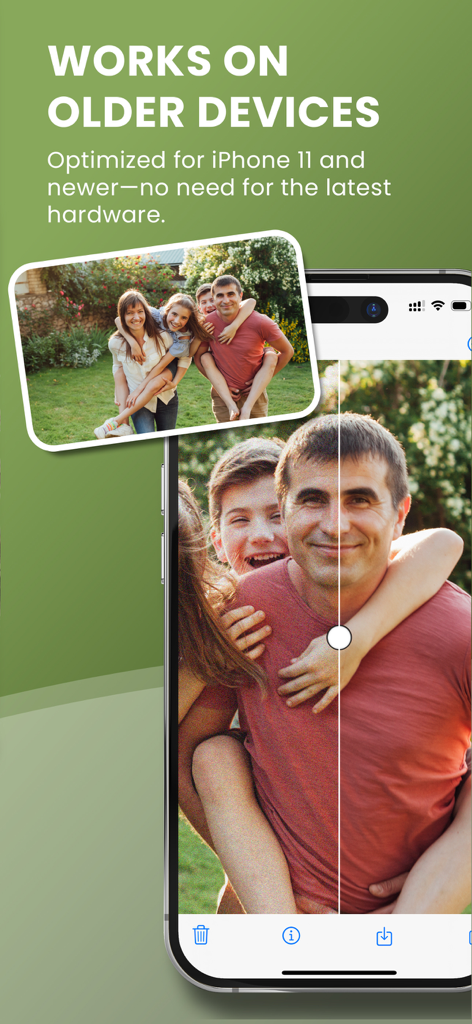
A before and after comparison of a family portrait showing the enhancement from grainy to high resolution using SuperScale AI

A before and after comparison of a family portrait showing the enhancement from grainy to high resolution using SuperScale AI

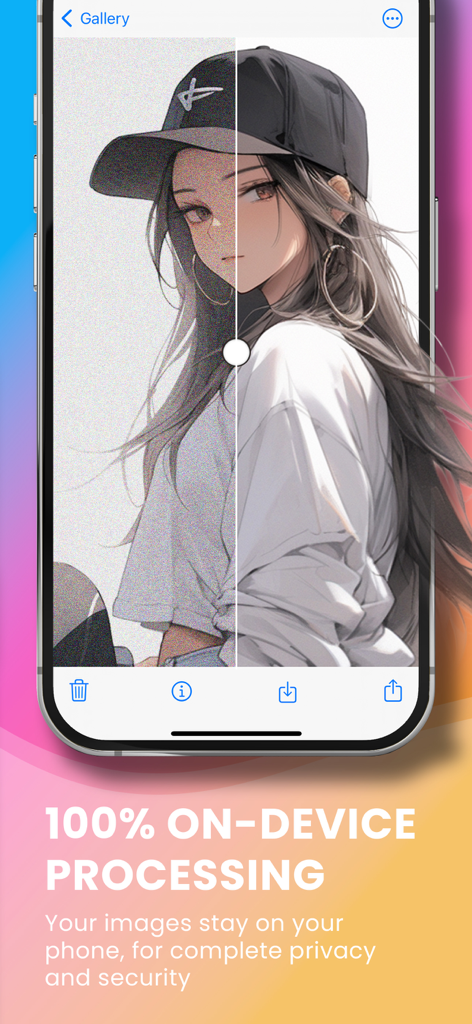
Side-by-side comparison of a photo before and after AI enhancement with a caption highlighting 100 percent on-device processing for privacy.

Side-by-side comparison of a photo before and after AI enhancement with a caption highlighting 100 percent on-device processing for privacy.

AI photo enhancer comparison on a mobile screen showing sharpened family photo details

AI photo enhancer comparison on a mobile screen showing sharpened family photo details

Pro-Quality Clarity for Every Image

The tools that make this app stand out, trusted by 900 users.

šŸ”’

Private & Account-Free

Start enhancing immediately with total peace of mind. Your photos stay on your device—no sign-ups required and no data ever leaves your phone.

šŸ“

Smart HD Upscaling

Enlarge images without losing a single detail. Turn low-resolution mobile snaps into high-definition files ready for posters, prints, and professional projects.

šŸŖ„

Instant Detail Restoration

Breathe new life into old memories. Our AI automatically fixes blur, reduces digital noise, and sharpens pixelated edges with a single tap.

About the app

Everything you need to know about SuperScale Photo Enhancer AI.

Description

SuperScale AI Upscaler is your go-to app for improving the quality of any image. Whether you want to enlarge images with AI, sharpen details, or just boost the overall look of your photos, this app makes it easy for anyone to get amazing results. It uses the latest AI upscale image technology to make sure your photos come out clear, detailed, and ready to use. Why choose SuperScale AI? SuperScale AI is perfect if you want to take a low-quality or pixelated photo and turn it into something that looks sharp and professional. With our AI photo enhancer, you can make sure that every picture looks its best. You don't need to be a photo expert to use the app—it’s designed for anyone to quickly improve image with AI and get amazing results with just a few taps. You can use it to create high-quality images for prints, posters, canvas displays, or simply improve pictures for sharing online. Whether it's a family photo, an artwork, or even an image from the web, SuperScale AI makes it look better. Key Features: Enlarge images with AI: Turn your small, low-resolution photos into larger, high-quality images without losing any detail. Our app uses smart AI technology to make sure your photos look their best, even when upscaled. Photo quality enhancer: Fix blurry, pixelated images and make them look crisp and clear. With SuperScale AI, even old or low-quality images can look fresh and detailed. HD image upscaling: Need to make an image bigger? The app uses advanced image upscaler tools to increase the size of your photos while keeping them sharp and high-quality. Perfect for large prints or high-resolution displays. Image enhancement: Improve the overall quality of your photos by reducing noise and fixing imperfections. Whether it's an image from your phone or the web, SuperScale AI helps you get the best version of it. How to Use SuperScale AI Using SuperScale AI is as simple as it gets. All you need to do is open the app, select the image you want to improve, and let the AI do the rest. You can crop your image in the Photos app and then use SuperScale AI to make sure it’s ready for printing or displaying at its best. Whether you’re working with images from your personal gallery or online sources, SuperScale AI ensures they look sharp, clear, and professional. No Accounts Needed One of the best things about SuperScale AI is that it’s hassle-free. You don’t need to sign up for an account. Just open the app and start using it right away. Plus, all your photos stay safe on your device—no cloud storage or online uploads required, so your privacy is guaranteed. Who is SuperScale AI for? Whether you're a professional photographer, a designer, or just someone who wants to make their images look better, SuperScale AI is the perfect tool. It’s great for anyone who wants to improve image with AI without the need for expensive software or complicated tools. Conclusion With SuperScale AI, you can quickly and easily improve any photo using the latest AI technology. Whether it’s for personal use or professional projects, the app gives you high-quality results every time. Download SuperScale AI today and experience the power of AI-driven photo quality enhancement and HD image upscaling—all without the need for accounts or subscriptions. Your photos deserve to look their best!

Latest Version

1.4.3

Size

84.0 MB

First Released

Aug 14, 2024

Ready to See Your Photos in Stunning High Definition?

Experience the fastest way to upscale and sharpen your favorite memories. No accounts, no cloud uploads—just professional AI power right on your device.

Download on App Store

App information, icons, screenshots, and descriptions displayed on this page are sourced from the Apple App Store and are the property of their respective developers. Download estimates and rankings are based on MWM's proprietary models and may not reflect actual figures. This page is provided for informational and analytical purposes only.

Believe this page infringes your intellectual property? File a dispute