SyncGene Sync Contact Calendar

SyncGene Sync Contact Calendar


Download on App Store
Logo of SyncGene Sync Contact Calendar

SyncGene: Seamlessly Sync Your Contacts, Calendars, and Tasks Across All Platforms

Bridge the gap between iCloud, Google, and Outlook. Automatically unify your work and personal life with enterprise-grade background synchronization tailored for the busy professional.

Download on App Store

Publisher

Cira Apps Limited

Category

Productivity

Downloads

9K+

User Rating

1.9/5

Total Ratings

0

Locales

3

Efficiency in Motion

Discover the interface used by 9K+ users.
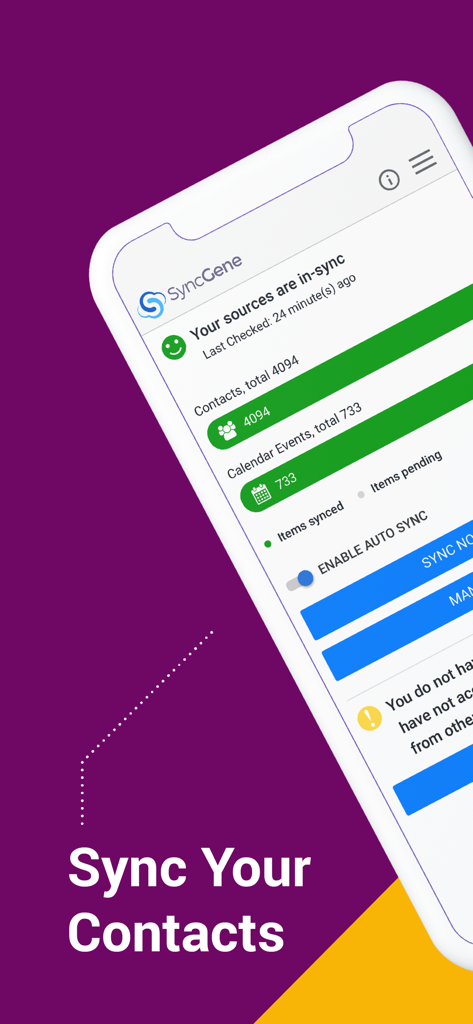
SyncGene app dashboard displaying synchronized contacts and calendar events.

SyncGene app dashboard displaying synchronized contacts and calendar events.

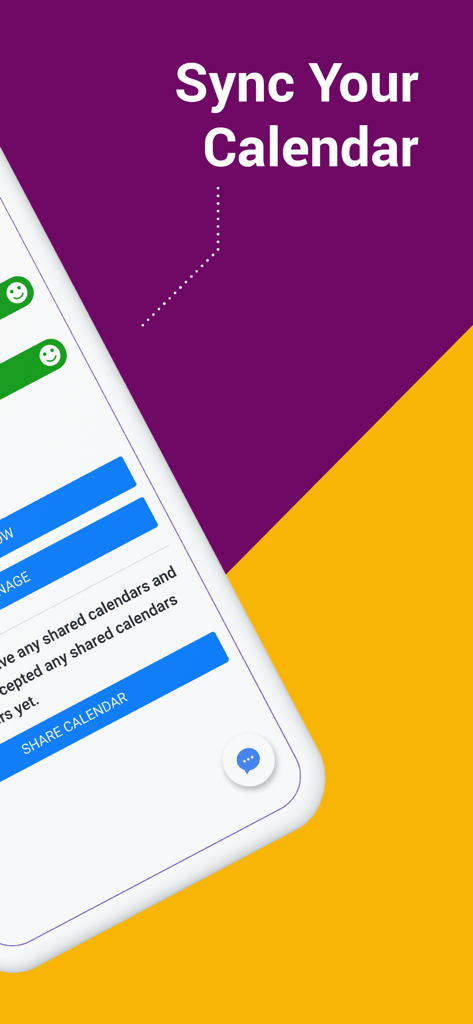
Sync Your Calendar screen from the SyncGene app

Sync Your Calendar screen from the SyncGene app

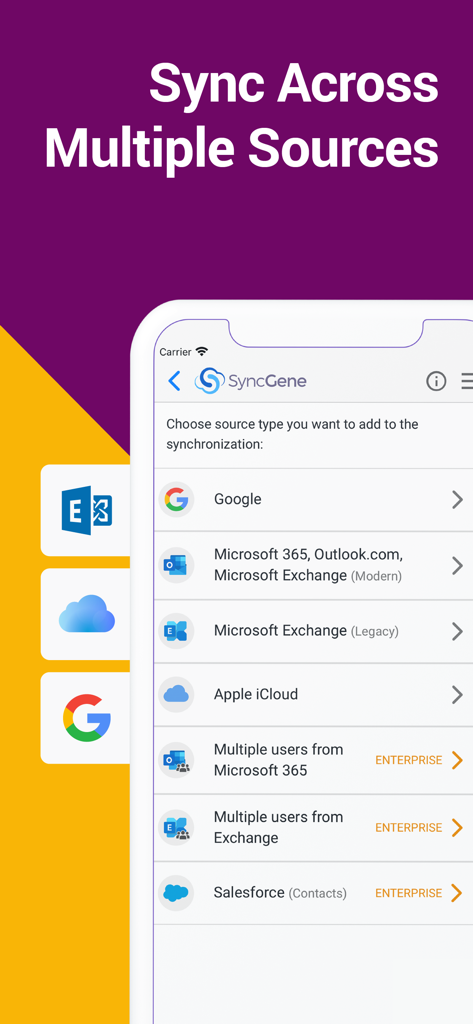
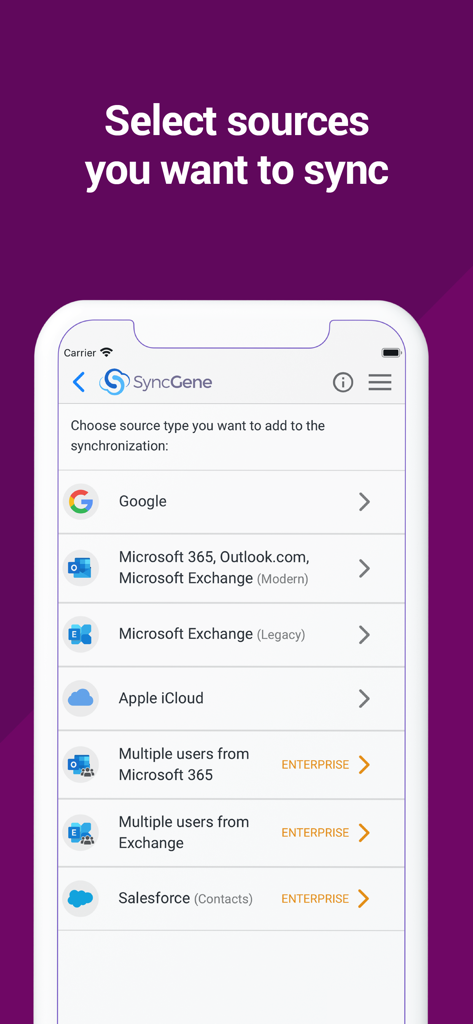
SyncGene app screen showing options to sync accounts from Google, Microsoft 365, iCloud, and Salesforce.

SyncGene app screen showing options to sync accounts from Google, Microsoft 365, iCloud, and Salesforce.

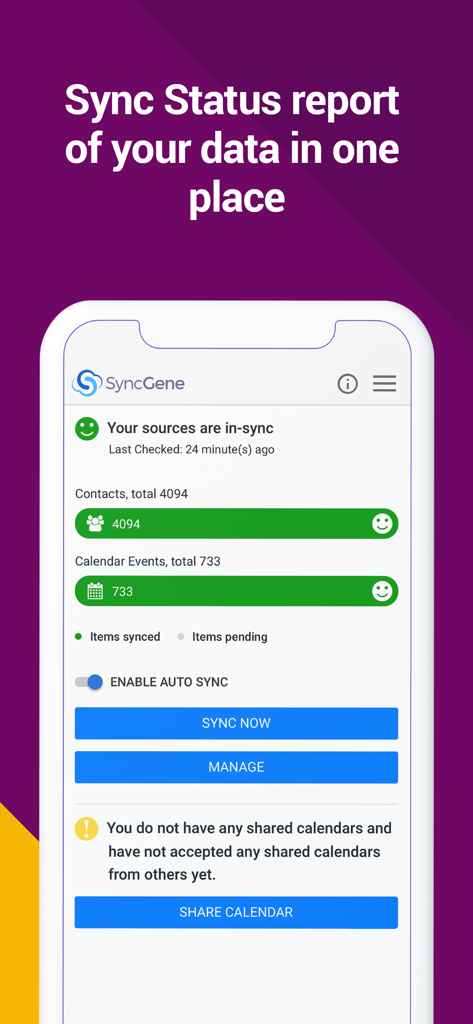
SyncGene dashboard showing data synchronization status for contacts and calendar

SyncGene dashboard showing data synchronization status for contacts and calendar

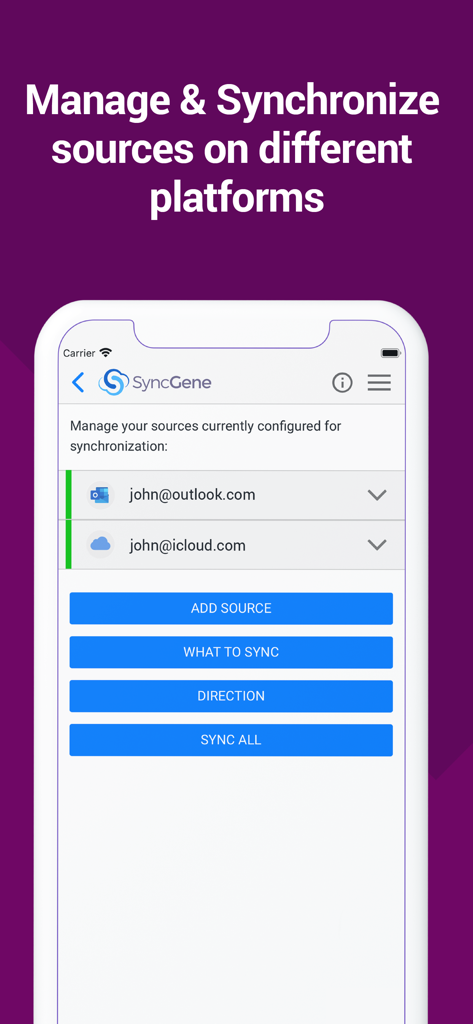
SyncGene mobile app interface showing configured Outlook and iCloud accounts for synchronization.

SyncGene mobile app interface showing configured Outlook and iCloud accounts for synchronization.

SyncGene app screen showing options to sync Google Microsoft Outlook and Apple iCloud

SyncGene app screen showing options to sync Google Microsoft Outlook and Apple iCloud

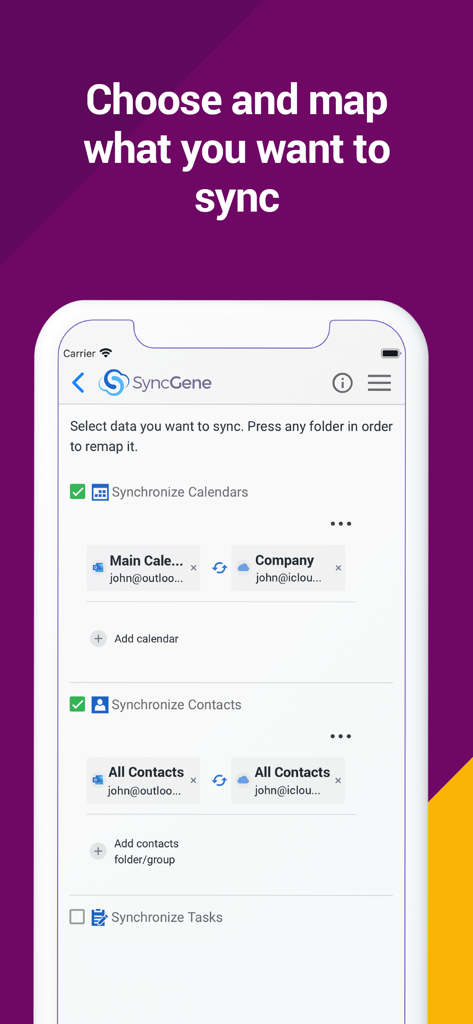
SyncGene mobile app interface showing options to choose and map calendars and contacts synchronization between Outlook and iCloud

SyncGene mobile app interface showing options to choose and map calendars and contacts synchronization between Outlook and iCloud

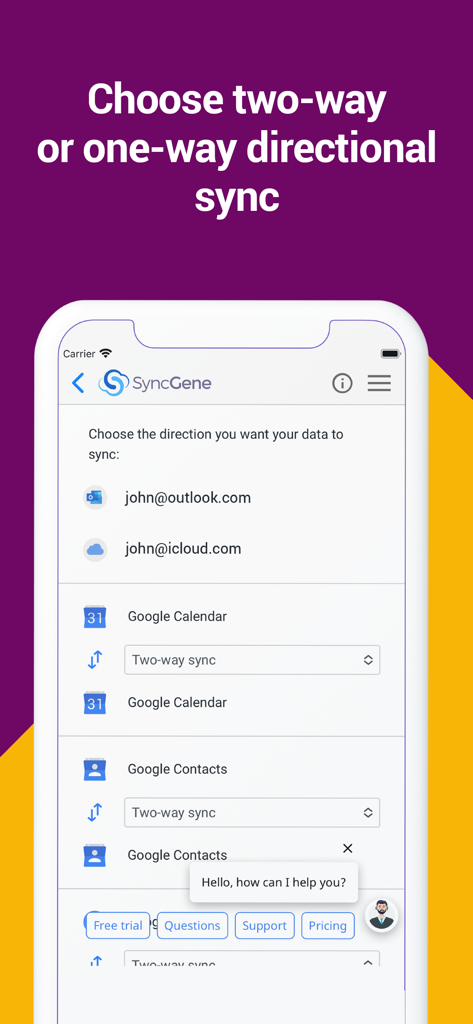
SyncGene mobile app interface showing directional synchronization settings for Google Calendar and Contacts

SyncGene mobile app interface showing directional synchronization settings for Google Calendar and Contacts

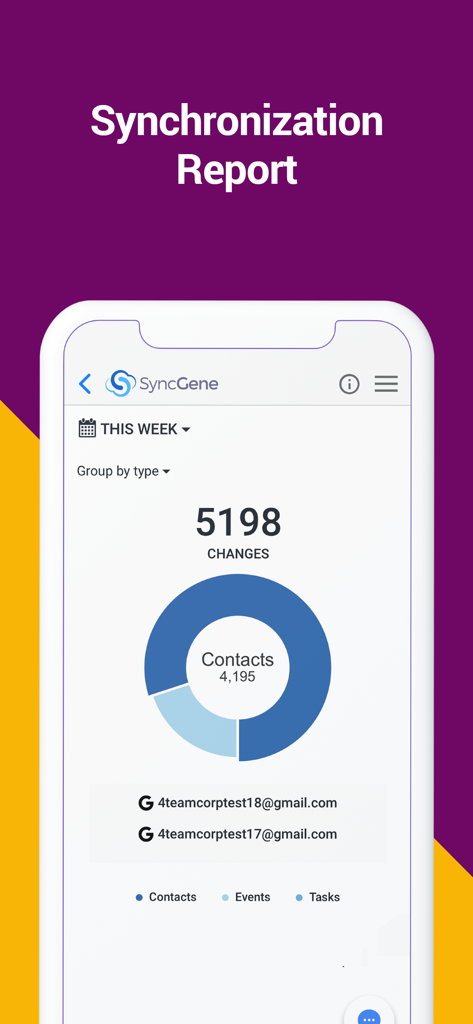
SyncGene app synchronization report dashboard showing changes for contacts events and tasks

SyncGene app synchronization report dashboard showing changes for contacts events and tasks

Master Your Digital Workflow

The tools that make this app stand out, trusted by 9K+ users.

🔄

Set-It-and-Forget-It Automation

Update a contact on your iPhone and see it instantly on Outlook. Our background sync ensures your digital world is always mirrored without you lifting a finger.

🌉

Bridge Every Ecosystem

The ultimate solution for 'Eco-System Nomads.' Seamlessly connect Google Calendar, iCloud Contacts, and Microsoft Exchange into one unified view.

🛠️

Granular Mapping Control

Maintain total authority over your data. Customize one-way or two-way sync directions and use folder mapping to keep work and personal entries perfectly organized.

About the app

Everything you need to know about SyncGene Sync Contact Calendar.

Description

Free Cloud synchronization service to sync your Calendar, Contacts and Tasks with another iPhone, iPad, Mac, iCloud account, as well as Google and Microsoft devices and services. Sync Contacts, Calendar Events, and Tasks between your iPhone/iPad via iCloud with Google Gmail, Outlook 365, Outlook.com, Hotmail and Exchange. With SyncGene you can sync iCloud Calendar and Contacts with Google Calendar and Gmail Contacts. You can sync Calendar and Contacts using SyncGene app or online. Main features of SyncGene sync service: SYNC CONTACTS, CALENDAR, AND TASKS Sync Contacts, Calendar Events, and Tasks automatically across multiple devices, email accounts, Web Apps, and services. No more manual exporting, importing, double-entry, and data duplication. SYNC MULTIPLE SOURCES One tool to sync iCloud, Google Calendar, Gmail Contacts and Tasks, Outlook.com/Hotmail, Office 365 and Microsoft Exchange sources, and more coming soon. Any changes you make in your Contacts, Calendars and Tasks will appear on all your connected devices and services used. AUTO & CONSTANT SYNCHRONIZATION SyncGene stands out for its auto-sync, which is happening in the background. If you change anything in your data, SyncGene will automatically & constantly update all the sources and devices with the latest changes. MERGE PERSONAL INFORMATION. SAVE YOUR TIME One Calendar, one Address Book, and one To-do list for your hassle-free management. No more lost, duplicate or incomplete entries. MAPPING With SyncGene you can map folders and groups on the “What to sync” page. Use Folder Mapping to sync data between any chosen Folders or Groups. For example, you can sync your contacts from the “All People” group in Google Contacts with the “Contacts from Google” folder on Microsoft Exchange. SYNC DIRECTIONS You also can change sync direction - choose between one-way or two-way sync; & also free to busy sync; • You can change synchronization “Direction” when there are 2 sources configured. • To keep things simple, when adding 3rd and more sources it will inherit one-way/two-way settings from the first 2 sources automatically. • In case you have 3 or more sources and you still need to change sync directions' setup, please contact our support and they will help you. SyncGene PREMIUM Keep your digital life up to date across all devices and services. With SyncGene Premium you can: • Sync your data automatically • Sync an unlimited number of Contacts • Sync up to 5 different sources Compatible with: iPhone, iPad, Mac. Time saver: easy automation tool for busy people. SyncGene will sync your web apps, email accounts and devices automatically. No need to enter the same information on multiple devices or services. Synchronization is performed without you ever noticing, just set up SyncGene once and you can forget about it. Safe, secure and reliable: all your data is backed up to your Google Drive and can be easily restored. We never keep your synchronized information. SyncGene is hosted on Microsoft Azure – the most trusted cloud service. Every SyncGene service user has easy & fast access to our free 5 Star Live Chat and Email support. Terms of use - https://www.syncgene.com/terms-of-use

Latest Version

2.6

Size

3.2 MB

First Released

Dec 21, 2016

Ready to Put Your Productivity on Autopilot?

End the frustration of fragmented calendars and contacts. Start your automatic sync across iCloud, Google, and Office 365 today—because your time is too valuable for manual entry.

Download on App Store

App information, icons, screenshots, and descriptions displayed on this page are sourced from the Apple App Store and are the property of their respective developers. Download estimates and rankings are based on MWM's proprietary models and may not reflect actual figures. This page is provided for informational and analytical purposes only.

Believe this page infringes your intellectual property? File a dispute