
Synology Photos



Take back control of your digital life. Backup, organize, and share your entire photo library with AI-powered recognition—all hosted securely on your own hardware with no monthly fees.
Publisher
Category
Photo & VideoDownloads
1M+User Rating
Total Ratings
3K+Locales
21Discover the interface used by 1M+ users.

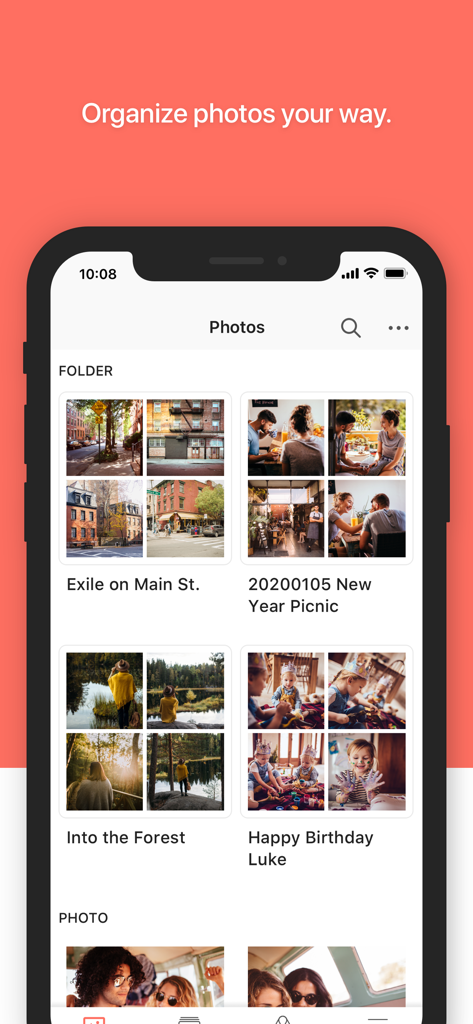
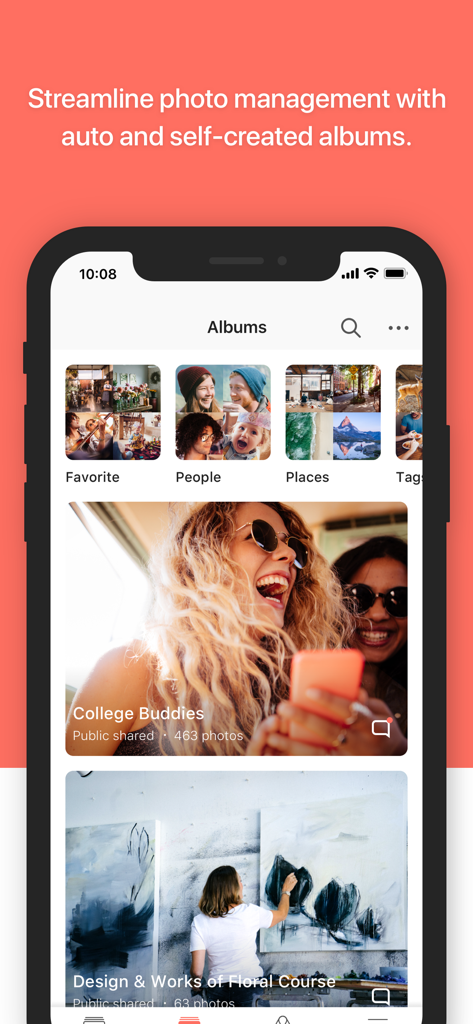

The tools that make this app stand out, trusted by 1M+ users.
Stop renting space and start owning it. Your photos stay on your physical hardware, protected from third-party scanning and data mining.
Effortlessly browse memories with face and object recognition that runs entirely on your own NAS hardware, never in the cloud.
Set it and forget it. Every device in your household automatically syncs high-res media to your vault with zero monthly subscription fees.
Insights from user reviews.
Sentiment Score
Summary
The Synology Photos mobile app receives mixed to largely negative feedback from users. While many appreciate its core functionality for backing up photos and videos to a Synology NAS, serving as a valuable alternative to costly cloud storage solutions, the app suffers from numerous issues. Common complaints include unreliable backup processes, significant performance problems like slowness and overheating during uploads, and a lack of essential features such as advanced search, photo editing, and better organization tools. Additionally, users report various bugs, connection difficulties, and an unsatisfactory user interface, with specific issues noted on iOS 26.0.1 affecting shared space and general usability, and a bug preventing subfolder display on iPads.
Common Themes
Everything you need to know about Synology Photos.
Description
Latest Version
2.3.0
Size
163.7 MB
First Released
Dec 7, 2020
Join over 1 million privacy-conscious users who have ditched monthly subscriptions for total data sovereignty. Connect your Synology NAS today and experience the ultimate private gallery.
Everything you need to know about Synology Photos
Synology Photos requires a Synology NAS and the Synology Photos service to be enabled. For an optimal experience, DSM 7.2 or above is recommended.
Yes, Synology Photos allows users to browse photos chronologically or by folder structure. It also enables exploration through AI recognition, auto-created albums, and custom grouping by themes or topics.
Yes, Synology Photos utilizes AI recognition. This feature helps users explore photos of loved ones or favorite vacation spots through intelligent analysis and auto-created albums.
Yes, Synology Photos provides flexible photo management. It supports both auto-created albums and self-created albums, allowing users to group photos by themes or topics of their choice.
For an optimal experience with Synology Photos, DSM 7.2 or above is recommended. This ensures the app functions with the latest system enhancements and features.
Yes, Synology Photos allows users to browse photos by folder structure. This provides a flexible way to organize and access photo collections based on user-defined folders.
Apps with similar features and user experience

Guangzhou NetEase Computer System Co.Ltd

Hau Tran

Guangzhou TR Intelligent Manufacturing Technology Co., Ltd.

Newin Inc.

悦 刘

荣广 梁

Nanjing Oumi Software Development Co., Ltd.

化媚 席

s-joys Technology Co., Ltd.
App information, icons, screenshots, and descriptions displayed on this page are sourced from the Apple App Store and are the property of their respective developers. Download estimates and rankings are based on MWM's proprietary models and may not reflect actual figures. This page is provided for informational and analytical purposes only.
Believe this page infringes your intellectual property? File a dispute
