
This page is not an official page of the app or its developer, but an independent editorial publication created for informational and commentary purposes. Unless expressly stated otherwise, neither the app nor its developer is affiliated with, endorsed by, sponsored by, authorized by, or otherwise officially connected with MWM, Apple, Google Play, the app publisher, or the app's developer, and nothing on this page implies that the app was developed using MWM's services. Any trademarks, logos, screenshots, and other content remain the property of their respective owners.

nPlayer
Stream any file format directly from your NAS, Cloud, or FTP. Experience cinema-quality DTS and Dolby audio on your mobile device without the hassle of file conversion.
Downloads
712K+User Rating
Total Ratings
18K+Publisher
Category
EntertainmentLocales
10Latest Version
3.13.0Size
61.0 MBFirst Released
Jul 21, 2016Master Your Media Library
Stream your entire movie collection from your NAS, cloud, or remote server and play any file format natively with professional-grade audio and video performance.
Native Playback, Zero Conversion
Skip the time-consuming transcoding. Play MKV, AVI, and WMV files natively with full support for DTS-HD and Dolby AC3 audio for a theater-quality experience.
Pro-Grade Network Streaming
Access your 20TB home server or cloud accounts via SMB, FTP, or WebDAV. Stream high-bitrate 4K content directly without clogging your device's internal storage.
Frequently Asked Questions
Everything you need to know about nPlayer
Does nPlayer support DTS audio?
Yes, nPlayer officially supports DTS audio codecs, including DTS HD and DTS Headphone:X. This ensures a high-quality audio experience for compatible media.
Can nPlayer play Dolby audio files?
Yes, nPlayer supports Dolby audio codecs such as AC3 and E-AC3. It also supports Dolby HDMI Bitstream (Passthru) for compatible devices.
Is nPlayer a universal app for iOS devices?
Yes, nPlayer is a universal app. Users can install it on any iOS device without additional purchases after the initial acquisition.
What video formats does nPlayer support?
nPlayer supports various video formats, including MP4, MOV, MKV, AVI, WMV, ASF, FLV, OGV, RMVB, and TP. It plays these files without conversion.
Can nPlayer stream videos from remote devices?
Yes, nPlayer streams videos from remote devices using powerful network technologies. This allows users to play content without storing files on their device's limited storage.
Does nPlayer support Chromecast?
Yes, nPlayer supports Chromecast, allowing users to cast videos to compatible devices. Screenshot #5 shows ChromecastUltra as a selectable option for video casting.
What network protocols does nPlayer support for streaming?
nPlayer supports multiple network protocols for streaming, including WebDAV, FTP, SFTP, HTTP, SMB/CIFS, NFS, and UPnP/DLNA, as shown in Screenshot #3.
What cloud services integrate with nPlayer?
nPlayer integrates with cloud services such as Box, Dropbox, OneDrive, and Yandex.Disk. Screenshot #3 further shows support for Amazon Cloud Drive, Google Drive, and pCloud.
How do users control playback position in nPlayer?
Users control the playback position in nPlayer by dragging horizontally on the screen. This gesture allows for precise adjustment during video playback.
Does nPlayer offer subtitle customization options?
Yes, nPlayer offers extensive subtitle customization. Users can adjust font, color, shadow, outline, position, and size, and also use external or multi-track subtitles.
Can nPlayer adjust video playback speed?
Yes, nPlayer supports playback speed control from 0.5x to 4.0x. This feature allows users to customize their viewing experience.
Does nPlayer support HDMI output?
Yes, nPlayer supports HDMI output. This feature enables users to connect their iOS device to external displays for viewing content.
Does nPlayer support hardware acceleration for video playback?
Yes, nPlayer supports hardware acceleration for AV1, HEVC, H.264, and MPEG4 codecs. This optimizes video decoding performance for smoother playback.
Can users manage files within the nPlayer app?
Yes, nPlayer includes file management features. Users can delete, move, rename files, and create new folders directly within the application.
The following screenshots and description are sourced directly from the app's official store listing and are the property of the app developer.
App Store
Screenshots
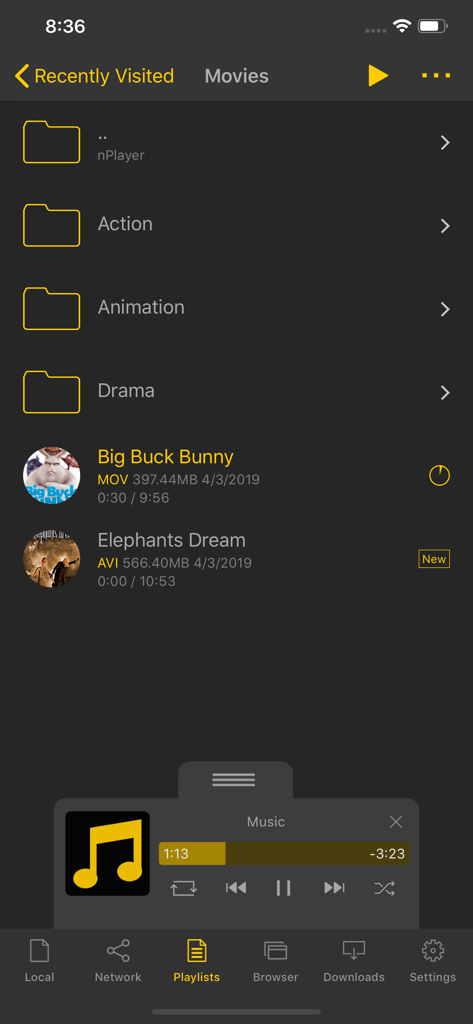
nPlayer app interface displaying movie folders and a video file list with different file formats.
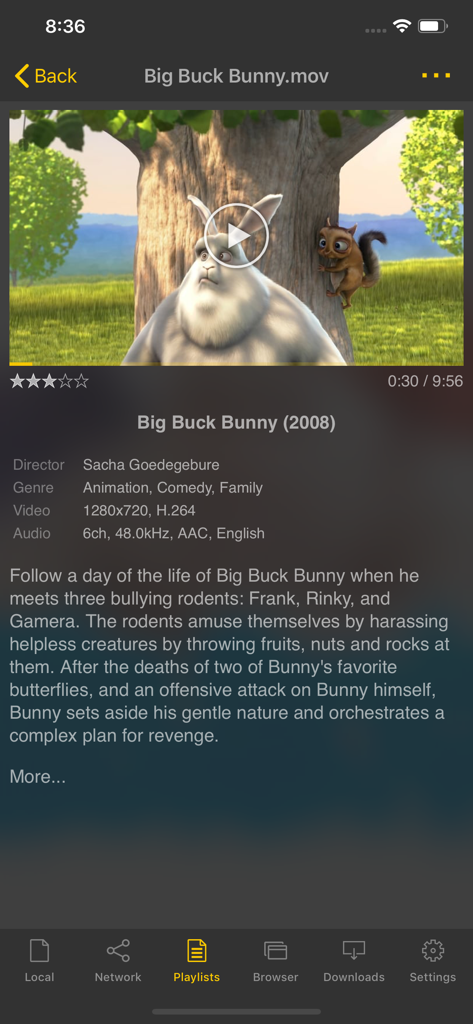
Screenshot of nPlayer app interface showing movie synopsis and technical video data
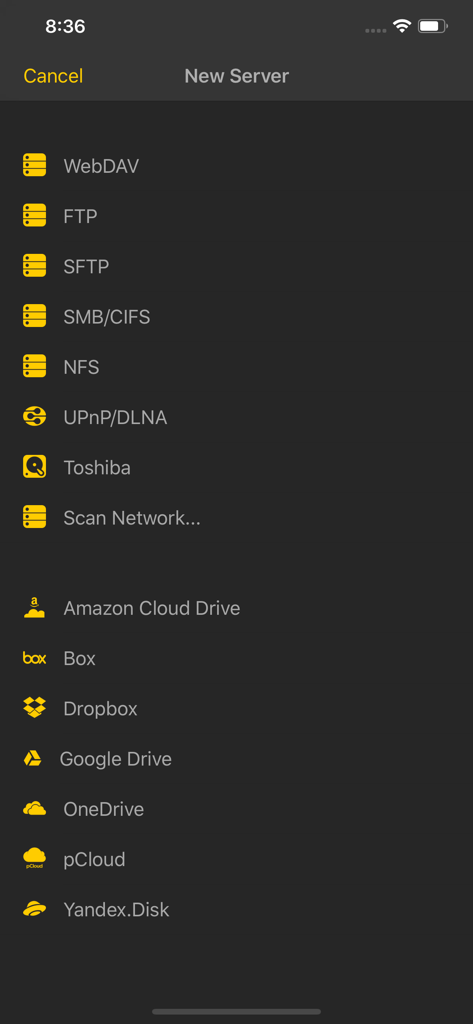
List of network protocols and cloud storage services available for connection in nPlayer including FTP SMB and Google Drive
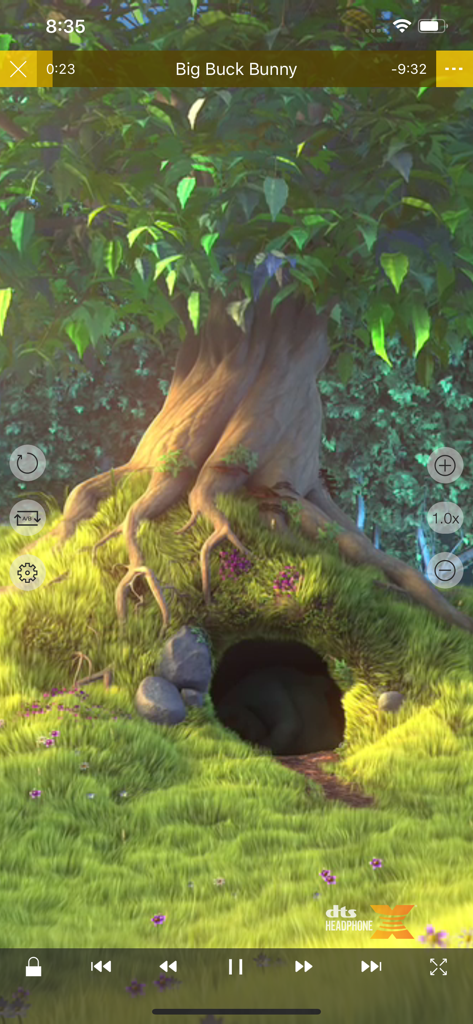
nPlayer Pro video playback interface with advanced media controls and DTS audio support
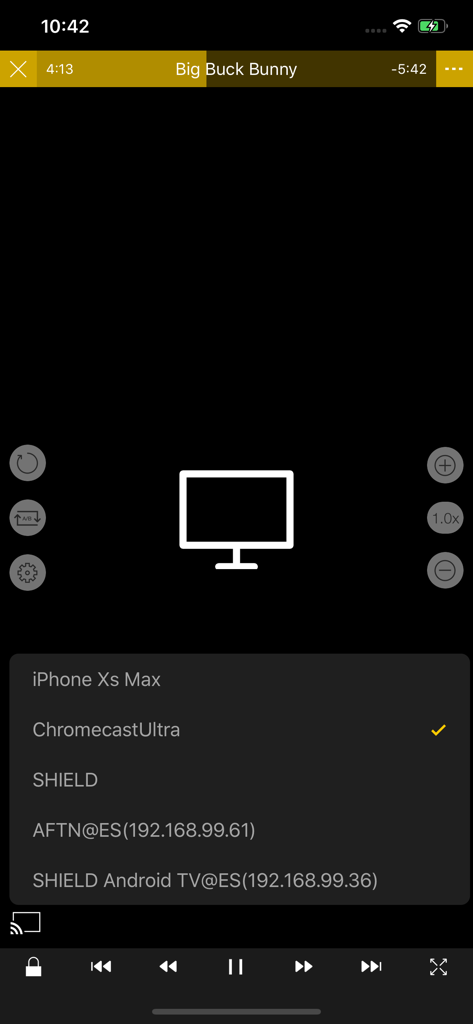
The nPlayer app showing a list of available devices for video casting including Chromecast and Android TV
Description
Download
More Like This
Apps with similar features and user experience

网易爆米花-智能媒体库,全能云盘网盘播放器
Guangzhou NetEase Computer System Co.Ltd

Immich
Hau Tran

飞牛
Guangzhou TR Intelligent Manufacturing Technology Co., Ltd.

MiraPlay
悦 刘

NipaPlay
荣广 梁

VidHub -Video Library & Player
Nanjing Oumi Software Development Co., Ltd.

Fast Player - video player
化媚 席

zFuse - Media Player
s-joys Technology Co., Ltd.

Forever Music
ismail Aygn
This page is not an official page of the app or its developer, but an independent editorial publication created for informational and commentary purposes. Unless expressly stated otherwise, neither the app nor its developer is affiliated with, endorsed by, sponsored by, authorized by, or otherwise officially connected with MWM, Apple, Google Play, the app publisher, or the app's developer, and nothing on this page implies that the app was developed using MWM's services. Any trademarks, logos, screenshots, and other content remain the property of their respective owners.