
This page is not an official page of the app or its developer, but an independent editorial publication created for informational and commentary purposes. Unless expressly stated otherwise, neither the app nor its developer is affiliated with, endorsed by, sponsored by, authorized by, or otherwise officially connected with MWM, Apple, Google Play, the app publisher, or the app's developer, and nothing on this page implies that the app was developed using MWM's services. Any trademarks, logos, screenshots, and other content remain the property of their respective owners.

Tabata Timer □
Experience a minimalist workout timer designed for maximum efficiency. Set your intervals with a single drag, listen to your own music in the background, and crush your fitness goals with ease.
Downloads
1M+User Rating
Total Ratings
43K+Publisher
Category
Health & FitnessLocales
22Latest Version
26.1.4Size
29.3 MBFirst Released
Jul 28, 2016Master Your Intervals with Precision
Eliminate distractions and focus on your results with a timer that is as powerful as your workout and as simple as a single tap.
Frictionless Interval Setup
Set your work, rest, and rounds with a single swipe. Get into your workout faster without wasting time on complex menus or typing.
Hands-Free Voice Guides
Listen to your music or podcasts while our audio cues guide you through every set. Stay in the zone without ever looking at your screen.
Frequently Asked Questions
Everything you need to know about Tabata Timer □
How do I set up a Tabata workout in the Tabata Timer app?
You set up a Tabata workout in the Tabata Timer app by dragging to adjust settings like rounds, rest, and work duration. After customizing, tap to start your workout.
Does the Tabata Timer app allow me to listen to music during my workout?
Yes, the Tabata Timer app allows you to listen to your music apps simultaneously while you are working out. The audio guides function alongside your chosen music.
Can I leave the Tabata Timer app and still receive audio guides?
Yes, you can leave the Tabata Timer app and still receive audio guides. This feature enables you to follow workouts from other sources while using the timer in the background.
Does the Tabata Timer app track my workout history and statistics?
Yes, the Tabata Timer app includes history and statistics pages. You can review previous workouts and even load their settings for future use.
How do I contact support for the Tabata Timer app?
To contact support for the Tabata Timer app, simply tap "Contact Support" within the app. You can then provide questions or suggestions directly.
Is there a subscription for the Tabata Timer app?
Yes, the Tabata Timer app offers an optional auto-renewable subscription called Premium Pass. It includes a free trial period, followed by a monthly subscription.
How do I cancel the Premium Pass subscription for Tabata Timer?
You can cancel the Premium Pass subscription for Tabata Timer by visiting your Apple Account Settings after purchase. Ensure auto-renewal is turned off at least 24 hours before the current period ends.
Does the Tabata Timer app provide audio guidance during workouts?
Yes, the Tabata Timer app provides audio guidance throughout your workout. This means you do not have to constantly look at your screen.
What workout parameters can I customize in the Tabata Timer app?
In the Tabata Timer app, you can customize workout parameters such as rounds, rest duration, work duration, number of exercises, and round reset time.
Where can I find the privacy policy for the Tabata Timer app?
The privacy policy for the Tabata Timer app is available at the provided URL: https://float.support/tabata-timer/privacy.
The following screenshots and description are sourced directly from the app's official store listing and are the property of the app developer.
App Store
Screenshots
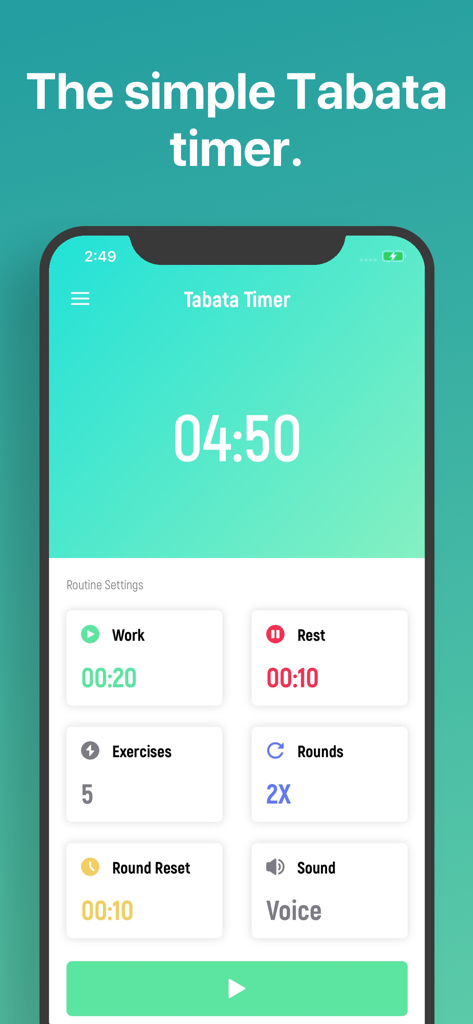
Interface of the Tabata Timer app showing workout routine settings for intervals and rounds
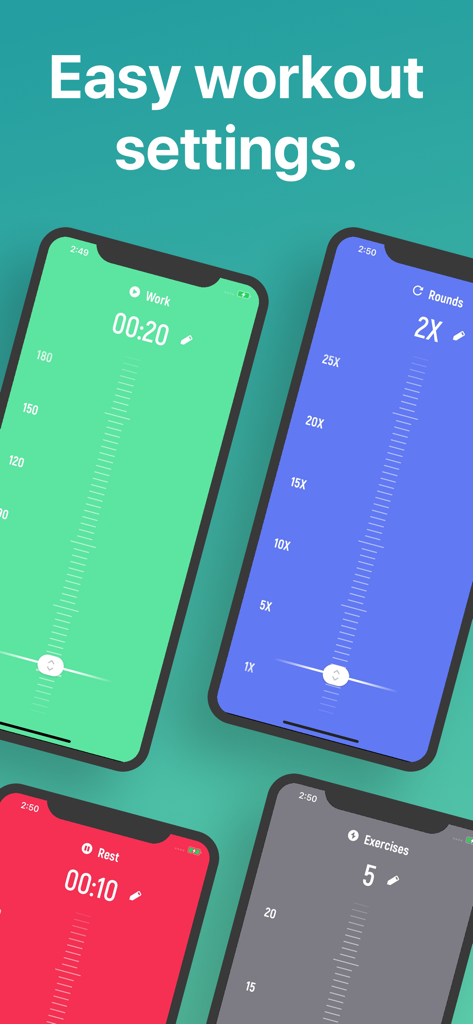
Tabata Timer app showing colorful interface for easy workout settings
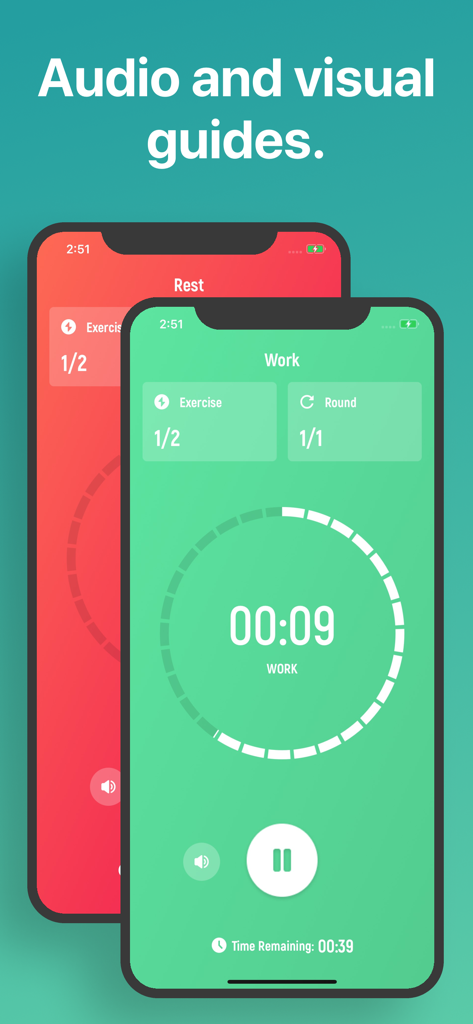
The Tabata Timer app interface showing workout and rest screens
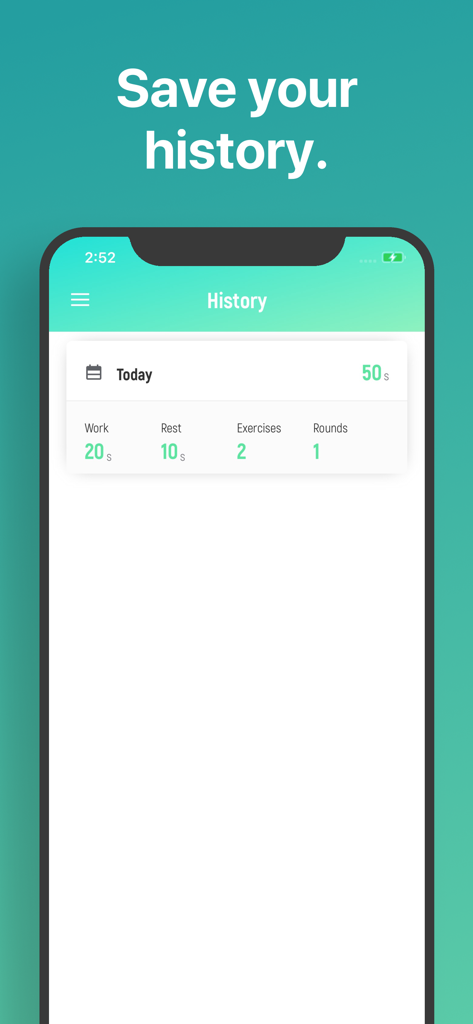
History screen of the Tabata Timer app showing recorded workout metrics including work and rest times
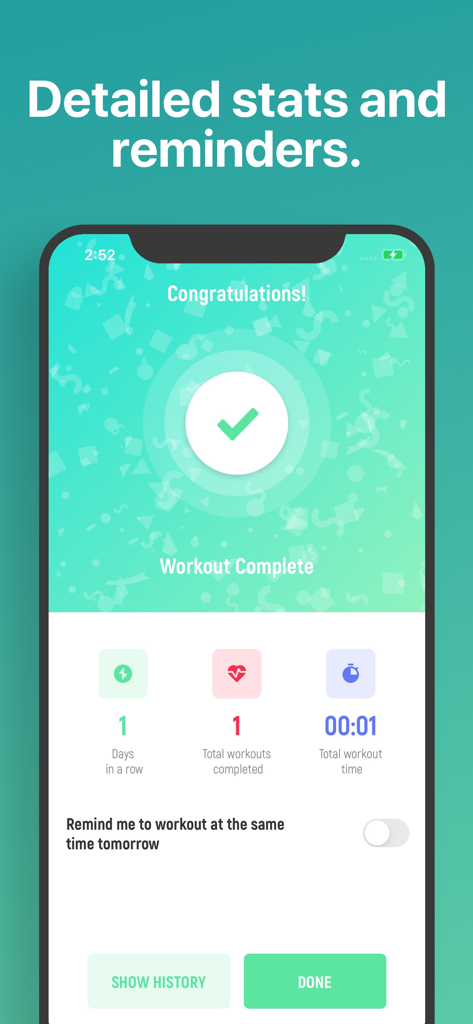
Tabata Timer app workout completion screen showing statistics and reminders
Description
Download
More Like This
Apps with similar features and user experience
Timer Plus - Workouts Timer
VGFIT LLC
Interval Timer □ HIIT Timer
Float Tech, LLC

Tabata Timer: Interval Timer.
Oleksandr Serhiienko
SmartWOD Timer - WOD Clock
SmartWOD GmbH
Interval Timer Plus
Su-Au Hwang
Boxing Interval Timer
Thang Nguyen

Tabata Timer and HIIT Timer
Anuj Seth

Simple Interval Timer
Alena Kazarova
Interval Timer: Tabata & HIIT
AppManage LLC
This page is not an official page of the app or its developer, but an independent editorial publication created for informational and commentary purposes. Unless expressly stated otherwise, neither the app nor its developer is affiliated with, endorsed by, sponsored by, authorized by, or otherwise officially connected with MWM, Apple, Google Play, the app publisher, or the app's developer, and nothing on this page implies that the app was developed using MWM's services. Any trademarks, logos, screenshots, and other content remain the property of their respective owners.