Tap Forms Organizer 5 Database
Download on App Store

This page is not an official page of the app or its developer, but an independent editorial publication created for informational and commentary purposes. Unless expressly stated otherwise, neither the app nor its developer is affiliated with, endorsed by, sponsored by, authorized by, or otherwise officially connected with MWM, Apple, Google Play, the app publisher, or the app's developer, and nothing on this page implies that the app was developed using MWM's services. Any trademarks, logos, screenshots, and other content remain the property of their respective owners.


Logo of Tap Forms Organizer 5 Database
Download on App Store

Tap Forms Organizer 5 Database

The digital filing cabinet designed for power users. From custom client databases to personal collections, organize everything your way with professional-grade encryption, JavaScript scripting, and seamless Apple ecosystem integration.

Key Figures

Downloads

262K+

User Rating

4.6/5

Total Ratings

3K+

Publisher

Tap Zapp Software Inc.

Category

Business

Locales

14

Latest Version

5.3.39

Size

47.7 MB

First Released

Aug 20, 2016
Features

Your Life, Organized Exactly Your Way

Stop forcing your data into rigid apps. Tap Forms 5 gives you the tools to build a custom digital filing cabinet that adapts perfectly to your business, hobbies, and personal records.

Bespoke Form Building

Design your own custom database from scratch or use 30+ built-in templates. Capture photos, signatures, barcodes, and calculations exactly how you need them.

Uncompromising Data Privacy

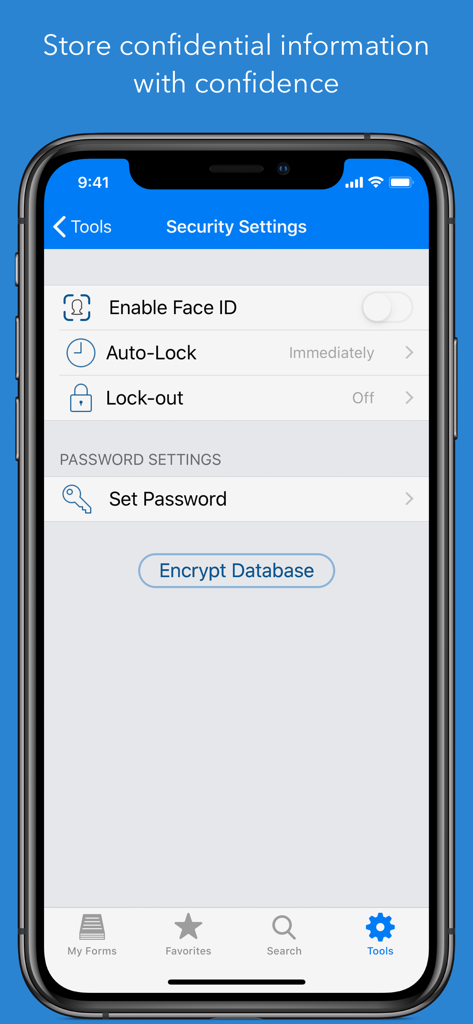
Secure sensitive information with AES-256 encryption and biometric locks. Sync your data privately through iCloud or your own server—your data never touches our servers.

The following screenshots and description are sourced directly from the app's official store listing and are the property of the app developer.

App Store

Screenshots
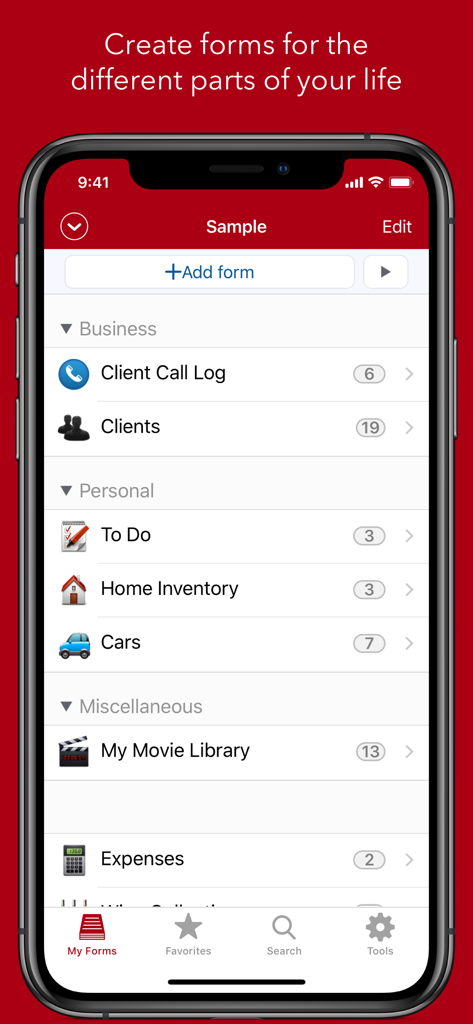
Tap Forms Organizer 5 Database - Tap Forms app interface showing various business and personal record categories on an iPhone.
Tap Forms app interface showing various business and personal record categories on an iPhone.

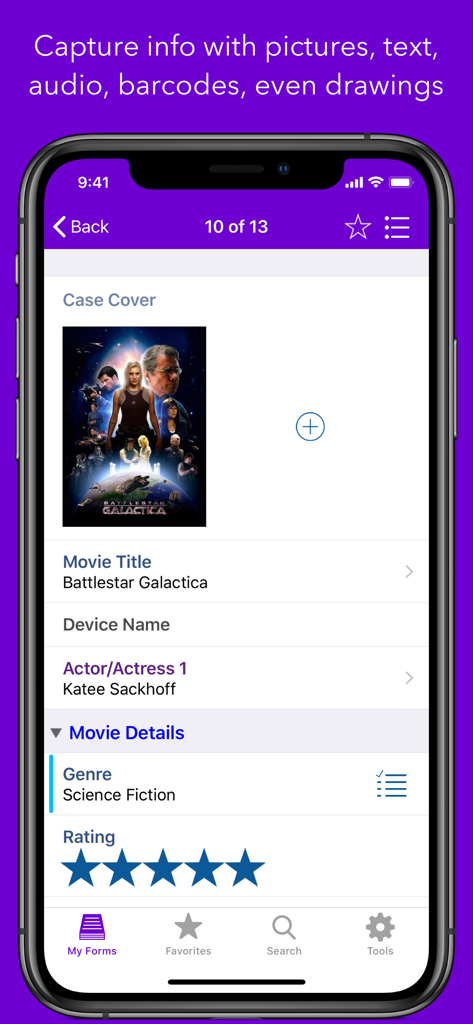
Tap Forms Organizer 5 Database - Tap Forms 5 mobile app interface showing a movie database record with custom fields and star ratings
Tap Forms 5 mobile app interface showing a movie database record with custom fields and star ratings

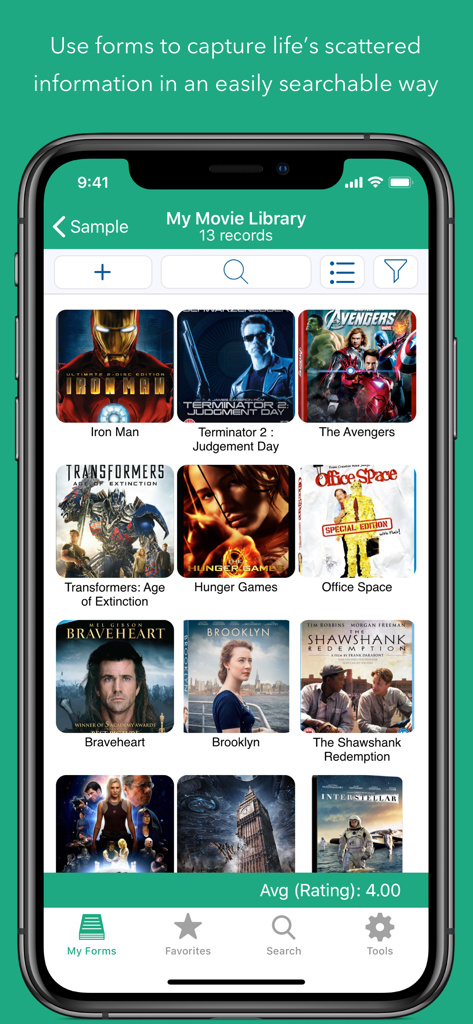
Tap Forms Organizer 5 Database - A screenshot of the Tap Forms app showing a movie library collection with movie posters organized in a grid
A screenshot of the Tap Forms app showing a movie library collection with movie posters organized in a grid

Tap Forms Organizer 5 Database - Tap Forms app security settings screen featuring Face ID and database encryption options
Tap Forms app security settings screen featuring Face ID and database encryption options

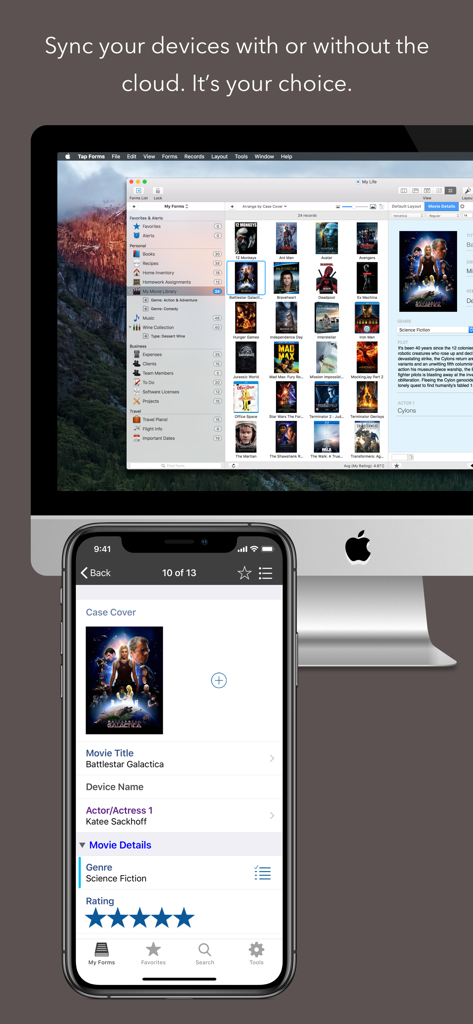
Tap Forms Organizer 5 Database - Tap Forms 5 app showing a movie library synced between a Mac and an iPhone

Tap Forms 5 app showing a movie library synced between a Mac and an iPhone

Description

Tap Forms 5 is the digital filing cabinet for life’s scattered details. Now with Scripting and Siri Shortcuts support! Accounts, recipes, expenses, inventory — life is full of things that we don’t want to forget or misplace. Tap Forms 5 helps you organize all kinds of things in one place — secure, searchable, and accessible on your iPhone, iPad, and Apple Watch (Mac app sold separately). How can one app organize everything? Because not only can you use and customize the more than 30 built-in templates but you can create your own “forms” for inputting any kind of information, even if that information includes pictures, doodles, audio recordings, calculations, file attachments, ratings, or even links to other forms. This makes it almost like building your very own customized organization app. • Capture your way: Snap a picture, type or scribble some text, record an audio note, scan a barcode — there are 23 different types of information that can be captured with Tap Forms • Organize your way: Create and design custom forms exactly how you want to for optimal organization. Get started with one of our ready-to-go form templates, or easily make a custom one from scratch with our integrated form building tools. • Store confidential data with confidence: Tap Forms' security settings let you optionally require a password or a Touch ID scan, and even auto-lock when idle for a custom period of time. Using AES encryption, you can rest easy knowing your data is safe and secure. • Import, Export, Share: It’s easy to import your data from existing files, so getting started is a breeze. Import your data from text, CSV, Bento and more. One-tap exporting allows you to share with Mac, Windows, and Linux users. Advanced Features: • Scripting support for writing JavaScript code for performing all kinds of operations on your forms and records. • Siri Shortcuts let you record a voice command to execute any Form script. • Multi-column (table) view of your records. • AirDrop records to your nearby contacts. • Sync with Tap Forms for iOS and Mac using iCloud, IBM Cloudant, Nearby (WiFi), or with your own Apache CouchDB sync server. • Saved search rules with multi-field record filtering • Built-in Backup & Restore • 1Password Extension integration for logging into your Cloudant sync account. • Document Picker support for accessing iCloud and other document service providers. • Pick lists for quick data entry • AES-256 bit encryption • Import & Export standard CSV files from Excel, Numbers, or other systems • Print record details • Lightning fast search • Share form templates with friends, family, and co-workers • Notify you of things that need your attention using alerts • Barcode scanning of UPC/EAN and QR codes (iOS only) Store 25 different types of information, such as: • Script • Table • Link to form (relational links between forms) • Inverse relationships • File Attachment with multi-file support • Email address • GPS location • Contact • Text • Date • Time • Date & time • Number • Rating • Web site address • Check mark • Note • Audio notes (record on iOS, playback on Mac) • Photos • Drawings (draw on iOS, view on Mac) • Phone number • Section headings • Calculations • Signatures Includes more than 30 built-in forms, including: • Audio dictation • Bank accounts • Clients • Client call log • Credit & debit cards • Daily journal • Expenses • Frequent flyer numbers • Health insurance • Homework assignments • Loyalty cards • Personal health cards • Security alarm codes • Serial numbers • Vehicle insurance • Website accounts • Wine collection

Download

Download on App Store

This page is not an official page of the app or its developer, but an independent editorial publication created for informational and commentary purposes. Unless expressly stated otherwise, neither the app nor its developer is affiliated with, endorsed by, sponsored by, authorized by, or otherwise officially connected with MWM, Apple, Google Play, the app publisher, or the app's developer, and nothing on this page implies that the app was developed using MWM's services. Any trademarks, logos, screenshots, and other content remain the property of their respective owners.