
This page is not an official page of the app or its developer, but an independent editorial publication created for informational and commentary purposes. Unless expressly stated otherwise, neither the app nor its developer is affiliated with, endorsed by, sponsored by, authorized by, or otherwise officially connected with MWM, Apple, Google Play, the app publisher, or the app's developer, and nothing on this page implies that the app was developed using MWM's services. Any trademarks, logos, screenshots, and other content remain the property of their respective owners.

TapeKit・Lab of Top Widgets・GIF
Turn your home screen into a creative canvas with dynamic GIFs, video widgets, and custom designs. Express your unique style and join over 500,000 creators in the ultimate widget lab.
Downloads
532K+User Rating
Total Ratings
5K+Publisher
Category
Graphics & DesignLocales
17Latest Version
3.0.7Size
200.8 MBFirst Released
Oct 31, 2020Make Your Home Screen Iconic
Turn your iPhone into a digital canvas with dynamic GIFs, custom calendars, and unique aesthetics that match your personality and mood.
Motion That Moves You
Bring your screen to life with GIPHY's library of 10B+ animations or upload your own videos for a truly dynamic experience.
Aesthetic Collections
Whether you are into Anime, Gaming, or Minimalist vibes, find the perfect themed widget to curate your ideal digital space.
Frequently Asked Questions
Everything you need to know about TapeKit・Lab of Top Widgets・GIF
What is TapeKit?
TapeKit is an ultimate widget maker for iPhone and iPad, allowing users to customize their home screens with unique GIF, video, image, clock, and calendar widgets.
What types of widgets can TapeKit create?
TapeKit offers GIF, video, image, clock, and calendar widgets. Users can personalize these with themes like anime, gaming, or minimalistic styles.
How do I create a widget using TapeKit?
To create a widget with TapeKit, download the app, choose a widget size (small, medium, or large), and customize it with GIFs, videos, photos, clocks, or calendars.
Does TapeKit support GIF widgets?
Yes, TapeKit supports GIF widgets, allowing users to bring their favorite animations to life. It features access to GIPHY's library with over 10 billion options.
Can I use videos for widgets with TapeKit?
Yes, TapeKit allows users to add dynamic video clips to their home screen as widgets, making the screen move with personalized content.
What content library does TapeKit use for GIFs?
TapeKit provides access to GIPHY's massive content library, which contains over 10 billion licensed GIFs for widget customization.
Does TapeKit offer different widget sizes?
Yes, TapeKit offers widgets in small, medium, and large sizes to fit various home screen layouts and user preferences.
Is TapeKit easy to use for beginners?
Yes, TapeKit features a simple, user-friendly design. It is suitable for everyone, including beginners and experienced users, to create custom widgets.
How can I contact TapeKit support?
Users can send feedback or questions directly to the TapeKit support team via email at feedback@tapekit.app.
Where can I find TapeKit's Privacy Policy?
The Privacy Policy for TapeKit is available for review at https://tapekit.app/legal/privacy-policy.
The following screenshots and description are sourced directly from the app's official store listing and are the property of the app developer.
App Store
Screenshots
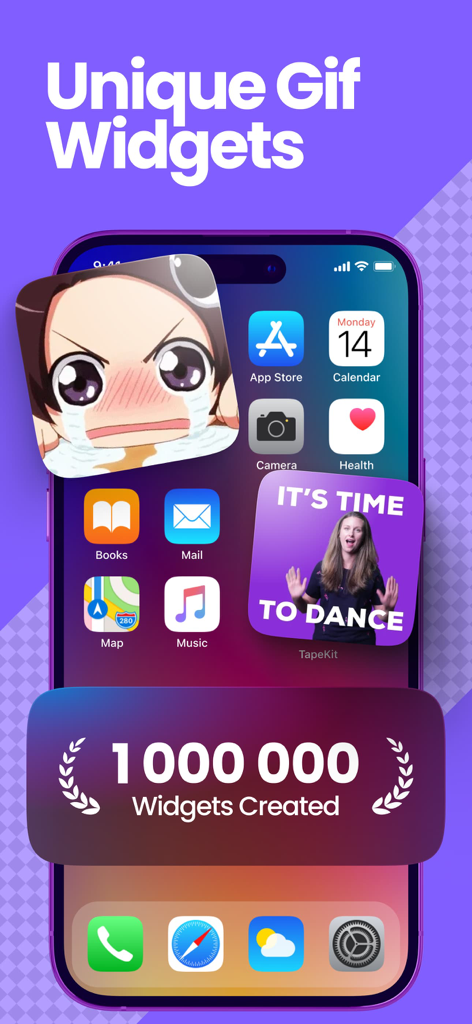
Unique GIF widgets on an iPhone home screen featuring anime and dance video animations
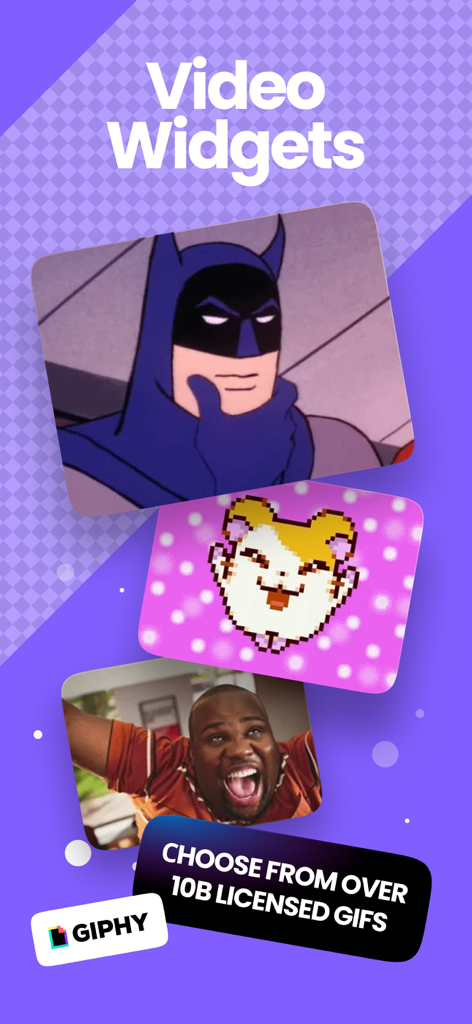
TapeKit app screen showcasing video widgets with GIPHY integration
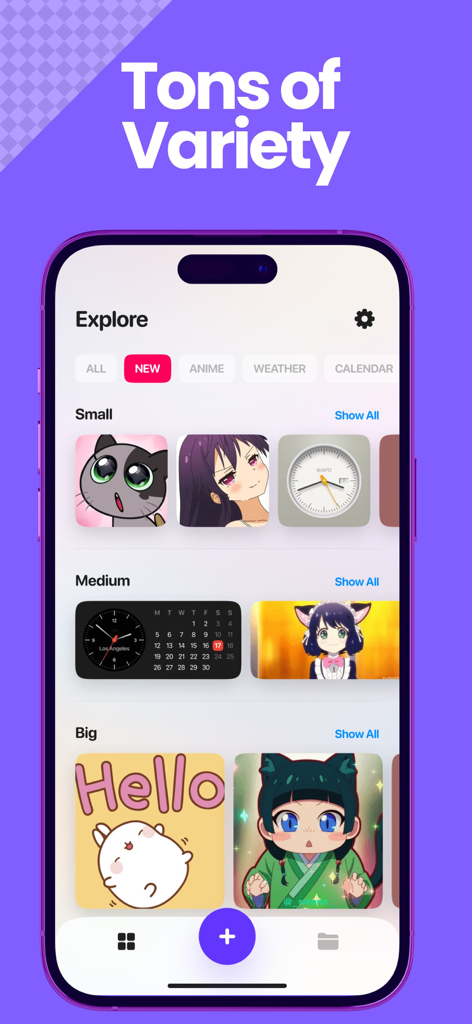
The explore screen of the TapeKit app showing various sizes of widgets including anime themes clocks and calendars
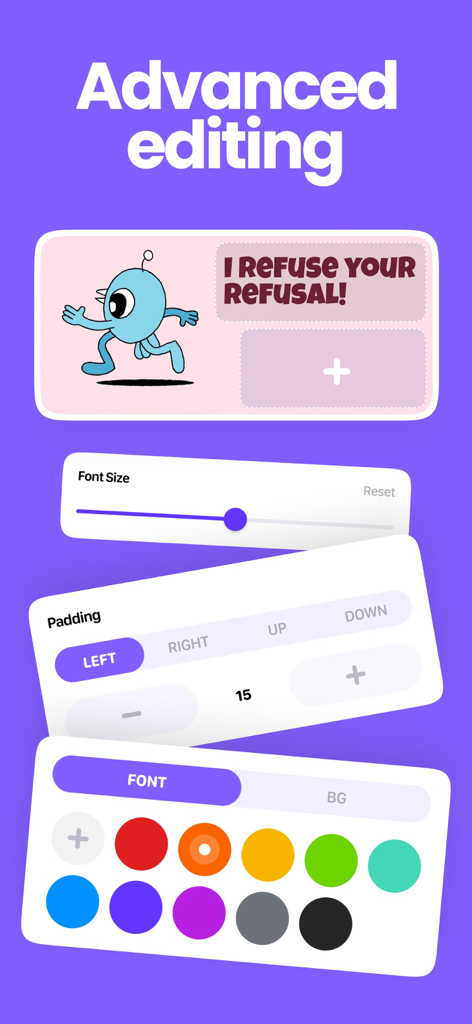
Advanced widget customization interface in TapeKit showing font size padding and color settings
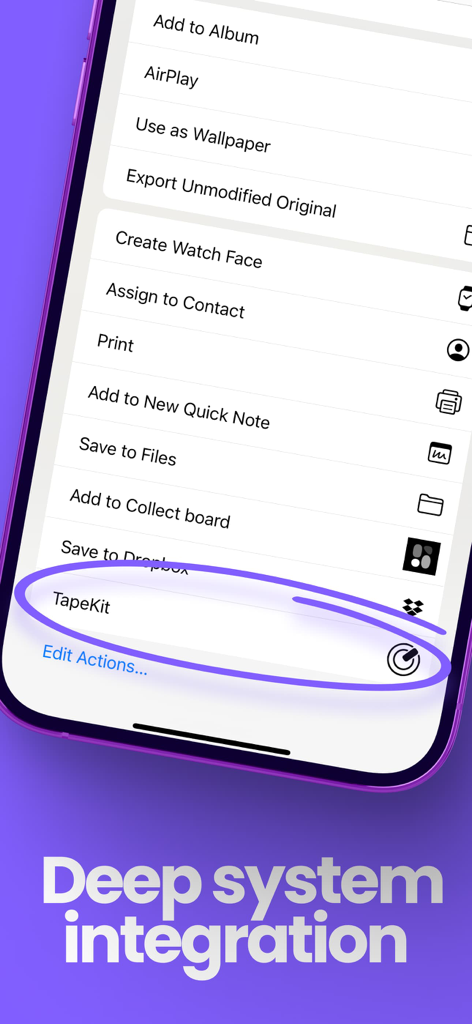
TapeKit app integration in the iOS system action menu

A collection of animated GIF and video widgets in various shapes and sizes.
Description
Download
More Like This
Apps with similar features and user experience

iScreen - Widgets & Wallpaper
Xiamen ShenZhuo Information Technology Co., Ltd.

Top Widgets⁺ Icons & Themes
Chengdu Tiange Technology Co., Ltd

Colorful Widget- Widget&Themes
Guangzhou ZHIFENG Information Technology Co.,Ltd.

最美壁纸-手机动态主题AI壁纸
文彬 黄

Clockology Watch Faces
Clockology, LLC

全能实况 - 实况壁纸制作器&视频转实况动态壁纸
Xiamen Infinity Starway Technology Co., Ltd.

Fun Widgets-Widgets&Wallpapers
Beijing Curious Cat Co.Ltd

屏幕精灵 - 个性的动态壁纸&充电动画&来电壁纸秀
Guangzhou Shuhong Network Technology Co., Ltd.

Themes - Widget & Icon Themes
S.HOUSING INTERIOR ARCHITECTURE COMPANY LIMITED
This page is not an official page of the app or its developer, but an independent editorial publication created for informational and commentary purposes. Unless expressly stated otherwise, neither the app nor its developer is affiliated with, endorsed by, sponsored by, authorized by, or otherwise officially connected with MWM, Apple, Google Play, the app publisher, or the app's developer, and nothing on this page implies that the app was developed using MWM's services. Any trademarks, logos, screenshots, and other content remain the property of their respective owners.