
This page is not an official page of the app or its developer, but an independent editorial publication created for informational and commentary purposes. Unless expressly stated otherwise, neither the app nor its developer is affiliated with, endorsed by, sponsored by, authorized by, or otherwise officially connected with MWM, Apple, Google Play, the app publisher, or the app's developer, and nothing on this page implies that the app was developed using MWM's services. Any trademarks, logos, screenshots, and other content remain the property of their respective owners.


Tapo
Share your contact info, social links, and portfolios instantly without wasting paper. No app required for the receiver—just seamless, AI-powered connections for the modern professional.
Downloads
96K+User Rating
Total Ratings
200Publisher
Category
ProductivityLocales
2Latest Version
3.8.0Size
55.4 MBFirst Released
Mar 22, 2022Network Smarter, Not Harder
Step into the future of professional networking with tools designed to make every introduction count and every lead actionable.
Frictionless Tap-to-Share
Share your contact info instantly via NFC or QR. The best part? Your connections don't need an app to see your profile.
Centralized Digital Identity
Go beyond a phone number. Link your portfolio, LinkedIn, and social media in one sleek, branded hub that reflects your professional value.
Frequently Asked Questions
Everything you need to know about Tapo
What is Tapo?
Tapo is the premier digital business card in Central America, designed to revolutionize how individuals instantly share contact details, social media, files, and videos.
How do I share information using Tapo?
Information sharing with Tapo happens instantly by simply tapping a Tapo device or displaying a QR code. Recipients can then access your contact details directly without needing the app.
Do recipients need the Tapo app to view shared information?
No, recipients do not need to download the Tapo app or register an account to view the information shared via a Tapo digital card.
What kind of content can be shared through Tapo?
Tapo allows users to share a wide range of content, including contact information, social media profiles, various files, videos, and personalized links like App Store or Calendly.
Can I customize my digital business card with Tapo?
Yes, Tapo offers extensive customization options for personal or business profiles, allowing users to personalize elements like the profile background color and other displayed information.
Does Tapo convert physical business cards to digital contacts?
Yes, Tapo features an artificial intelligence tool that scans physical business cards, efficiently converting their information into digital contacts within the app.
How can I get support for Tapo?
Tapo provides dedicated and personalized support. Users can access this support directly through the app's settings menu, which includes an option for assistance, indicated by a WhatsApp icon.
Is it possible to manage multiple digital profiles within the Tapo app?
Yes, the Tapo app supports the management of multiple digital cards or profiles. The main interface displays various cards, indicating this multi-profile capability.
How do I create a digital business card with Tapo?
Tapo allows users to create their digital business cards, as evidenced by the main screen title "Crea tu tarjeta de presentación digital." The app provides tools to personalize and manage these profiles.
The following screenshots and description are sourced directly from the app's official store listing and are the property of the app developer.
App Store
Screenshots
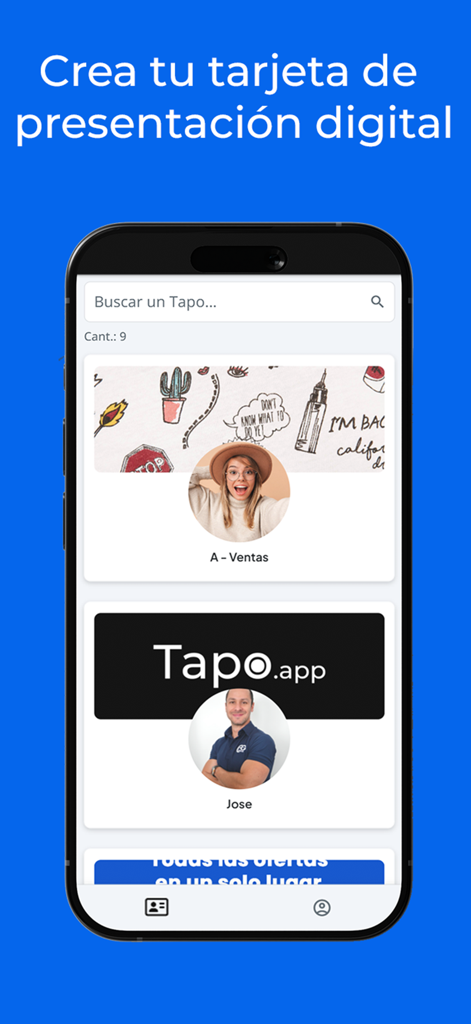
Mobile app screen showing various digital business card profiles within the Tapo networking platform
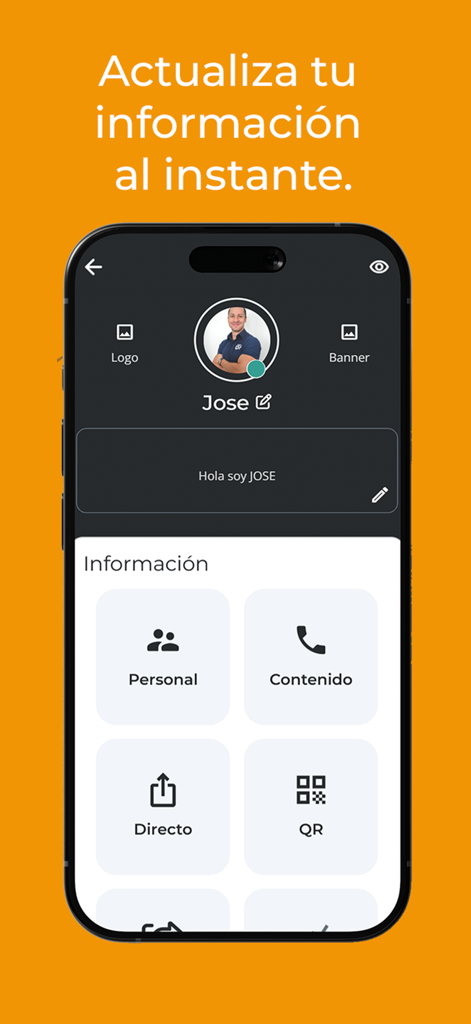
Tapo mobile app interface for editing a digital business card profile.
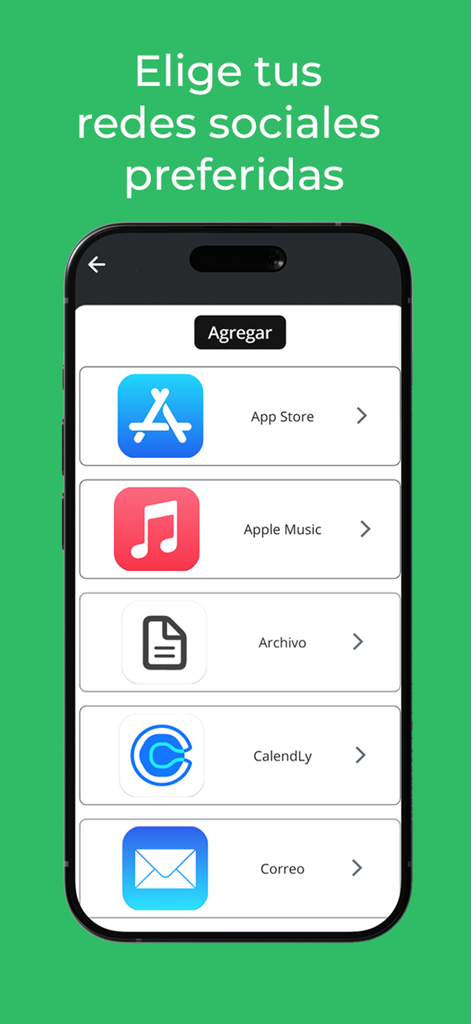
Tapo app screen showing options to add social media and professional links to a digital business card profile
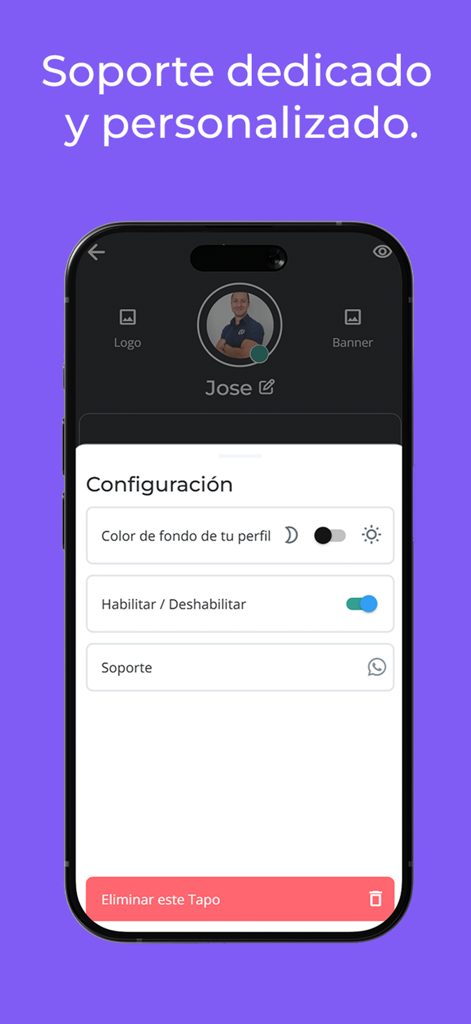
Tapo app profile configuration menu showing settings for appearance and dedicated customer support
Description
Download
More Like This
Apps with similar features and user experience

Blinq: Digital Business Card
Blinq Technologies Pty Ltd

HiHello: Digital Business Card
HiHello, Inc.

Popl: AI Lead Capture
Popl Co

CamCard AI Business Assistant
INTSIG Information Co., Ltd

Evernote Scannable
Evernote Corporation

Business Card Scanner by Covve
Covve Visual Network Limited

bCard: Digital Business Card
Oleksandr Solodkyi

BizConnect Card Scanner
ATMAS SOFTWARES PRIVATE LIMITED

DBC: Digital Business Card
IT FOR TOMORROW LTD
This page is not an official page of the app or its developer, but an independent editorial publication created for informational and commentary purposes. Unless expressly stated otherwise, neither the app nor its developer is affiliated with, endorsed by, sponsored by, authorized by, or otherwise officially connected with MWM, Apple, Google Play, the app publisher, or the app's developer, and nothing on this page implies that the app was developed using MWM's services. Any trademarks, logos, screenshots, and other content remain the property of their respective owners.