tcCalc - timecode & frame calc

tcCalc - timecode & frame calc

Download on App Store
Logo of tcCalc - timecode & frame calc

tcCalc - Frame-Accurate Timecode & Frame Calculations

The essential utility for video editors and DITs. Perform precise calculations across all industry frame rates, including Drop Frame and NDF, with an interface built for the speed of post-production.

Download on App Store

Publisher

RYUICHIROU SHIMONO

Category

Photo & Video

Downloads

4K+

User Rating

4.8/5

Total Ratings

200

Locales

1

Precision in Every Frame

Discover the interface used by 4K+ users.
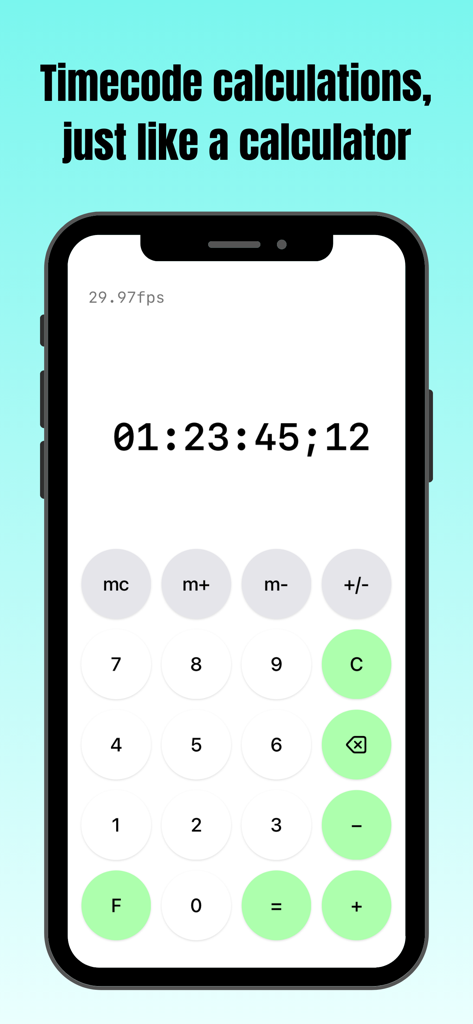
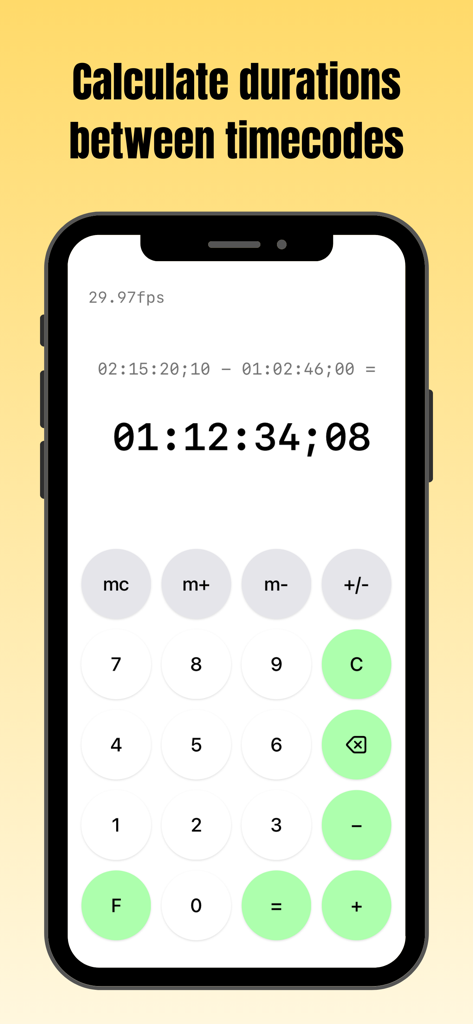
tcCalc app screenshot showing timecode calculation interface on an iPhone

tcCalc app screenshot showing timecode calculation interface on an iPhone

tcCalc app screen on iPhone showing a duration calculation between two timecodes at 29.97fps

tcCalc app screen on iPhone showing a duration calculation between two timecodes at 29.97fps

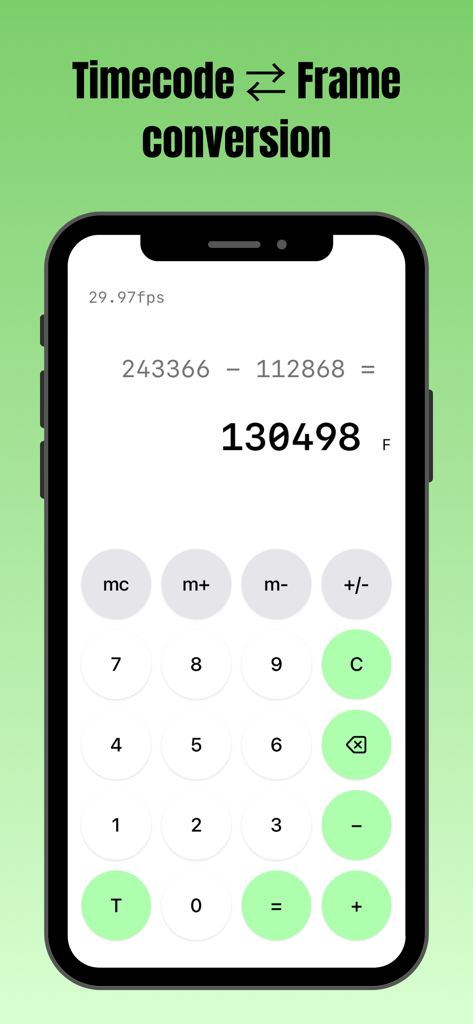
tcCalc app interface performing a frame count subtraction on an iPhone

tcCalc app interface performing a frame count subtraction on an iPhone

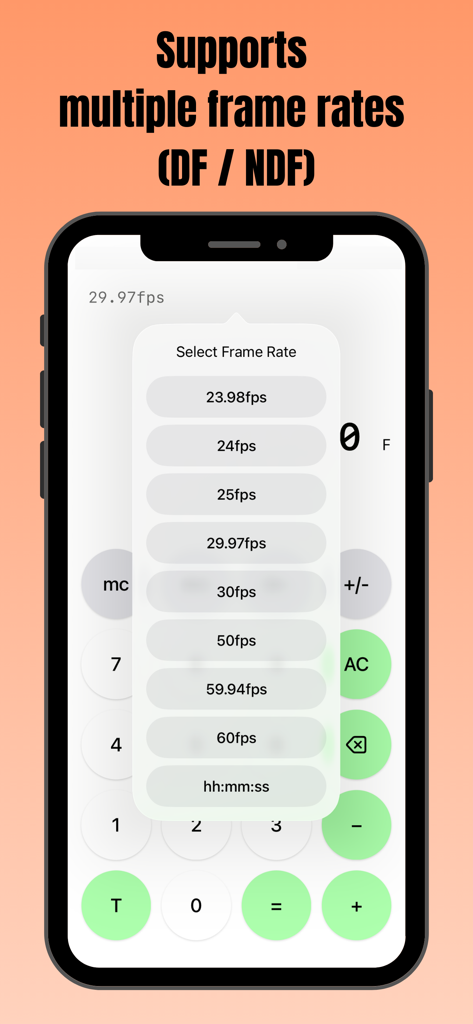
Smartphone screen showing the tcCalc app with a popup menu to select multiple frame rates including DF and NDF options.

Smartphone screen showing the tcCalc app with a popup menu to select multiple frame rates including DF and NDF options.

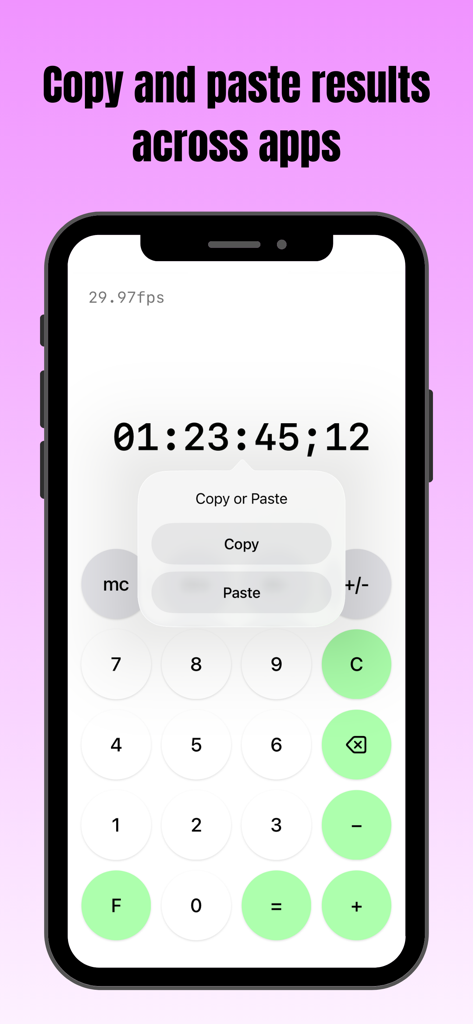
Smartphone screen displaying tcCalc app with a copy and paste menu over a timecode result

Smartphone screen displaying tcCalc app with a copy and paste menu over a timecode result

Precision Tools for Post-Production Professionals

The tools that make this app stand out, trusted by 4K+ users.

🎬

Multi-Standard Frame Rate Support

Switch between 23.98, 29.97 DF/NDF, 59.94, and 60fps instantly. Ensure your durations are perfectly synced regardless of your project's technical specifications.

📋

Seamless Workflow Integration

Directly copy and paste calculation results into your delivery sheets, EDLs, or notes. Move data between tcCalc and other iOS apps to speed up your technical logging.

⏱️

Native Timecode & Frame Conversion

Toggle between SMPTE timecode and total frame counts with a single tap. Perform complex duration math using a familiar interface designed for high-pressure edit suites.

About the app

Everything you need to know about tcCalc - timecode & frame calc.

Description

Overview This app is a calculator designed for timecode and frame-based calculations. Features • Perform timecode calculations with the familiar operation of a standard calculator. • Convert between timecodes and frame counts in both directions. • Supports multiple frame rates. • Input values and calculation results are automatically adjusted to values between 0 and less than 24 hours. How to Use Input Timecodes and frame numbers are entered using the numeric buttons (0–9). The AC button clears the displayed value and all calculation history. The C button clears only the current input value and calculation result. To delete the displayed value one character at a time, use the delete button. Up to 8 digits can be entered. Calculation Calculations are performed in the same way as a standard calculator, using the symbol buttons (+, −, =). For example, the − button can be used to calculate the duration between two timecodes. Display Mode Press the F button to convert the displayed value to frames. Press the T button to convert the displayed value to a timecode. The display format can be changed at any time, even during a calculation. Frame Rate Selection Tap the fps indicator in the upper-left corner of the screen to open the frame rate selection screen. You can choose from the following frame rates: 23.98fps / 24fps / 25fps / 29.97fps / 30fps / 50fps / 59.94fps / 60fps 29.97fps and 59.94fps use the Drop Frame (DF) counting method. All other frame rates use the Non-Drop Frame (NDF) counting method. When hh:mm:ss is selected, calculations can be performed using time values (hours, minutes, seconds) without frames. Copy & Paste Long-press a calculation result to display a menu where you can choose to copy or paste the value. By selecting an option from the menu, you can copy the value or paste a previously copied value. This allows numeric values to be copied and pasted between this app and standard iOS apps such as the Calculator and Notes. If a pasted string contains non-numeric characters, only the numeric portions are entered in order. In frame display mode, any decimal portion is truncated when pasting. Other The m+, m−, and mc buttons provide a memory function. Stored values are displayed in the upper-right corner of the screen and can be tapped to use them as input values. This behavior is equivalent to the mr button on a standard calculator. Pressing the +/− button toggles the sign of the input value and calculation result. Negative values are displayed as the result of subtracting the value from 24 hours. Timecode calculations are primarily based on the SMPTE 12M-1 standard. For 59.94fps, the counting method is based on commonly used behavior in applications such as Adobe Premiere Pro.

Latest Version

3.0

Size

0.4 MB

First Released

Sep 9, 2016

Master Your Timeline with Frame-Accurate Precision

Stop the mental math and eliminate sync errors. Join thousands of post-production pros using tcCalc for seamless timecode conversions and workflow efficiency.

Download on App Store

App information, icons, screenshots, and descriptions displayed on this page are sourced from the Apple App Store and are the property of their respective developers. Download estimates and rankings are based on MWM's proprietary models and may not reflect actual figures. This page is provided for informational and analytical purposes only.

Believe this page infringes your intellectual property? File a dispute