TempTale App
TempTale App
Download on App Store

This page is not an official page of the app or its developer, but an independent editorial publication created for informational and commentary purposes. Unless expressly stated otherwise, neither the app nor its developer is affiliated with, endorsed by, sponsored by, authorized by, or otherwise officially connected with MWM, Apple, Google Play, the app publisher, or the app's developer, and nothing on this page implies that the app was developed using MWM's services. Any trademarks, logos, screenshots, and other content remain the property of their respective owners.


Logo of TempTale App
Download on App Store

TempTale App

Empowering logistics professionals with touchless temperature reads and immediate accept/reject decisions. Streamline compliance through automated cloud syncing and one-tap PDF reporting.

Key Figures

Downloads

6K+

User Rating

5.0/5

Total Ratings

0

Publisher

Sensitech Inc.

Category

Reference

Locales

9

Latest Version

3.5.2

Size

185.5 MB

First Released

May 21, 2019
Features

Streamline Your Cold Chain Compliance

The TempTale® App transforms your smartphone into a powerful inspection tool, enabling instant data retrieval and actionable insights for temperature-sensitive shipments.

Instant Accept/Reject Decisions

Eliminate guesswork with immediate visual indicators. A simple check or X tells you instantly if your shipment stayed within temperature limits.

Touchless Data Retrieval

Collect data through packaging from up to 30 feet away via Bluetooth® or a quick NFC tap, maintaining the thermal integrity of your cargo.

The following screenshots and description are sourced directly from the app's official store listing and are the property of the app developer.

App Store

Screenshots
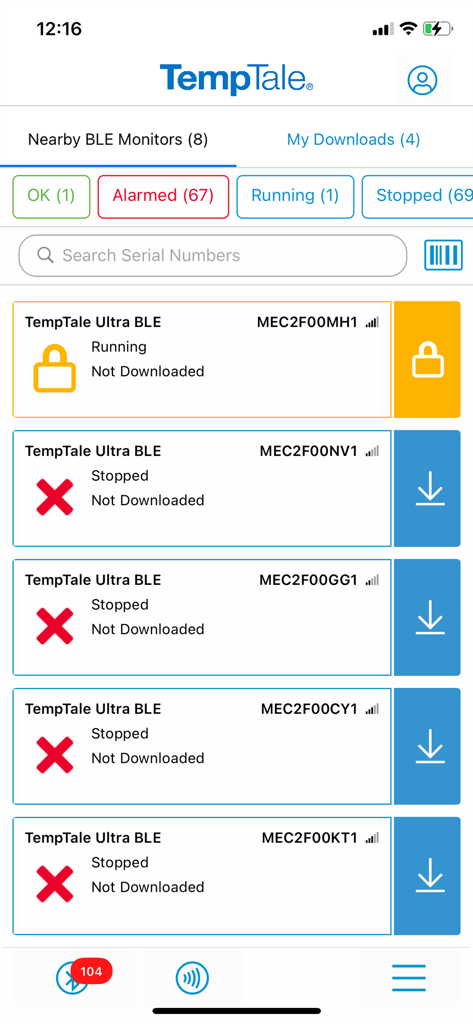
TempTale App - Interface of TempTale app showing a list of nearby BLE temperature monitors with status alerts
Interface of TempTale app showing a list of nearby BLE temperature monitors with status alerts

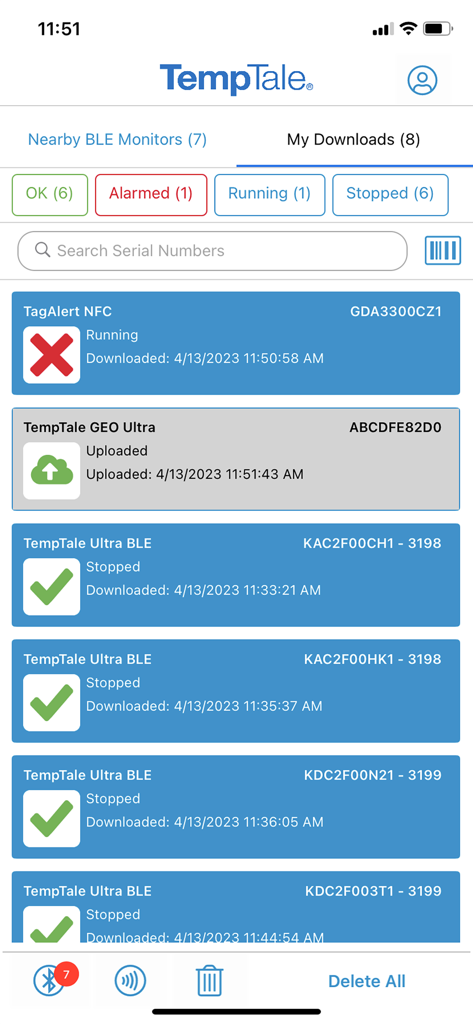
TempTale App - TempTale app dashboard showing temperature monitor status with green checkmarks and red alarm icons
TempTale app dashboard showing temperature monitor status with green checkmarks and red alarm icons

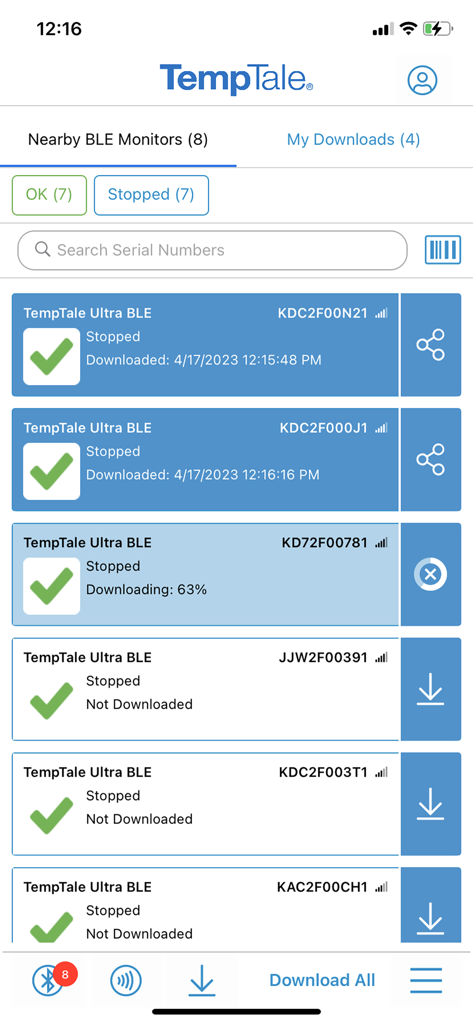
TempTale App - Screenshot of the TempTale app showing a list of nearby Bluetooth temperature monitors with status indicators and download options
Screenshot of the TempTale app showing a list of nearby Bluetooth temperature monitors with status indicators and download options

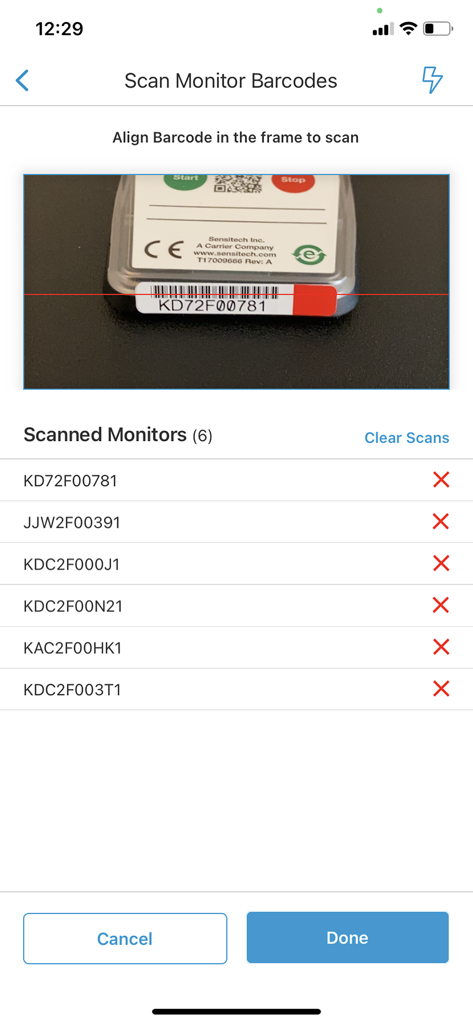
TempTale App - TempTale app barcode scanning screen showing a camera viewfinder and a list of scanned monitor IDs with alarm status indicators
TempTale app barcode scanning screen showing a camera viewfinder and a list of scanned monitor IDs with alarm status indicators

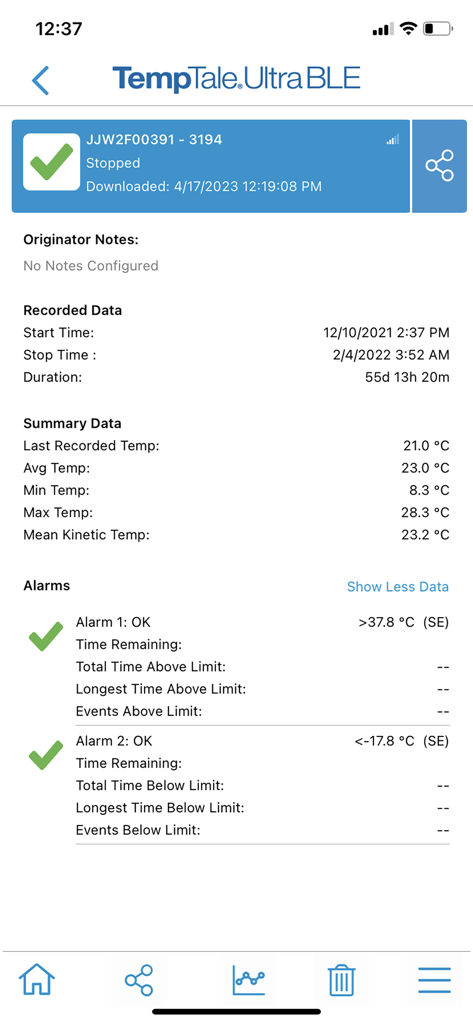
TempTale App - Temperature summary report in the TempTale App showing alarm status and recorded data
Temperature summary report in the TempTale App showing alarm status and recorded data

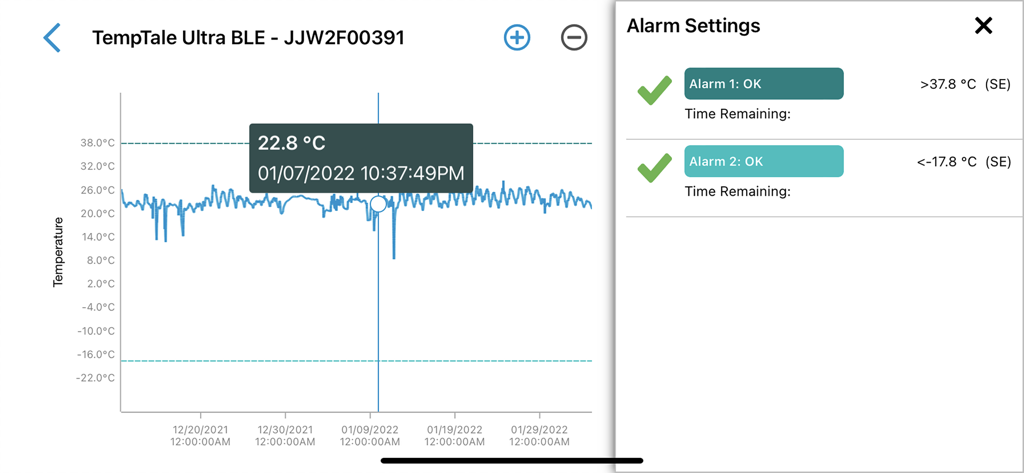
TempTale App - TempTale App interface displaying a temperature log graph and alarm configuration settings
TempTale App interface displaying a temperature log graph and alarm configuration settings

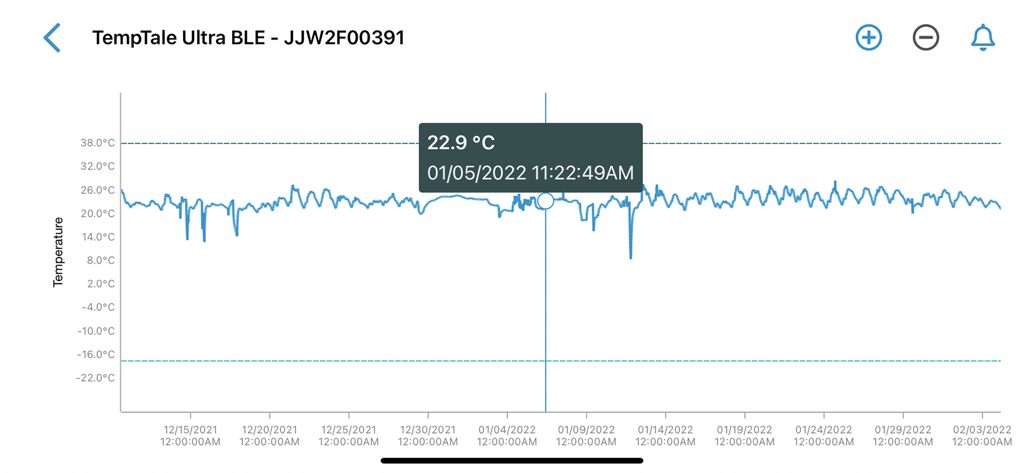
TempTale App - A detailed temperature graph in the TempTale App showing fluctuations over time with a specific data point highlighted at 22.9 degrees Celsius.
A detailed temperature graph in the TempTale App showing fluctuations over time with a specific data point highlighted at 22.9 degrees Celsius.

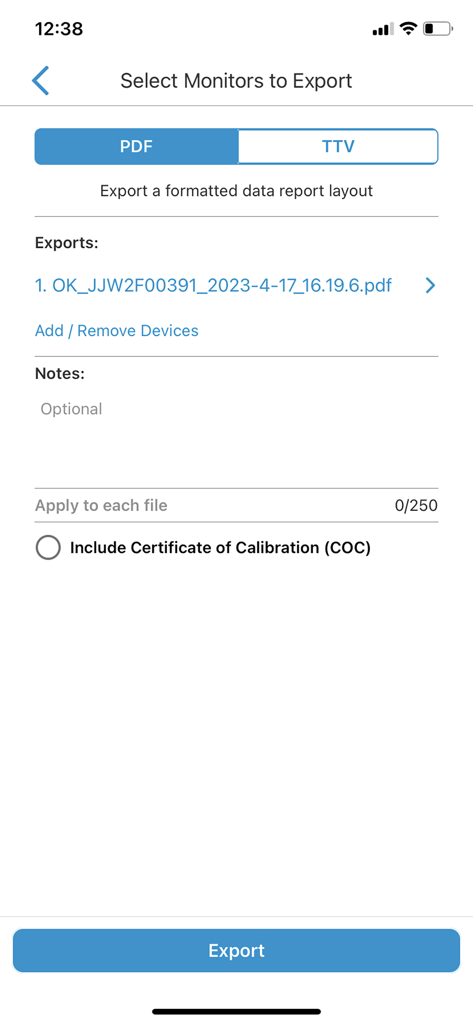
TempTale App - TempTale App screen for selecting monitors to export as PDF or TTV reports
TempTale App screen for selecting monitors to export as PDF or TTV reports

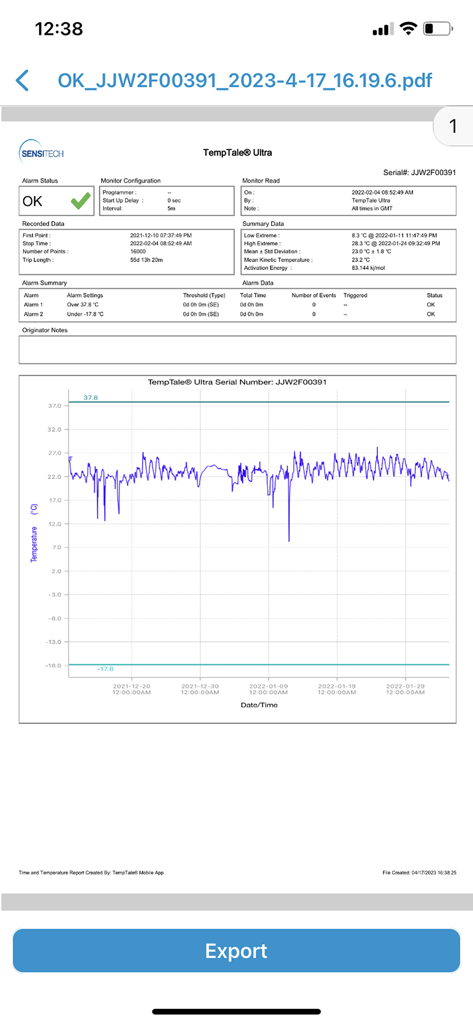
TempTale App - A detailed temperature monitoring report in the TempTale App showing a data graph and a green OK alarm status
A detailed temperature monitoring report in the TempTale App showing a data graph and a green OK alarm status

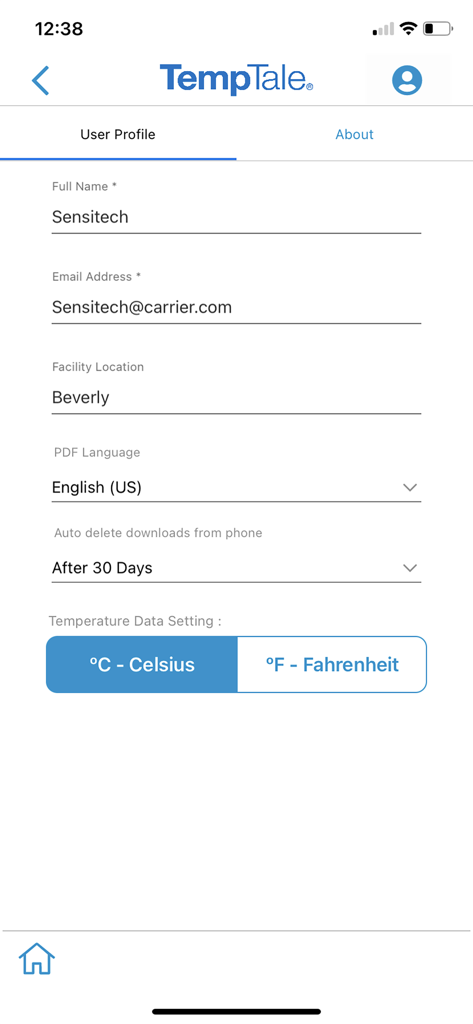
TempTale App - User profile settings screen in the TempTale app showing name email facility location and temperature preference settings

User profile settings screen in the TempTale app showing name email facility location and temperature preference settings

Description

TempTale® Mobile App supports reading temperature from these Sensitech wireless devices used in temperature-sensitive supply chain shipments: TempTale® BLE (Bluetooth) monitor: Provides a touchless Bluetooth read of the temperature of a package and determines if a package is alarmed for accept/reject decisions. Once the app is installed on your smartphone, simply open the app and the Bluetooth monitor will broadcast data within 9m or 30 ft (no pairing required). Tap to download the temperature data to your phone. Data automatically uploads to the cloud into ColdStream® Select once downloaded to the phone. Quickly export a PDF or TTV file—send using your smartphone file sharing options. TempTale® GEO X Real-time/cellular monitor: Provides an easy way to upload data to the cloud as a secondary method if no cellular connection is available at the final destination. “APP” will display on the LCD of the monitor. Press the start and stop buttons for 3 sec. to activate the Bluetooth connection. Once the app is installed on your smartphone, simply open the app and the Bluetooth monitor will broadcast data within 9m or 30 ft (no pairing required). Tap to download the temperature data to your phone. Data automatically uploads to the cloud once downloaded to the phone. Quickly export a PDF or TTV file—send using your smartphone file sharing options. TempTale® GEO Ultra Real-time/cellular monitor: Provides an easy way to upload data to the cloud as a secondary method if no cellular connection is available at the final destination. Once the app is installed on your smartphone, simply open it and tap the device to scan the TempTale® GEO Ultra using the NFC wireless connection to upload monitor data to the cloud and stop the monitor. Login to ColdStream® Select / SensiWatch® Platform to check for shipment alarm status information. TagAlert® NFC monitor: Provides an easy-to-understand temperature status of your package. The read out indicates if the product has stayed within acceptable limits or if any temperature alarms have triggered. Once the app is installed on your smartphone, simply open it and tap the device to scan and read the TagAlert® NFC to check alarm statuses. Once data is downloaded using the app, feel confident in your accept/reject decision. Quickly export data reports in PDF format and send them using your smartphone file sharing options. Selective Access: Upon launching the TempTale App, users may need to login to obtain Selective Access with their SensiWatch® Platform credentials or continue as a Guest. Guest mode allows use of the app without login, for certain TempTale BLE programs. Monitors configured with Selective Access are set up in SensiWatch Platform. Please contact your administrator to receive a login set up email. Easy to use: Once the app is installed on your smartphone, • Simply launch the app and the TempTale® BLE (Bluetooth) monitor will broadcast to the app (no pairing required). Click download arrow to download to your phone. Use the app for near field communication (NFC) to scan the TagAlert® NFC or TempTale® GEO Ultra by holding your smartphone and tapping the monitor—it will be read automatically. TempTale® GEO X, TempTale® BLE and TagAlert® NFC monitors can be programmed with up to six (6) temperature alarms and displayed in the app. TempTale® GEO Ultra alarms display in the software, login to ColdStream® Select / SensiWatch® Platform to check for shipment alarm status information. If the time/temperature of your package has exceeded its limits, you will see the X icon, indicating an alarm (up to 6) has triggered. Follow the standard operating procedures (SOPs) set by your organization. If your package has stayed within the time/temperature limits, you will see the √ icon (check mark), which means you can accept the shipment.

Download

Download on App Store

This page is not an official page of the app or its developer, but an independent editorial publication created for informational and commentary purposes. Unless expressly stated otherwise, neither the app nor its developer is affiliated with, endorsed by, sponsored by, authorized by, or otherwise officially connected with MWM, Apple, Google Play, the app publisher, or the app's developer, and nothing on this page implies that the app was developed using MWM's services. Any trademarks, logos, screenshots, and other content remain the property of their respective owners.







