Termi: The Professional SSH Client & Server Monitor
Take full control of your Linux servers and Docker workflows. Monitor system health in real-time and execute critical shell commands directly from your iPhone, wherever you are.
Publisher
艳 罗
Category
Developer Tools
Downloads
0
User Rating
1.0/5
Total Ratings
0
Locales
9
Infrastructure at a Glance
Discover the interface used by 0 users.
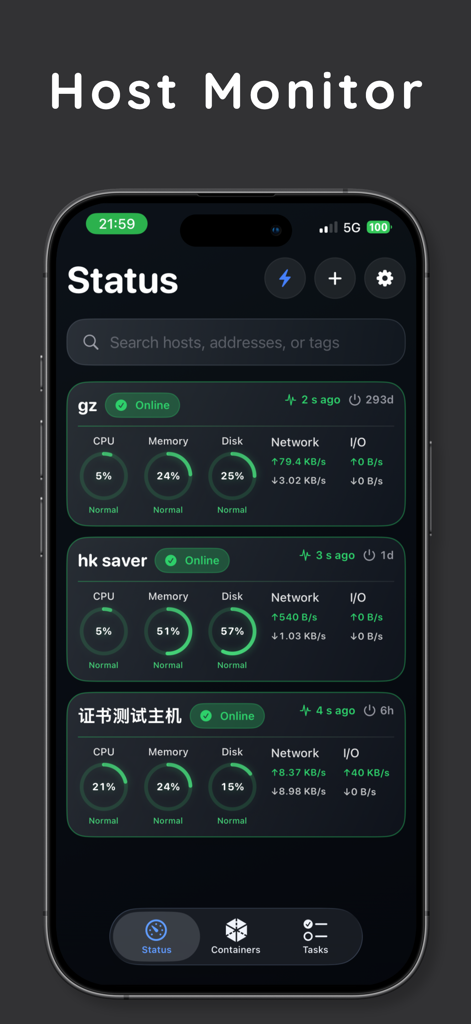
Termi app host monitor screen displaying real-time CPU memory and disk usage for multiple servers
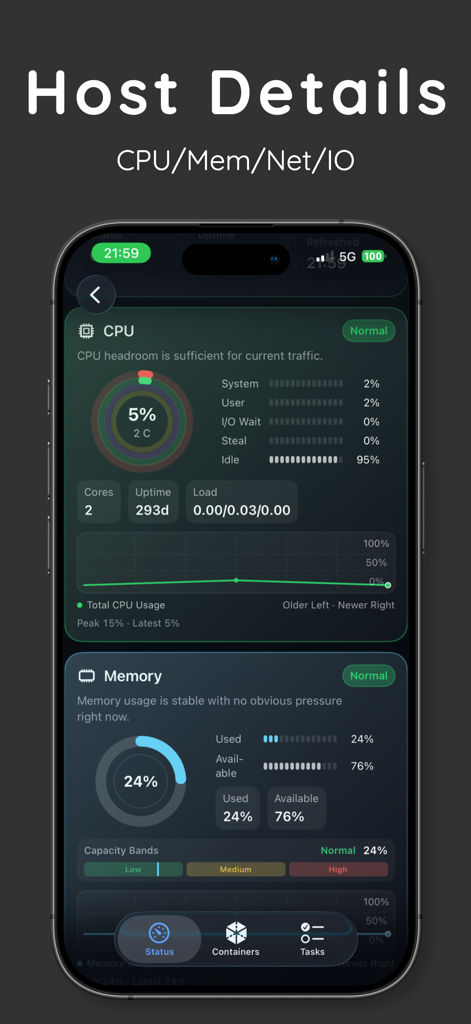
Termi app host details screen showing real-time CPU and memory monitoring for remote servers
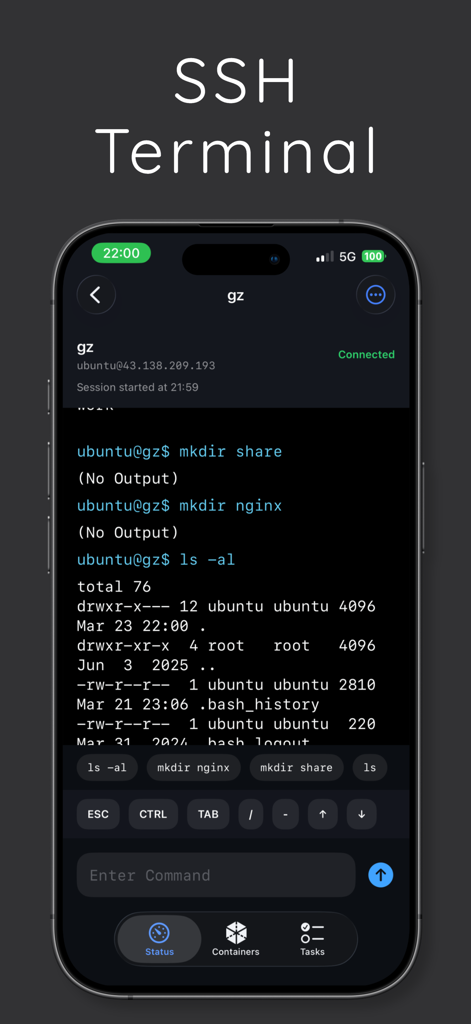
Termi SSH terminal screen showing a connected Ubuntu server session with Linux command output on an iPhone
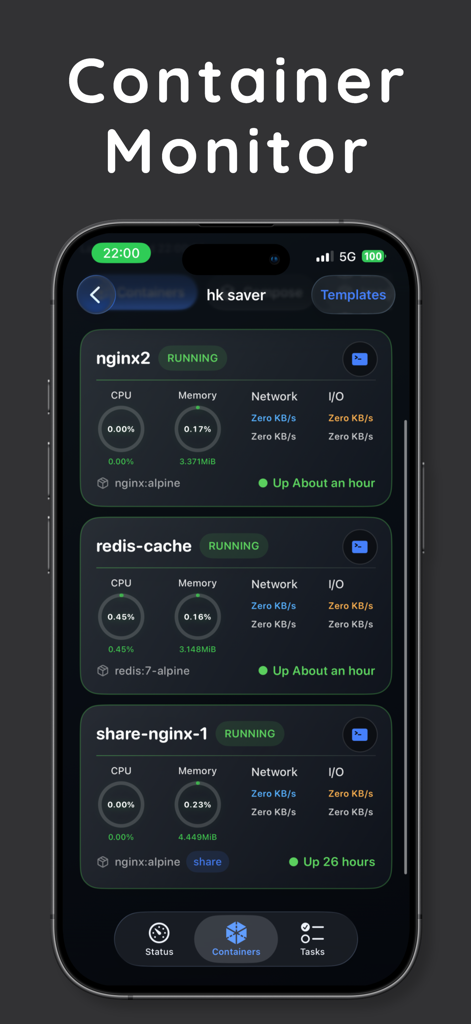
Termi app interface showing real time monitoring for Docker containers including CPU and memory usage.
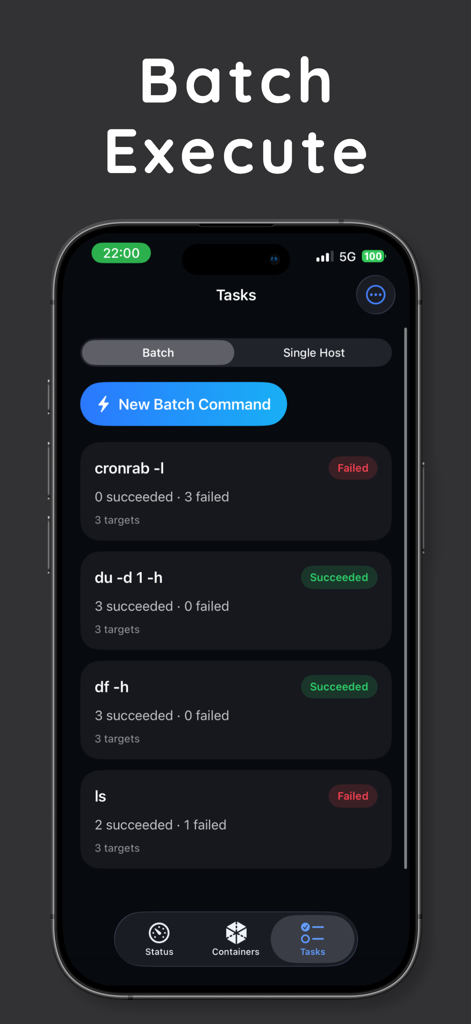
Termi app interface showing batch command execution results for multiple servers
Full Server Orchestration, Handheld
The tools that make this app stand out, trusted by 0 users.
📈
Context-First Monitoring
Skip the guesswork. View real-time CPU, RAM, and network metrics to diagnose issues before jumping into a terminal session.
🔑
Secure Multi-Host Access
Manage unlimited VPS, cloud, and homelab servers. Securely store credentials and connect instantly with full SSH key support.
🐳
Docker & Automation
Manage containers on the fly and execute batch scripts across multiple hosts for deployments or routine maintenance.
About the app
Everything you need to know about Termi - SSH Client & Terminal.
Description
Termi is an iPhone app for remote server management, built for developers, sysadmins, SREs, and self-hosting users. It combines SSH client, terminal, shell access, server monitoring, multi-host management, and Docker workflows in one mobile tool. Whether you manage Linux servers, VPS instances, cloud hosts, homelab machines, or self-hosted services, Termi helps you stay in control from iPhone.
With Termi, you can organize multiple servers in one place, save hosts, tags, and login details, monitor CPU, memory, disk, and network status, and jump straight into SSH when something needs attention. Instead of being just another terminal app, Termi is designed around a practical mobile ops workflow: check server health first, then connect and act fast.
Key features:
- SSH client and terminal for remote Linux access and shell commands
- Multi-host management with saved servers, tags, credentials, and connection details
- Server monitor for CPU, memory, disk, and network overview
- Batch commands for deploy, restart, logs, version checks, and routine admin tasks
- Docker workspace for container-related server monitoring and management
- Secure login with password or SSH key plus host key verification
Built for real-world mobile workflows:
- Check server status while commuting, traveling, or away from your desk
- Open SSH immediately when alerts, downtime, or resource spikes appear
- Run deploy, restart, log, and diagnostic commands on one server or many
- Manage VPS, cloud servers, homelab machines, NAS setups, and self-hosted services
If you want an iPhone app that blends SSH terminal, server monitor, remote shell access, and mobile admin workflows in a clear and efficient way, Termi is built for that job.
- Terms of Service: https://www.apple.com/legal/internet-services/itunes/dev/stdeula/
- Privacy Policy: https://my.feishu.cn/wiki/ZZKYwbgj3iDlzNkhzFncODfFnHd
Latest Version
1.0
Size
11.6 MB
First Released
Mar 29, 2026
Command Your Infrastructure From Anywhere
Stop rushing back to your desk. Monitor health metrics, manage Docker containers, and resolve incidents instantly with a professional-grade terminal in your pocket.
App information, icons, screenshots, and descriptions displayed on this page are sourced from the Apple App Store and are the property of their respective developers. Download estimates and rankings are based on MWM's proprietary models and may not reflect actual figures. This page is provided for informational and analytical purposes only.
Believe this page infringes your intellectual property? File a dispute