MsgKeep — Export Your Text Messages to PDF with AI
The smartest way to save, format, and organize your iPhone chats for legal evidence or personal archives. No computer or cables required—just instant, mobile-first recognition for any messenger.
Publisher
Alena Zaharova
Category
Productivity
Downloads
0
User Rating
1.0/5
Total Ratings
0
Locales
15
Your Chats, Reimagined
Discover the interface used by 0 users.
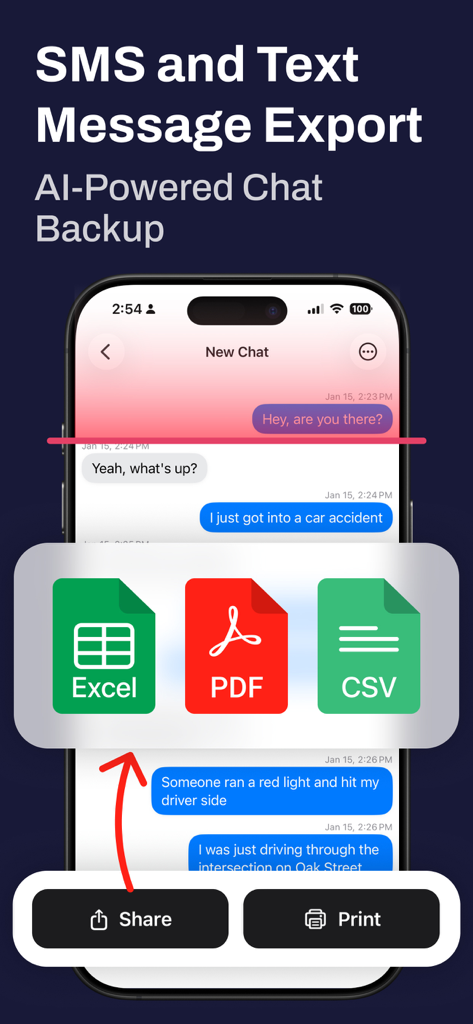
MsgKeep mobile app interface displaying text message export options for PDF Excel and CSV formats
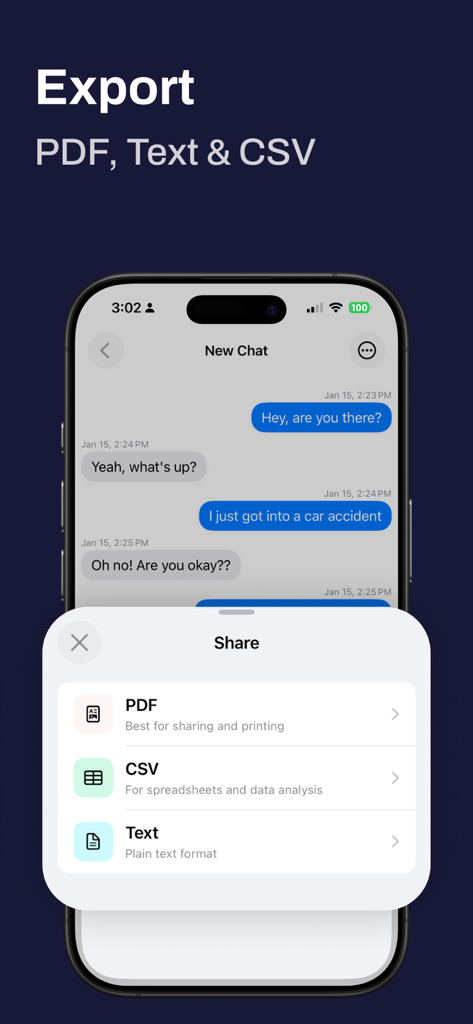
MsgKeep mobile app interface showing options to export chat messages to PDF CSV and text formats on an iPhone
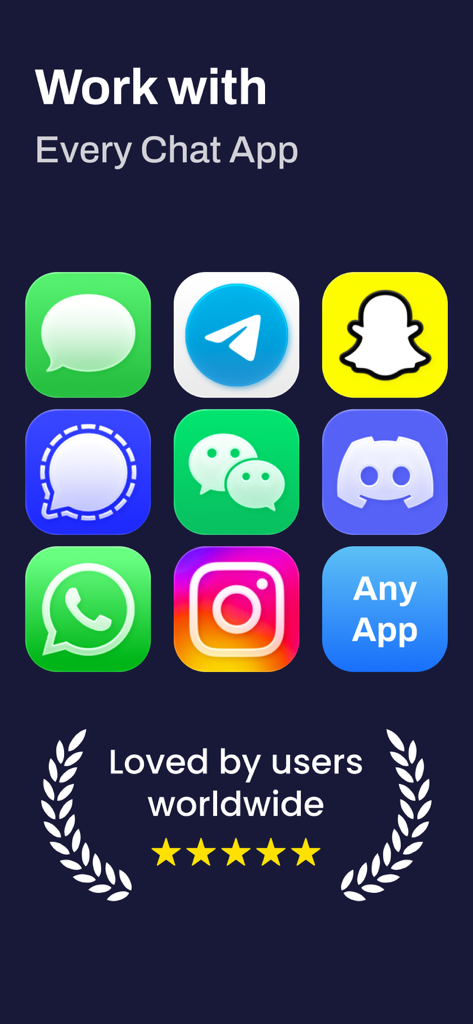
A list of supported messaging apps for text export including iMessage, WhatsApp, Telegram, and Discord.
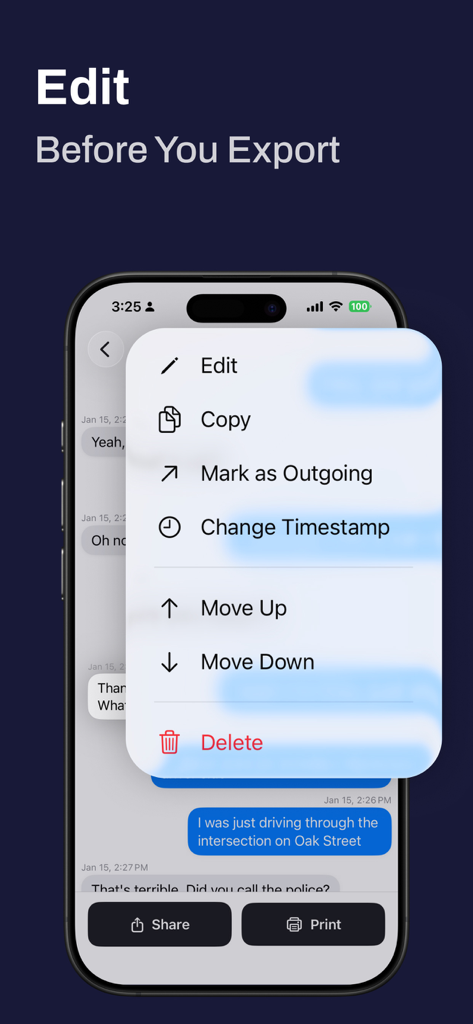
iPhone screen showing a menu to edit text messages and change timestamps in the MsgKeep app
Master Your Digital Archives
The tools that make this app stand out, trusted by 0 users.
🤖
Instant AI Extraction
Automate your archive. Our AI instantly recognizes senders, dates, and timestamps, saving you hours of manual data entry.
⚖️
Legal-Grade Formatting
Transform fragmented chats into structured PDFs or CSVs, specifically designed for court evidence and business records.
📱
Desktop-Free Experience
Manage your entire export process directly on your iPhone. No cables, no PC, and no complex software required to secure your data.
About the app
Everything you need to know about Text Message Export - MsgKeep.
Description
MsgKeep — Save, Edit & Export Text Messages from iPhone
The smartest way to save text messages from iPhone and export conversations from any messaging app. MsgKeep uses AI to instantly recognize your chat messages and turn them into editable, exportable documents — perfect for legal records, personal archives, or simply keeping important messages safe.
Need to export text messages from iPhone for court, backup WhatsApp conversations, or save iMessage chats? MsgKeep makes it effortless with AI-powered recognition that no other app offers. Decipher text messages from any messenger — MsgKeep reads your chats and converts them into clean, organized documents.
KEY FEATURES
- AI-Powered Recognition: Unlike other apps, MsgKeep uses artificial intelligence to automatically extract messages, timestamps, and participant names. No manual typing, no cables, no computer required.
- Export Text Messages to PDF, CSV & Text: Save your conversations as beautifully formatted PDF with chat bubbles, structured CSV for spreadsheets, or plain text. The easiest way to export iMessage, WhatsApp, Telegram and other chats.
- Powerful Editing: Edit messages, fix names, adjust timestamps, search across conversations, and merge multiple chats into one. Full control over your exported data.
- Group Chat Support: Automatic detection of group conversations with color-coded participant names in exports.
- Works with Every Messenger: iMessage, WhatsApp, Telegram, Instagram DMs, Facebook Messenger, Viber, Signal, Discord, Snapchat, LINE, and any other messaging app.
WHY CHOOSE MSGKEEP?
- AI Does the Work: Other apps require manual input or a desktop connection. MsgKeep recognizes messages automatically — just import and export.
- Edit Before You Export: Fix recognition errors, reorder messages, merge chats, remove unwanted messages — get a clean result every time.
- No Computer Needed: Everything happens on your iPhone. No cables, no desktop software, no complicated setup.
PERFECT FOR
- Legal professionals who need to export text messages from iPhone as formatted evidence for court
- Anyone looking to save iMessage conversations or backup WhatsApp chats for safekeeping
- Businesses requiring documented proof of communication for compliance or records
- People preserving meaningful conversations and personal memories
- Users looking for an alternative to iMazing, Touchcopy, or Decipher TextMessage — with AI-powered recognition
GET STARTED
Save text messages from iPhone in minutes:
- Import your chats — add images from any messenger
- AI recognizes everything — messages, dates, senders extracted automatically
- Edit if needed — fix, reorder, merge, and organize
- Export to PDF, CSV, or Text — share, print, or archive your conversations
SUBSCRIPTION
MsgKeep offers a subscription that unlocks unlimited exports, printing, and imports. Payment will be charged to your Apple ID account at confirmation of purchase. The subscription automatically renews unless canceled at least 24 hours before the end of the current period. You can manage or cancel your subscription in your Apple ID account settings.
Privacy Policy: https://msgkeep.com/privacy-policy.html
Terms of Use: https://www.apple.com/legal/internet-services/itunes/dev/stdeula/
Latest Version
1.0
Size
22.6 MB
First Released
Feb 24, 2026
Secure Your Important Conversations Today
Stop wasting hours on manual screenshots. Download MsgKeep to transform your chats into professional, court-ready documents in minutes—right from your iPhone.
App information, icons, screenshots, and descriptions displayed on this page are sourced from the Apple App Store and are the property of their respective developers. Download estimates and rankings are based on MWM's proprietary models and may not reflect actual figures. This page is provided for informational and analytical purposes only.
Believe this page infringes your intellectual property? File a dispute