Text Simplifier VPP
Text Simplifier VPP
Download on App Store

This page is not an official page of the app or its developer, but an independent editorial publication created for informational and commentary purposes. Unless expressly stated otherwise, neither the app nor its developer is affiliated with, endorsed by, sponsored by, authorized by, or otherwise officially connected with MWM, Apple, Google Play, the app publisher, or the app's developer, and nothing on this page implies that the app was developed using MWM's services. Any trademarks, logos, screenshots, and other content remain the property of their respective owners.

Logo of Text Simplifier VPP
Download on App Store

Text Simplifier VPP

The essential AI-powered accessibility tool for schools. Simplify complex textbooks, worksheets, and web pages into clear language to support dyslexia, ESL, and inclusive learning—with no in-app purchases and easy volume deployment.

Key Figures

Downloads

0

User Rating

4.4/5

Total Ratings

0

Publisher

Christian Urff

Category

Education

Locales

4

Latest Version

2.0

Size

18.7 MB

First Released

Aug 28, 2023
Features

Unlock Learning Without Barriers

Text Simplifier VPP empowers students to master complex curriculum through AI-driven simplification and multi-sensory reading tools designed for inclusive classrooms.

AI-Powered Text Simplification

Instantly transform dense textbooks and academic jargon into clear, simple language tailored to the student's specific reading level.

Multi-Channel Content Capture

Break down barriers anywhere by taking photos of printed worksheets, simplifying live web pages, or dictating text directly into the app.

The following screenshots and description are sourced directly from the app's official store listing and are the property of the app developer.

App Store

Screenshots
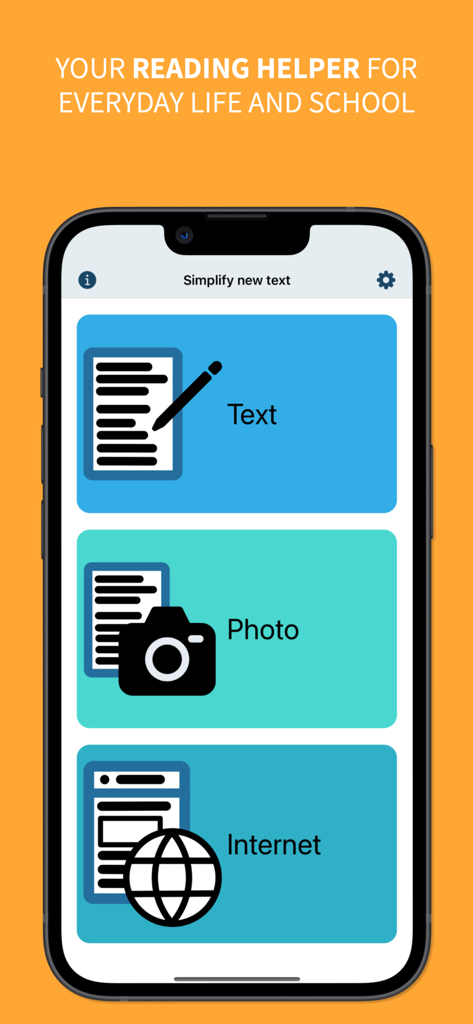
Text Simplifier VPP - Main menu of the Text Simplifier VPP app showing text, photo, and internet simplification options.

Main menu of the Text Simplifier VPP app showing text, photo, and internet simplification options.
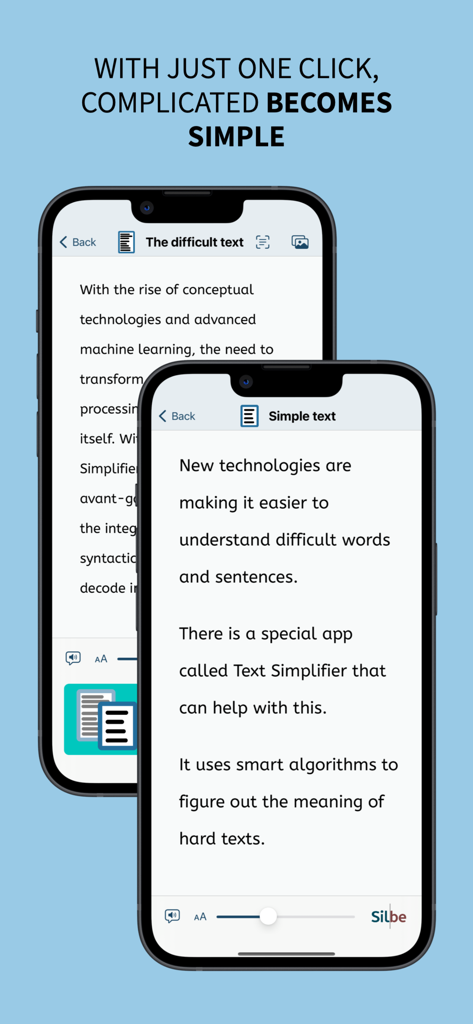
Text Simplifier VPP - Before and after comparison of complex text simplified in the Text Simplifier VPP app.
Before and after comparison of complex text simplified in the Text Simplifier VPP app.

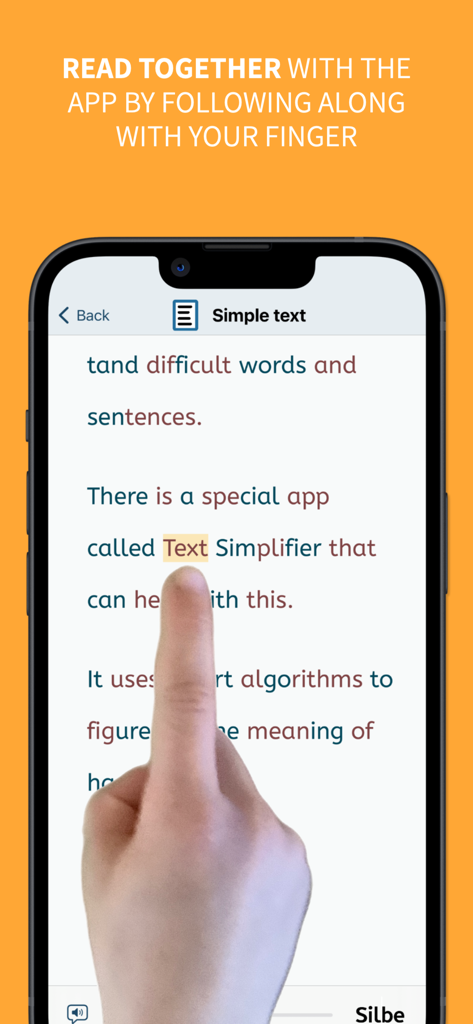
Text Simplifier VPP - User tracking simplified text with a finger on a mobile app
User tracking simplified text with a finger on a mobile app

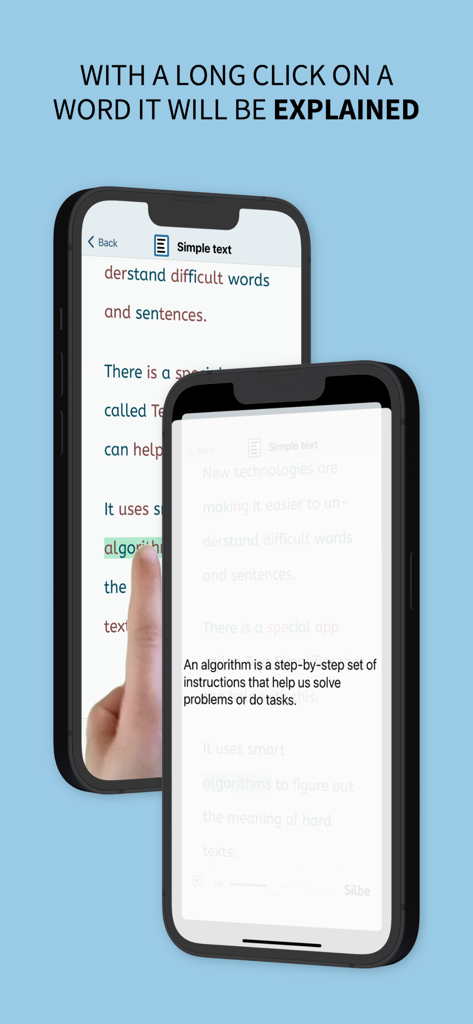
Text Simplifier VPP - Screenshot of the Text Simplifier VPP app showing a simple definition pop up after long clicking a difficult word

Screenshot of the Text Simplifier VPP app showing a simple definition pop up after long clicking a difficult word

Description

This is a feature-identical version of the Text Simplifier app for the AppStore for Volume Licenses (VPP), without in-app purchases but with more inclusive text simplifications. You're facing difficult texts and wish they were easier to understand? This app is exactly what you need! Whether in inclusive education, for beginning readers, or for anyone who appreciates clear and understandable language - with just one click, complicated becomes simple. The Text Simplifier app makes difficult texts easier. Then the texts are easier to read and understand. And if you need help reading, the app can also read words to you. To do this, just follow along under the words with your finger. This app is for people with reading difficulties or beginning readers. It can also be very helpful in inclusive classroom instruction. There are then fewer barriers due to difficult texts. You have several options for simplifying texts: 1. Enter text: You can write a text, speak (dictate) or copy from another source. When you press the "Simplify Text" button, the text becomes simpler. 2. Take a picture of a text: You can take a photo of a text, for example from a book or worksheet. Then the app can read you the text or simplify it. 3. Internet texts: If you are reading on the internet and want a simpler text, just press the "Simplify Texts" button. The app is actually very suitable for children and beginning readers, but due to the integrated browser, Apple recommends it only from age 17+, as any web page can be accessed. The app can do even more: - The app can read along with you. For this you have to use your reading finger. Move your finger along under the text as you read. And turn on the speaker. The app will then help you read. - The app can also read the entire text to you. If you want, the words are even highlighted as they are read. - You can long press on a word if you don't understand it. An explanation will then be displayed and read aloud (please turn on speaker). - You can make the letters bigger or smaller. - You can decide how simple the text should be. This is done in the settings. - Web pages can be displayed in "Reader Mode". Only the text and images are shown (without text simplification). Ads and menus are not shown. ## Tip: How to improve the voice! ## The iOS voice sometimes doesn't sound very good. You can simply use a different voice. To do this, go to the "Settings" app. Then to "Accessibility". Then select "Spoken Content" and then "Voices". Now you can select and download other voices. The enhanced voices sound especially good. ## What does it cost? ## The app is ad-free. It uses artificial intelligence from OpenAI to simplify texts. The texts are sent to OpenAI over the internet for simplification. Each simplification costs some money. That's why the app costs something. This is the version for schools where you don't have to buy additional simplifications. Once you've purchased the app, you can simplify about 1000 texts (depending on length) without restrictions. After that theres a daily limit for simplifications.

Download

Download on App Store

This page is not an official page of the app or its developer, but an independent editorial publication created for informational and commentary purposes. Unless expressly stated otherwise, neither the app nor its developer is affiliated with, endorsed by, sponsored by, authorized by, or otherwise officially connected with MWM, Apple, Google Play, the app publisher, or the app's developer, and nothing on this page implies that the app was developed using MWM's services. Any trademarks, logos, screenshots, and other content remain the property of their respective owners.