
This page is not an official page of the app or its developer, but an independent editorial publication created for informational and commentary purposes. Unless expressly stated otherwise, neither the app nor its developer is affiliated with, endorsed by, sponsored by, authorized by, or otherwise officially connected with MWM, Apple, Google Play, the app publisher, or the app's developer, and nothing on this page implies that the app was developed using MWM's services. Any trademarks, logos, screenshots, and other content remain the property of their respective owners.


The Event App by EventsAir
Navigate, network, and excel with the ultimate attendee companion. Access personalized schedules, live interaction tools, and real-time updates to maximize every moment of your event.
Downloads
1M+User Rating
Total Ratings
200Publisher
Category
BusinessLocales
1Latest Version
5.5.2Size
45.1 MBFirst Released
Sep 28, 2016Maximize Your Event ROI
Transform your professional event experience with a powerful digital companion designed to keep you organized, connected, and ahead of the curve.
Personalized Agenda
Take control of your time by building a custom schedule with smart reminders for the sessions and speakers that matter most to your professional growth.
High-Value Networking
Skip the small talk and connect with the right people. Browse attendee profiles, exchange digital business cards, and schedule one-on-one meetings effortlessly.
Frequently Asked Questions
Everything you need to know about The Event App by EventsAir
How do I get started with The Event App by EventsAir?
To get started with The Event App by EventsAir, install the app and enter the unique Event App code provided by your event organizer. This code connects you to your specific event.
What features does The Event App by EventsAir offer attendees?
The Event App by EventsAir provides personalized schedules, networking tools, live interaction, gamification, on-demand content, real-time updates, and essential event information. It supports both in-person and virtual attendees.
Can users create personalized schedules in The Event App by EventsAir?
Yes, users can access and build personalized schedules within The Event App by EventsAir. It displays sessions, speakers, and event details to help manage your attendance.
Does The Event App by EventsAir support networking among attendees?
Yes, The Event App by EventsAir offers robust networking features. Users can connect with other attendees, schedule meetings, and exchange contact details directly through the app's Meeting Hub.
Does The Event App by EventsAir include gamification features?
Yes, The Event App by EventsAir incorporates gamification. Attendees can earn points, complete challenges, and compete on leaderboards for rewards, enhancing engagement during the event.
Does The Event App by EventsAir support virtual and hybrid events?
Yes, The Event App by EventsAir supports both virtual and hybrid event formats. It offers live streaming and interactive tools to engage remote attendees effectively.
Where can I find essential event information within The Event App by EventsAir?
The Event App by EventsAir provides essential event information like Wi-Fi passwords, dress codes, travel details, and FAQs. This information is readily accessible within the app.
Does The Event App by EventsAir provide real-time updates and announcements?
Yes, The Event App by EventsAir keeps attendees informed with instant notifications and announcements. This ensures users receive critical updates throughout the event.
Who should I contact for help with The Event App by EventsAir?
For any issues with The Event App by EventsAir, contact your event organizer or event staff directly. They are best equipped to provide assistance and troubleshooting for your specific event.
The following screenshots and description are sourced directly from the app's official store listing and are the property of the app developer.
App Store
Screenshots
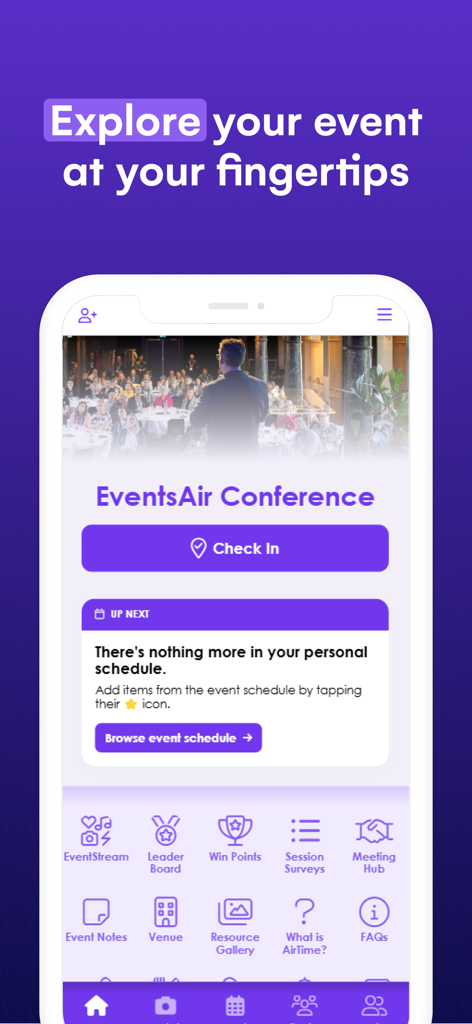
The Event App by EventsAir home screen showing a conference dashboard with a check-in button, schedule section, and various utility icons like meeting hub and leader board.
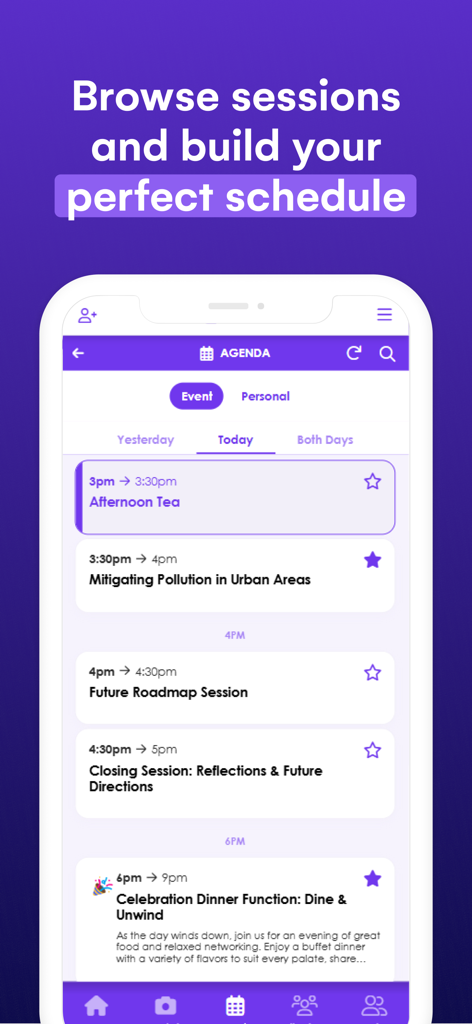
The Event App agenda screen showing daily sessions and professional event schedules
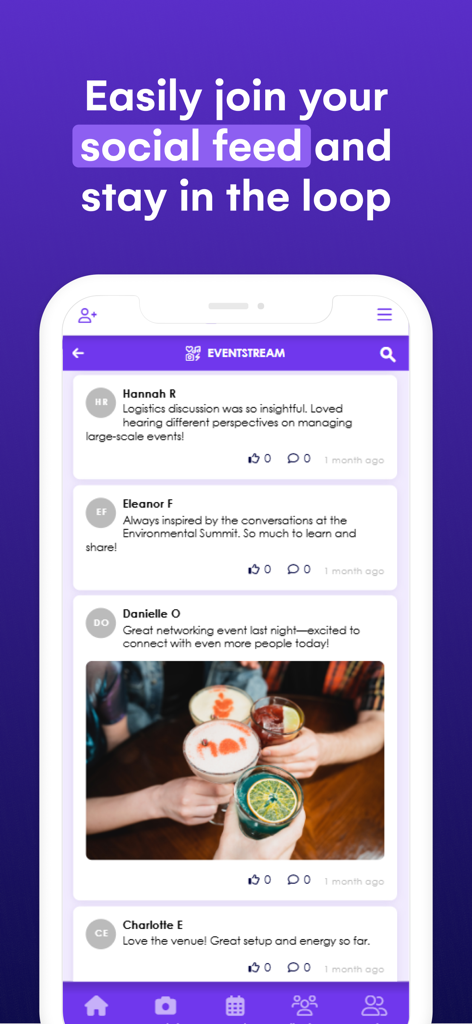
Social feed interface within the EventsAir mobile app showing attendee posts and networking photos
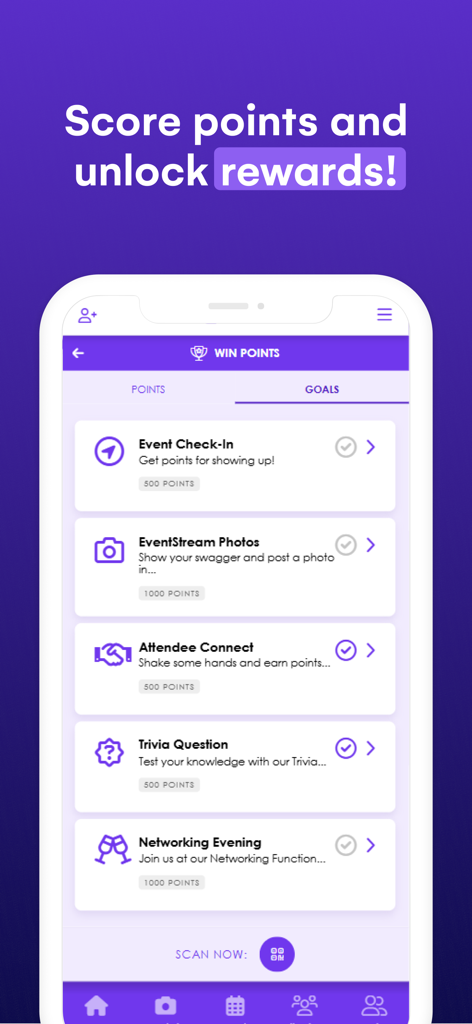
The Event App gamification screen displaying points and rewards for attendee engagement tasks
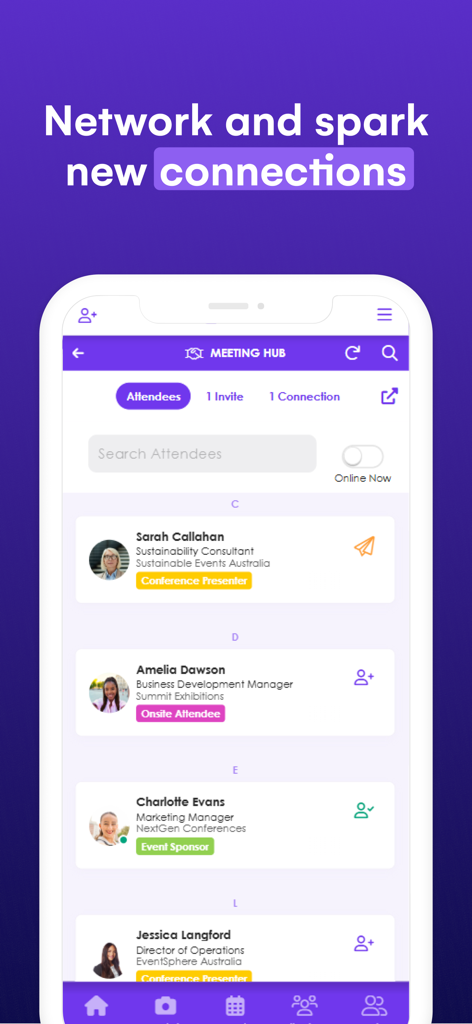
Meeting Hub screen in The Event App showing attendee list for networking
Description
Download
More Like This
Apps with similar features and user experience

Amsterdam Dance Event App
Stichting Amsterdam Dance Event

Cvent Events
Cvent, Inc.

5K parkrunner results
parkrun Global Limited

Whova - Event & Conference App
Whova Inc.

SportsEngine Tourney
SportsEngine, Inc.

Blocos de Rua - Carnaval 2026
Mexeri.ca Digital Ltda Me
Sched
Sched

Exposure Events
Exposure Events, LLC

WDW Food&Wine
Small World Code, LLC
This page is not an official page of the app or its developer, but an independent editorial publication created for informational and commentary purposes. Unless expressly stated otherwise, neither the app nor its developer is affiliated with, endorsed by, sponsored by, authorized by, or otherwise officially connected with MWM, Apple, Google Play, the app publisher, or the app's developer, and nothing on this page implies that the app was developed using MWM's services. Any trademarks, logos, screenshots, and other content remain the property of their respective owners.