Timelines - Data Analysis Tool

Timelines - Data Analysis Tool


Download on App Store
Logo of Timelines - Data Analysis Tool

Timelines - Professional Data Collection for Real-Time Performance Analysis

Bridge the gap between live action and post-event review with a powerful, tactile interface built for the field. Capture time-stamped data, automate complex workflows with inter-button interactions, and export instantly to CSV, JSON, or XML.

Download on App Store

Publisher

Super Jump Pty Ltd

Category

Productivity

Downloads

0

User Rating

1.0/5

Total Ratings

0

Locales

1

Precision at Your Fingertips

Discover the interface used by 0 users.
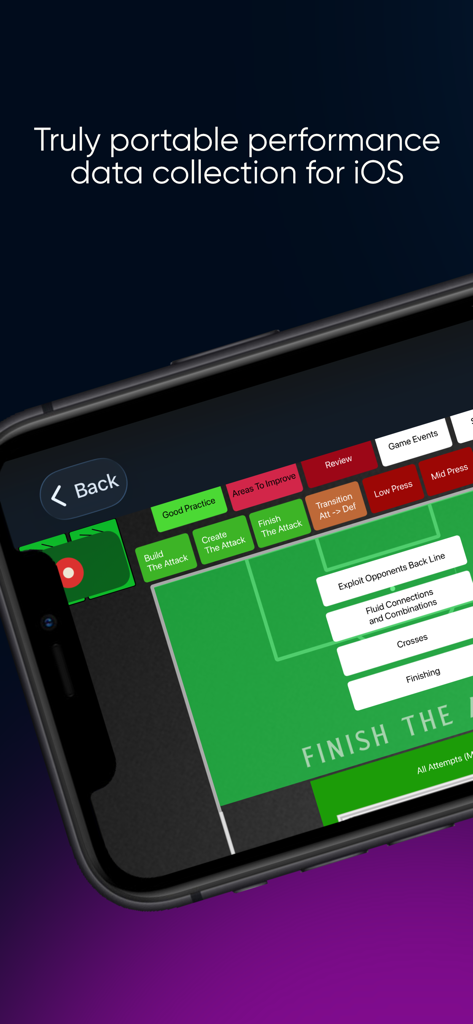
Timelines app interface showing portable performance data collection for sports analysis on a mobile device

Timelines app interface showing portable performance data collection for sports analysis on a mobile device

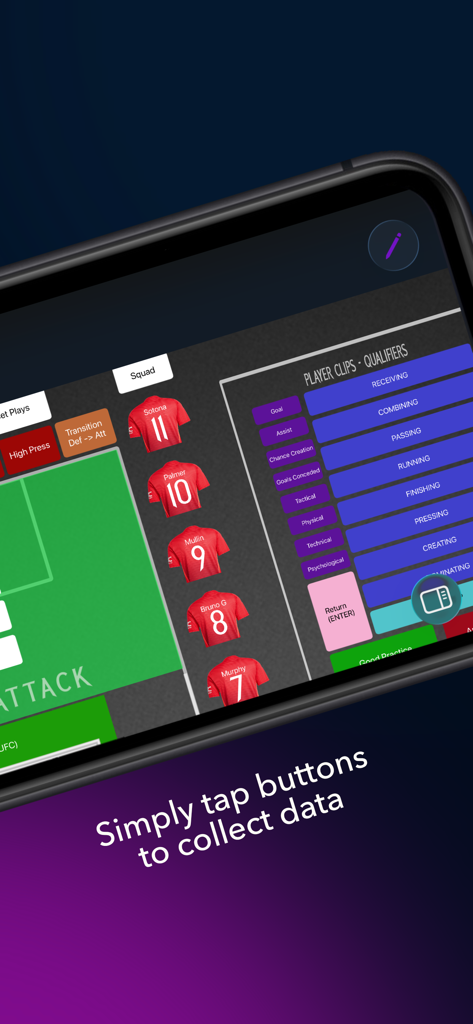
Interface of Timelines app showing real-time sports performance data collection with player jerseys and action buttons

Interface of Timelines app showing real-time sports performance data collection with player jerseys and action buttons

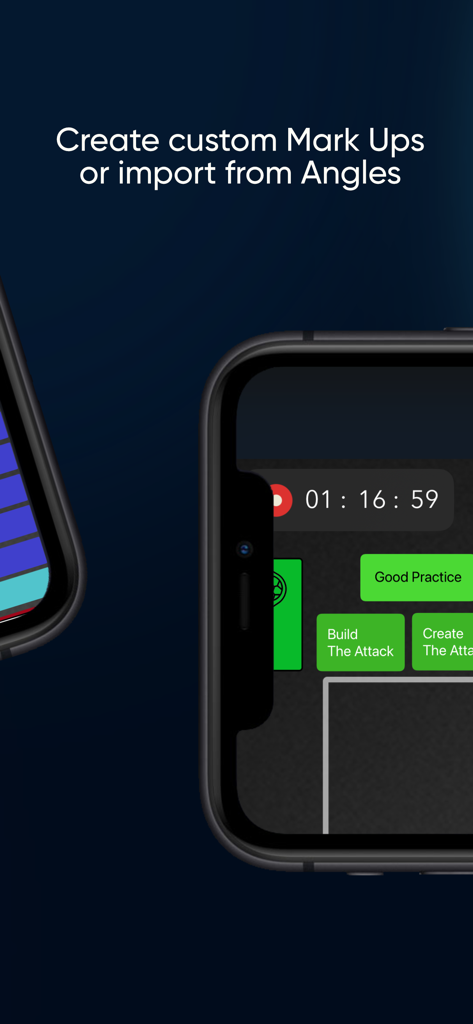
Interface of Timelines app showing custom markup buttons for sports performance tracking with a live timer

Interface of Timelines app showing custom markup buttons for sports performance tracking with a live timer

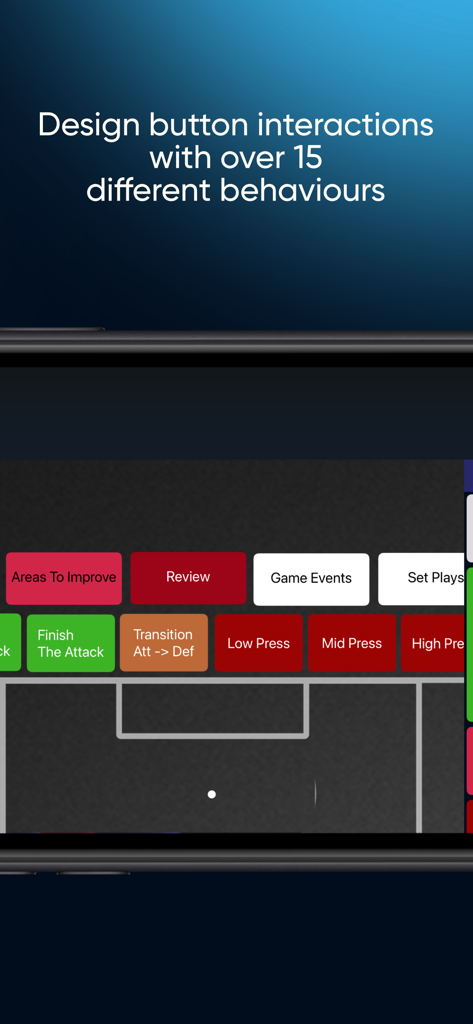
Interface of Timelines app showing custom button interactions and behaviors for sports performance data collection.

Interface of Timelines app showing custom button interactions and behaviors for sports performance data collection.

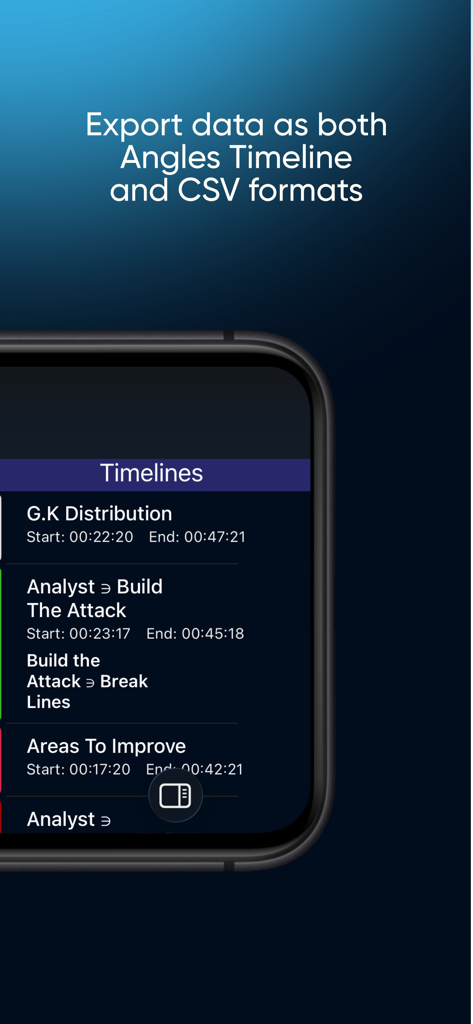
Smartphone screen showing a sports performance timeline with data entries and a callout for exporting to CSV and Angles Timeline formats.

Smartphone screen showing a sports performance timeline with data entries and a callout for exporting to CSV and Angles Timeline formats.

Professional Data Collection for High-Performance Teams

The tools that make this app stand out, trusted by 0 users.

🛠️

Fully Customizable MarkUps

Build bespoke data entry grids that fit your specific workflow. Use our movable canvas to guide collectors through complex sequences with zero friction.

📈

Live Performance Reporting

Monitor counts and time calculations in real-time. Provide instant feedback to coaches or researchers without ever pausing your data collection.

📤

Universal Data Portability

Your data, your way. Export seamlessly via AirDrop or email in CSV, JSON, or XML formats to integrate with Hudl, Excel, or custom dashboards.

About the app

Everything you need to know about Timelines - Data Analysis Tool.

Description

Analyze human performance anywhere you go with Timelines; easy and powerful data collection at the touch of your fingers. Timelines is built with all the major data collection capabilities of video analysis software but simplified for ease of use on an iOS device. Collect your data live and export it to match up with the video after the event. Create up to 3 MarkUps for Data collection locally for free and then purchase our yearly or monthly pro subscription to unlock the ability to: - distribute data as a Timeline, CSV, JSON or XML - share MarkUps between devices - create and import unlimited MarkUps Timelines Pro includes all of the below and more: • 3 Tiers of Data Collection Timelines allows users to dig deeper into their data collection with the inclusion of Clips, Qualifiers and Attributes. Add time-stamped moments to your clips with Qualifiers and then describe these moments further with Attributes. • Versatile and Flexible MarkUp design Data collection done your own way. Timelines allows users to build their MarkUp from a blank canvas or drag and drop from our MacOS editor, Angles, to collect their data using their own designs and style. • Inter-button interactions Capture more data with fewer buttons pushed. No need for in-depth scripting knowledge to make your MarkUp functional as Timelines’ MarkUp design is built for ease. Simply select an action that one button may have on another and click and drag to that button to reduce the number of clicks in your data collection workflows. • Movable Canvas Create MarkUps that guide the user through their data collection steps with actions such as our “Down > Centre”. Users can ensure accurate data collection by moving the canvas with the press of a button; guiding the data collector in exactly the order in which the data should be collected. • Data Export Upon completion of your data collection, simply export the timeline that is created via AirDrop or email to your favorite data visualization tool. Timelines can export files as an Angles Timeline directly into Angles, as a JSON file, or as a CSV. • Live Reporting Build basic counts and Time calculations into your MarkUp objects so you can track the data that has been collected in the same view as where you are doing the collecting. Subscription Information: To Access premium features you require a subscription. Subscriptions are available monthly or yearly, and will automatically renew unless auto-renew is turned off at least 24 hours before the end of the current period. Payment will be charged to your Apple ID account upon confirmation of purchase. Manage or cancel your subscription at any time through your App Store account settings. Privacy Policy: https://fulcrumtec.com/privacy Terms of Use: https://www.apple.com/legal/internet-services/itunes/dev/stdeula/

Latest Version

1.9

Size

35.3 MB

First Released

Jul 5, 2022

Ready to Revolutionize Your Performance Workflow?

Eliminate double-entry and capture high-precision data live from the sidelines. Join the elite analysts streamlining their data collection with Timelines.

Download on App Store

App information, icons, screenshots, and descriptions displayed on this page are sourced from the Apple App Store and are the property of their respective developers. Download estimates and rankings are based on MWM's proprietary models and may not reflect actual figures. This page is provided for informational and analytical purposes only.

Believe this page infringes your intellectual property? File a dispute