Timestamp Camera: Date Stamper

Timestamp Camera: Date Stamper

Download on App Store
Logo of Timestamp Camera: Date Stamper

Timestamp Camera: Date Stamper — Professional Proof and Memory Tracking in Every Shot

Automatically add date, time, GPS location, and custom logos to your photos. The essential tool for professional site inspections, gig economy verification, and documenting life's milestones with precision.

Download on App Store

Publisher

Chirag Gabani

Category

Photo & Video

Downloads

0

User Rating

4.7/5

Total Ratings

0

Locales

8

Precision in Every Frame

Discover the interface used by 0 users.
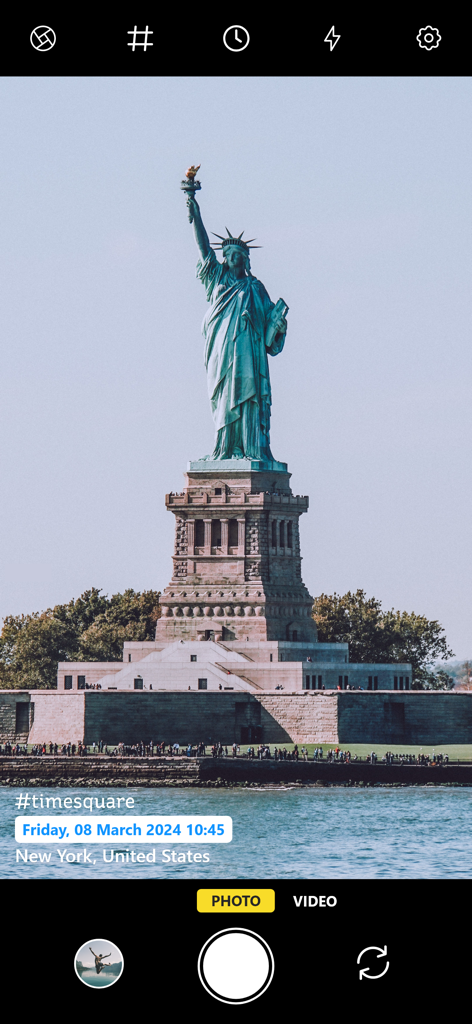
A photo of the Statue of Liberty within the Timestamp Camera app showing date, time, hashtag, and location stamps.

A photo of the Statue of Liberty within the Timestamp Camera app showing date, time, hashtag, and location stamps.

A construction site in New York documented with the Timestamp Camera app including date, time, location, and altitude stamps.

A construction site in New York documented with the Timestamp Camera app including date, time, location, and altitude stamps.

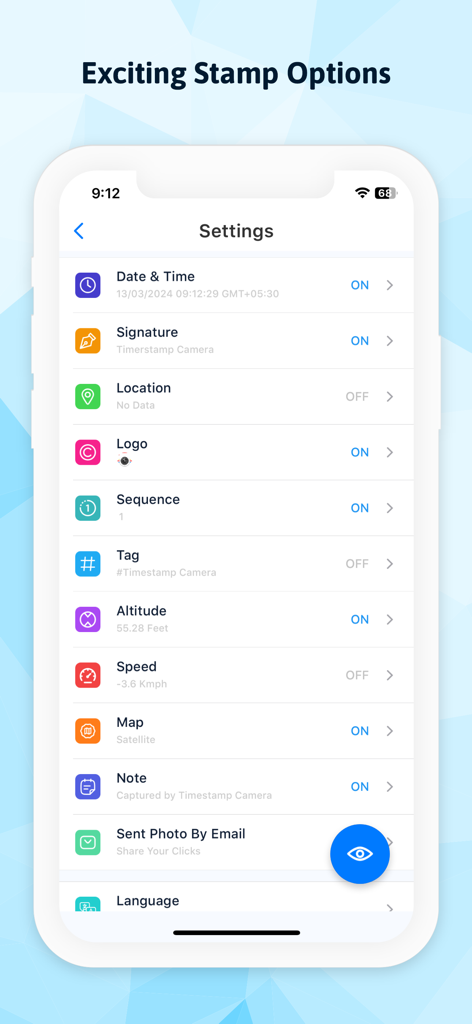
Settings screen of Timestamp Camera app displaying various customizable stamp options like date time signature and logo

Settings screen of Timestamp Camera app displaying various customizable stamp options like date time signature and logo

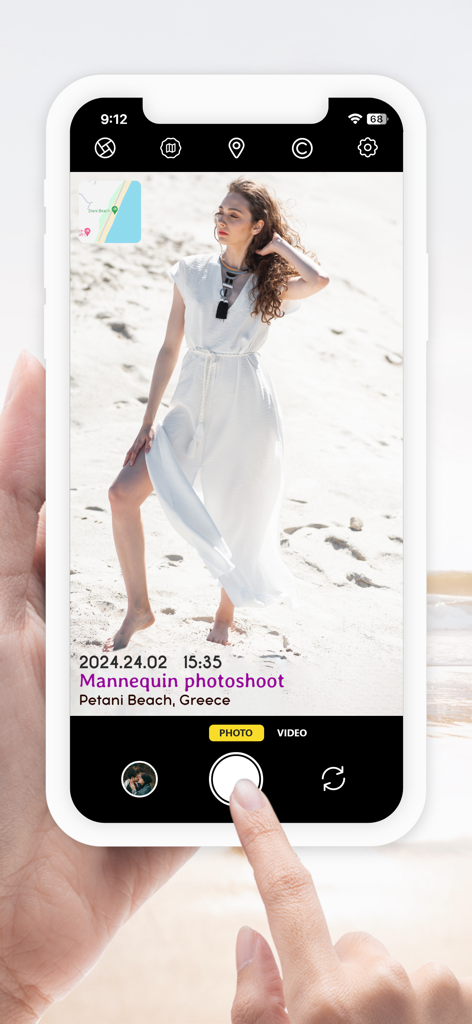
A smartphone interface showing a photo with automatic date, time, custom caption, and GPS map stamps.

A smartphone interface showing a photo with automatic date, time, custom caption, and GPS map stamps.

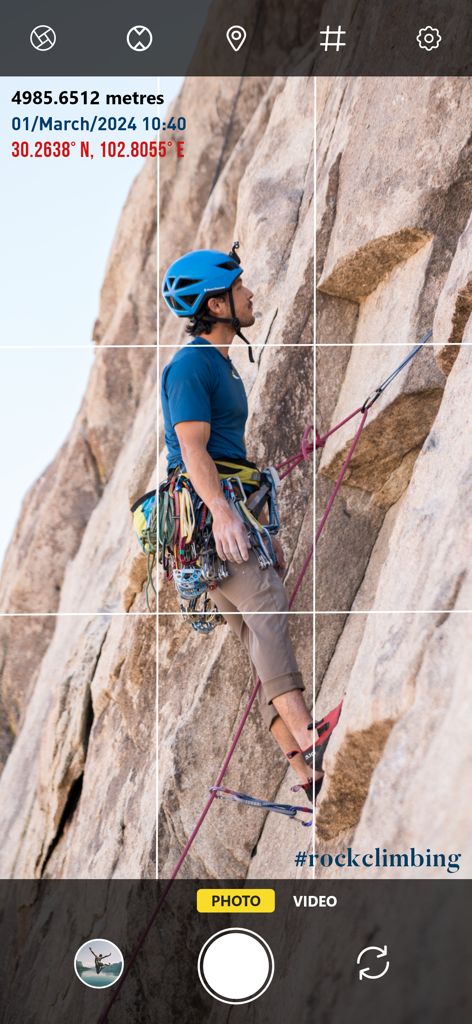
Timestamp Camera app interface showing a rock climber with altitude and GPS location stamps

Timestamp Camera app interface showing a rock climber with altitude and GPS location stamps

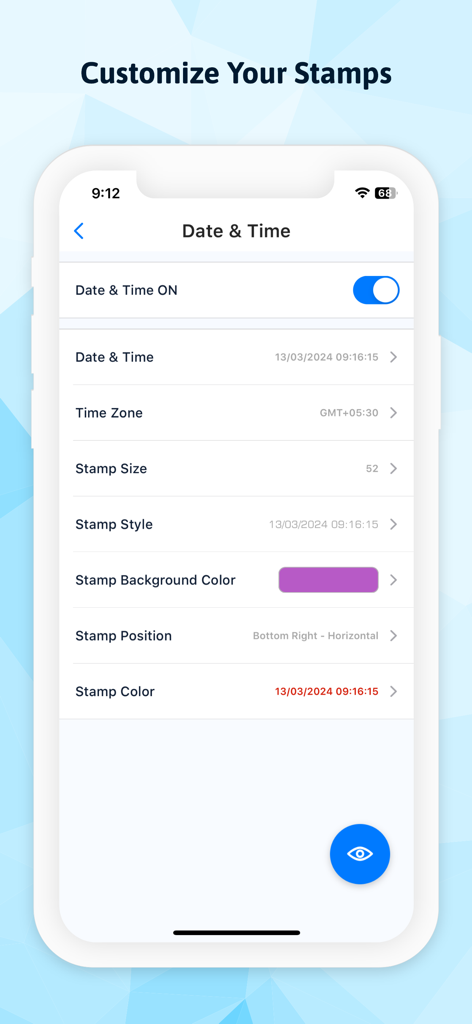
Screen showing customization options for date and time stamps on photos

Screen showing customization options for date and time stamps on photos

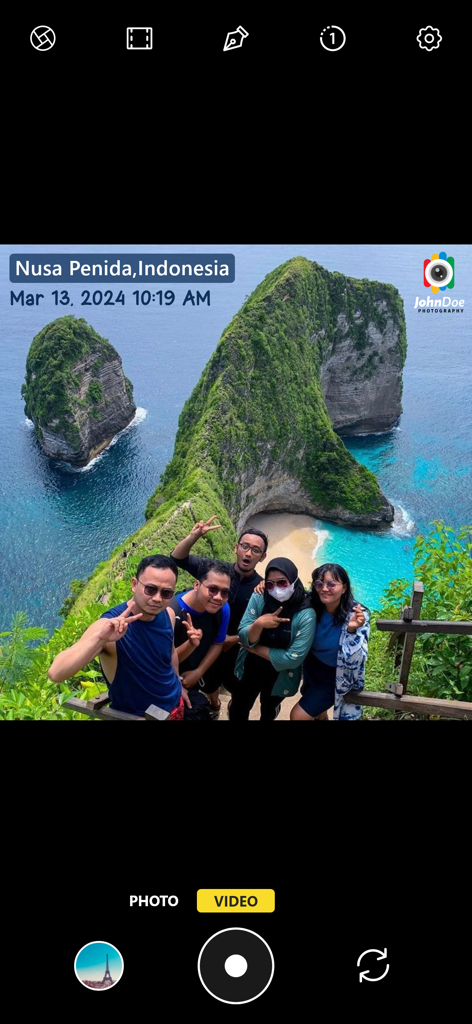
Camera interface showing a group photo with automatic date location and photographer logo stamps

Camera interface showing a group photo with automatic date location and photographer logo stamps

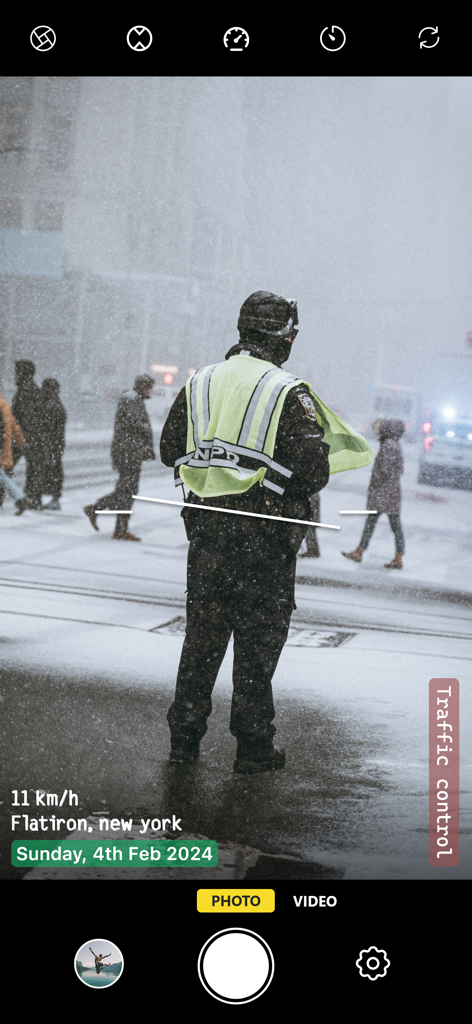
Interface of the Timestamp Camera app showing date, location, and speed overlays on a photo of a traffic control worker in the snow.

Interface of the Timestamp Camera app showing date, location, and speed overlays on a photo of a traffic control worker in the snow.

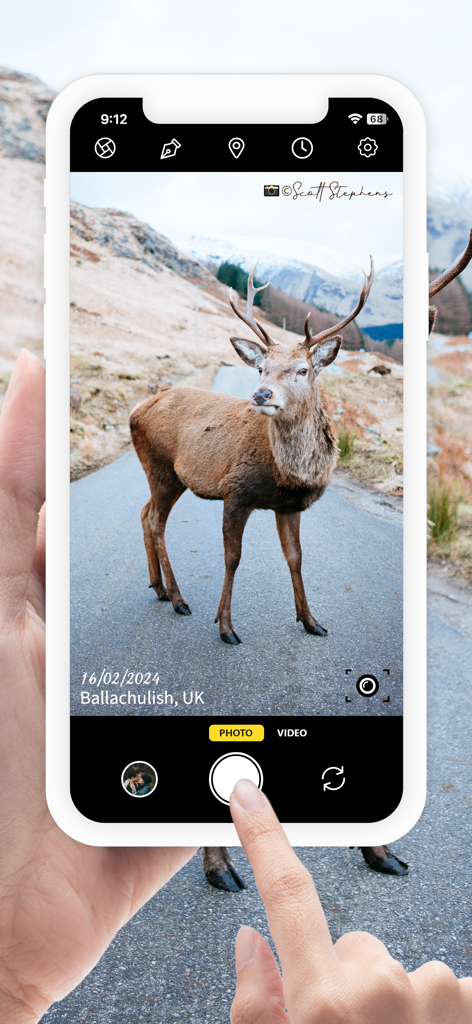
Timestamp Camera app interface with date, location, and signature stamps on a photo

Timestamp Camera app interface with date, location, and signature stamps on a photo

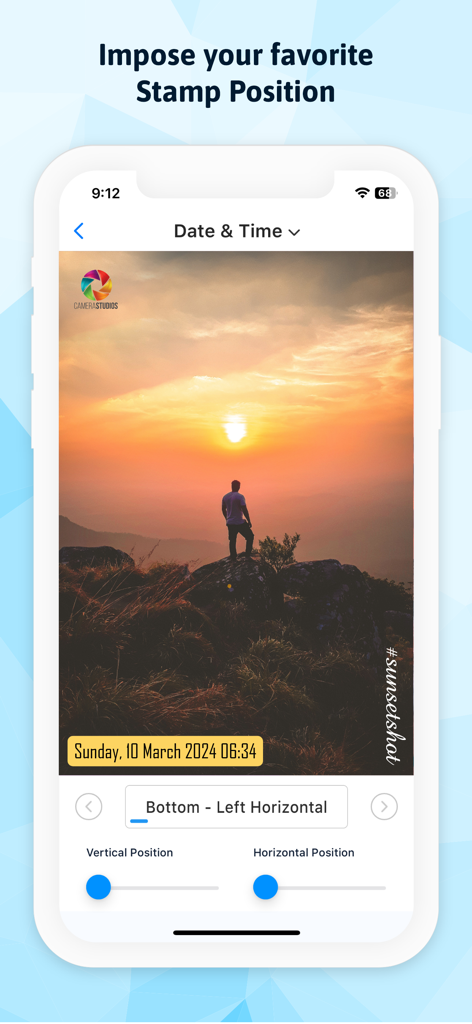
A mobile app interface showing a sunset photo with customizable date and time stamp positions using sliders and location presets.

A mobile app interface showing a sunset photo with customizable date and time stamp positions using sliders and location presets.

Smart Stamping for Work and Life

The tools that make this app stand out, trusted by 0 users.

šŸ“

Verified GPS & Map Data

Ensure total transparency with automatic location, altitude, and map stamps—the gold standard for site inspections, deliveries, and field reports.

šŸ›”ļø

Instant Content Protection

Secure your visual property and build your brand by automatically applying custom logos or digital signatures to every shot as you take it.

šŸ“…

Automated Progress Tracking

Seamlessly document sequences with auto-date and time stamps, making it effortless to track fitness gains, home renovations, or parenting milestones.

About the app

Everything you need to know about Timestamp Camera: Date Stamper.

Description

Individuals care for their time and love recollecting memories with Date and time of occasion occurring. So here we are with a new Timestamp camera: Auto Date Time Stamper App, you can without much of a stretch include Datetime text on Photo. Effectively add watermark of photos and include captions for pictures that are caught by the built-in camera from Auto Timestamp camera. Copyright your photographs with logo and Signature stamp. • Interesting Features: 1. Date and Time Stamp 2. Signature Stamp 3. Logo Stamp 4. GPS Stamp 5. Sequence Stamp 6. Tag Stamp 7. Altitude Stamp 8. Speed Stamp 9. Map Stamp 10. Note Stamp • Common features: Stamp Toggle: to ON/OFF Stamp Format: Select the format of datetime from the list of odd Formats. Stamp Size: Ranging from T, XXS, XS, S, M, L, XL, XXL. Select your choice of time and date stamp size & add it in pictures. Stamp Style: You can select your Style from multiple options available. Stamp Position: •Top Left •Top Right •Bottom Left •Bottom Right •Horizontal •Vertical •Center Stamp color & Background Color: change colors from available Options All these stamps are customizable wherein you can get to select the stamp size, stamp style, stamp color, stamp background color, and stamp position. Just choose what stamp you would like to have on your picture, select its format, and customize it the way you want. This Timestamp camera with Location App has user-friendly built-in custom camera settings comprising Ratio, White balance, Grid, Timer, Focus, Compass, Flash mode & Mirror front camera. • Extra Features: Upload or Change logo Image: This is quite a unique Feature, where You can easily add Logo image wherever you want on the Screen Logo Transparency: On a scale of 1 to 100, You can adjust the Transparency Level. Send Photo by mail: your captured images are sent directly by mail Why have Timestamp Camera free Application in Your Smartphone? • Auto Add date timestamp - Easily add datetime stamp to the photos. • Auto Add Text On Photo - Write an illustrative subtitle to pictures. • Image Protection - Auto watermark and secure your pictures by watermarking. • Pre-planned stamps - Variety of effectively structured stamps are accessible for watermarking. • To get time stamp photos Feel the astonishing difference between the photos you capture from your default camera and those which you captured with our Auto Timestamp Camera. So from now don't let anybody steal your pictures! Having copyright as in Text on photos is an unquestionable requirement! Go and Install Timestamp camera: Photo stamps App & start sharing your memorable moments with your dear ones.

Latest Version

1.4.18

Size

31.2 MB

First Released

Mar 21, 2020

Make Every Photo Official and Every Memory Permanent

Join thousands of professionals and memory-keepers who automate their proof-of-work and preserve life's milestones with precise, customizable GPS and time stamps.

Download on App Store

App information, icons, screenshots, and descriptions displayed on this page are sourced from the Apple App Store and are the property of their respective developers. Download estimates and rankings are based on MWM's proprietary models and may not reflect actual figures. This page is provided for informational and analytical purposes only.

Believe this page infringes your intellectual property? File a dispute