
This page is not an official page of the app or its developer, but an independent editorial publication created for informational and commentary purposes. Unless expressly stated otherwise, neither the app nor its developer is affiliated with, endorsed by, sponsored by, authorized by, or otherwise officially connected with MWM, Apple, Google Play, the app publisher, or the app's developer, and nothing on this page implies that the app was developed using MWM's services. Any trademarks, logos, screenshots, and other content remain the property of their respective owners.

GPS Map Camera : Geo Photos
No more guesswork. This app turns every shot into an indisputable data point.
Downloads
7.5M+User Rating
Total Ratings
300.8KPublisher
Category
Photo & VideoLocales
11Latest Version
1.8.1Size
96.6 MBFirst Released
Mar 30, 2020An analytical overview of core functionalities for precise location-based documentation.
Key Features of GPS Map Camera : Geo Photos
Comprehensive Geotagging & Environmental Data Stamping
The app provides extensive geo-location and environmental data directly onto photos, including map, latitude, longitude, altitude, weather, magnetic field, and compass details, crucial for verifiable documentation.
Precision GPS Coordinate Control
It allows users to set GPS coordinates in preferred formats, either DMS (Degrees, Minutes, Seconds) or Decimal, catering to professional precision requirements for accurate documentation.
Live Location Tracking & Automatic Geotagging
This tool features live location tracking functionality, ensuring that all captured photos are automatically geotagged with precise, real-time geographical data.
Customizable Stamp Templates & Formats
The app provides both classic and advanced templates, enabling users to arrange stamp formats and customize settings for a personalized and professional look of their photo metadata.
Flexible Map Type Integration
It allows users to embed map data with selectable types (Normal, Satellite, Terrain, Hybrid) directly into photo stamps, offering diverse visual contexts for location analysis.
Brand Logo & Text Annotation Support
This tool features the ability to upload a custom brand logo and add rich text annotations, including notes and hashtags, enhancing professional branding and contextual information.
Frequently Asked Questions
Everything you need to know about GPS Map Camera : Geo Photos
How do I add GPS location stamps to my photos using GPS Map Camera?
To add GPS location stamps, install GPS Map Camera, select Advance or Classic Templates, arrange stamp formats, and adjust settings. The app automatically adds GPS location stamps to your clicked pictures.
What types of map data can the GPS Map Camera app display on photos?
The GPS Map Camera app can display map data as Normal, Satellite, Terrain, and Hybrid options. Users can select these custom map types within the Advance Template section.
Can I customize the date and time format on my GPS Map Camera photo stamps?
Yes, GPS Map Camera allows users to add Date & Timestamp from various formats as an image tag. This customization is available within the Advance Template section settings.
Does GPS Map Camera support adding custom logos to photo stamps?
Yes, GPS Map Camera supports adding custom brand logos to photo stamps. This feature is available in the Advance Template settings for personalized branding.
What environmental details can GPS Map Camera stamp onto photos?
GPS Map Camera stamps environmental details including Weather (Fahrenheit/Celsius), Wind speed, Humidity, Pressure, Altitude, and Magnetic Field directly onto photos.
Can GPS Map Camera geotag photos with both Latitude and Longitude?
Yes, GPS Map Camera geotags photos with both Latitude and Longitude. Users can set GPS Coordinates from DMS or Decimal Options for the GPS Stamp in the Advance Template.
Is the GPS Map Camera app useful for real estate professionals?
Yes, the GPS Map Camera app is useful for real estate professionals. They can easily apply GPS Map Location stamps to their site photos for clear documentation and client communication.
Can users add notes or hashtags to photos with GPS Map Camera?
Yes, users can add relatable notes and hashtags to their photos using the GPS Map Camera app. This customization option is available within the Advance Template settings.
Does the GPS Map Camera app track live location with captured photos?
Yes, the GPS Map Camera app tracks the live location along with captured photos. This feature helps users geotag their memories and movements accurately.
What custom camera features does GPS Map Camera offer?
GPS Map Camera offers a custom camera with Grid, Ratio, Front & Selfie camera support, Flash, Focus, Mirror, Timer, and capture sound support.
The following screenshots and description are sourced directly from the app's official store listing and are the property of the app developer.
App Store
Screenshots
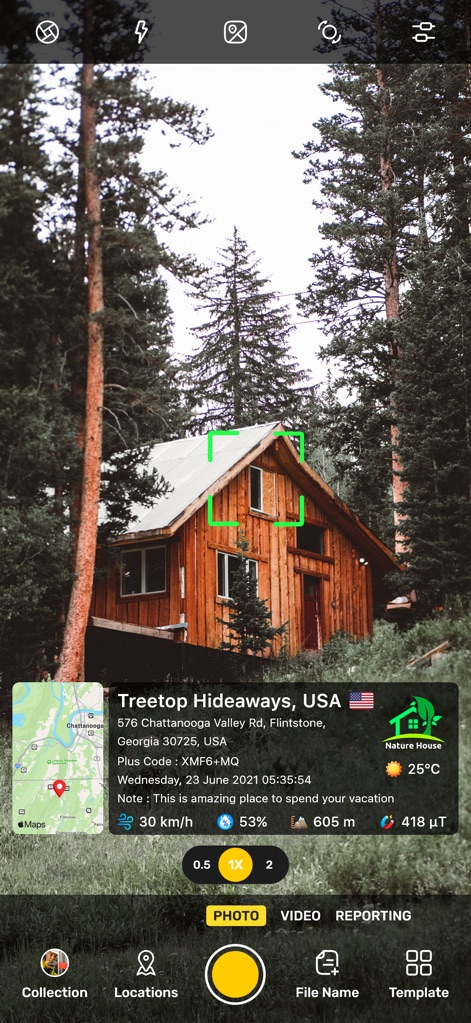
See how the app overlays a detailed map location stamp and environmental data like weather and wind speed directly onto captured photos.
Geo-Tagged Memories
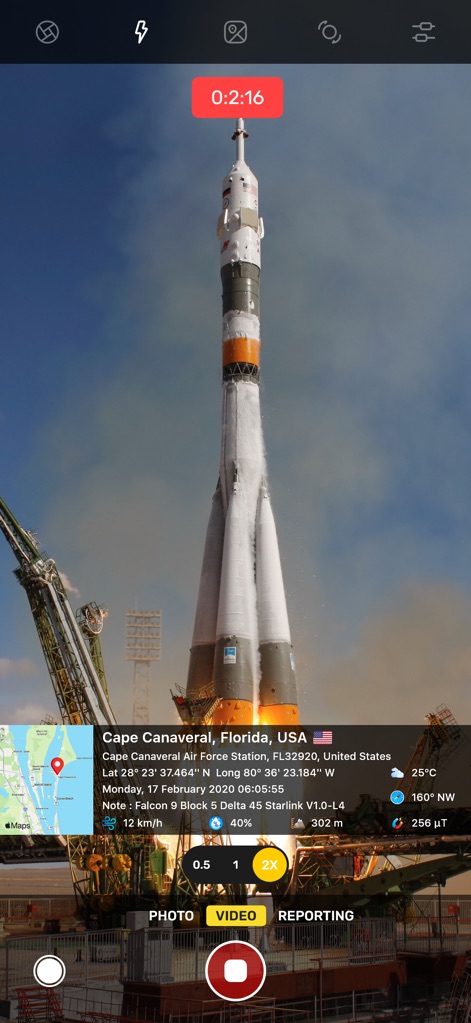
This tool showcases a live video recording timer and embedded geographical coordinates, ideal for documenting significant events with precise location data.
Event Documentation
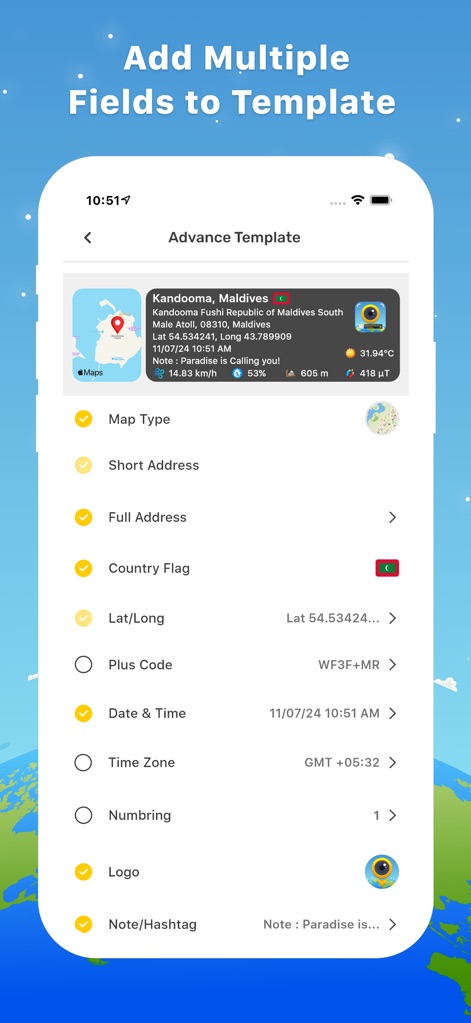
Users can effortlessly customize data stamps by selecting toggle options for map type and address, alongside adding specific fields for date & time and a custom logo.
Customize Data Stamps
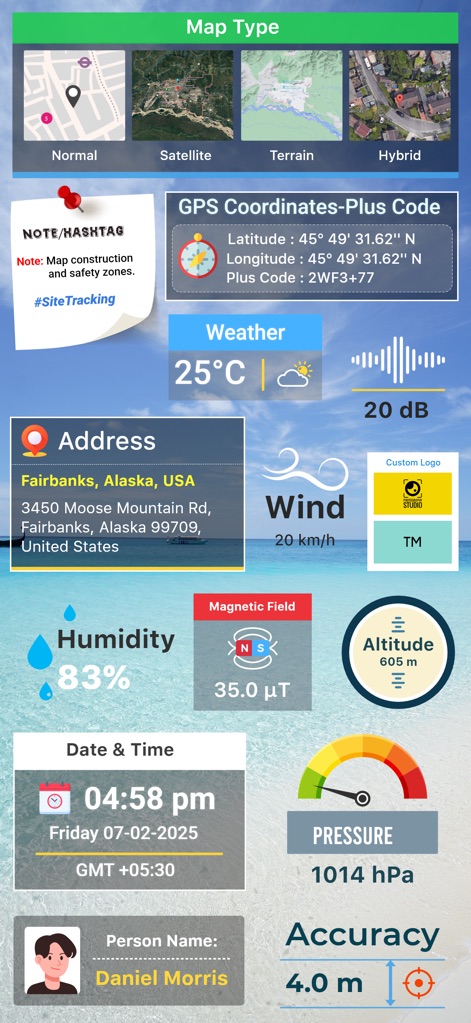
Explore the app's capability to integrate diverse map types with extensive environmental and personal data fields, providing comprehensive photo annotations.
Rich Data Overlays
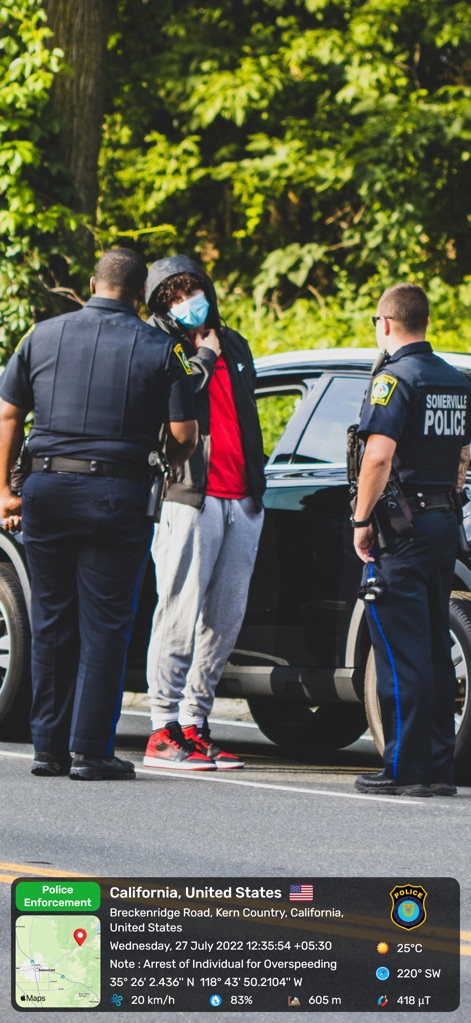
Observe the app's utility in professional documentation, capturing a law enforcement context with detailed location and time metadata embedded.
Professional Documentation
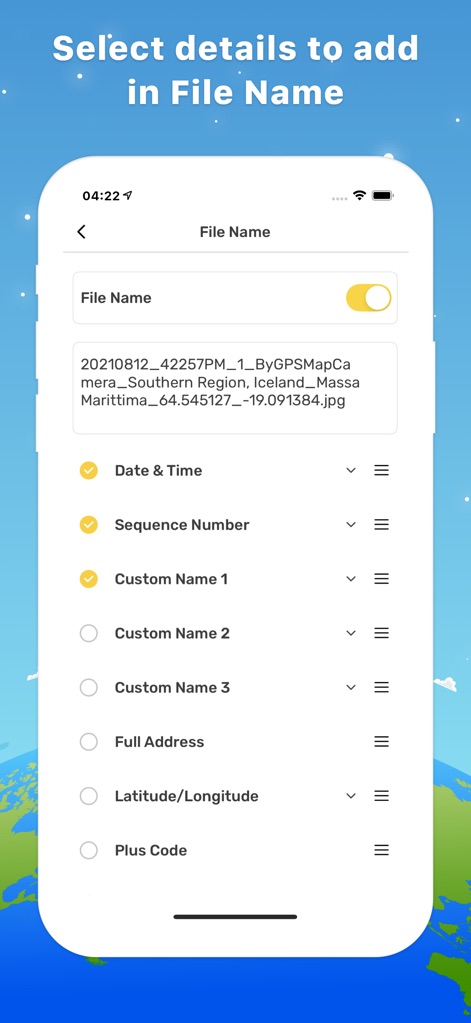
Discover how users can leverage customizable file naming options, including the automatic inclusion of date & time and sequence numbers, for efficient organization.
Smart File Naming
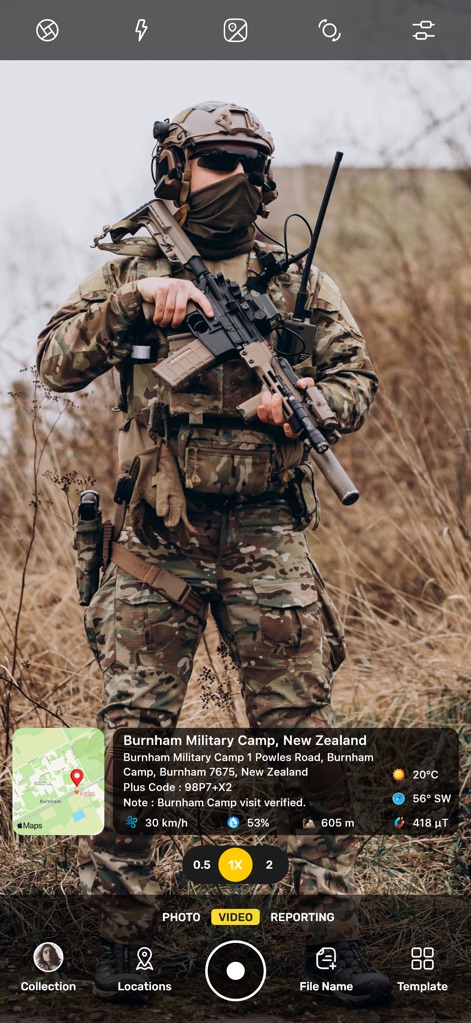
The app supports field operations by embedding precise geographical coordinates and environmental readings directly into photos taken in a military setting.
Field Operations Data
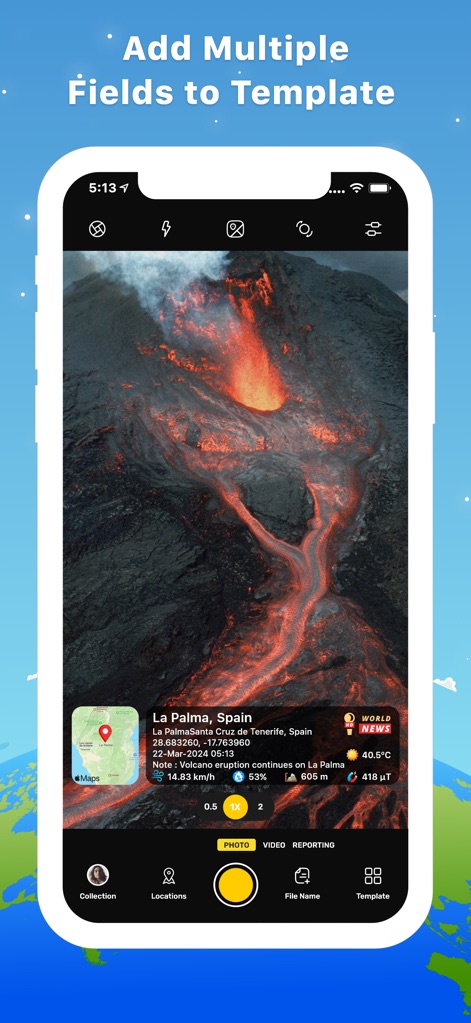
Witness the app's ability to capture dynamic events, such as a volcano eruption, with live environmental updates like temperature and wind integrated into the image.
Dynamic Event Capture
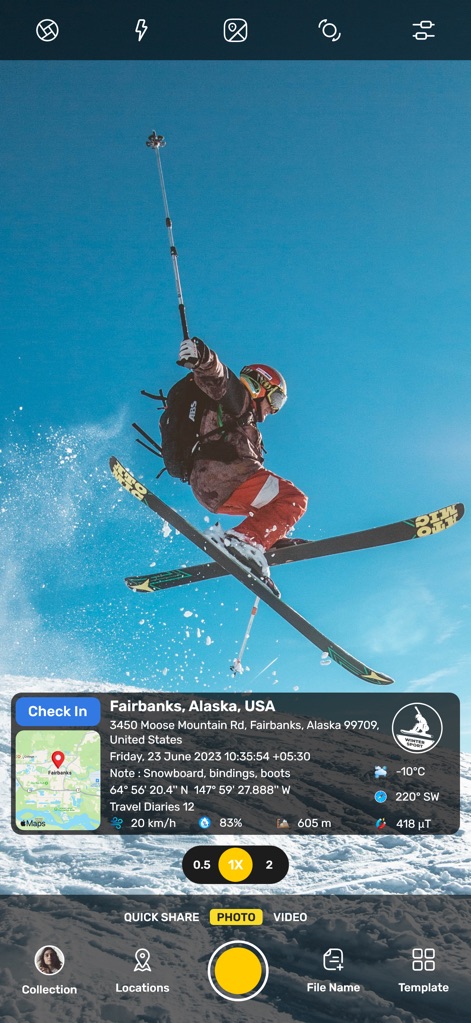
Track adventure photos with the app's 'Check In' feature and seamlessly integrate critical data points like altitude and current weather conditions.
Adventure Tracking
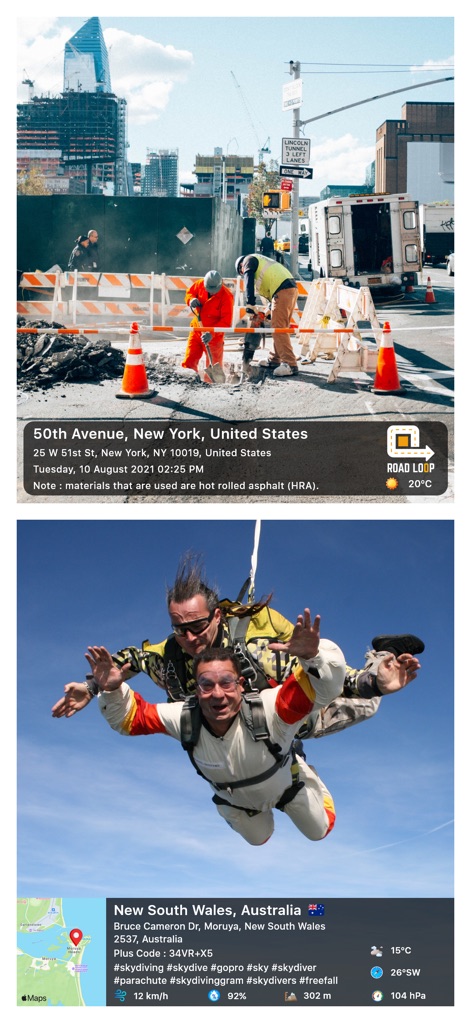
This tool provides robust site verification, featuring a construction site note and clear GPS coordinates with a 'Road Loop' indicator.
Site Verification
Description
Download
More Like This
Apps with similar features and user experience

Timestamp Camera -AI Timestamp
Shanghai Zongchong Information Technology Co., Ltd

Timestamp Camera - Date Stamp
Artify Inc.

Timestamp Camera: Time & GPS
Practical Apps from Sweden AB

Timestamp camera - gps cam
Guangzhou Siyue Network Technology Co., Ltd.

DateStamper
Jordan Hipwell

Timestamp Camera Basic
玉彬 陈

Timestamp Camera: Time stamp
燕倩 费

Timestamp Camera - Time & GPS
Shaanxi Ruidebao Technology Co.,Ltd

Timestamp Camera - Aio GPS Cam
周萍 黄
This page is not an official page of the app or its developer, but an independent editorial publication created for informational and commentary purposes. Unless expressly stated otherwise, neither the app nor its developer is affiliated with, endorsed by, sponsored by, authorized by, or otherwise officially connected with MWM, Apple, Google Play, the app publisher, or the app's developer, and nothing on this page implies that the app was developed using MWM's services. Any trademarks, logos, screenshots, and other content remain the property of their respective owners.