
This page is not an official page of the app or its developer, but an independent editorial publication created for informational and commentary purposes. Unless expressly stated otherwise, neither the app nor its developer is affiliated with, endorsed by, sponsored by, authorized by, or otherwise officially connected with MWM, Apple, Google Play, the app publisher, or the app's developer, and nothing on this page implies that the app was developed using MWM's services. Any trademarks, logos, screenshots, and other content remain the property of their respective owners.


Timestamp Camera: Photo Date
Stop losing context. This app burns the 'when' directly into your pixels, ensuring your memories and data are always anchored in time.
Downloads
1M+User Rating
Total Ratings
145.5KPublisher
Category
Photo & VideoLocales
11Latest Version
1.19.2Size
96.8 MBFirst Released
May 25, 2016Essential functionalities for ensuring verifiable and well-organized visual records.
Analysis of Timestamp Camera: Photo Date
Unalterable Embedded Timestamps
The app permanently embeds the date and time directly onto the photo image, ensuring that the original capture time is preserved and unalterable, regardless of file transfers or backups.
Gallery Photo Stamping
The app enables users to import existing photos from their device's gallery and apply date and time stamps, extending its utility beyond real-time capture to historical photo documentation.
Customizable Timestamp Placement
The app provides the flexibility to position date and time stamps precisely where desired on photos, preventing obstruction of critical visual information.
Direct Save and Social Sharing
This tool facilitates immediate saving of stamped photos to the device's camera roll and direct sharing to popular social media platforms, streamlining workflow for personal and professional use.
Adjustable Timestamp Color
It allows users to customize the font color of the timestamp, ensuring it remains legible and aesthetically pleasing against varying photo backgrounds.
Extensive Timestamp Style Options
This tool offers a wide array of over 26 timestamp styles, including both free and premium designs, allowing users to match the aesthetic of their photos or specific branding requirements.
High-Resolution Zoom
The app's integrated camera supports high-resolution zoom, enabling users to capture detailed shots that maintain clarity even after timestamp application.
Low-Light Flash Support
It provides flash support for its integrated camera, ensuring clear photo capture and legible timestamps even in challenging low-light environments.
Frequently Asked Questions
Everything you need to know about Timestamp Camera: Photo Date
What is Timestamp Camera - Date Stamp app?
Timestamp Camera - Date Stamp captures iconic moments and places a timestamp on photos. It displays the current date and time on any image background for various purposes.
Can I add a date and time stamp to existing photos using Timestamp Camera?
Yes, Timestamp Camera allows you to import existing images from your gallery and add a date and time stamp to them. This ensures you know the exact moment each photo was captured.
How do I use the Timestamp Camera app?
To use Timestamp Camera, choose or take a photo, select your desired date stamp type, customize the stamp's color, then save and share it on social media platforms.
Can users change the appearance of timestamps in the Timestamp Camera app?
Yes, users can change the type of timestamp to blend with the image background, customize the font color, and adjust the position of the time and date on their photos.
Is the Timestamp Camera app free to use?
Yes, the Timestamp Camera app is free to use for the most part. It is also designed to have few advertisements and maintains optimal performance without freezing.
Does Timestamp Camera reduce the quality of my pictures?
No, Timestamp Camera does not reduce the quality of your pictures. The app explicitly states that it delivers images without distortion, preserving the original resolution.
Can I watermark my photos using Timestamp Camera?
Yes, Timestamp Camera allows you to watermark your photos. This feature enables users to add a unique logo to their images, ensuring brand or personal identification.
What are some practical uses for the Timestamp Camera app?
Timestamp Camera is useful for dieters tracking progress, mothers capturing baby growth, students memorizing notes, event organizers, and seasonal photographers for reference and record-keeping.
Can I share photos taken with Timestamp Camera on social media?
Yes, Timestamp Camera allows users to save and share their timestamped photos on various social media platforms. It also integrates with other third-party apps for public content sharing.
Does the Timestamp Camera app provide good picture resolution?
Yes, Timestamp Camera offers clear, bright pictures with great resolution. Images accommodate zooming in high resolution, and the camera includes features like bright lighting control and white balance adjustment.
The following screenshots and description are sourced directly from the app's official store listing and are the property of the app developer.
App Store
Screenshots
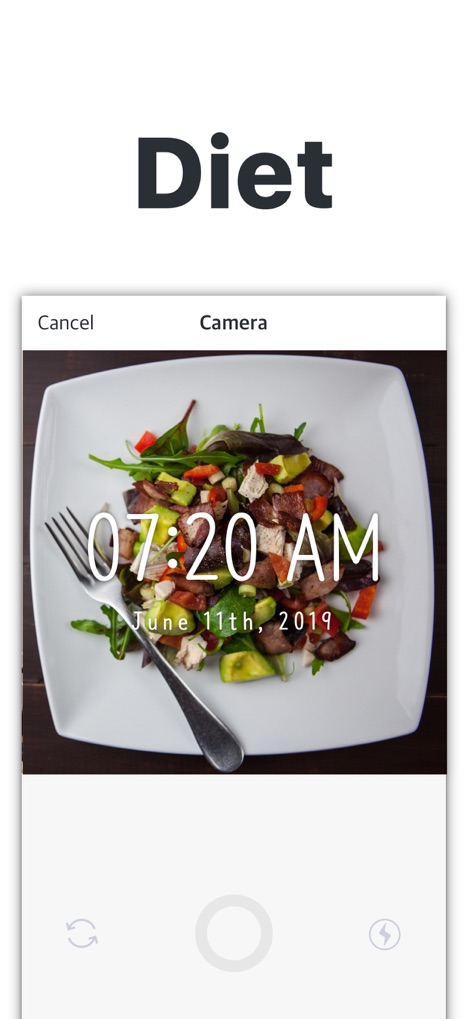
Users can clearly see how the digital timestamp and precise meal tracking enhance fitness journeys.
Track Progress Visually
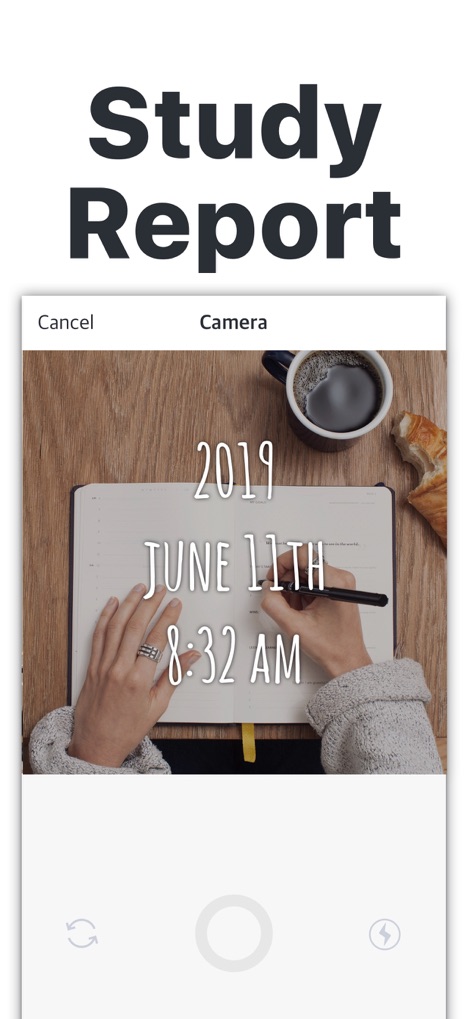
The app allows students to document study sessions with customizable font styles for efficient review and progress tracking.
Academic Timestamps
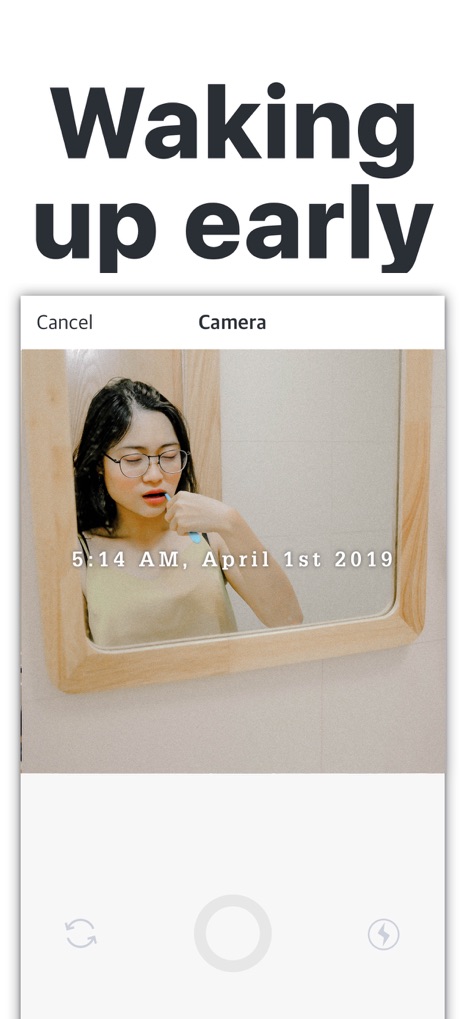
This tool captures personal routines with clear timestamps, enabling users to maintain consistent journaling and habit tracking.
Document Daily Habits
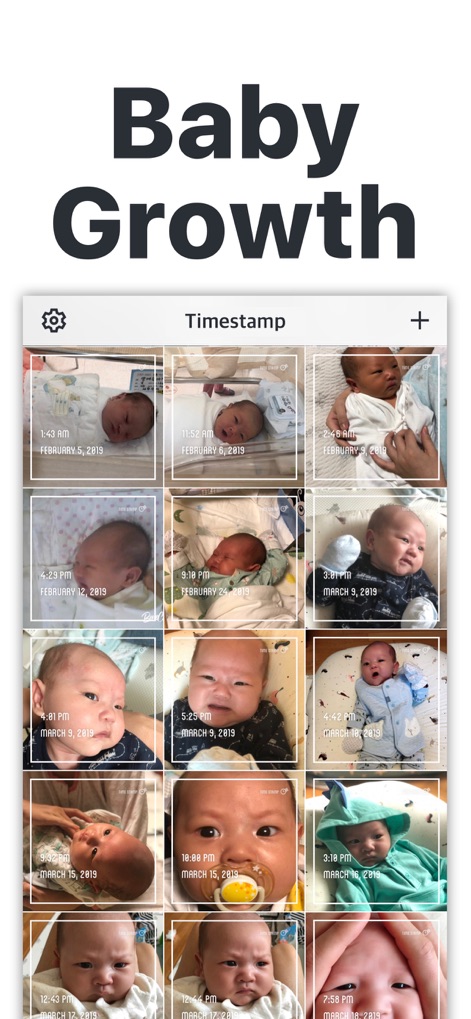
Observe how the app organizes baby growth photos in a chronological grid view, making it simple to document and review precious moments.
Milestones Chronology
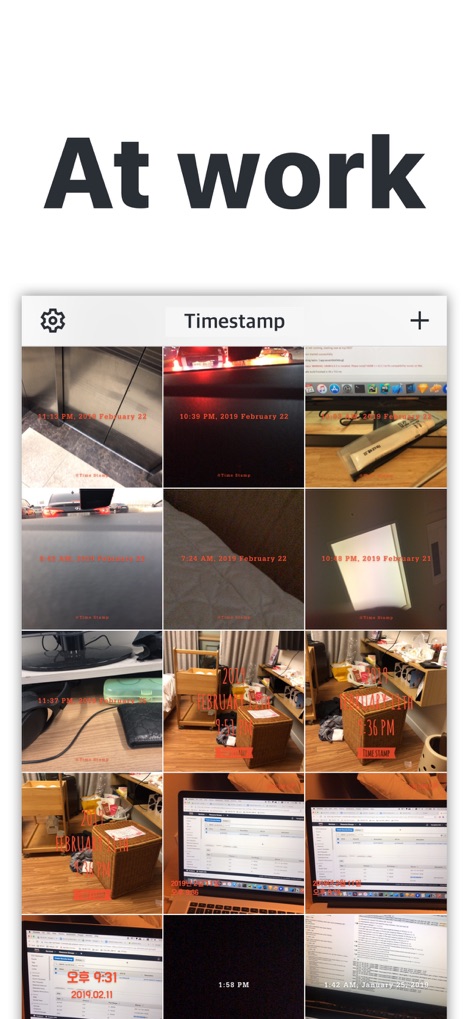
Explore how project stages and diverse work scenarios are clearly timestamped and displayed in a grid for effective tracking and sharing.
Professional Documentation
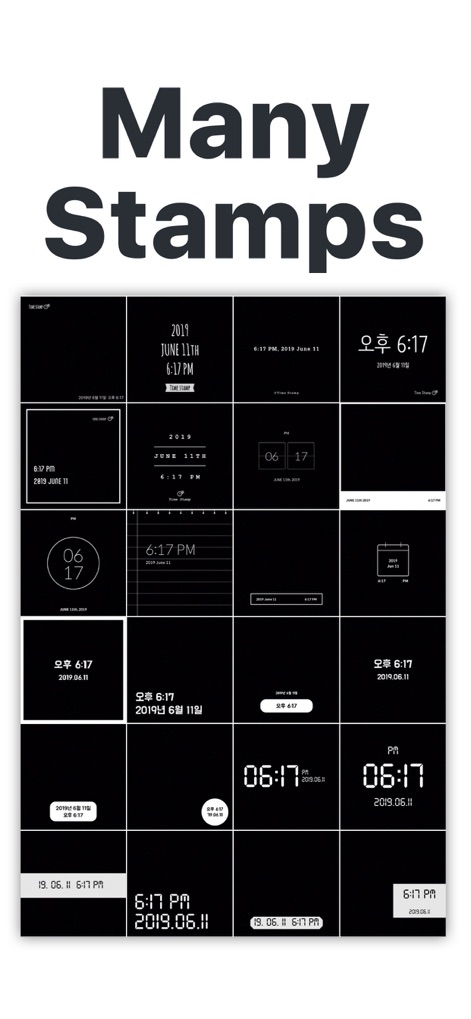
Discover the app's extensive collection of 26+ premium timestamp styles, showcasing diverse layouts and aesthetic options.
Style Your Stamps
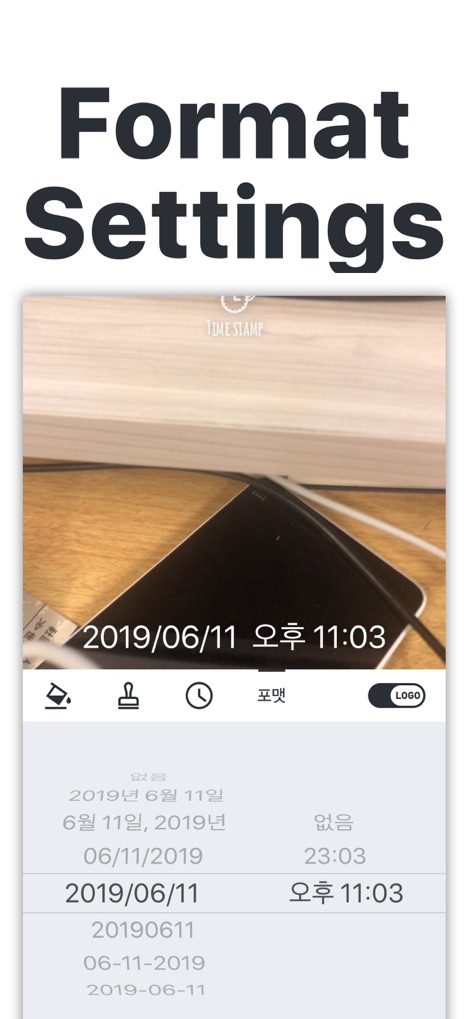
This tool offers comprehensive customizable date formats and an intuitive settings menu, putting users in command of their timestamps.
Precise Format Control
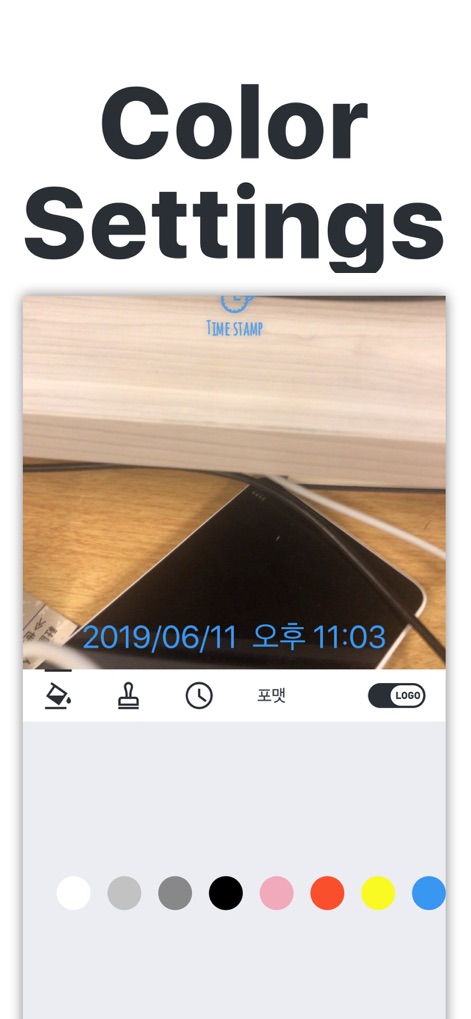
Users can personalize their photos with extensive font color customization, choosing from a wide color palette to match any image.
Vibrant Color Options
Description
Download
More Like This
Apps with similar features and user experience

Timestamp Camera -AI Timestamp
Shanghai Zongchong Information Technology Co., Ltd

Timestamp Camera: Time & GPS
Practical Apps from Sweden AB

Timestamp camera - gps cam
Guangzhou Siyue Network Technology Co., Ltd.

DateStamper
Jordan Hipwell

Timestamp Camera Basic
玉彬 陈

GPS Map Camera : Geo Photos
Chirag Gabani

Timestamp Camera: Time stamp
燕倩 费

Timestamp Camera - Time & GPS
Shaanxi Ruidebao Technology Co.,Ltd
Timestamp Camera - Aio GPS Cam
周萍 黄
This page is not an official page of the app or its developer, but an independent editorial publication created for informational and commentary purposes. Unless expressly stated otherwise, neither the app nor its developer is affiliated with, endorsed by, sponsored by, authorized by, or otherwise officially connected with MWM, Apple, Google Play, the app publisher, or the app's developer, and nothing on this page implies that the app was developed using MWM's services. Any trademarks, logos, screenshots, and other content remain the property of their respective owners.