
This page is not an official page of the app or its developer, but an independent editorial publication created for informational and commentary purposes. Unless expressly stated otherwise, neither the app nor its developer is affiliated with, endorsed by, sponsored by, authorized by, or otherwise officially connected with MWM, Apple, Google Play, the app publisher, or the app's developer, and nothing on this page implies that the app was developed using MWM's services. Any trademarks, logos, screenshots, and other content remain the property of their respective owners.

排版小动物 - tinytype 你的文字排版助手
The app transmutes raw thoughts into digital elegance. Users gain instant aesthetic authority over their text.
Downloads
250k+User Rating
Total Ratings
12.3KPublisher
Category
UtilitiesLocales
1Latest Version
1.3.5Size
334.9 MBFirst Released
Aug 29, 2025An evaluation of core functionalities designed for aesthetically-minded digital expression and journaling.
Analysis of '排版小动物 - tinytype 你的文字排版助手' Features
Intuitive Text-to-Card Conversion
The app allows users to effortlessly convert plain text such as thoughts, feelings, book excerpts, and musings into beautifully designed digital cards, making personal expression visually engaging.
Rich Library of Themed Design Templates
This tool features a rich collection of unique, animal-themed design templates, each with its own distinct aesthetic (e.g., Japanese, Nordic, Vintage, Childhood), enabling personalized and cute visual storytelling.
Themed Archiving System
It allows users to categorize and store their created cards within themed 'animal boxes,' serving as a charming and organized personal archive for journaling and creative writing.
Easy Sharing of Visual Cards
The app provides options to easily save or share the aesthetically pleasing cards with friends or across social platforms, facilitating the sharing of thoughts and experiences.
Frequently Asked Questions
Everything you need to know about 排版小动物 - tinytype 你的文字排版助手
What is 排版小动物 - tinytype?
排版小动物 - tinytype is a text typesetting assistant app. It allows users to record thoughts, moods, and excerpts, then format them into various stylish cards using different animal-themed styles for saving or sharing.
How many typesetting styles does tinytype offer?
The tinytype app currently offers 7 distinct typesetting styles, each represented by a unique animal character like tsuki, Ralph, and Louis. The description states more styles are planned for future updates.
Can I share content created with 排版小动物?
Yes, users can share the styled cards created in 排版小动物 - tinytype with friends. The app provides options to save or forward the personalized cards after creation.
How does tinytype help organize my records?
tinytype helps organize records by allowing users to collect different animal-styled cards into dedicated "paper boxes" associated with each animal. This feature aids in personal recording and archiving.
What types of content can I typeset using 排版小动物?
With 排版小动物 - tinytype, you can typeset various content, including your moods, daily life, book excerpts, and random thoughts. These inputs are then transformed into different stylistic cards.
How do I select a typesetting style in tinytype?
Users select a typesetting style in tinytype by choosing one of the available animal characters, such as tsuki or Louis. Each animal represents a unique design aesthetic for the cards.
Where can I send feedback for the tinytype app?
Users can send feedback for the tinytype app via email. The designated contact address for all feedback and inquiries is hi@tinytypezoo.com.
The following screenshots and description are sourced directly from the app's official store listing and are the property of the app developer.
App Store
Screenshots
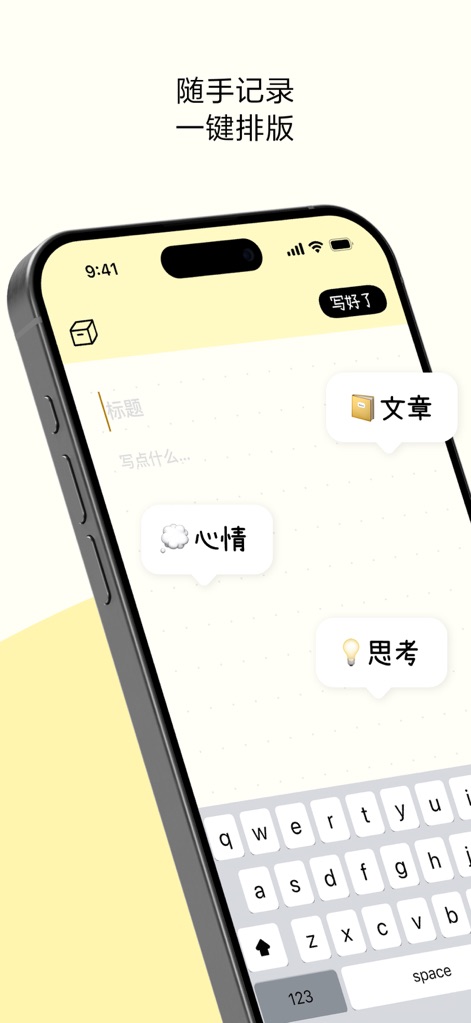
The app offers intuitive text input fields for users to easily capture their thoughts and presents contextual content prompts like 'Mood' or 'Thoughts' to guide their writing.
Effortless Text Entry
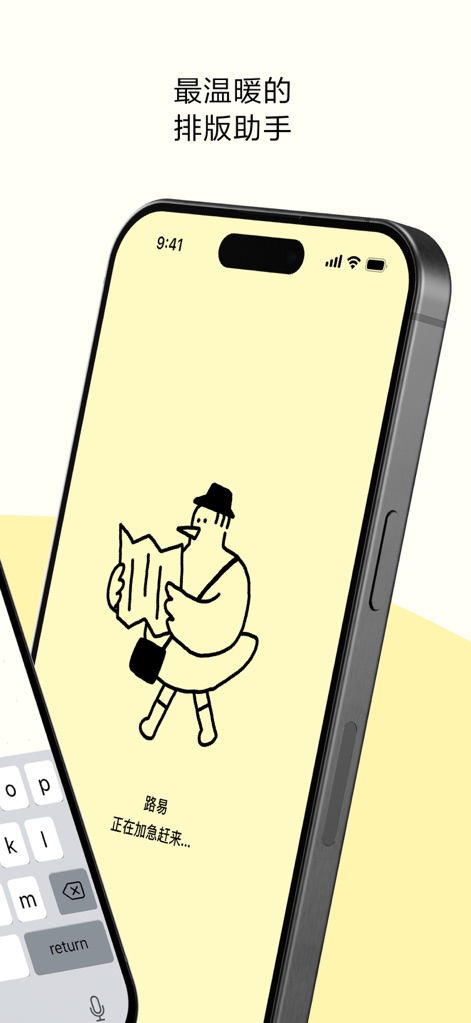
Discover the app's warm, minimalist aesthetic, beautifully represented by animated characters like Louis, who are actively preparing users' content.
Meet Your Assistant
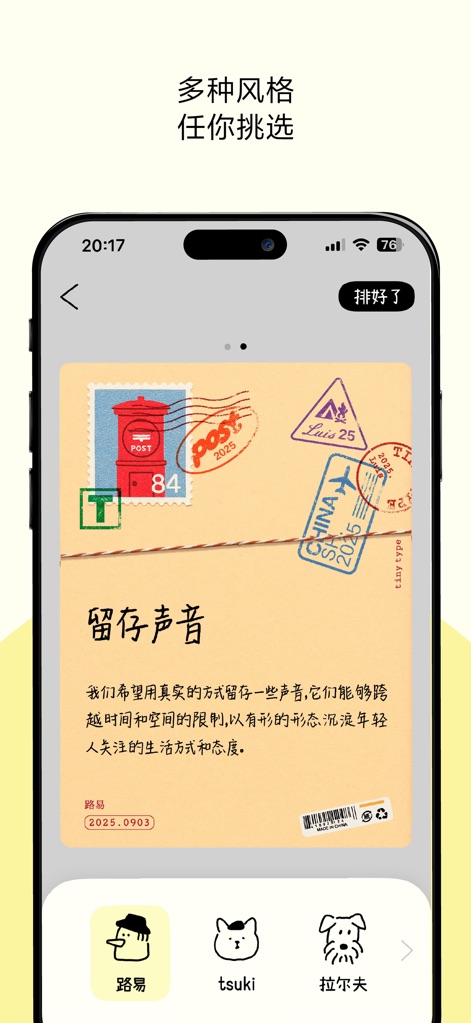
Explore the app's diverse range of card styles, exemplified by this detailed postcard design, and easily switch between themes using the character selection icons.
Diverse Card Styles
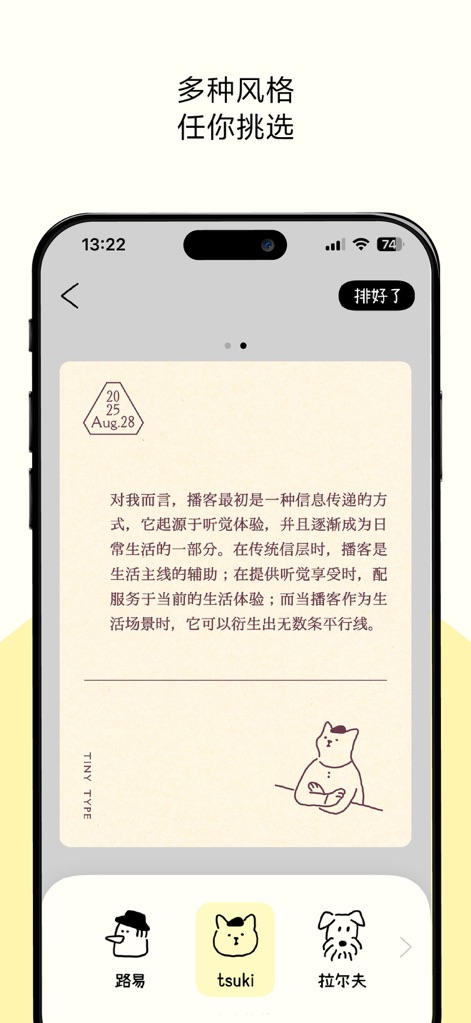
This tool allows users to personalize their content with elegant card designs, such as this minimalist style featuring a character illustration, accessible through seamless style switching via distinct character icons.
Personalized Aesthetics
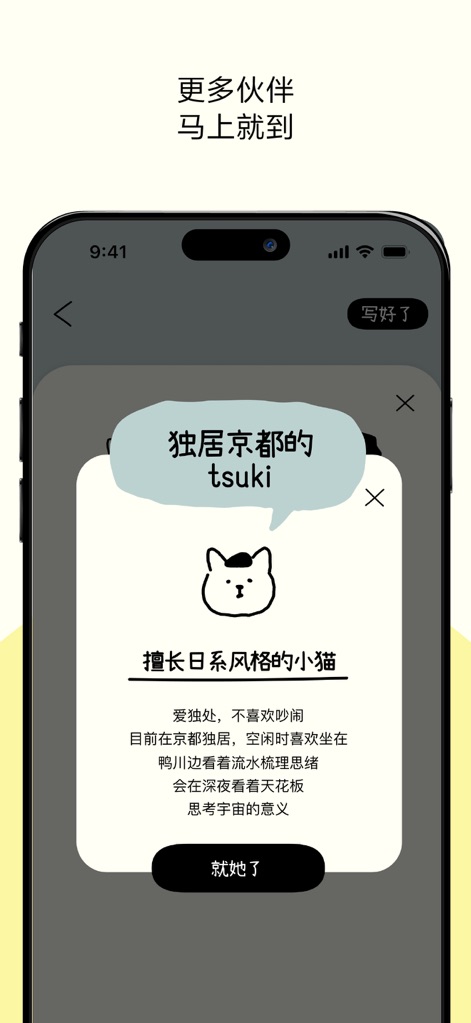
Delve into the rich personalities of the app's creative assistants through detailed character introduction pop-ups, showcasing charming character artwork that reflects their unique style.
Discover Character Personalities
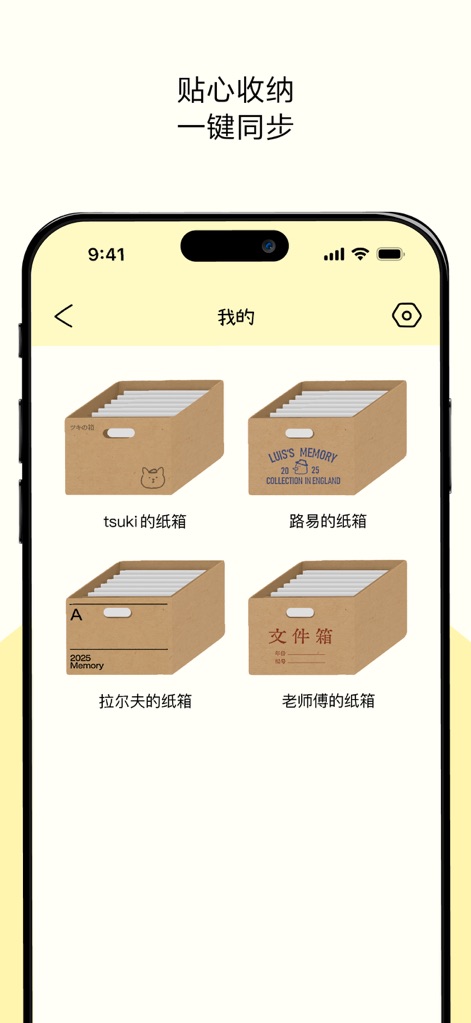
Keep all creations neatly organized with the app's thoughtful 'carton boxes,' providing character-specific archiving options for easy access and personal records.
Organized Archiving
Description
Download
More Like This
Apps with similar features and user experience

Phonto - Text on Photos
Yusuke Horie
LOOMY: Fonts & Aesthetic Text
Anton Havrylenko
Fonting: Font Editor for IG
SPARKLECT CO.,LTD.

微商文案-模拟聊天对话电影制作
庆 李
txt: Add Text To Photo & Video
Ancle Apps LTD
StoryFont for Instagram Story
Alireza Namazian

Typorama: Text on Photo Editor
App Business Ventures LLC

Fonto - story font for IG
ZEEBAVERSE LLC

Add Text: Write On Photos
Appostrophe AB
This page is not an official page of the app or its developer, but an independent editorial publication created for informational and commentary purposes. Unless expressly stated otherwise, neither the app nor its developer is affiliated with, endorsed by, sponsored by, authorized by, or otherwise officially connected with MWM, Apple, Google Play, the app publisher, or the app's developer, and nothing on this page implies that the app was developed using MWM's services. Any trademarks, logos, screenshots, and other content remain the property of their respective owners.