ToDo for Google - Manage tasks

ToDo for Google - Manage tasks

Download on App Store
Logo of ToDo for Google - Manage tasks

ToDo for Google: The High-Performance Task Manager for Professionals

Master your workflow with multi-account support, seamless desktop sync, and smart filtering. Get the feature-rich Google Tasks experience designed for peak efficiency and total privacy.

Download on App Store

Publisher

Naoki Otsu

Category

Productivity

Downloads

6K+

User Rating

4.3/5

Total Ratings

100

Locales

24

Visualize Your Success

Discover the interface used by 6K+ users.
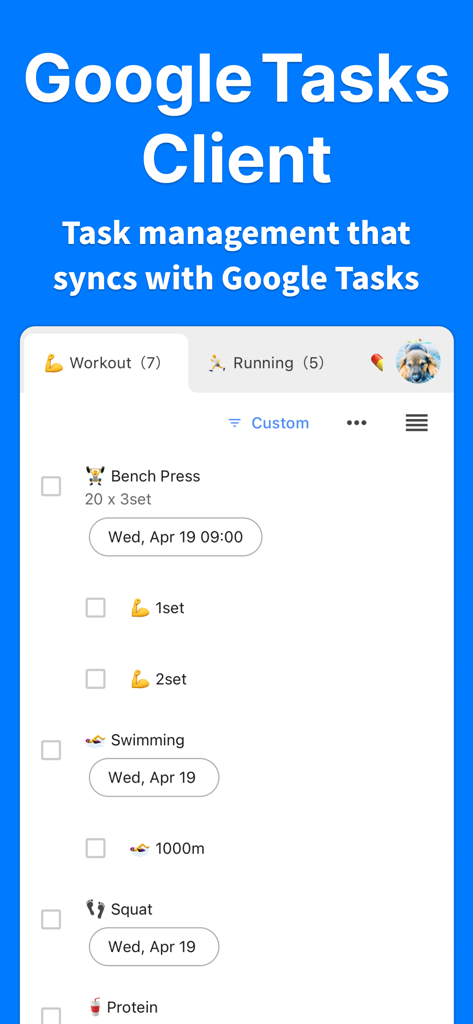
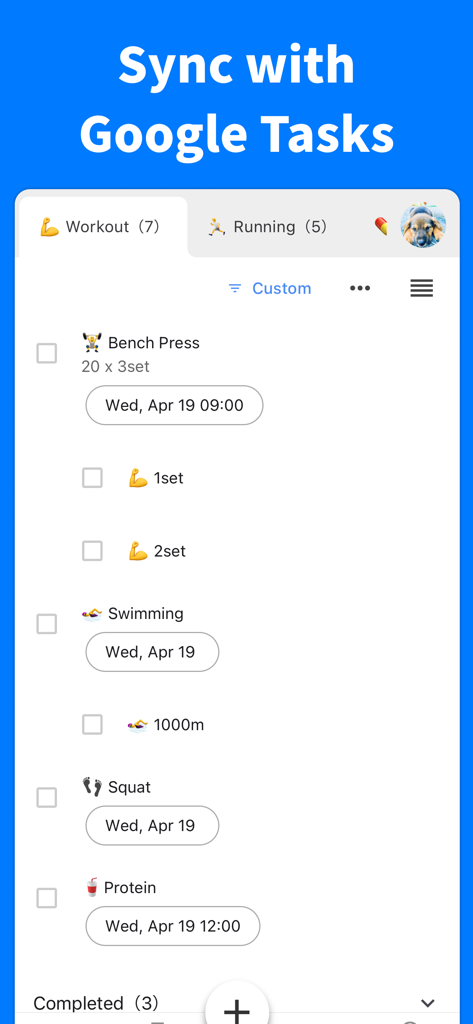
Mobile app screen showing a workout task list synced with Google Tasks

Mobile app screen showing a workout task list synced with Google Tasks

ToDo for Google app interface showing a workout task list synced with Google Tasks

ToDo for Google app interface showing a workout task list synced with Google Tasks

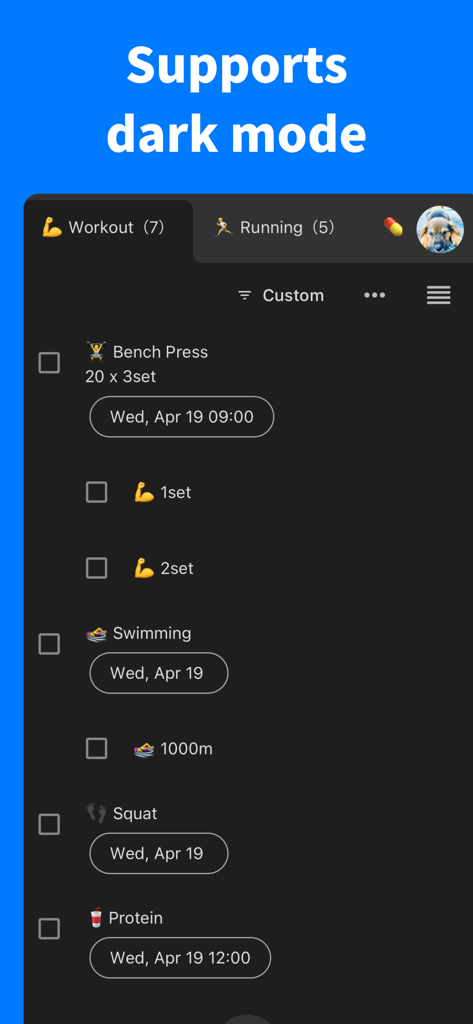
Interface of ToDo for Google showing dark mode enabled with a workout task list.

Interface of ToDo for Google showing dark mode enabled with a workout task list.

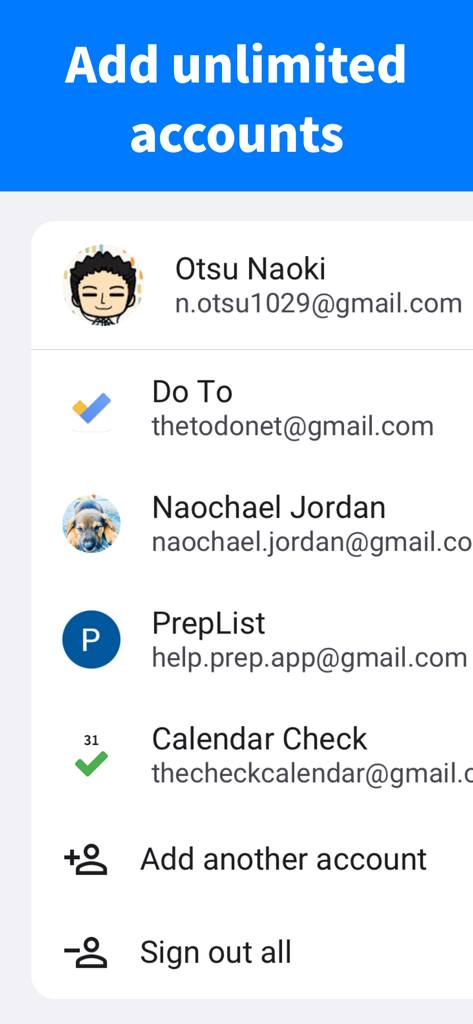
Interface for managing and switching between multiple Google accounts in the ToDo app

Interface for managing and switching between multiple Google accounts in the ToDo app

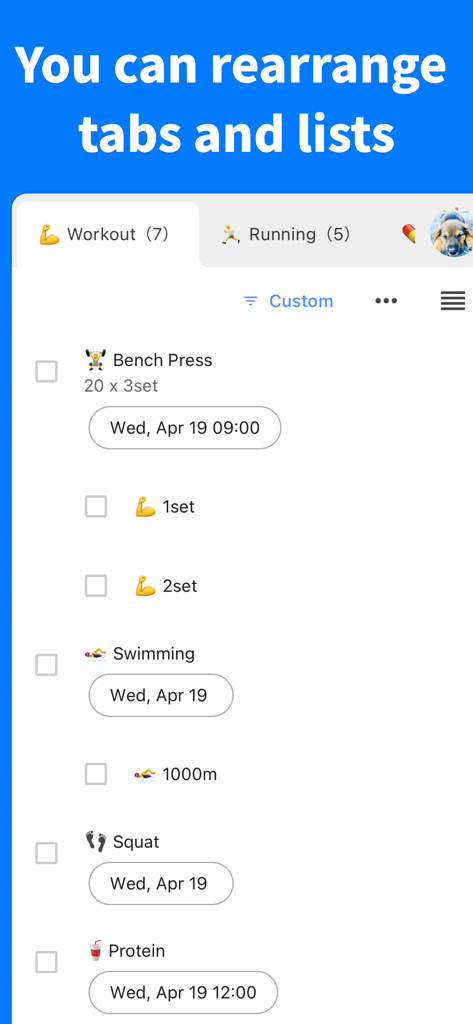
Task management interface showing customizable workout and running tabs with a list of fitness tasks

Task management interface showing customizable workout and running tabs with a list of fitness tasks

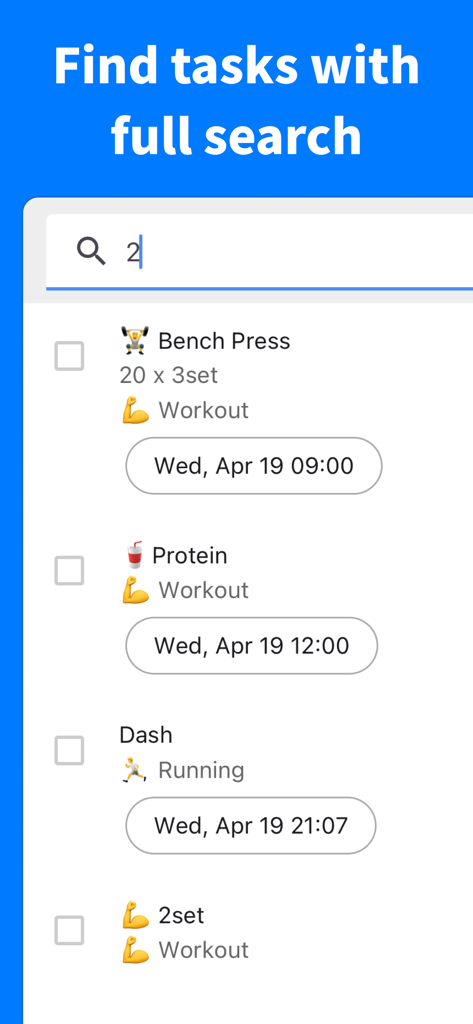
Search results for tasks in the ToDo for Google app showing workout and running activities

Search results for tasks in the ToDo for Google app showing workout and running activities

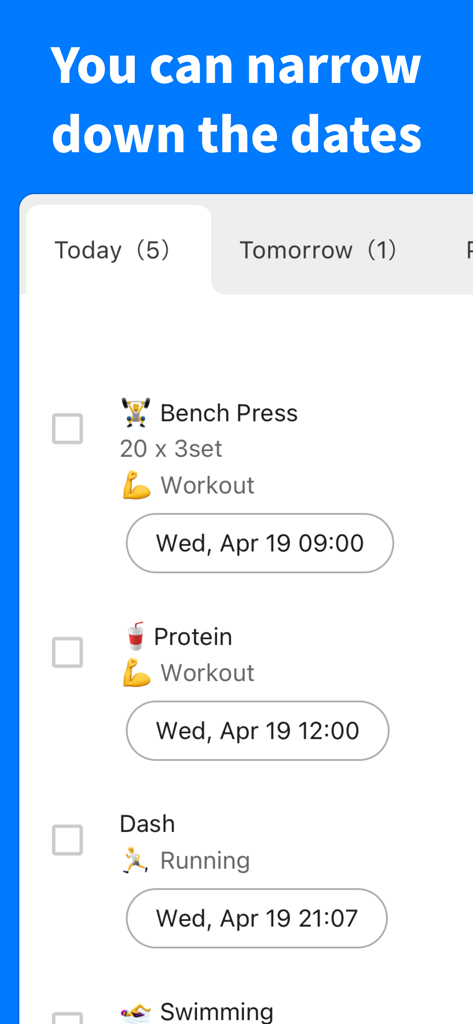
A screenshot of the ToDo for Google app showing tasks filtered by dates with Today and Tomorrow tabs

A screenshot of the ToDo for Google app showing tasks filtered by dates with Today and Tomorrow tabs

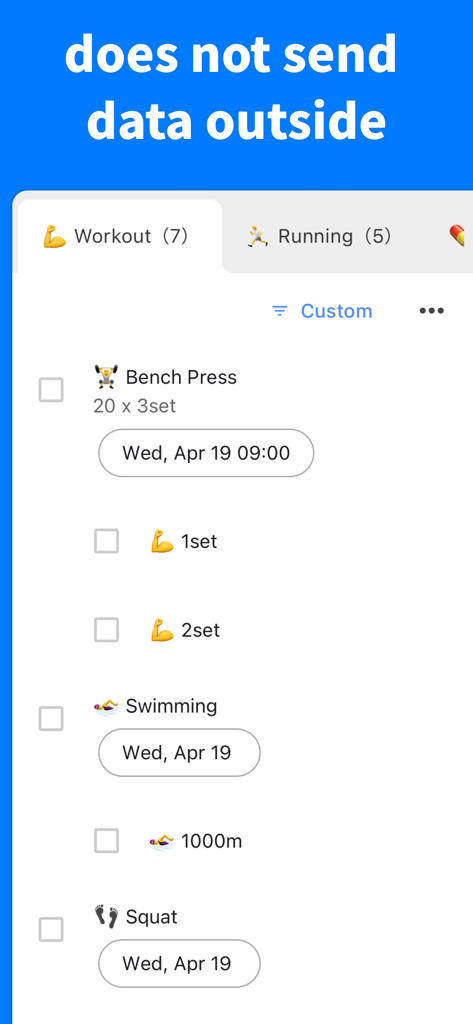
ToDo for Google app interface showing a workout task list with a header stating data is not sent outside.

ToDo for Google app interface showing a workout task list with a header stating data is not sent outside.

Master Your Workflow with Pro Features

The tools that make this app stand out, trusted by 6K+ users.

🔄

Seamless Multi-Account Support

Juggling a 9-to-5, a side hustle, and personal life? Toggle between unlimited Google accounts with one tap for perfect separation.

🛡️

Privacy-First Architecture

Your data is never stored on our servers. Enjoy direct Google sync and protect your lists with Face ID and Biometric security.

Advanced Smart Filtering

Clear the noise. Instantly view what matters most with intelligent filters for 'Today', 'Overdue', and custom priority settings.

About the app

Everything you need to know about ToDo for Google - Manage tasks.

Description

Get the Best Task Management App Ever! ToDo for Google is the ultimate task management app to use Google Tasks efficiently. Maximize your productivity and make every day more fulfilling! ■ Complete Sync with Google Tasks Instantly sync with Google Tasks and Google Calendar. Manage your tasks from anywhere! ■ Desktop App Integration Perfect sync between mobile and desktop. Achieve maximum productivity everywhere! Get the desktop app here → https://thetodo.net/ ■ Multiple Account Support Add unlimited accounts for work, personal use, and more. Switch instantly with one tap! ■ Notification Feature Get notified at specified times with your custom messages. Never forget important tasks! ■ Biometric Authentication Secure your app with Face ID or Touch ID at the highest level. Your tasks are completely protected! ■ Background Color Customization Customize each task list with your favorite background color. Create your own beautiful task management space! ■ Smart Filtering Instantly display tasks by "Today", "Tomorrow", "Day After Tomorrow", "Overdue", or "All". Quickly check only what you need! ■ Flexible Sorting Organize freely with drag & drop, by due date, or alphabetically. Manage tasks exactly how you want! ■ Powerful Search Search instantly across all tasks. Find what you're looking for in seconds! ■ Priority Settings Set priorities for important tasks. Know exactly what to tackle first! ■ Assigned Task Display Instantly view tasks created from Google Chat, Google Document, and Gmail. Accelerate your teamwork! ■ Highest Level Security • Your data is never sent to any server except Google • All data exchanges directly with Google. Even developers cannot access it • Use with complete peace of mind ■ Excellent Support Quick support when you need it. Feel free to contact us! info@thetodo.net Privacy Policy: https://thetodo.net/privacy-policy 【Start Free】 Try all features with a 1-week free trial. No automatic charges after the free period ends. Try with confidence! Make your daily life more efficient and fulfilling with ToDo for Google. Download now and get the best task management experience!

Latest Version

3.76.0

Size

43.0 MB

First Released

Apr 18, 2023

Take Command of Your Google Tasks

The power user’s choice for multi-account syncing and biometric security. Start your 1-week free trial now—zero risk, no automatic charges, just pure productivity.

Download on App Store
FAQ

Frequently Asked Questions

Everything you need to know about ToDo for Google - Manage tasks

How does ToDo for Google synchronize tasks?

ToDo for Google instantly synchronizes with Google Tasks and Google Calendar. This feature enables users to manage their tasks efficiently from any location, maintaining up-to-date task information across all platforms.

Does ToDo for Google offer a free trial period?

Yes, ToDo for Google provides a 1-week free trial. This trial allows access to all features, and no automatic charges occur after the trial period concludes, ensuring a confident evaluation.

Can I manage multiple accounts within ToDo for Google?

Yes, ToDo for Google supports multiple accounts. Users can add an unlimited number of accounts for various uses, such as work or personal, and switch between them instantly with a single tap.

Does ToDo for Google provide task notifications?

Yes, ToDo for Google includes a notification feature. It alerts users at specified times with custom messages, preventing users from forgetting important tasks and improving timely completion.

Is ToDo for Google protected by biometric authentication?

Yes, ToDo for Google is protected by biometric authentication. The app supports Face ID or Touch ID, ensuring the highest level of security to safeguard user tasks and personal information.

Does ToDo for Google support a dark mode interface?

Yes, ToDo for Google supports dark mode. This feature provides an alternative visual interface, which can reduce eye strain and improve readability in various lighting conditions for users.

How does ToDo for Google ensure user data privacy?

ToDo for Google ensures user data privacy by never sending data to any server except Google. All data exchanges directly with Google, and developers cannot access it, guaranteeing peace of mind.

Can users customize the background colors of task lists in ToDo for Google?

Yes, ToDo for Google allows background color customization for task lists. Users can personalize each task list with their preferred background color, creating a visually distinct and organized management space.

What filtering options are available in ToDo for Google?

ToDo for Google offers smart filtering options. Users can instantly display tasks by "Today", "Tomorrow", "Day After Tomorrow", "Overdue", or "All", allowing quick focus on specific categories of tasks.

Is there a search function available in ToDo for Google?

Yes, ToDo for Google includes a powerful search function. This feature allows users to instantly search across all their tasks, enabling quick retrieval of specific items within seconds.

Does ToDo for Google offer a desktop application?

Yes, ToDo for Google offers a desktop application. It integrates perfectly between mobile and desktop devices, allowing users to achieve maximum productivity consistently across all their platforms.

How can I receive support for ToDo for Google?

Users receive support for ToDo for Google via email. The official support email address is info@thetodo.net, providing quick assistance when users need help.

Can ToDo for Google display tasks assigned from other Google services?

Yes, ToDo for Google displays tasks assigned from other Google services. It instantly shows tasks created from Google Chat, Google Document, and Gmail, accelerating teamwork and collaboration.

Does ToDo for Google allow task prioritization?

Yes, ToDo for Google allows task prioritization. Users can set priorities for important tasks, which helps them identify and tackle the most critical items first, improving workflow management.

How can I organize tasks in ToDo for Google?

ToDo for Google offers flexible sorting for tasks. Users can organize tasks freely using drag & drop, by due date, or alphabetically, managing them exactly according to their preferences.

App information, icons, screenshots, and descriptions displayed on this page are sourced from the Apple App Store and are the property of their respective developers. Download estimates and rankings are based on MWM's proprietary models and may not reflect actual figures. This page is provided for informational and analytical purposes only.

Believe this page infringes your intellectual property? File a dispute