
This page is not an official page of the app or its developer, but an independent editorial publication created for informational and commentary purposes. Unless expressly stated otherwise, neither the app nor its developer is affiliated with, endorsed by, sponsored by, authorized by, or otherwise officially connected with MWM, Apple, Google Play, the app publisher, or the app's developer, and nothing on this page implies that the app was developed using MWM's services. Any trademarks, logos, screenshots, and other content remain the property of their respective owners.

Toon Goggles Cartoons for Kids
Explore thousands of human-curated videos including Minecraft, Roblox, and Angry Birds. With robust parental controls and COPPA-compliant safety, it’s the guilt-free way to keep your kids entertained on any device.
Downloads
305K+User Rating
Total Ratings
1K+Publisher
Category
EntertainmentLocales
8Latest Version
15.500Size
56.4 MBFirst Released
Aug 2, 2014Entertainment They Love, Safety You Trust
Discover thousands of kid-safe cartoons, gaming videos, and live channels designed to keep your children happy and your mind at ease.
100% Kid-Safe & Certified
Skip the 'YouTube anxiety' with human-curated content that strictly follows COPPA and CARU guidelines for a 100% secure digital playground.
Gaming Hits & Global Favorites
Keep them engaged with content they actually care about, including Minecraft, Roblox, and Angry Birds, all in one safe spot.
Frequently Asked Questions
Everything you need to know about Toon Goggles Cartoons for Kids
What is Toon Goggles?
Toon Goggles is a streaming service offering thousands of kid-safe cartoons and live-action videos, including popular titles, and a hybrid experience with live channels and on-demand content.
Is Toon Goggles safe for children?
Yes, Toon Goggles is kidSAFE Certified and strictly follows all COPPA rules and CARU guidelines, ensuring a safe environment for children. Parental controls are also available.
Does Toon Goggles offer parental controls?
Yes, Toon Goggles includes parental controls. Parents can monitor viewing, set controls, and manage recordings, even from an Apple Watch, to supervise their child's app experience.
Is Toon Goggles free to use?
Yes, Toon Goggles is 100% free to stream all content. Parents can also choose to upgrade to a premium subscription to remove ads.
Can I download videos for offline viewing on Toon Goggles?
Yes, users can download episodes for offline viewing. This feature is accessible through the app’s "Toon Box".
What shows are available on Toon Goggles?
Toon Goggles features content from popular titles like Talking Tom and Friends, Angry Birds, Om Nom, Gummy Bears, Roblox, and Minecraft. The library also includes short films and feature-length videos.
Can I cast videos from Toon Goggles to my TV?
Yes, you can cast videos and music from Toon Goggles to various TV input devices. These include Apple TV, Chromecast, Roku, and other DLNA compatible devices.
How does the Toon Goggles subscription work?
Toon Goggles Premium is an optional auto-renewing subscription charged monthly via iTunes. It provides an ad-free experience. Users can manage auto-renew settings in their iTunes account.
Does Toon Goggles offer live channels?
Yes, Toon Goggles offers a hybrid experience with live linear channels and an EPG guide. Users can select from many different kids' channels.
Can children create their own accounts in Toon Goggles?
Yes, Toon Goggles allows children to create their own accounts, avatars, and screen names. This ensures complete anonymity while interacting within the app.
The following screenshots and description are sourced directly from the app's official store listing and are the property of the app developer.
App Store
Screenshots
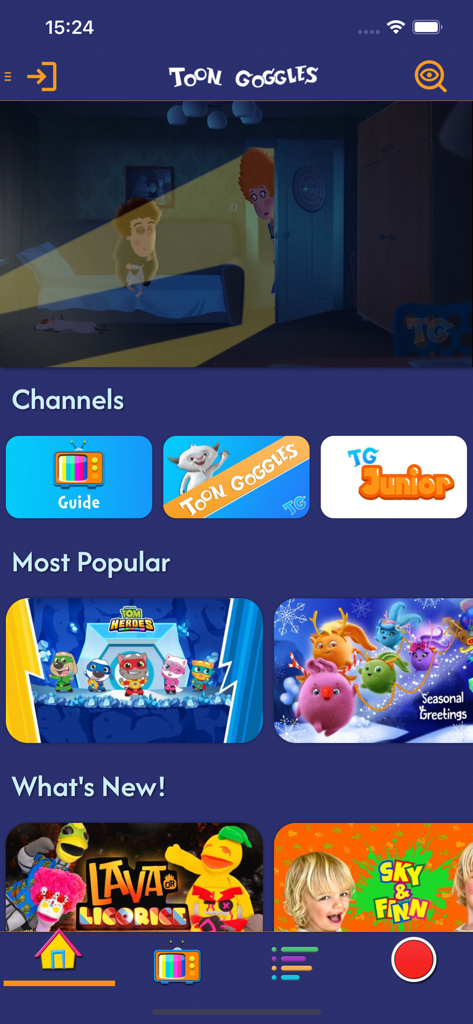
Toon Goggles mobile app home screen featuring kids cartoon channels and popular video categories
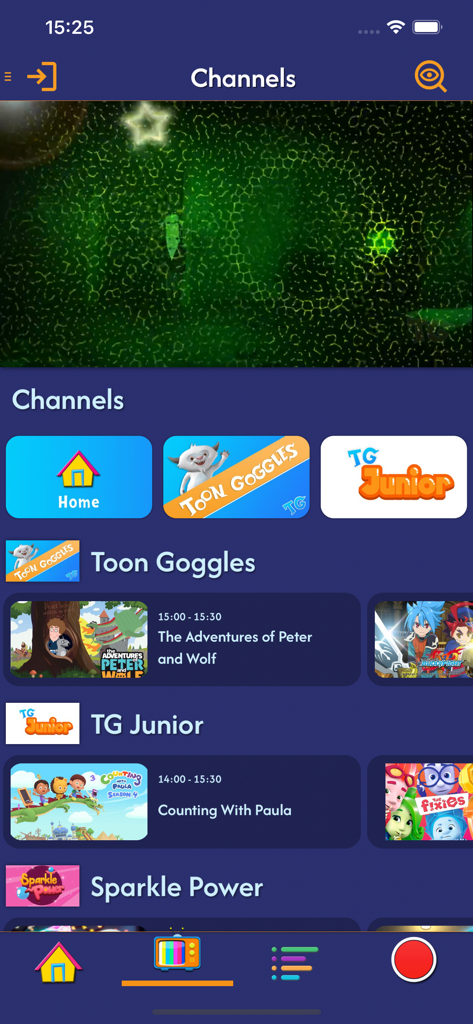
Toon Goggles app interface showing live kids cartoon channels and a television programming guide.
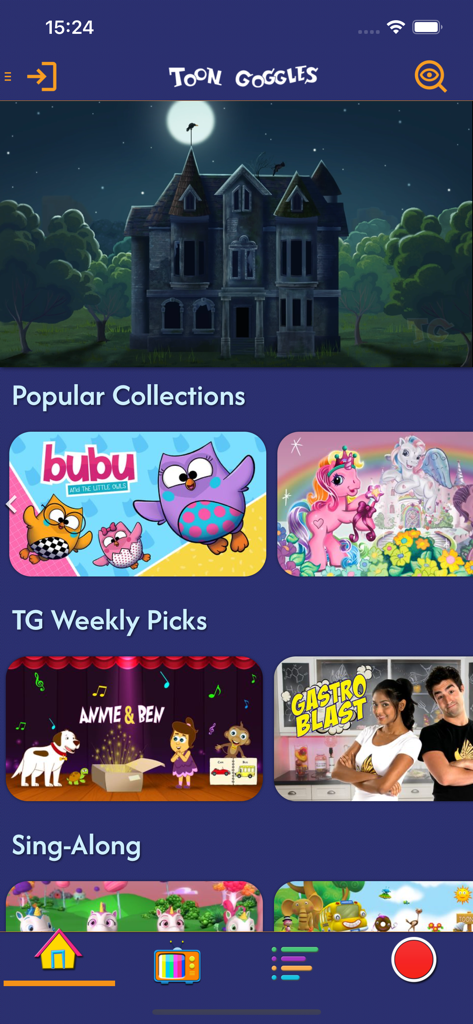
Home screen of the Toon Goggles app featuring popular cartoon collections and weekly picks for children
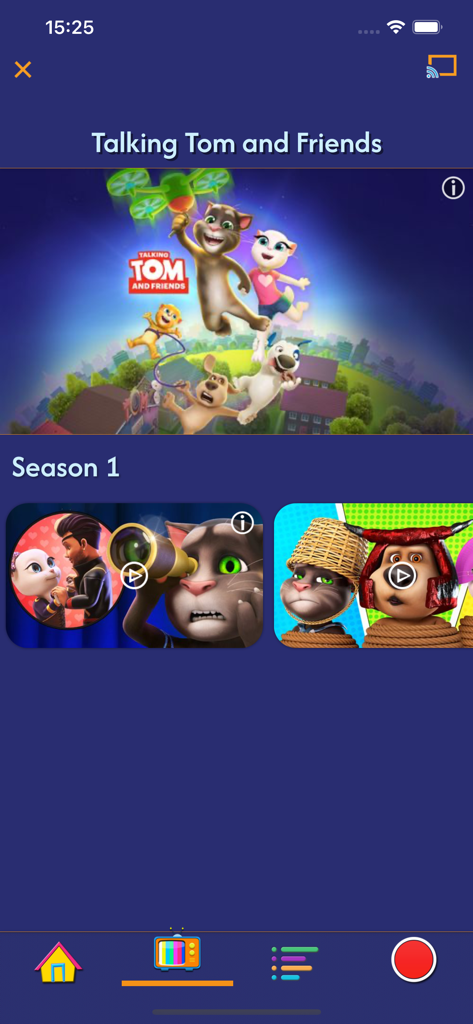
Talking Tom and Friends Season 1 episode list on the Toon Goggles kid-safe video app.
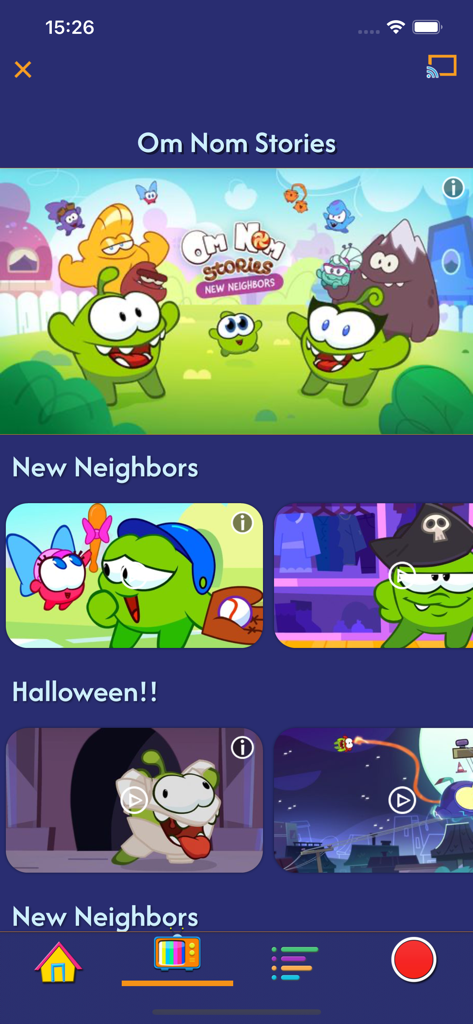
Toon Goggles mobile app interface featuring Om Nom Stories cartoon episodes and a kid safe navigation menu
Description
Download
More Like This
Apps with similar features and user experience
Bounce Patrol Nursery Rhymes!
BOUNCE PATROL PTY. LTD.
YouTube Kids
Google LLC
贝乐虎儿歌-宝贝儿歌故事童话寓言多多听听
Leqing Network Technology Co., Ltd
儿歌点点-儿歌故事动画片益智启蒙
Beijing Mampod Technology Co. Ltd.

Safe Vision Kids for YouTube
Safe Vision Parental Software Pty Ltd
Kidjo TV: Kids Videos to Learn
Kidjo, INC
Tankee Gaming Videos & More
Tankee Inc.
Cuquin - Baby Songs & Cartoons
COLORCITY LIMITED
One4Kids TV
One 4 Kids Pty Ltd
This page is not an official page of the app or its developer, but an independent editorial publication created for informational and commentary purposes. Unless expressly stated otherwise, neither the app nor its developer is affiliated with, endorsed by, sponsored by, authorized by, or otherwise officially connected with MWM, Apple, Google Play, the app publisher, or the app's developer, and nothing on this page implies that the app was developed using MWM's services. Any trademarks, logos, screenshots, and other content remain the property of their respective owners.