
This page is not an official page of the app or its developer, but an independent editorial publication created for informational and commentary purposes. Unless expressly stated otherwise, neither the app nor its developer is affiliated with, endorsed by, sponsored by, authorized by, or otherwise officially connected with MWM, Apple, Google Play, the app publisher, or the app's developer, and nothing on this page implies that the app was developed using MWM's services. Any trademarks, logos, screenshots, and other content remain the property of their respective owners.

Toric IOL
Enhance refractive outcomes with guided macro photography and digital protractor overlays. Eliminate cyclotorsion errors and streamline your surgical workflow with a secure, ophthalmologist-developed tool designed for the operating room.
Downloads
0User Rating
Total Ratings
0Publisher
Category
MedicalLocales
1Latest Version
1.0Size
20.5 MBFirst Released
Feb 25, 2026Precision Engineering for Flawless Toric Alignment
Eliminate the variability of manual marking with a digital-first surgical workflow designed by an ophthalmologist to optimize refractive outcomes.
Markerless Digital Registration
Ditch messy, imprecise ink marks. Use natural conjunctival and limbal landmarks on a high-resolution digital protractor to ensure absolute alignment accuracy.
Cyclotorsion Compensation
Eliminate positioning errors with a built-in gyroscope level and macro-guided capture, ensuring your reference photos are perfectly horizontal every time.
The following screenshots and description are sourced directly from the app's official store listing and are the property of the app developer.
App Store
Screenshots
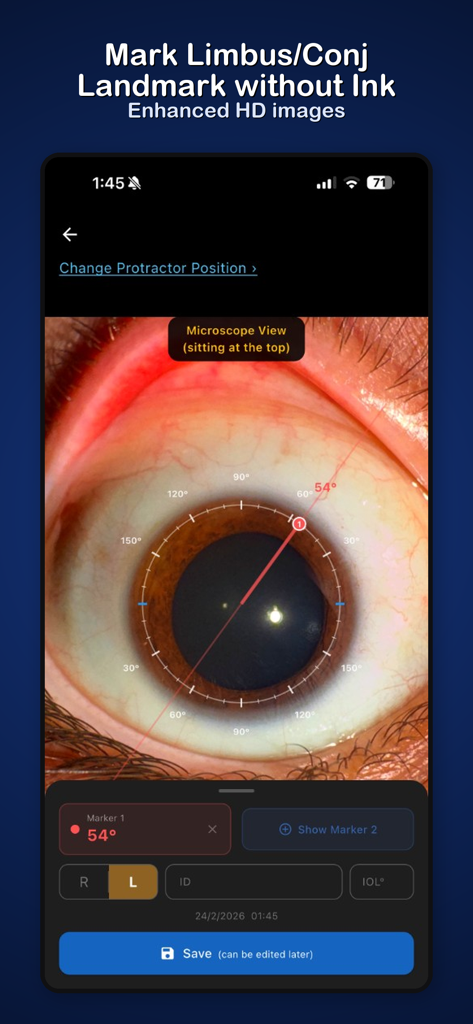
Toric IOL app screen showing a digital protractor overlay on a close-up eye photo with a 54 degree axis marker
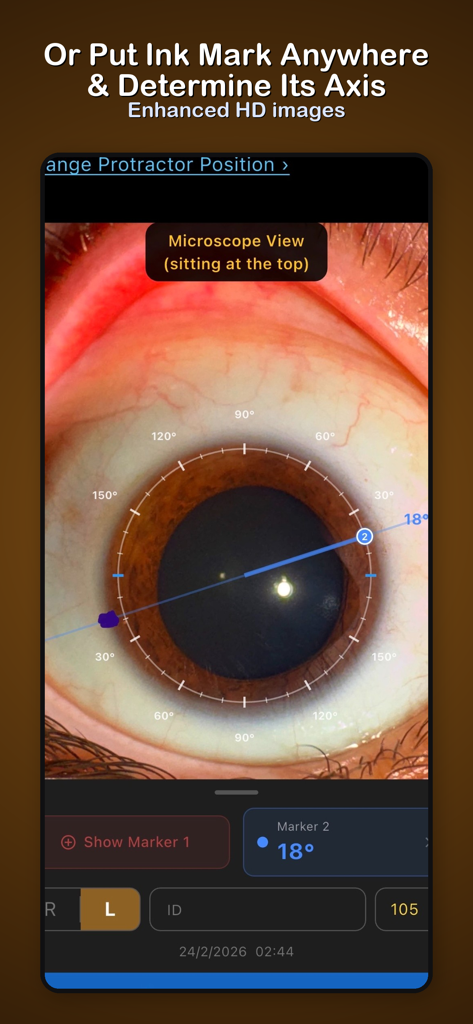
Toric IOL app interface showing a digital protractor identifying the axis of an ink mark on an eye image
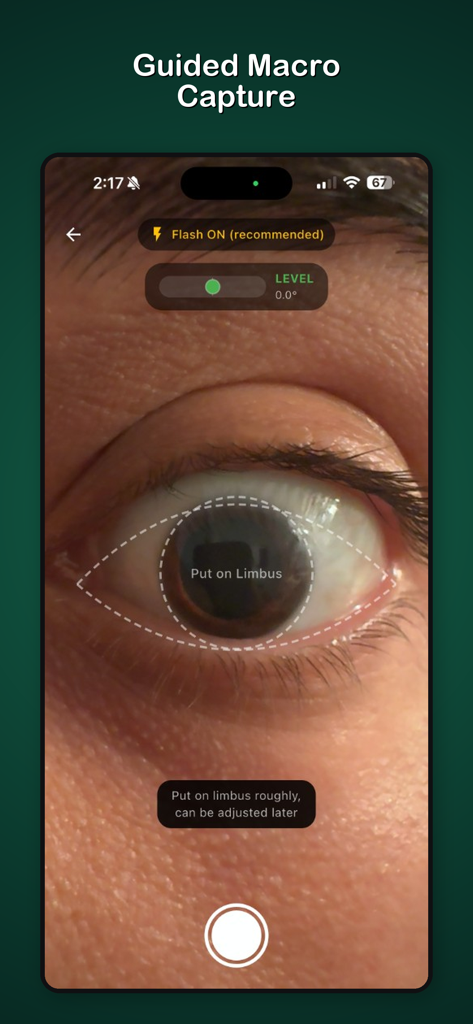
Interface of the Toric IOL app showing a guided macro capture of a human eye with digital overlays for limbus alignment and a horizontal level indicator
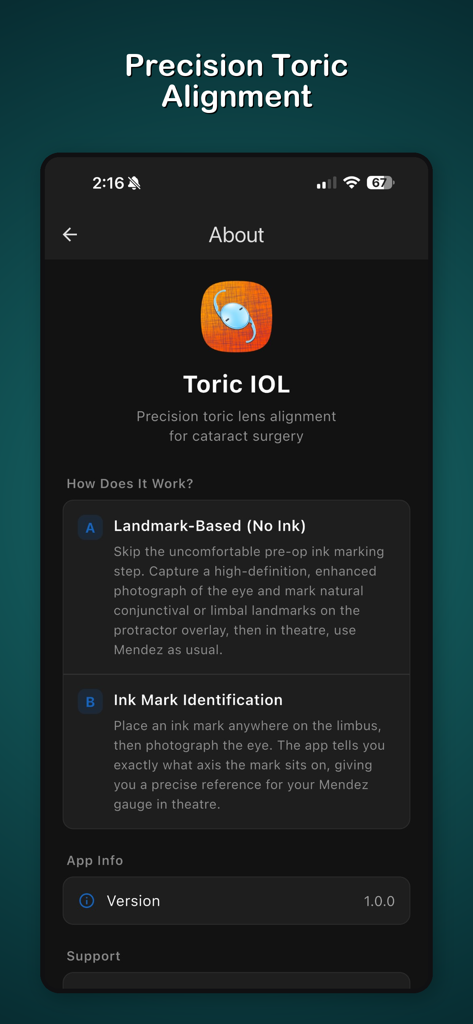
Information screen of the Toric IOL app explaining surgical alignment methods.
Description
Download
More Like This
Top-ranked apps in the same category

MyChart
Epic Systems Corporation

国家医保服务平台
National Healthcare Security Administration

Pregnancy + | Tracker App
Philips Digital UK Limited

CVS Health
CVS Pharmacy

Doctolib - Your health partner
Doctolib

Meu SUS Digital
Servicos e Informacoes do Brasil

Mobile JKN
BPJS Kesehatan

UnitedHealthcare
UNITED HEALTHCARE SERVICES, INC.

江苏医保云
Jiangsu Healthcare Security Bureau
This page is not an official page of the app or its developer, but an independent editorial publication created for informational and commentary purposes. Unless expressly stated otherwise, neither the app nor its developer is affiliated with, endorsed by, sponsored by, authorized by, or otherwise officially connected with MWM, Apple, Google Play, the app publisher, or the app's developer, and nothing on this page implies that the app was developed using MWM's services. Any trademarks, logos, screenshots, and other content remain the property of their respective owners.