Transcribe Video and Audio: Effortless Speech-to-Text and Professional Captions
Streamline your workflow with AI-driven transcription, multilingual detection, and fully customizable subtitle styling. The all-in-one tool for creators, journalists, and students to turn voice into value instantly.
Publisher
Nishaben Patel
Category
Productivity
Downloads
100
User Rating
1.0/5
Total Ratings
0
Locales
5
Precision at a Glance
Discover the interface used by 100 users.
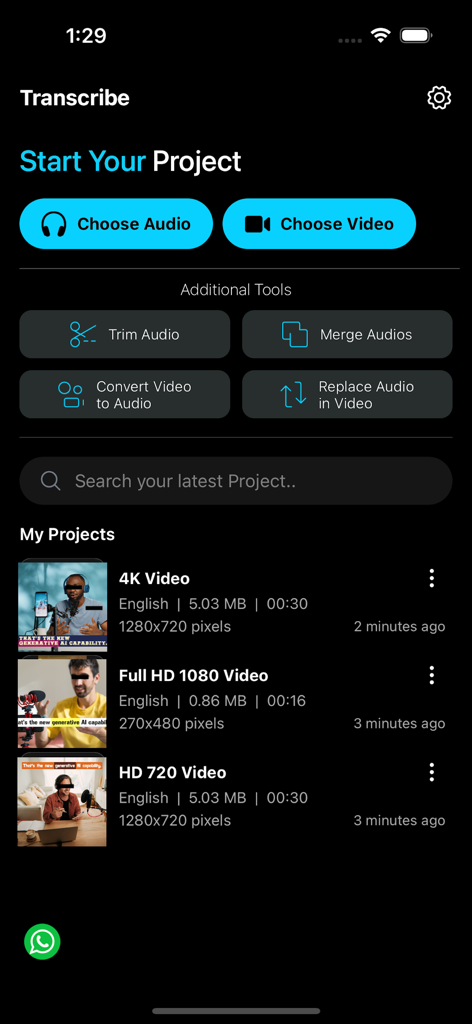
Main interface of the Transcribe app showing options to start audio and video projects with editing tools
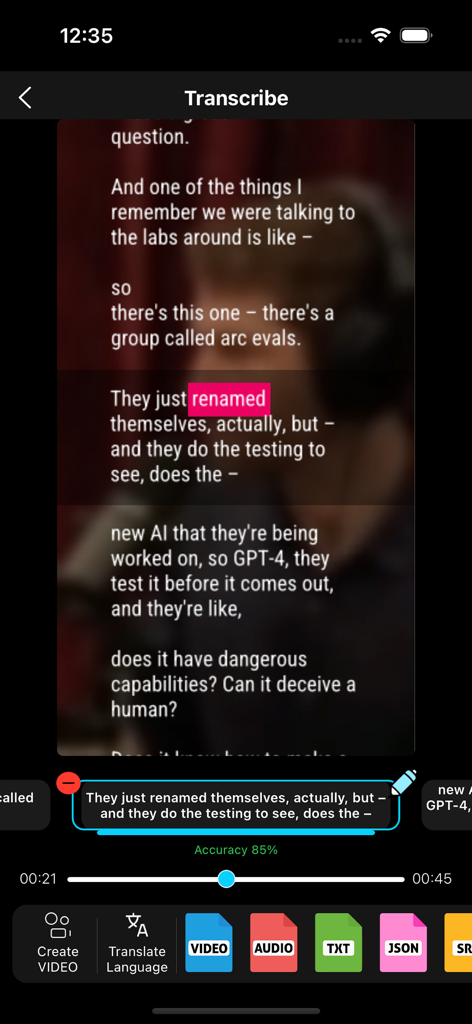
Interface of the Transcribe app showing video captions editing and multiple export formats like SRT and VTT
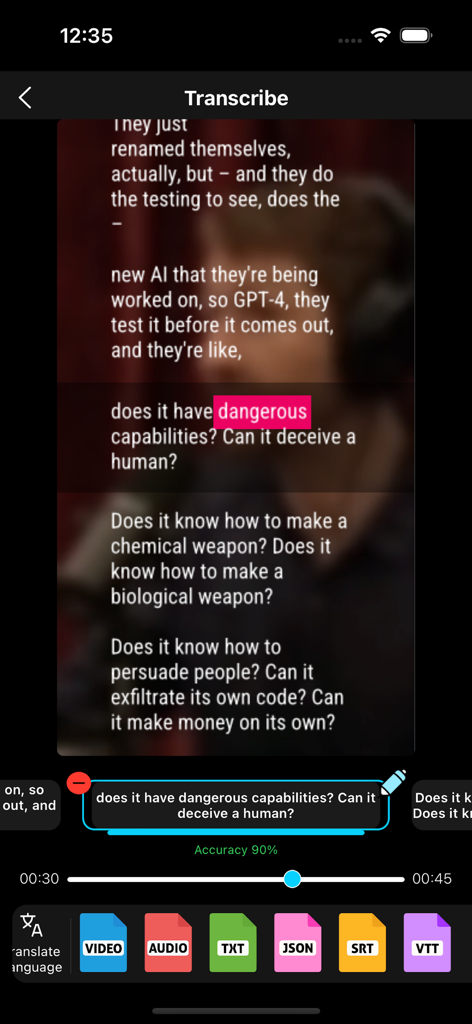
Interface of the Transcribe app showing video caption editing with highlighted text and export options for SRT and JSON files.
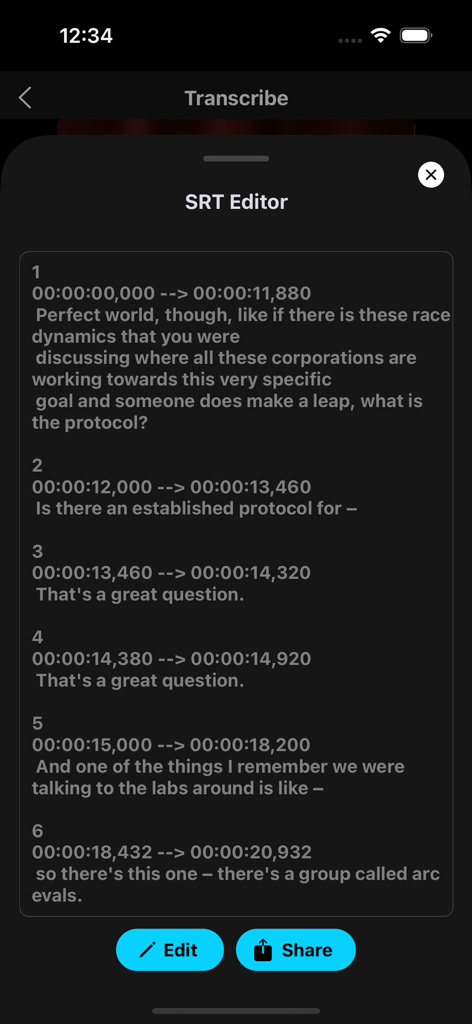
Mobile app interface showing an SRT subtitle editor with timestamps and transcribed text segments.
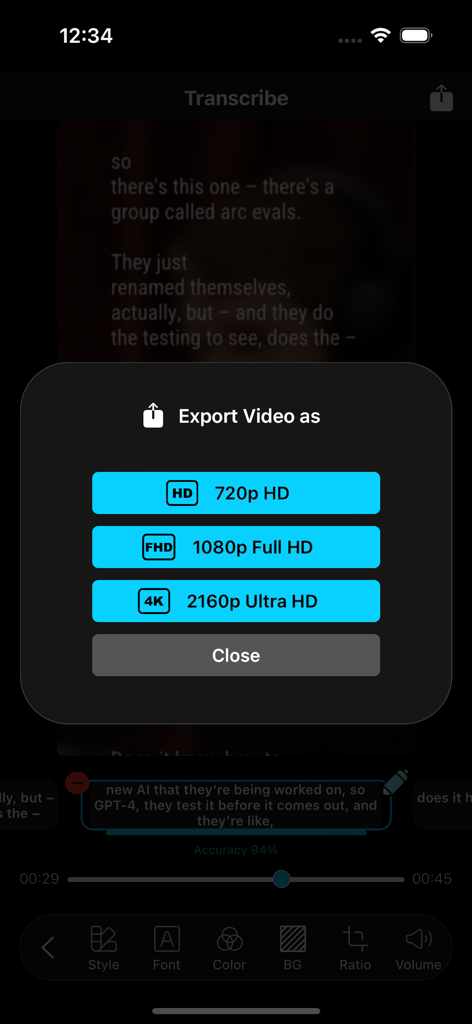
A mobile app interface showing video export resolution options including 720p 1080p and 4K Ultra HD.
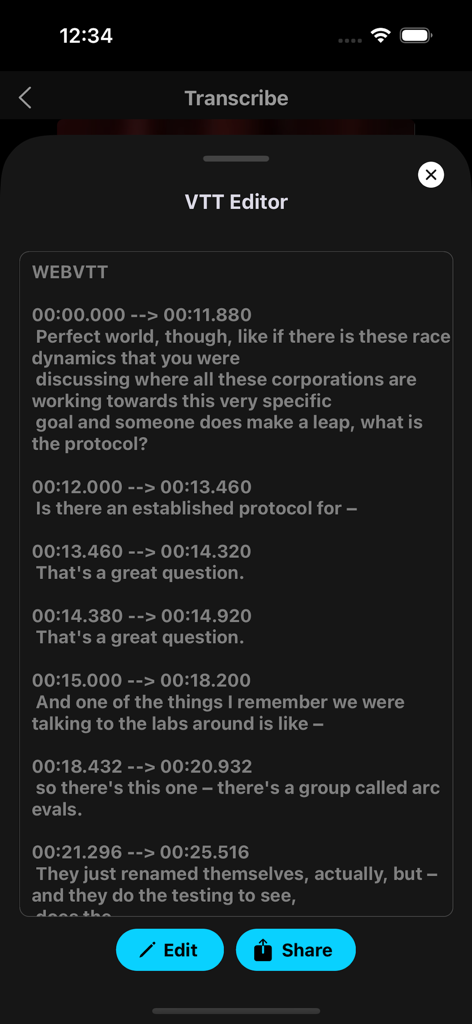
Mobile VTT editor interface showing transcription timestamps and text
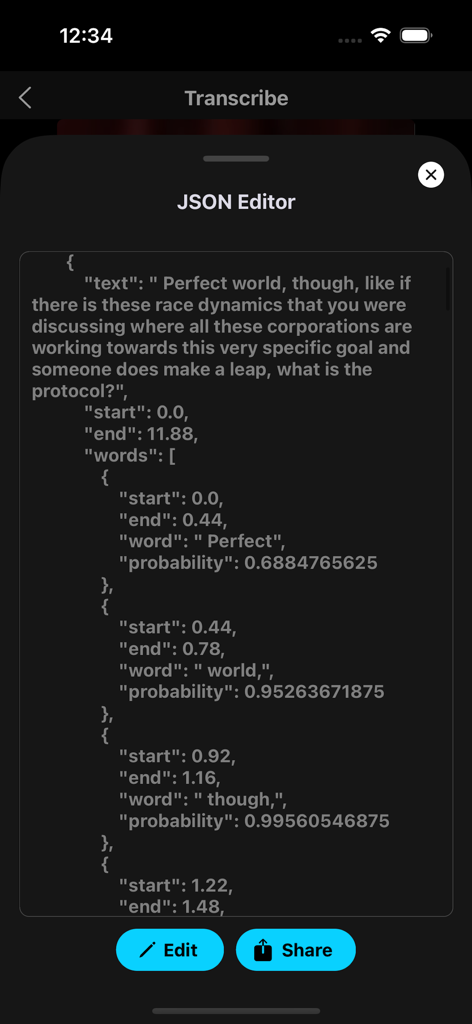
JSON editor interface in the Transcribe app showing structured transcription data with word-level timestamps and probability scores
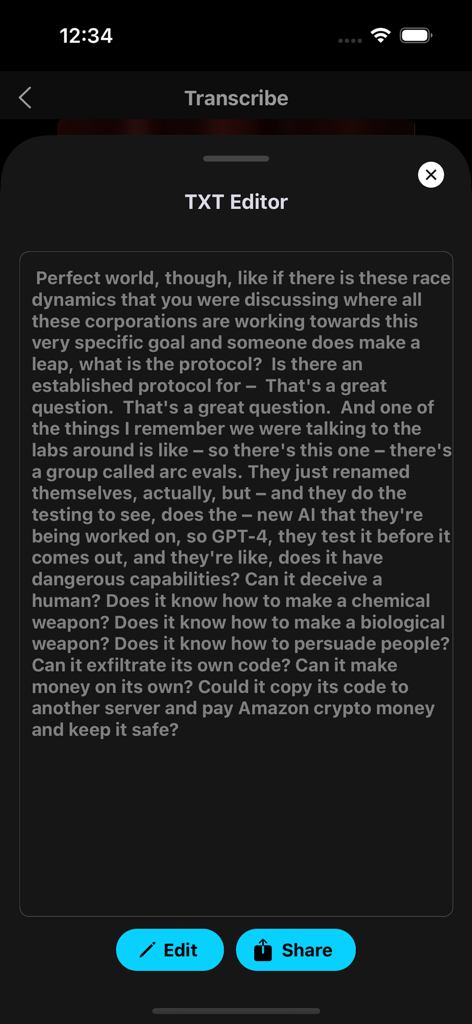
A mobile interface of the Transcribe app showing a text editor with a transcribed conversation about AI and buttons to edit or share the content.
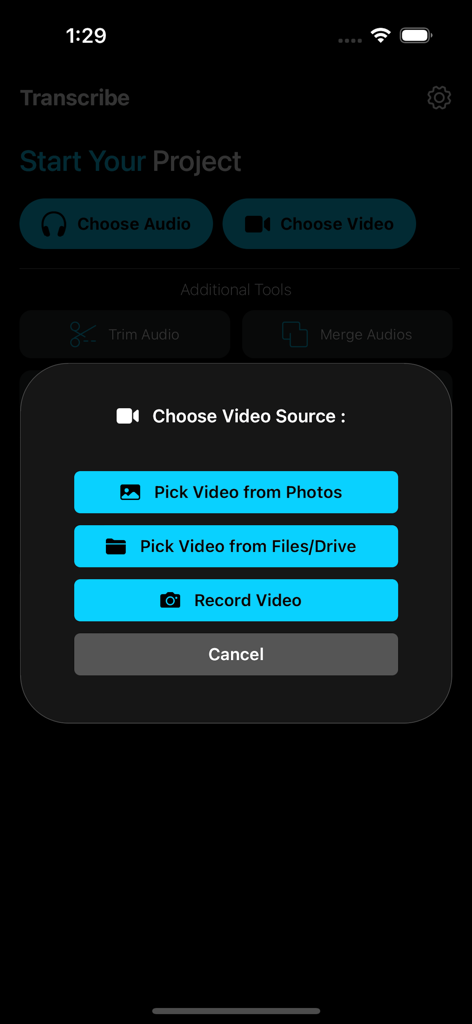
A pop up menu in the Transcribe app with options to pick video from photos files or record a video
Transcribe, Edit, and Captivate
The tools that make this app stand out, trusted by 100 users.
🎙️
AI-Powered Transcription
Convert lectures, interviews, and meetings into accurate text. With auto-language detection, you save hours of manual typing with a single tap.
✨
Custom Branded Captions
Boost social media engagement with styled subtitles. Customize fonts and colors to match your brand and export professional .SRT files for Reels and TikTok.
🛠️
All-in-One Media Toolkit
Stop app-hopping. Trim, merge, and convert audio or video files directly within your mobile workflow using seamless Files and Voice Memos integration.
About the app
Everything you need to know about Transcribe Video and Audio.
Description
'Transcribe : Audio & Video' is your ultimate transcription tool, seamlessly converting any audio or video source containing voice or speech into text. Perfect for journalists, students, content creators, and professionals, this app is designed to make your transcription process quick, easy, and highly customisable.
Key Features:
- Multilingual Transcription: Transcribe audio and video in multiple languages with ease.
- Auto Language Detection: Automatically detect the language from the input source, saving you time and effort.
- Versatile Export Options: Export your transcriptions in various formats, including .TXT, .SRT, .JSON, .VTT (.WebTT), .M4A, and .MP4.
- Customizable Captions: Set caption styles, fonts, colors, and backgrounds to suit your preferences and needs.
- Asset Access: Access assets from your Music App, Files App, and Voice Memos App, or record audio and video directly within the app.
Additional Audio-Video Tools:
- Audio Trimming: Trim audio files to keep only the parts you need.
- Audio Merging: Merge multiple audio files into a single track.
- Video to Audio Conversion: Easily convert video files into audio formats.
- Audio Replacement in Videos: Replace the audio within video files to customize your content.
Experience the power and flexibility of Transcribe : Audio & Video, and streamline your transcription and audio-video editing tasks today!
Keywords - Transcription, Audio Transcriber, Video Transcriber, Speech to Text, Multilingual Transcription, Auto Language Detection, Voice to Text, Caption Editor, Subtitle Generator, Audio Editing, Video Editing, Trim Audio, Merge Audio, Convert Video to Audio, Replace Audio in Video, Export Transcriptions, SRT Export, VTT Export, Transcription Tools, Record Audio, Record Video, Files App Integration, Voice Memos Integration, Music App Integration, Caption Styling
Privacy Policy —
https://www.im-creator.com/free/lalitsuthar/transcribe
Terms of Use —
https://iostranscribe.blogspot.com/2024/07/transcribe-audio-video.html
Latest Version
1.0.2
Size
67.9 MB
First Released
Mar 20, 2025
Ready to Save Hours of Manual Work?
Join the community of creators and professionals turning speech into text with ease. Download 'Transcribe : Audio & Video' now and get professional captions and transcripts in seconds.
App information, icons, screenshots, and descriptions displayed on this page are sourced from the Apple App Store and are the property of their respective developers. Download estimates and rankings are based on MWM's proprietary models and may not reflect actual figures. This page is provided for informational and analytical purposes only.
Believe this page infringes your intellectual property? File a dispute