
This page is not an official page of the app or its developer, but an independent editorial publication created for informational and commentary purposes. Unless expressly stated otherwise, neither the app nor its developer is affiliated with, endorsed by, sponsored by, authorized by, or otherwise officially connected with MWM, Apple, Google Play, the app publisher, or the app's developer, and nothing on this page implies that the app was developed using MWM's services. Any trademarks, logos, screenshots, and other content remain the property of their respective owners.

Translator Keyboard - Language
Break language barriers without the copy-paste struggle. Chat, email, and post across 60+ languages directly from your keyboard in real time.
Downloads
2M+User Rating
Total Ratings
29K+Publisher
Category
UtilitiesLocales
33Latest Version
2025.11.3Size
200.9 MBFirst Released
Apr 13, 2020Break Language Barriers Instantly
Communicate fluently across 60+ languages without ever leaving your favorite apps. Our smart keyboard handles the translation so you can focus on the conversation.
Real-Time Translation
Type in your native language and watch your text transform instantly. No more tedious copy-pasting or switching between apps.
Universal Compatibility
Seamlessly integrated to work inside WhatsApp, Instagram, Slack, and Gmail. Your global communicator is always just a tap away.
Frequently Asked Questions
Everything you need to know about Translator Keyboard - Language
What is Translator Keyboard - Language?
Translator Keyboard is an all-in-one language translator keyboard. It instantly translates messages and texts in real time across more than 60 languages as you type, directly within any app.
How does Translator Keyboard - Language translate text?
Translator Keyboard translates messages instantly as you type. It performs live translation automatically, eliminating the need for copy-paste or switching between applications.
How many languages are supported by Translator Keyboard - Language?
Translator Keyboard - Language supports over 60 different languages. These include English, Spanish, Japanese, Italian, French, Chinese, Korean, Thai, German, Portuguese, Arabic, Vietnamese, and Hebrew.
Can Translator Keyboard - Language be used with popular messaging apps?
Yes, Translator Keyboard - Language functions seamlessly across various messaging and social apps. It integrates directly into platforms like WhatsApp, Instagram, and Gmail.
Does Translator Keyboard - Language offer an emoji keyboard?
Yes, Translator Keyboard - Language includes a built-in Emoji Keyboard. This feature allows users to enhance and personalize their conversations with a wide selection of emojis.
How do I switch translation languages in Translator Keyboard - Language?
Users can switch between languages easily with one-tap language selection. This feature allows for quick selection from over 60 supported languages for effortless multilingual communication.
Does Translator Keyboard - Language allow selection of translation tone?
Yes, Translator Keyboard - Language offers a "Select Translation Tone" feature. This allows users to choose between tones like "Friendly" and "Professional" for their translated messages.
Is Translator Keyboard - Language a free application?
Translator Keyboard - Language operates on a subscription model via "Air Apps One." Free trials are available but auto-renew to paid subscriptions unless canceled at least 24 hours prior.
Can I cancel my Translator Keyboard - Language subscription?
Yes, subscriptions for Translator Keyboard - Language are managed through your Apple ID. You can cancel your subscription at least 24 hours before the current period ends via your iTunes account settings.
The following screenshots and description are sourced directly from the app's official store listing and are the property of the app developer.
App Store
Screenshots
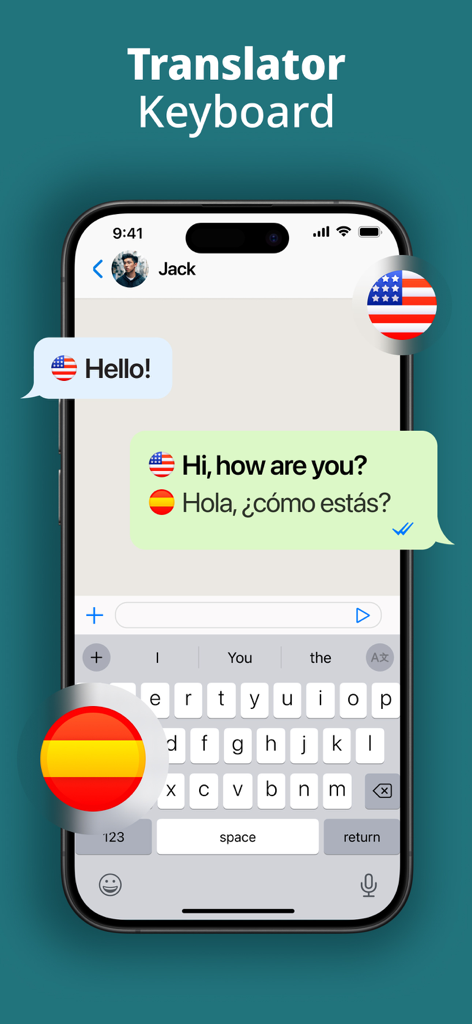
Interface of Translator Keyboard app showing real time translation from English to Spanish in a chat window
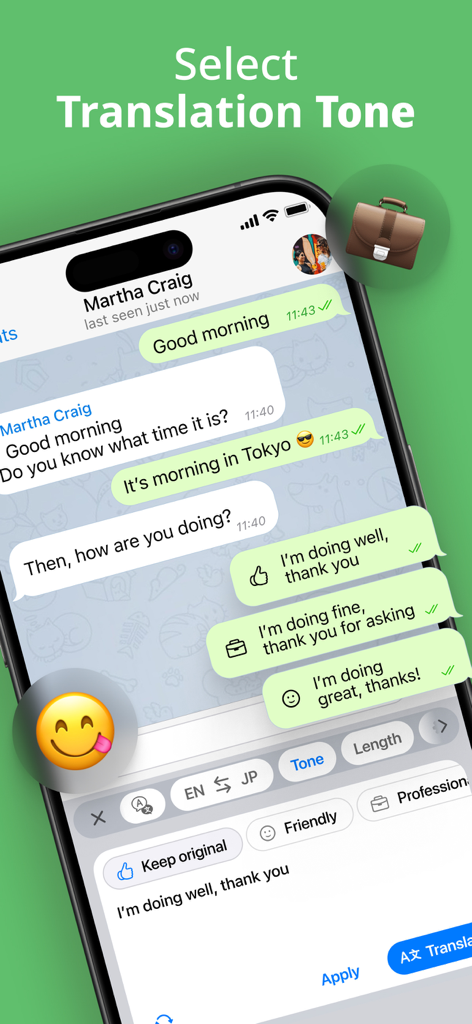
Translator keyboard interface with buttons for friendly and professional translation tones in a messaging app
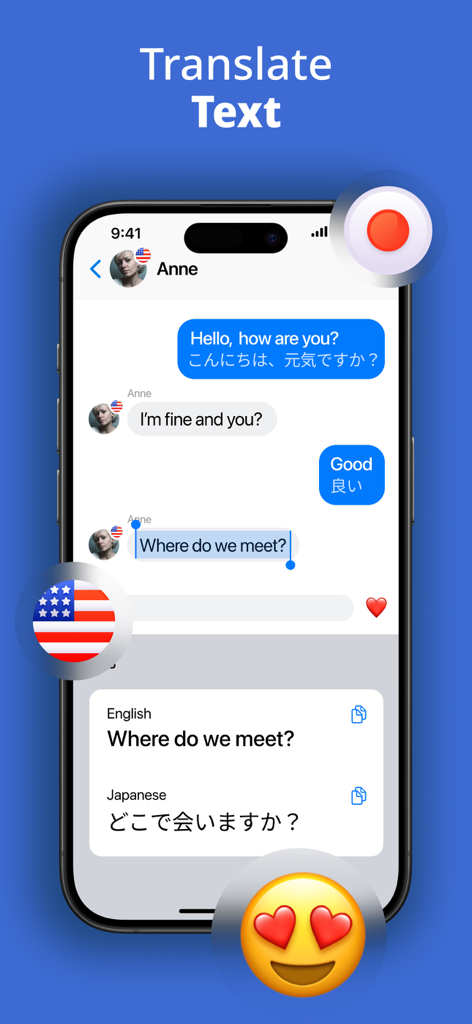
Smartphone screen showing the Translator Keyboard app translating an English chat message into Japanese in real time
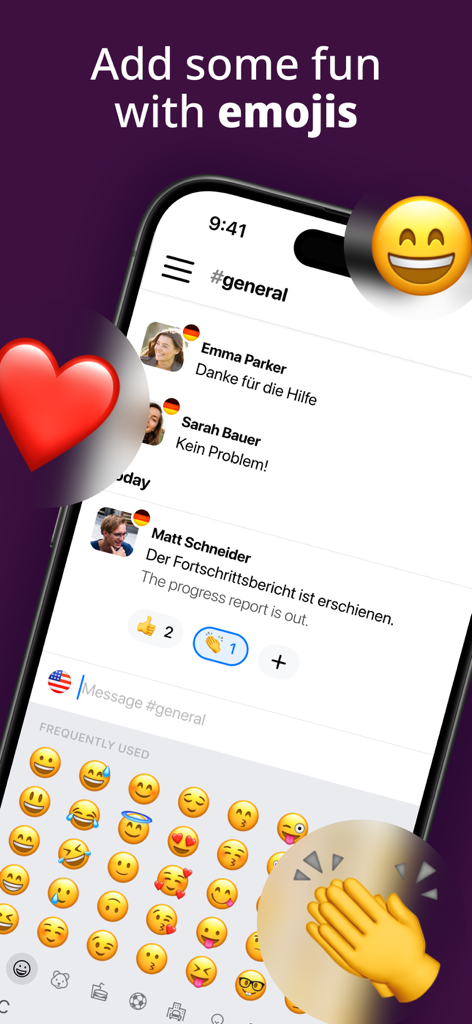
A smartphone screen showing the Translator Keyboard app with an emoji selection menu and real-time chat translation from German to English.
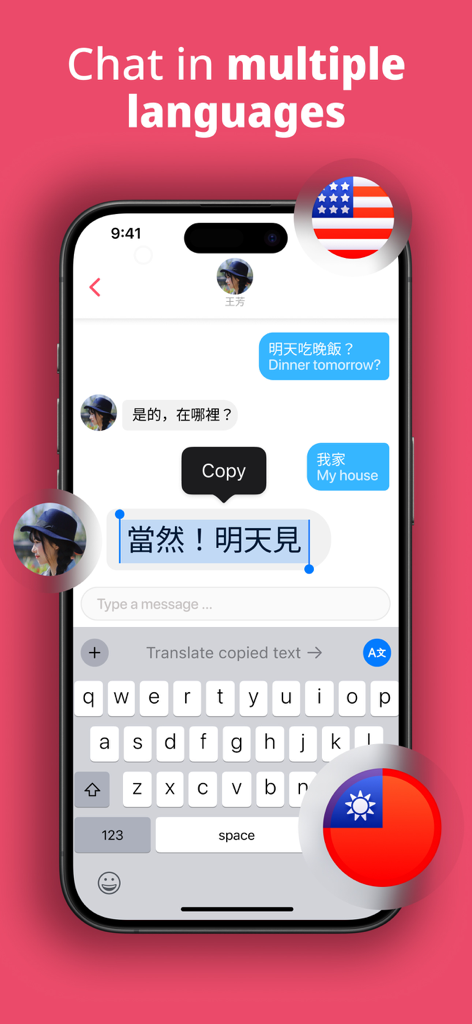
A smartphone showing a text conversation being translated in real time using the Translator Keyboard app
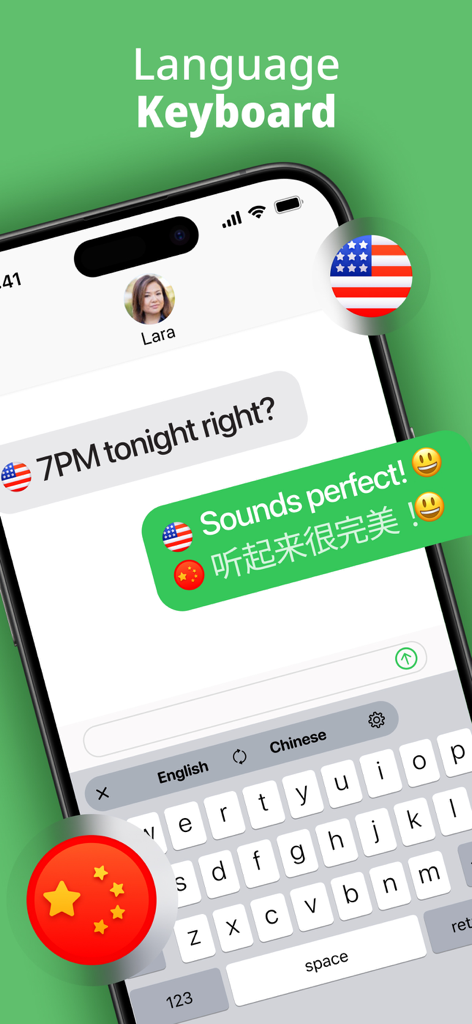
Interface of Translator Keyboard showing instant English to Chinese message translation in a chat
Description
Download
More Like This
Apps with similar features and user experience

TypeOn: Ai Keyboard Translator
Pro Media Now Inc

Translatify: Chat Translator
Twinkle Makwana

Translate Mate - Translator
YourApps Ltd.

Translator Keyboard : Lingo
MWM
TransKey: Text Translator Chat
Courtney Parsons

Translate Keyboard for Chat
Appqe LLC

OkTalk Keyboard Translator
Zapps Mobi Ltd
Kate • Keyboard Translator
Denk Alexandru
AI Translator : Voice & Scan
RED HISTORY NETWORK TECHNOLOGY LIMITED
This page is not an official page of the app or its developer, but an independent editorial publication created for informational and commentary purposes. Unless expressly stated otherwise, neither the app nor its developer is affiliated with, endorsed by, sponsored by, authorized by, or otherwise officially connected with MWM, Apple, Google Play, the app publisher, or the app's developer, and nothing on this page implies that the app was developed using MWM's services. Any trademarks, logos, screenshots, and other content remain the property of their respective owners.