TrialPad - Trial Presentation

TrialPad - Trial Presentation

Download on App Store
Logo of TrialPad - Trial Presentation

TrialPad: The Industry-Leading Courtroom Presentation Tool for Modern Litigators

Deliver a winning case with the gold standard in litigation technology. Organize evidence, create instant callouts, and present wirelessly from your iPad or Mac—all with the security and control a high-stakes trial demands.

Download on App Store

Publisher

LIT SOFTWARE, LLC

Category

Business

Downloads

3K+

User Rating

4.5/5

Total Ratings

300

Locales

1

Command the Courtroom

Discover the interface used by 3K+ users.

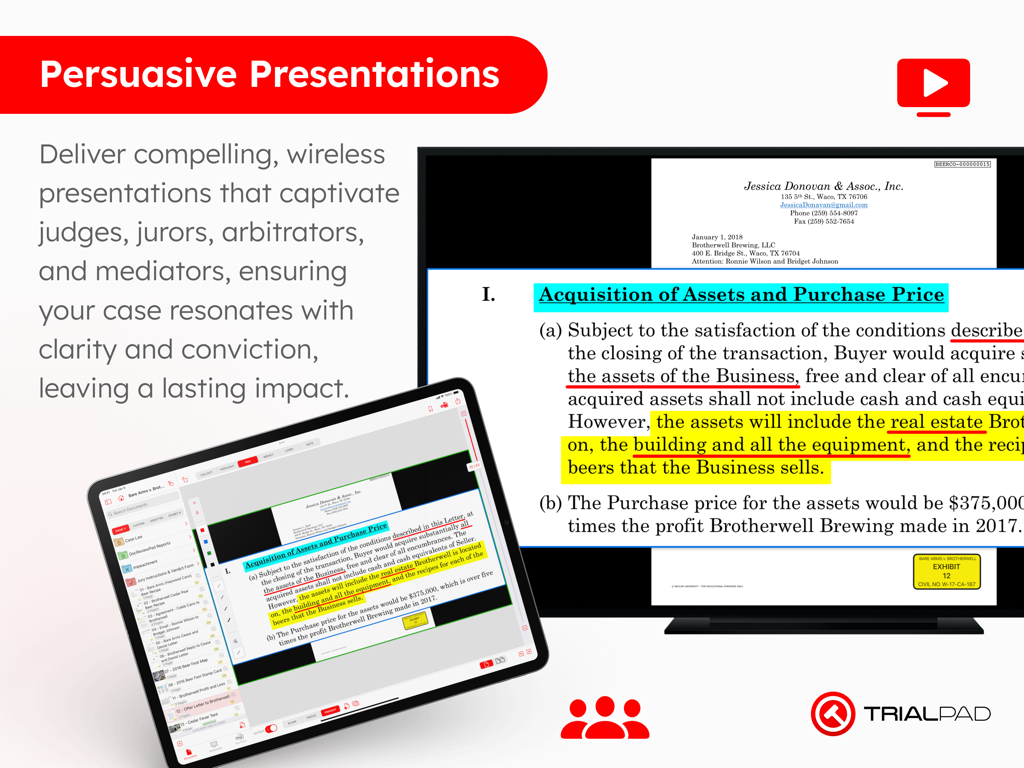
TrialPad app on an iPad presenting a highlighted legal document to a large display screen.
TrialPad app on an iPad presenting a highlighted legal document to a large display screen.

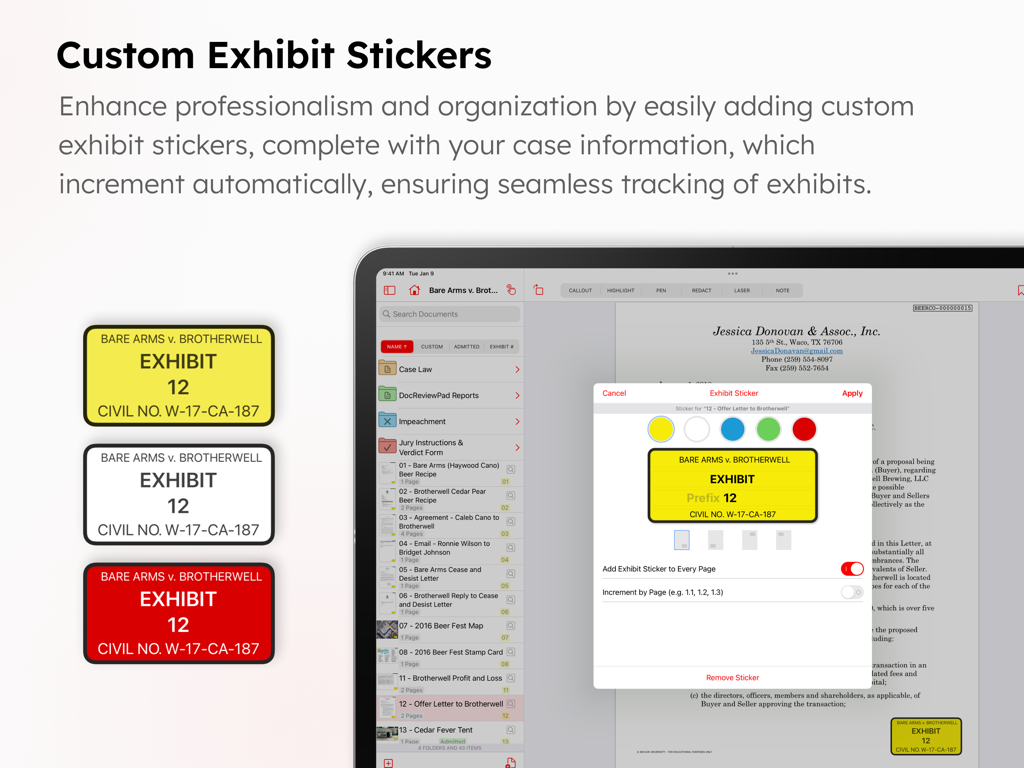
Interface of TrialPad app showing custom exhibit stickers for legal documents.
Interface of TrialPad app showing custom exhibit stickers for legal documents.

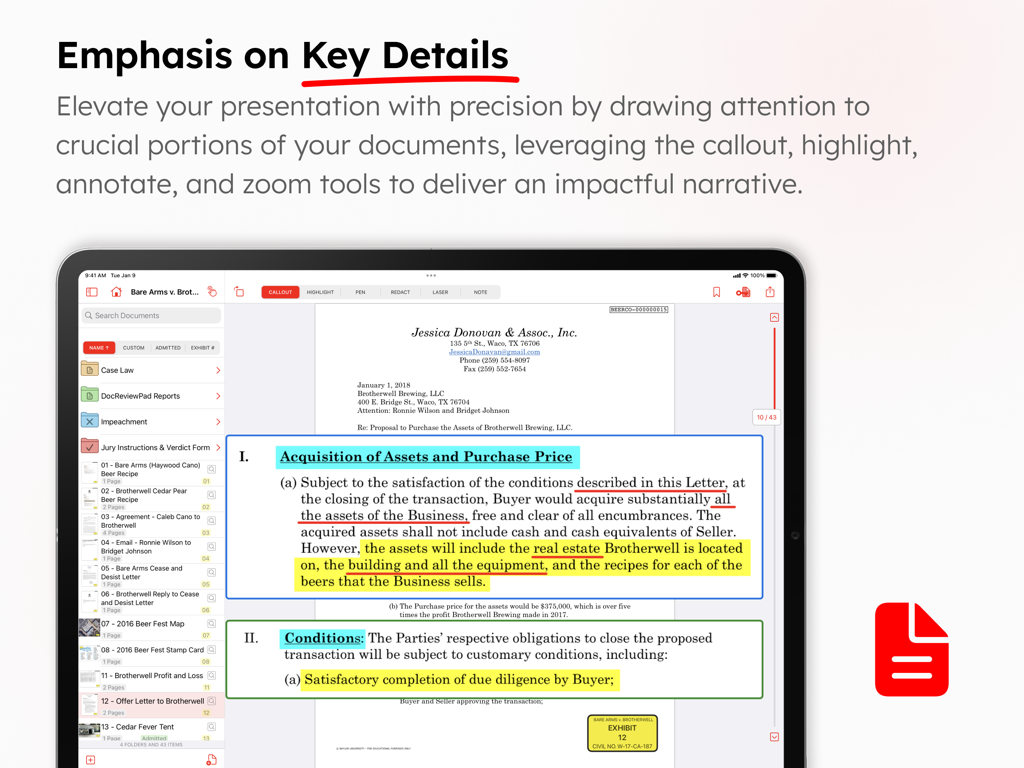
TrialPad app screenshot showing document highlighting and callout features for legal trials
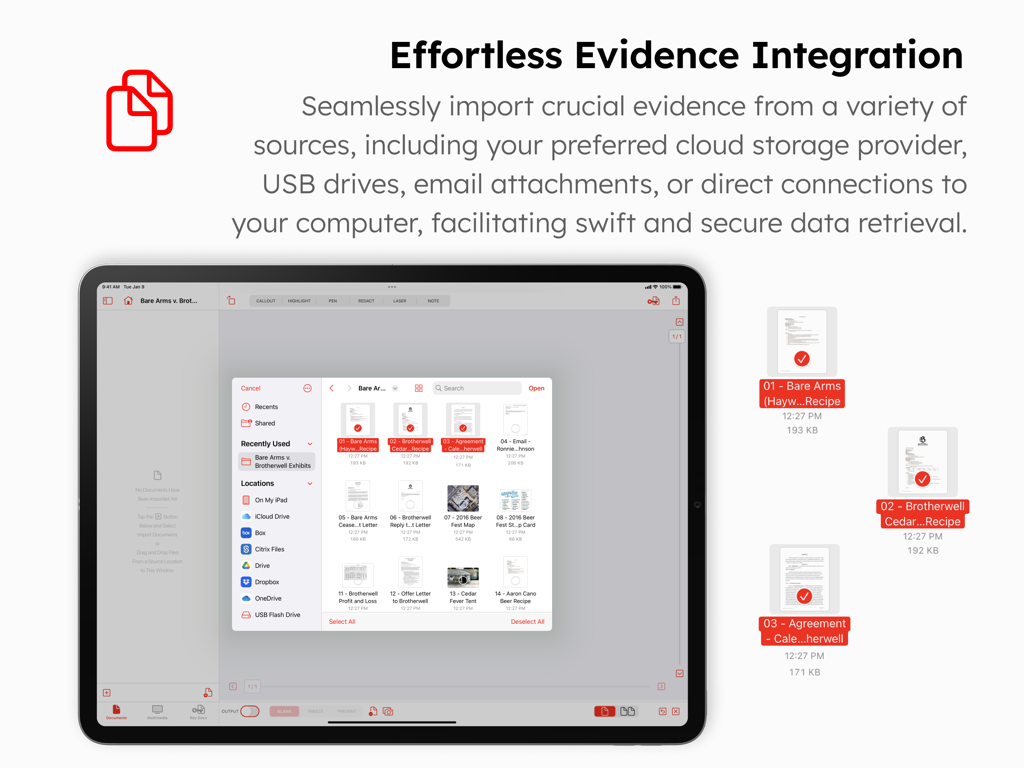
TrialPad app screenshot showing document highlighting and callout features for legal trials

TrialPad app interface on an iPad showing options to import evidence from cloud storage and USB drives
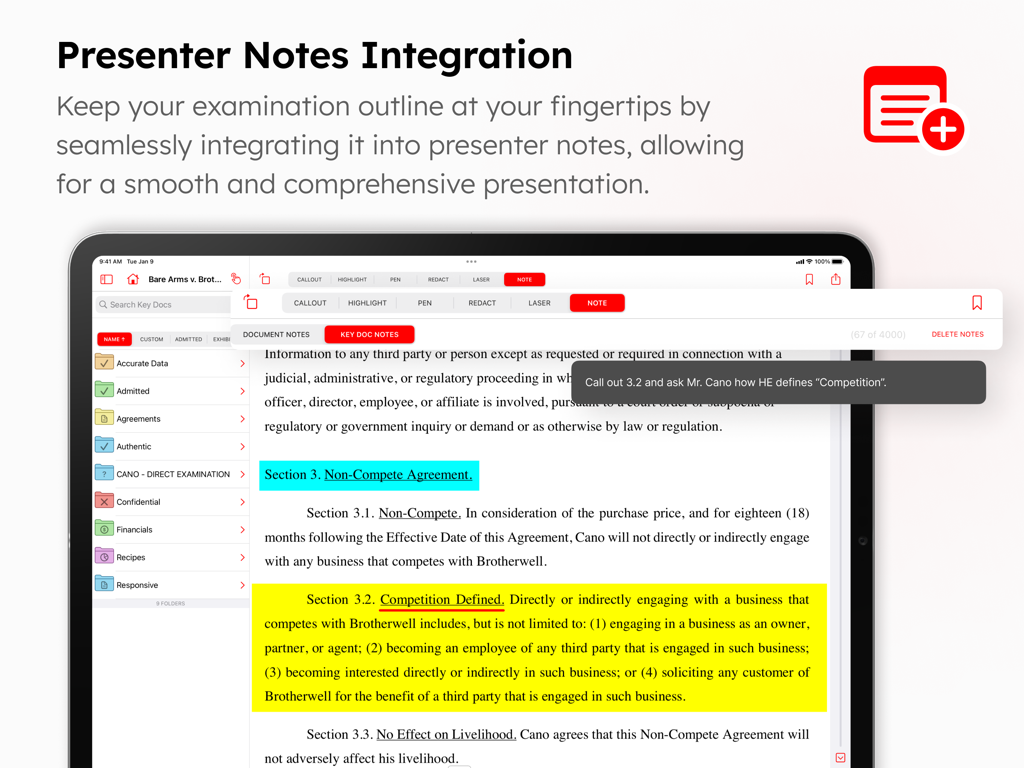
TrialPad app interface on an iPad showing options to import evidence from cloud storage and USB drives

TrialPad interface displaying a legal document with highlights and a presenter note for courtroom examination.
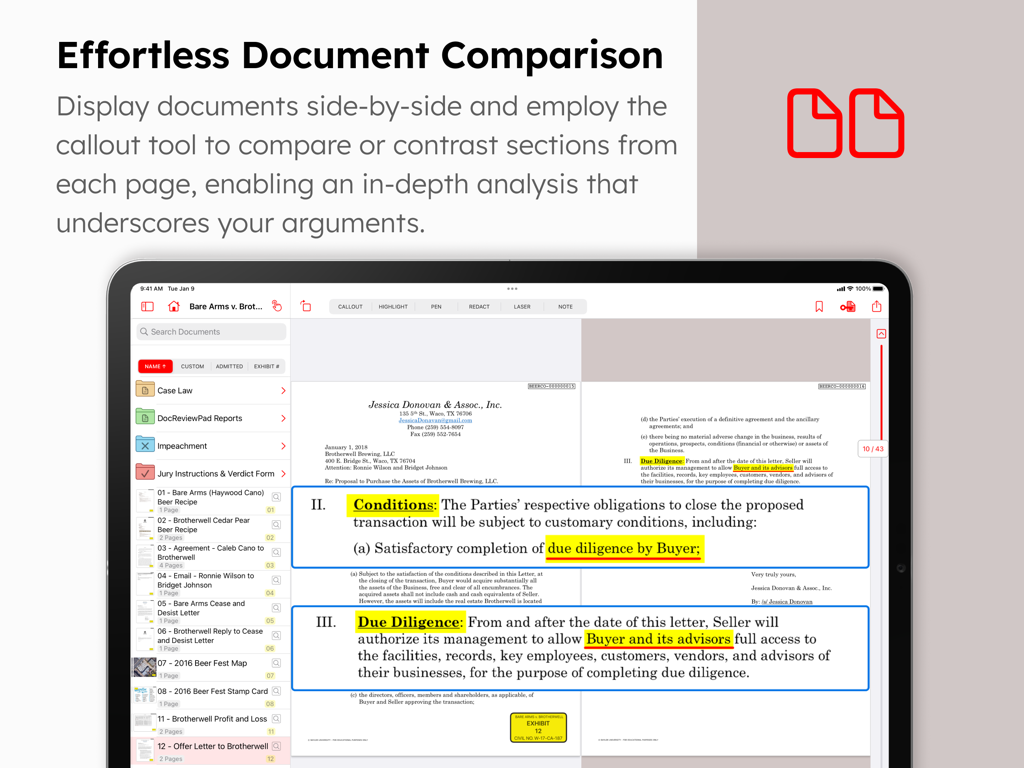
TrialPad interface displaying a legal document with highlights and a presenter note for courtroom examination.

TrialPad app interface showing side by side document comparison and highlighted callouts on an iPad
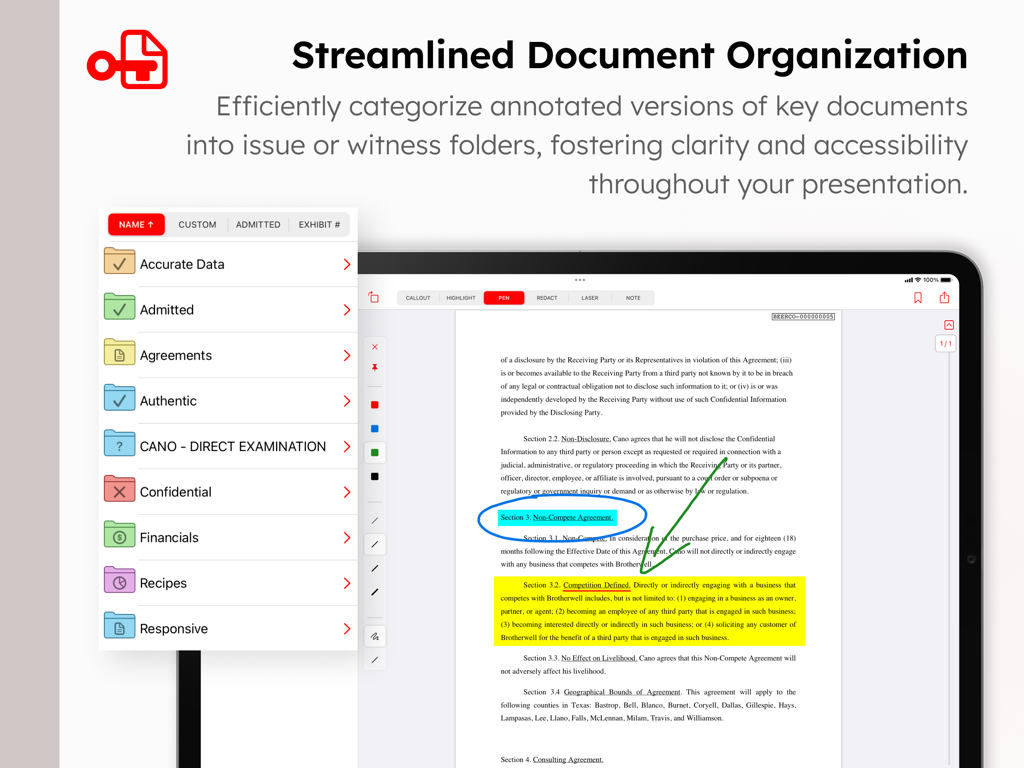
TrialPad app interface showing side by side document comparison and highlighted callouts on an iPad

TrialPad app on iPad showing document organization into folders and an annotated legal contract with highlights and callouts
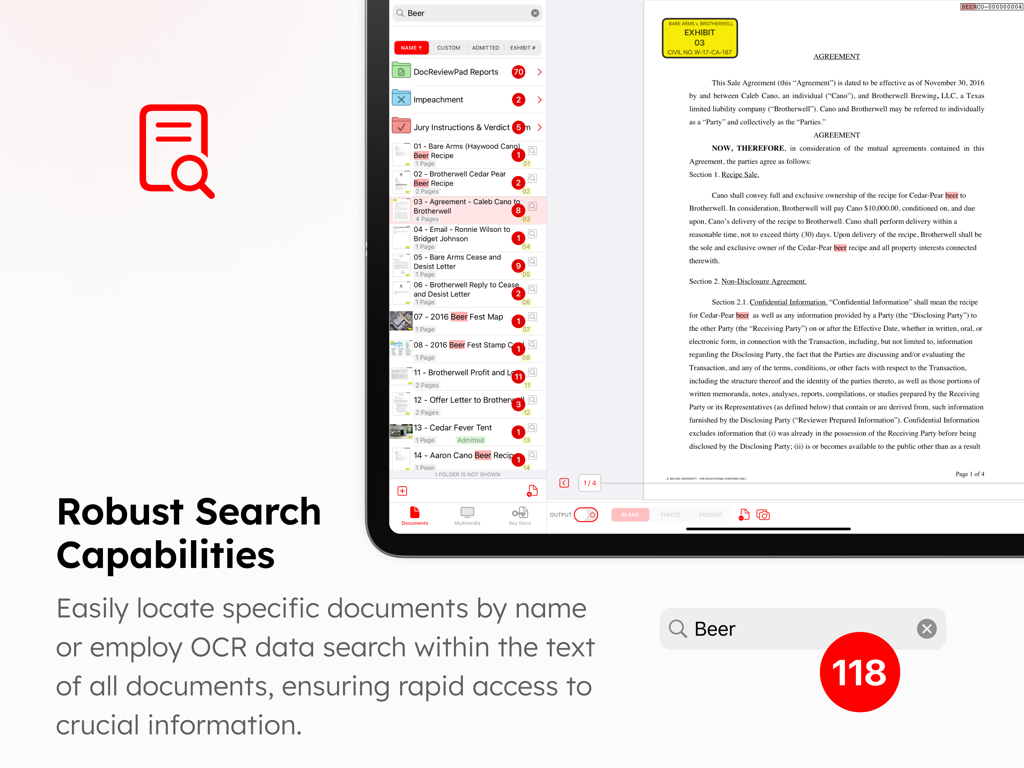
TrialPad app on iPad showing document organization into folders and an annotated legal contract with highlights and callouts

Interface showing the robust search and OCR capabilities of TrialPad to find specific terms across legal documents and case folders
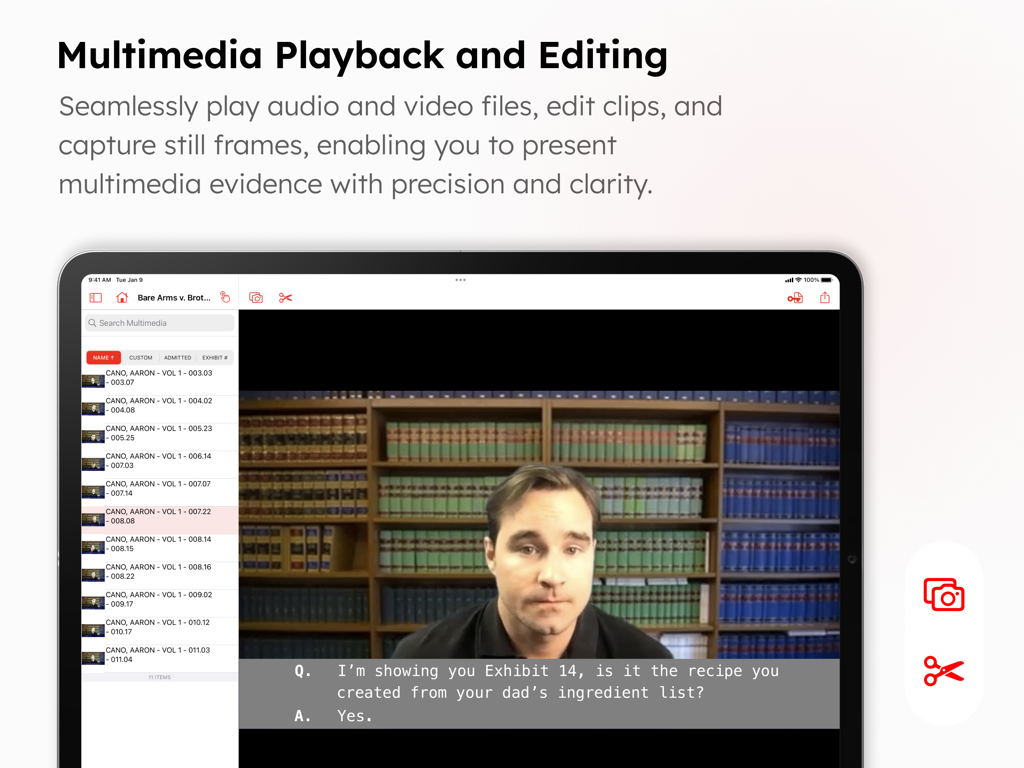
Interface showing the robust search and OCR capabilities of TrialPad to find specific terms across legal documents and case folders

TrialPad app interface for multimedia playback and editing of video evidence with captions and capture tools
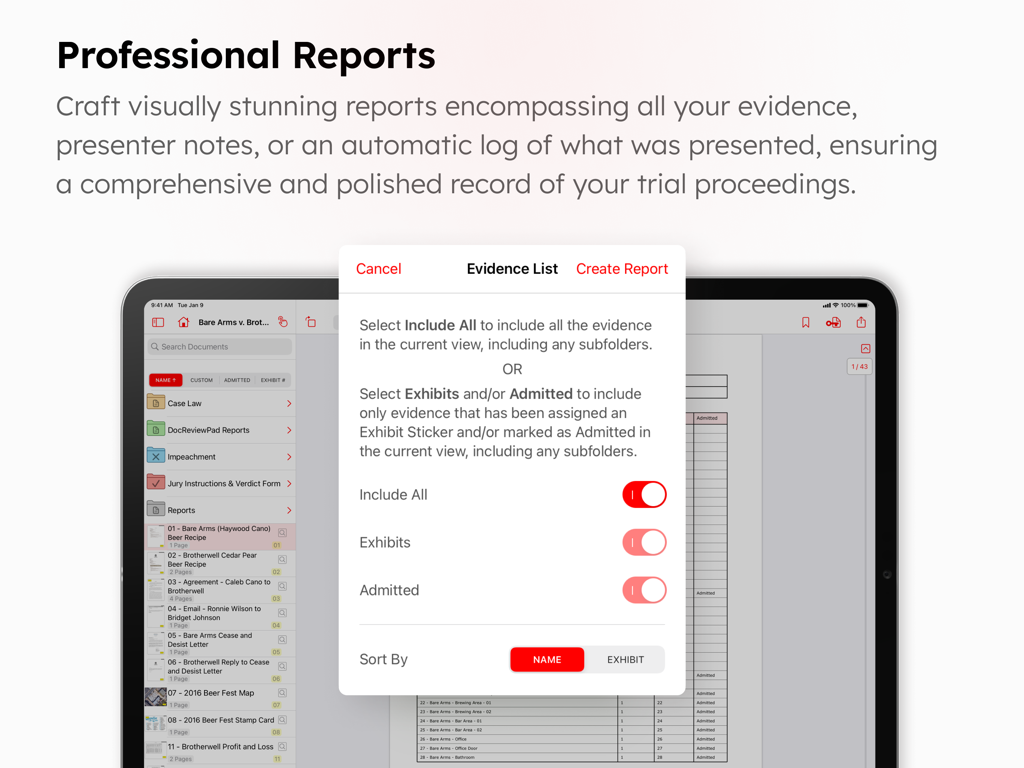
TrialPad app interface for multimedia playback and editing of video evidence with captions and capture tools

TrialPad app screen showing professional report generation and evidence list settings on an iPad

TrialPad app screen showing professional report generation and evidence list settings on an iPad

Elevate Your Courtroom Presence

The tools that make this app stand out, trusted by 3K+ users.

🏛️

Dynamic Evidence Presentation

Engage juries with instant callouts, side-by-side comparisons, and real-time highlights. Present wirelessly via Apple TV or HDMI to maintain full control of the room.

📂

Streamlined Case Organization

Ditch the paper-heavy banker boxes. Organize thousands of documents into witness folders and apply automated exhibit stickers in seconds for a perfectly indexed case.

🔒

Secure Offline Reliability

Eliminate the risk of unreliable courtroom Wi-Fi. Access and present your entire case file securely and privately without ever needing an active internet connection.

About the app

Everything you need to know about TrialPad - Trial Presentation.

Description

TrialPad is a full-featured courtroom presentation tool that allows lawyers and support staff to organize and present documents, photographs, video and audio files, and demonstrative evidence wirelessly in a courtroom or remote setting. Callout and highlight sections of documents, compare documents side by side, edit and show video clips, add exhibit stickers to documents, search document text, and much more. TrialPad can integrate with your Windows workflow, is powerful, easy to use, and a fraction of the cost of traditional or cloud based programs, all while being secure, private, mobile, and efficient. LIT SOFTWARE has set the bar for developing the best in litigation apps, garnering awards for innovation and ease of use. Our apps have been featured by Apple, and are loved by lawyers. —— LIT SUITE REVIEWS —— “The short review. Wow.” “TrialPad offers a full trial presentation system in a simple-to-use package at a fraction of the cost.” “These are incredibly sophisticated and useful apps that are in many ways more powerful than PC software costing hundreds of dollars more.” “For anybody doing any amount of trial work...TrialPad is a must have application.” “TrialPad is the perfect case organizer and presenter.” “TrialPad is one of the most complete and high tech presentation systems designed for lawyers and it is available right on your iPad [and Mac].” “TrialPad...is the industry leader.” —— QUICK FEATURE SUMMARY —— • Full electronic courtroom presentation capability, no cloud connection needed • Create callouts from documents, photographs, or transcripts • Highlight, annotate, redact, and zoom in on your evidence • Import documents directly from an email, USB drive, or cloud storage providers like Box, Citrix Files, Dropbox, Google Drive, Microsoft OneDrive, and many more • Present via HDMI to a TV or projector, or present wirelessly using an Apple TV • Add bookmarks in long documents to jump to specific pages • Create presenter notes to help with your direct examination • Make key docs of pages from important documents with saved annotations • Search for a file name, or text within one document, a folder of documents, or the whole case • Add exhibit stickers to documents, with the ability to automatically increment numbers or letters • Mark documents as admitted so you know what can be presented without question • Create reports of all your evidence, presenter notes, or a presentation log with a date and time stamp • Edit video clips, or take snapshots of frames of video • Take snapshots of annotated documents with callouts to incorporate into motions • Organize your evidence into witness or issue folders • Add map images directly from Apple Maps • Import PDF files with bookmarks and retain those bookmarks in TrialPad • Import organized production sets from DocReviewPad • Import synced video depositions, reports, and impeachment slides from TranscriptPad • Share entire case files with other users using cloud storage or a USB drive • File formats supported: PDF, JPG, PNG, TIF, TXT, video and audio • Available for iPad and Mac —— EASILY ORGANIZE AND PRESENT EVIDENCE —— Easily import files from many cloud storage providers, from a USB drive, drag-and-drop, even AirDrop. Then plug-and-play via HDMI to present to a projector or TV, or present wirelessly using an Apple TV. Pre-annotate and organize evidence into witness or issue folders. Add exhibit stickers, and mark documents as admitted. Create highlights and annotations on-the-fly, zoom in on important areas, create multiple callouts on-the-fly, or compare two documents side-by-side. LIT SUITE SUBSCRIPTION One subscription gives you access to all LIT SUITE apps on iPhone, iPad, and Mac. After your 7-day free trial, your App Store account will be charged and your subscription will renew automatically unless canceled in advance. Manage your subscription in your App Store account settings.

Latest Version

26.1.1

Size

50.0 MB

First Released

Jan 30, 2021

Command the Courtroom with TrialPad

Join thousands of top-tier litigators who trust the industry's leading presentation tool. Start your 7-day free trial today and experience the full power of the LIT SUITE on iPad and Mac.

Download on App Store

App information, icons, screenshots, and descriptions displayed on this page are sourced from the Apple App Store and are the property of their respective developers. Download estimates and rankings are based on MWM's proprietary models and may not reflect actual figures. This page is provided for informational and analytical purposes only.

Believe this page infringes your intellectual property? File a dispute