Trimble Connect AR

Trimble Connect AR

Download on App Store
Logo of Trimble Connect AR

Trimble Connect AR: Bringing Your 3D BIM Models to Life on the Job Site

Empower your field teams to visualize complex designs, reduce costly rework, and collaborate with precision using professional-grade augmented reality on iPhone and iPad.

Download on App Store

Publisher

Trimble Inc.

Category

Productivity

Downloads

0

User Rating

4.9/5

Total Ratings

0

Locales

1

Precision Visualized

Discover the interface used by 0 users.
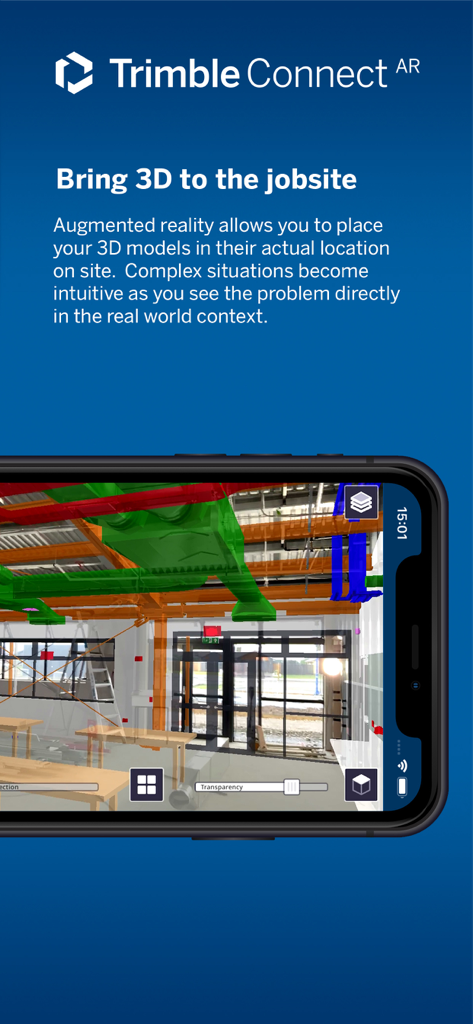
Trimble Connect AR app showing a 3D BIM model overlaid on a real-world construction site

Trimble Connect AR app showing a 3D BIM model overlaid on a real-world construction site

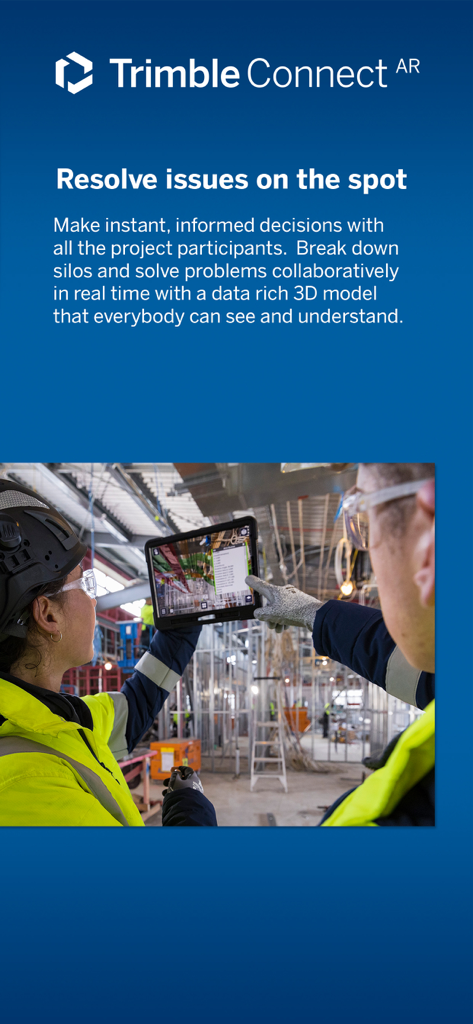
Two construction professionals using Trimble Connect AR on a tablet to visualize 3D models on a job site

Two construction professionals using Trimble Connect AR on a tablet to visualize 3D models on a job site

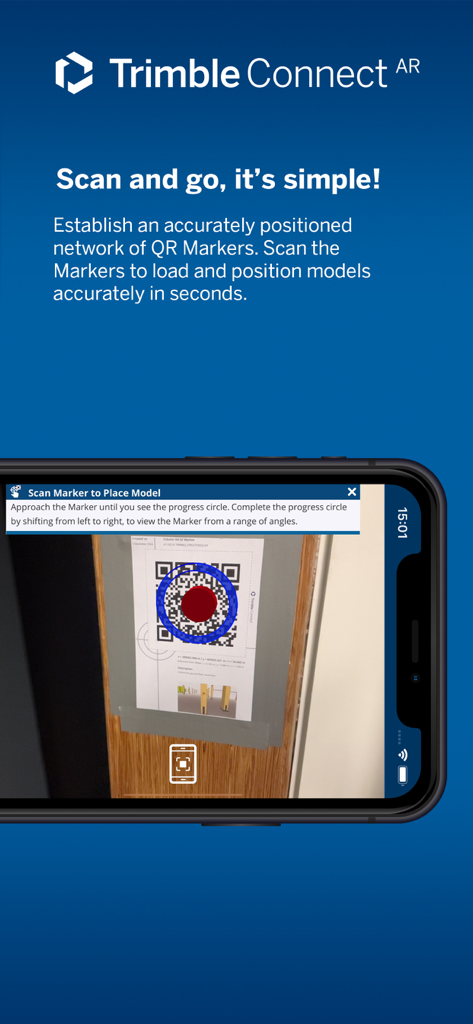
Smartphone scanning a QR marker on a construction site to accurately position a 3D BIM model using Trimble Connect AR

Smartphone scanning a QR marker on a construction site to accurately position a 3D BIM model using Trimble Connect AR

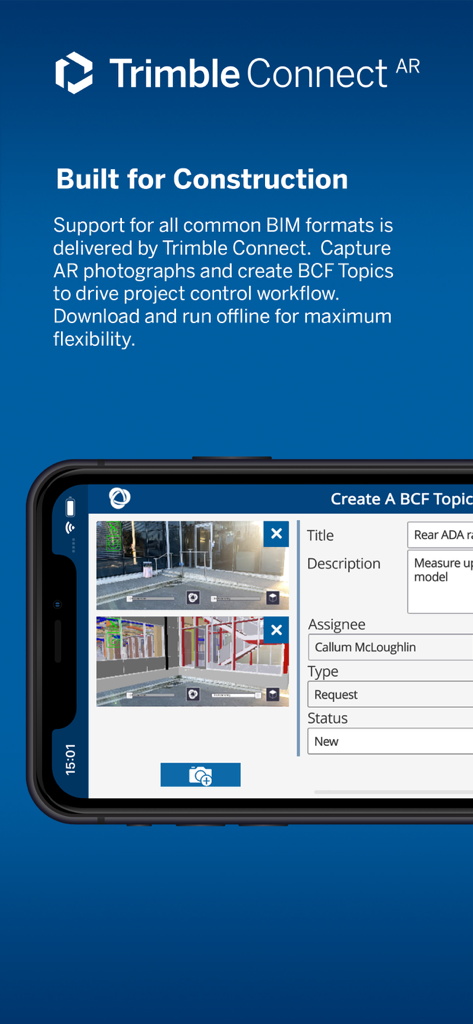
Trimble Connect AR smartphone interface showing the creation of a BCF topic with augmented reality construction site overlays

Trimble Connect AR smartphone interface showing the creation of a BCF topic with augmented reality construction site overlays

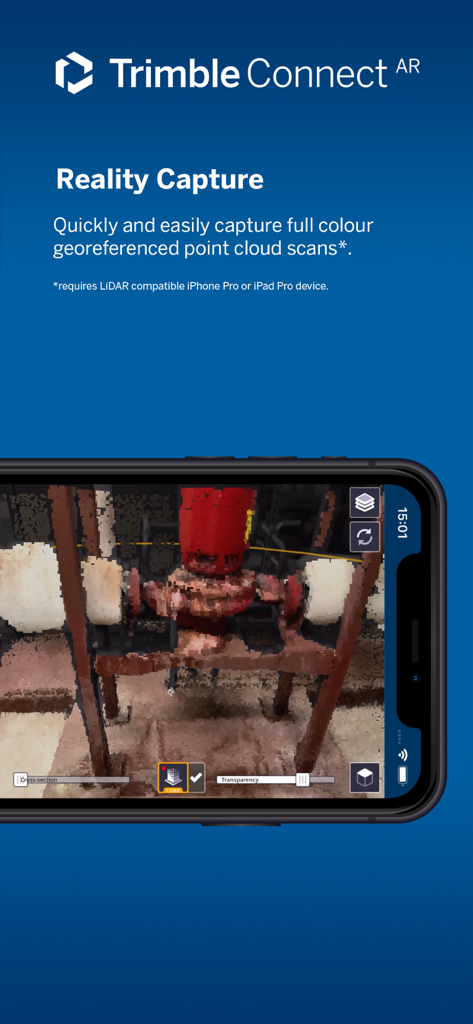
Trimble Connect AR app interface showing the reality capture feature with a 3D point cloud scan of industrial equipment

Trimble Connect AR app interface showing the reality capture feature with a 3D point cloud scan of industrial equipment

Bridge the Gap Between Design and Reality

The tools that make this app stand out, trusted by 0 users.

🎯

Instant 1:1 Model Alignment

Use QR markers to perfectly position 3D models on the job site, ensuring your digital plans match the physical environment with millimeter precision.

📸

Visual Issue Management

Capture and log AR-integrated photos to document site clashes, allowing for immediate, clear communication between the field and the design office.

🏗️

Universal BIM Compatibility

Load complex IFC, RVT, and DWG models directly on your iPad Pro. Work offline on-site and sync data once you're back in the trailer.

About the app

Everything you need to know about Trimble Connect AR.

Description

Connect AR makes augmented reality more accessible to more people on the job site. Project managers, engineers, and contractors now have the ability to visualize 3D BIM models in the real world, making complex processes more intuitive and collaborative. Features that enable this include: • Model placement - easily position AR models in the job site with QR markers • Visualization tools - use accurately positioned models in a real-world context, utilizing transparency, cross-section, and fishbowl tools • Capture issues - take and log an augmented reality site photo to clearly communicate an issue • Collaboration - using Trimble Connect to collaborate with your team • Measurements - measure and record progress and as-built information such as positions, lengths, and areas • Offline support - work offline then sync later to Trimble Connect • Supports all common BIM formats via Trimble Connect - IFC, NWD/NWC, RVT, SKP, DWG, TRB, Tekla • Reality capture - quickly scan and create a full color georeferenced point cloud (*LiDAR equipped devices only) Recommended devices: Current generation iPad Pro with LiDAR scanner sensor Current generation iPhone Pro (or Pro Max) with LiDAR scanner sensor Minimum requirements: iOS 15 or newer

Latest Version

2.11

Size

206.8 MB

First Released

Oct 21, 2021

Bring the Power of BIM to the Field

Download Trimble Connect AR today and start visualizing your 3D models in the real-world context. Reduce rework, eliminate errors, and transform your iPad Pro into the ultimate job site tool.

Download on App Store

App information, icons, screenshots, and descriptions displayed on this page are sourced from the Apple App Store and are the property of their respective developers. Download estimates and rankings are based on MWM's proprietary models and may not reflect actual figures. This page is provided for informational and analytical purposes only.

Believe this page infringes your intellectual property? File a dispute