True Blue Sheds, Shed Designer
Download on App Store

This page is not an official page of the app or its developer, but an independent editorial publication created for informational and commentary purposes. Unless expressly stated otherwise, neither the app nor its developer is affiliated with, endorsed by, sponsored by, authorized by, or otherwise officially connected with MWM, Apple, Google Play, the app publisher, or the app's developer, and nothing on this page implies that the app was developed using MWM's services. Any trademarks, logos, screenshots, and other content remain the property of their respective owners.

Logo of True Blue Sheds, Shed Designer
Download on App Store

True Blue Sheds, Shed Designer

The professional-grade tool for homeowners and builders. Customize every detail of your shed, garage, or barn with industrial-strength precision and 360-degree visualization.

Key Figures

Downloads

0

User Rating

3.2/5

Total Ratings

0

Publisher

STEELSMART PTY LTD

Category

Lifestyle

Locales

34

Latest Version

1.11

Size

145.2 MB

First Released

Jan 3, 2023
Features

Design Your Perfect Space in 3D

Stop guessing and start building. Our professional-grade shed designer gives you the tools to create, customize, and visualize your ideal workshop, garage, or barn with total precision.

Interactive 3D Modeling

Experience a 360-degree view of your project. Zoom in on details and visualize how your structure looks in different lighting before you commit to construction.

Limitless Customization

From mezzanine floors and awnings to specific window placements, tweak every dimension and layout to fit your unique storage or workspace requirements.

The following screenshots and description are sourced directly from the app's official store listing and are the property of the app developer.

App Store

Screenshots
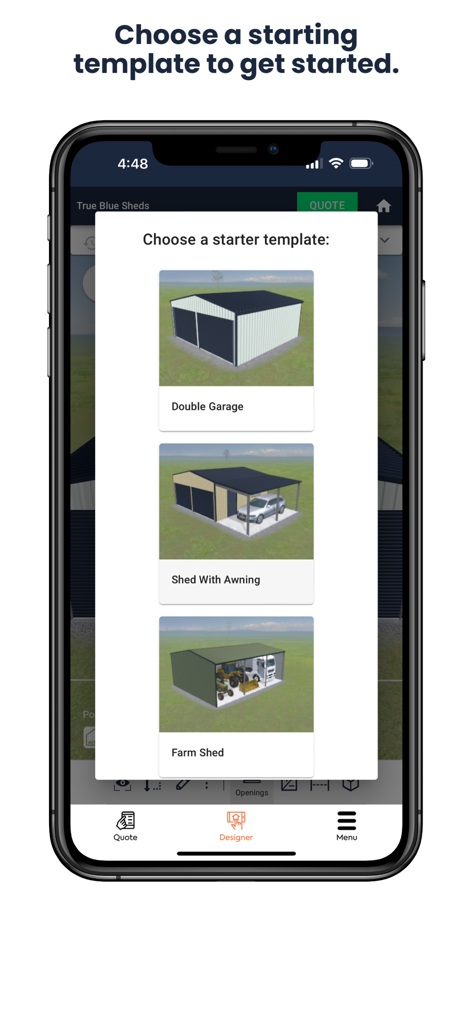
True Blue Sheds, Shed Designer - Shed designer app screen showing starter templates for double garages, sheds with awnings, and farm sheds
Shed designer app screen showing starter templates for double garages, sheds with awnings, and farm sheds

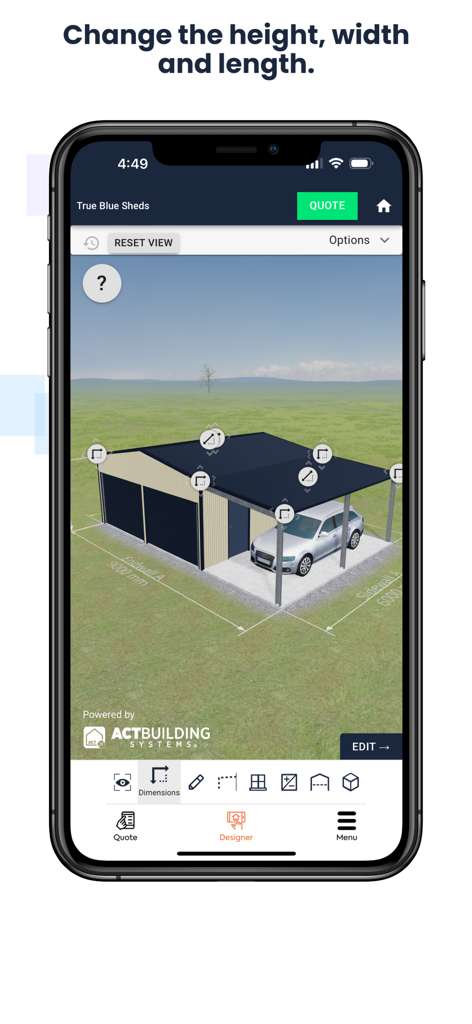
True Blue Sheds, Shed Designer - A mobile app interface displaying a 3D shed design with adjustable dimensions and a car parked under an awning.
A mobile app interface displaying a 3D shed design with adjustable dimensions and a car parked under an awning.

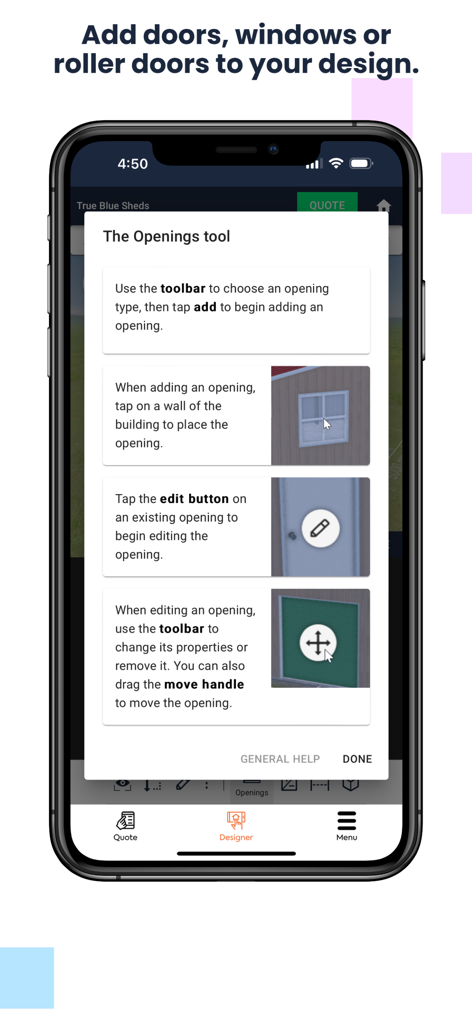
True Blue Sheds, Shed Designer - Mobile app interface showing instructions for adding doors and windows to a custom shed design
Mobile app interface showing instructions for adding doors and windows to a custom shed design

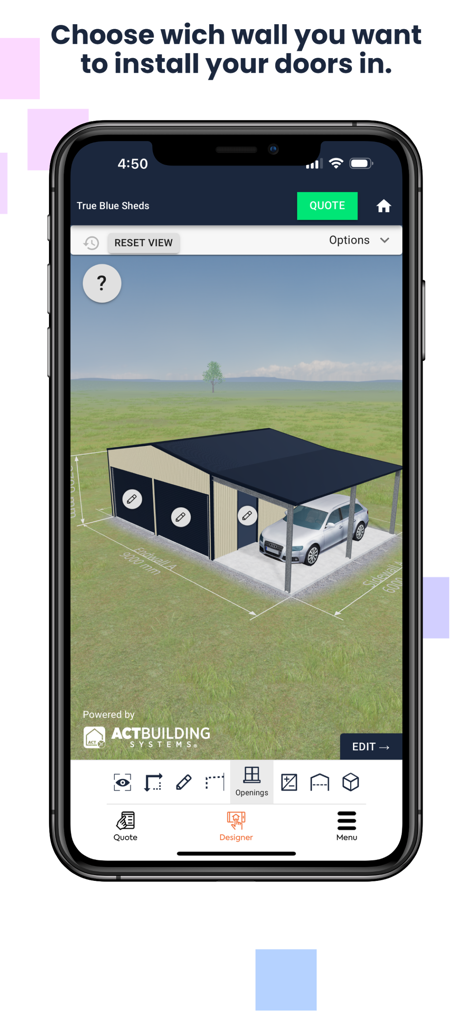
True Blue Sheds, Shed Designer - A 3D mobile app interface showing a custom garage and carport design with options to add doors to specific walls.
A 3D mobile app interface showing a custom garage and carport design with options to add doors to specific walls.

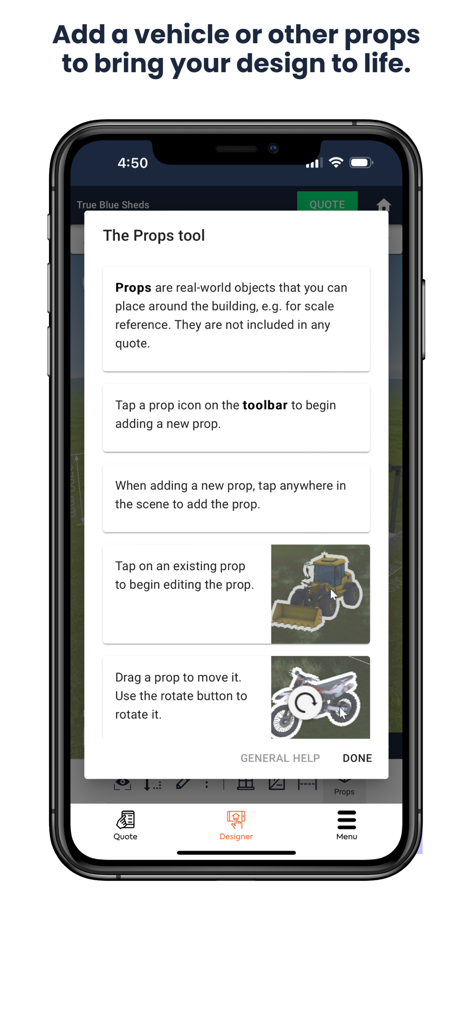
True Blue Sheds, Shed Designer - A mobile interface for the True Blue Sheds app showing a tutorial for the Props tool to add vehicles and equipment to a 3D design.
A mobile interface for the True Blue Sheds app showing a tutorial for the Props tool to add vehicles and equipment to a 3D design.

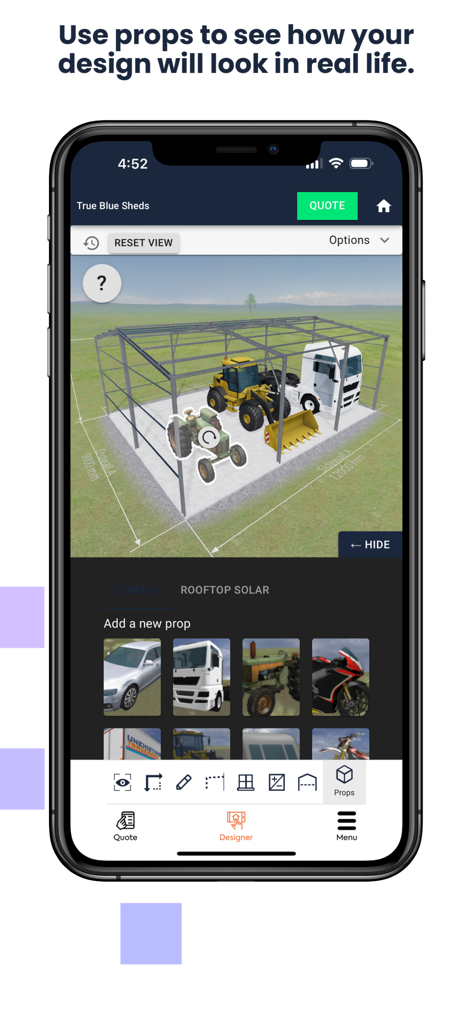
True Blue Sheds, Shed Designer - True Blue Sheds app interface showing 3D props like a truck and tractor inside a shed frame to visualize scale and design
True Blue Sheds app interface showing 3D props like a truck and tractor inside a shed frame to visualize scale and design

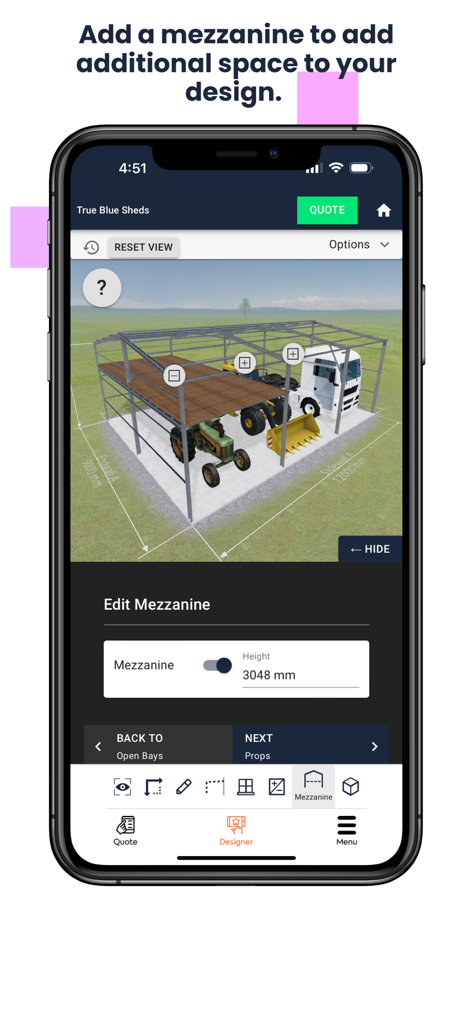
True Blue Sheds, Shed Designer - True Blue Sheds app interface showing a 3D barn model with a customizable mezzanine floor
True Blue Sheds app interface showing a 3D barn model with a customizable mezzanine floor

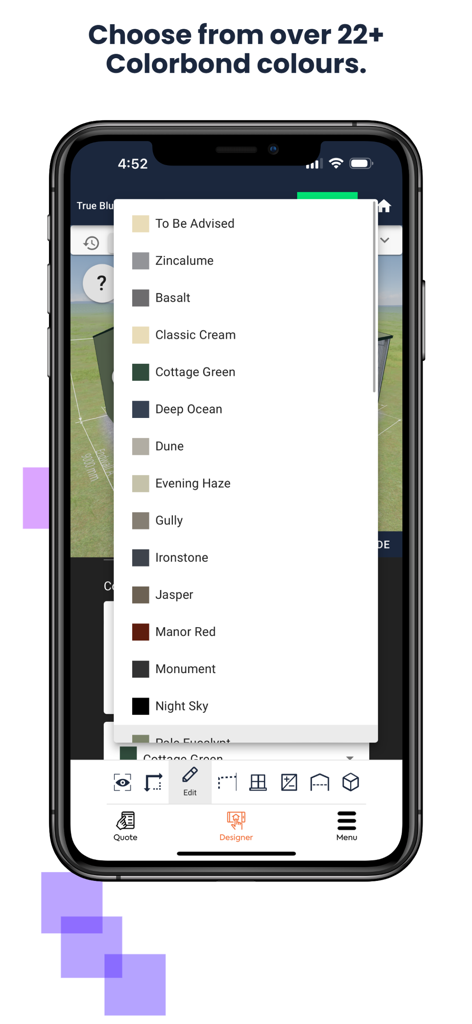
True Blue Sheds, Shed Designer - Interface of the True Blue Sheds app showing a dropdown menu of over 22 Colorbond color options for custom shed designs

Interface of the True Blue Sheds app showing a dropdown menu of over 22 Colorbond color options for custom shed designs

Description

Welcome to the True Blue Sheds 3D Shed Builder App, your ultimate companion for designing and customising the perfect shed, garage, barn, or workshop. As a proud Australian company, we're committed to helping you bring your dream building to life with ease and precision. Our innovative shed design app is a comprehensive tool that allows you to explore, create, and visualise your ideal structure in stunning 3D. Whether you're a DIY enthusiast, a property owner, or a professional builder, our online shed designer caters to all levels of expertise. Getting Started with Your Shed Design When you first launch our shed builder app, you'll be greeted with a user-friendly interface that makes the design process a breeze. You can choose to start from scratch or select one of our carefully crafted starter design templates. These templates serve as excellent jumping-off points for your custom shed design, saving you time and providing inspiration. Customisation at Your Fingertips The True Blue Sheds 3D shed designer offers an extensive range of customisation options to ensure your building meets your exact specifications. With our intuitive design tools, you can: Adjust dimensions to fit your available space Add awnings for extra covered outdoor areas Incorporate mezzanine floors for additional storage or living space Place windows strategically for natural light and ventilation Install roller doors and personal access doors for convenience Choose from a variety of Colorbond cladding colours to match your property's aesthetic Our shed design online platform allows you to experiment with unlimited configurations. Feel free to let your creativity run wild – there's no limit to the number of designs you can create and save. 3D Visualisation One of the standout features of our shed design tool is the ability to view your creation in stunning 3D. This feature allows you to: Rotate your design for a 360-degree view Zoom in to examine details Check clearances and proportions Visualise how your shed will look in different lighting conditions This 3D shed design online capability ensures you can make informed decisions about your building's layout and appearance before committing to construction. Australian Quality Assurance At True Blue Sheds, we're committed to delivering top-quality structures that stand the test of time in the harsh Australian climate. As a ShedSafe accredited company, we adhere to strict building standards to ensure the safety and durability of our sheds. We exclusively use Australian BlueScope steel and genuine Colorbond cladding in all our constructions, guaranteeing superior strength, corrosion resistance, and longevity. Getting Started To begin designing your perfect shed, simply download the True Blue Sheds 3D Shed Builder App from your device's app store. Once installed, you can start exploring the various design options and features immediately. The app is free to use, allowing you to create and save multiple designs without any commitment. Whether you're looking to build a simple garden shed, a spacious workshop, a multi-bay garage, or a large agricultural barn, our shed designer app has the tools and flexibility to bring your vision to life. Start your journey with True Blue Sheds today and experience the satisfaction of designing your own custom structure tailored to your exact needs and preferences. Remember, with True Blue Sheds, you're not just designing a shed – you're creating a space that will serve you for years to come, built with the quality and durability that only genuine Australian materials can provide. So why wait? Download our app now and take the first step towards making your shed dreams a reality!

Download

Download on App Store

This page is not an official page of the app or its developer, but an independent editorial publication created for informational and commentary purposes. Unless expressly stated otherwise, neither the app nor its developer is affiliated with, endorsed by, sponsored by, authorized by, or otherwise officially connected with MWM, Apple, Google Play, the app publisher, or the app's developer, and nothing on this page implies that the app was developed using MWM's services. Any trademarks, logos, screenshots, and other content remain the property of their respective owners.