
This page is not an official page of the app or its developer, but an independent editorial publication created for informational and commentary purposes. Unless expressly stated otherwise, neither the app nor its developer is affiliated with, endorsed by, sponsored by, authorized by, or otherwise officially connected with MWM, Apple, Google Play, the app publisher, or the app's developer, and nothing on this page implies that the app was developed using MWM's services. Any trademarks, logos, screenshots, and other content remain the property of their respective owners.


TT Tutor
The secure, flashcard-based way to memorize your class roster. Effortlessly import your data from TeacherTool and build meaningful student connections from the very first day.
Downloads
4K+User Rating
Total Ratings
400Publisher
Category
EducationLocales
4Latest Version
1.4Size
10.4 MBFirst Released
Feb 23, 2016Master Your Classroom from Day One
Build rapport and establish authority by learning every student's name faster than ever with our intuitive, science-backed memory tools.
Instant Roster Sync
Import student names and photos directly from TeacherTool to start learning immediately without manual data entry.
Proven Memory System
Master names using the systematic flashcard method, designed to move information into your long-term memory with minimal effort.
Frequently Asked Questions
Everything you need to know about TT Tutor
What is TT Tutor?
TT Tutor is an extension app for TeacherTool (version 5.1.5+) that helps users efficiently learn student names. It supports systematic learning using a proven flashcard-like system.
Is registration required to use TT Tutor?
No, TT Tutor does not require any registration or login. Users can access and utilize the app's features directly without creating an account.
How does TT Tutor facilitate name learning?
TT Tutor facilitates name learning through a proven flashcard-like system. It offers various systematic learning and quizzing modes, allowing users to learn names effectively.
Can I import data into TT Tutor from TeacherTool?
Yes, TT Tutor allows convenient data import directly from TeacherTool. Users can also create new lessons in TT Tutor and export them back to TeacherTool.
What security measures protect data in TT Tutor?
TT Tutor strictly encrypts all stored names and photos. Data is only decrypted during loading; files on storage remain encrypted. Users can also secure app access with a password, fingerprint, or FaceID.
What learning modes are available in TT Tutor?
TT Tutor provides "Lernen" (Learn), "Abfrage" (Query), and "Quiz" modes for systematic learning. Users can also configure queries to start with the front side, back side, or randomly.
Can users track their learning progress in TT Tutor?
Yes, TT Tutor allows users to track their learning progress. It provides a summary indicating the number of names known, skipped, and not known after a session.
The following screenshots and description are sourced directly from the app's official store listing and are the property of the app developer.
App Store
Screenshots
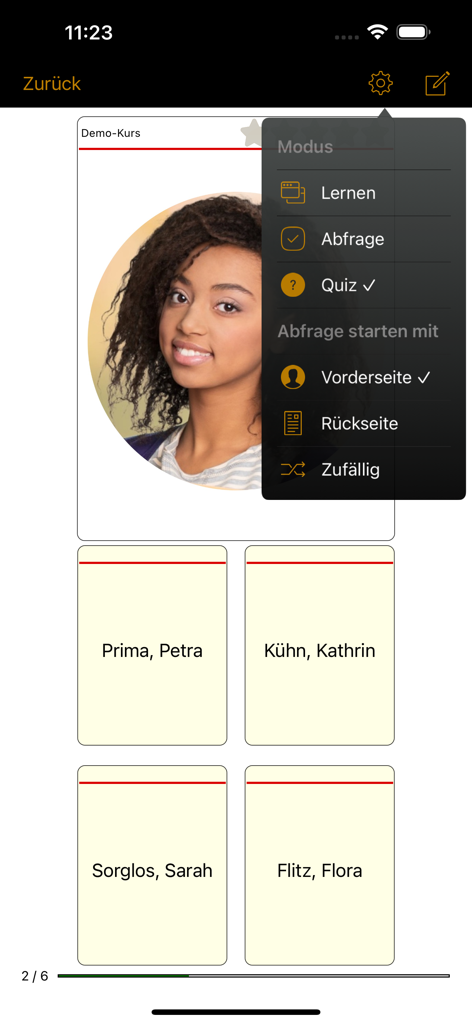
TT Tutor app interface showing a student photo quiz with multiple name options and settings menu
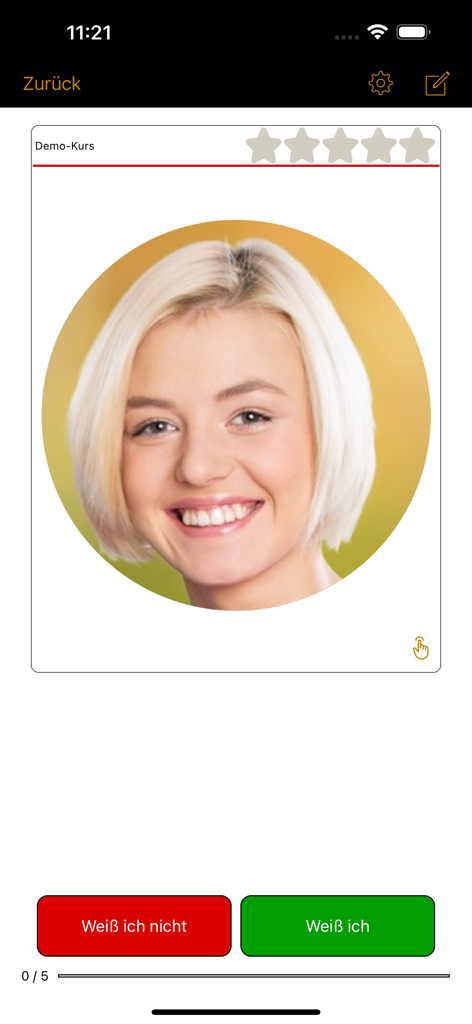
Flashcard interface in the TT Tutor app featuring a student photo and quiz buttons
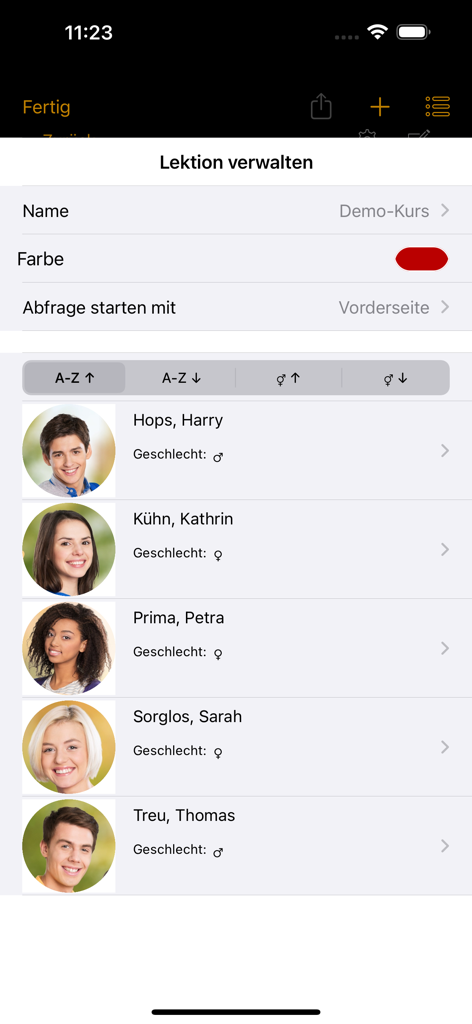
TT Tutor app interface showing a managed student roster with names and photos
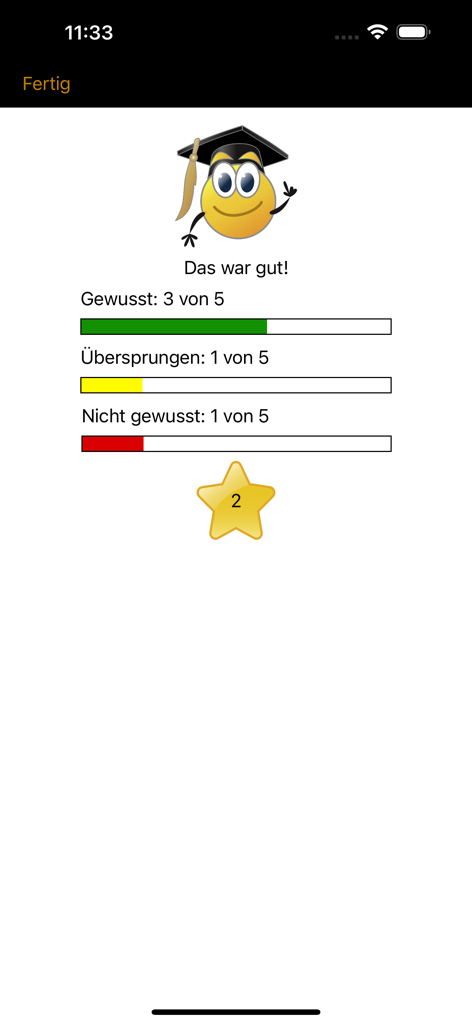
TT Tutor app screen showing results of a student name learning session with progress bars
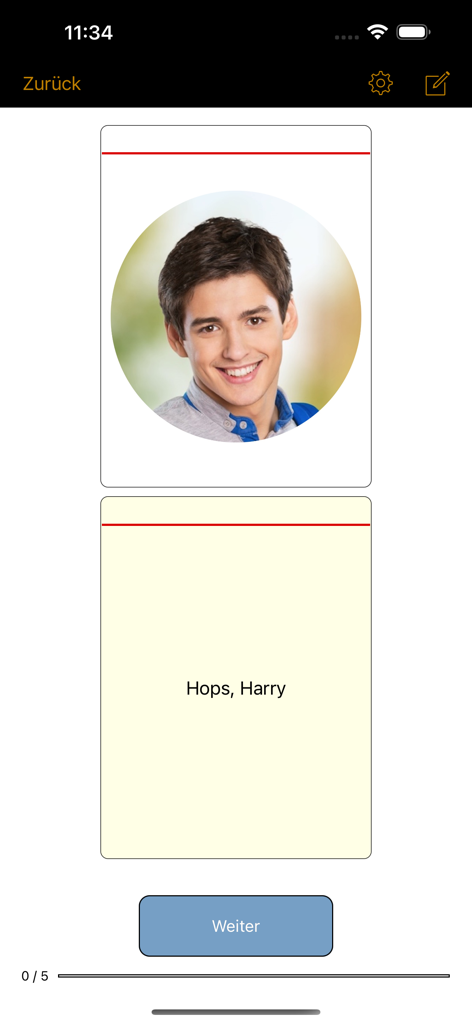
A digital flashcard in the TT Tutor app showing a student photo and name for teacher memorization
Description
Download
More Like This
Top-ranked apps in the same category

Duolingo - Language Lessons
Duolingo, Inc

Speak & Learn English: Learna
DEEP FLOW SOFTWARE SERVICES - FZCO

驾考宝典-科一科四驾驶证考试驾考通
Wuhan Jiakaobaodian Information Service Co., Ltd.

Toca Boca World
Toca Boca AB

Google Classroom
Google LLC

作业帮-中小学家长作业检查和辅导工具
Guangzhou Polar Future Culture Technology Co., Ltd

学信网
Student Information Consultation Service Co., Ltd.

Gauth: AI Study Companion
GAUTHTECH PTE. LTD.

ArtWorkout: Learn How to Draw
Aleksandr Ulitin
This page is not an official page of the app or its developer, but an independent editorial publication created for informational and commentary purposes. Unless expressly stated otherwise, neither the app nor its developer is affiliated with, endorsed by, sponsored by, authorized by, or otherwise officially connected with MWM, Apple, Google Play, the app publisher, or the app's developer, and nothing on this page implies that the app was developed using MWM's services. Any trademarks, logos, screenshots, and other content remain the property of their respective owners.