TV Cast Pro for Google Cast
Download on App Store

This page is not an official page of the app or its developer, but an independent editorial publication created for informational and commentary purposes. Unless expressly stated otherwise, neither the app nor its developer is affiliated with, endorsed by, sponsored by, authorized by, or otherwise officially connected with MWM, Apple, Google Play, the app publisher, or the app's developer, and nothing on this page implies that the app was developed using MWM's services. Any trademarks, logos, screenshots, and other content remain the property of their respective owners.

Logo of TV Cast Pro for Google Cast
Download on App Store

TV Cast Pro for Google Cast

The ultimate bridge for cord-cutters. Effortlessly cast movies, live sports, and personal media from your iPhone or iPad to your Chromecast or Smart TV with zero ads.

Key Figures

Downloads

406K+

User Rating

4.1/5

Total Ratings

8K+

Publisher

Kraus und Karnath GbR 2Kit Consulting

Category

Photo & Video

Locales

1

Latest Version

3.7

Size

31.4 MB

First Released

Jul 28, 2016
Features

Unleash Your Entertainment on the Big Screen

Bridge the gap between your iPhone and your TV. From niche web streams to personal memories, enjoy your content without the limitations of a mobile device.

Stream Any Web Video

Browse your favorite websites and send movies, live sports, or local news directly to your Chromecast or Smart TV with a single tap.

Ad-Free Browsing

The built-in Ad-Blocker stops intrusive pop-ups and banner ads, providing a clean and uninterrupted viewing experience for all your web content.

The following screenshots and description are sourced directly from the app's official store listing and are the property of the app developer.

App Store

Screenshots
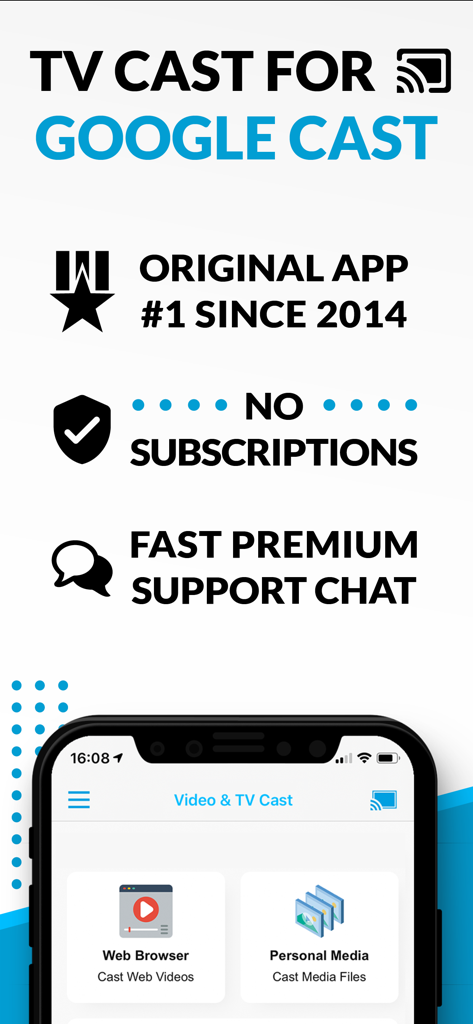
TV Cast Pro for Google Cast - TV Cast Pro for Google Cast app interface showing web browser and personal media casting features with no subscription

TV Cast Pro for Google Cast app interface showing web browser and personal media casting features with no subscription

TV Cast Pro for Google Cast - A smartphone wirelessly casting a personal video of a woman at the beach onto a large smart TV screen
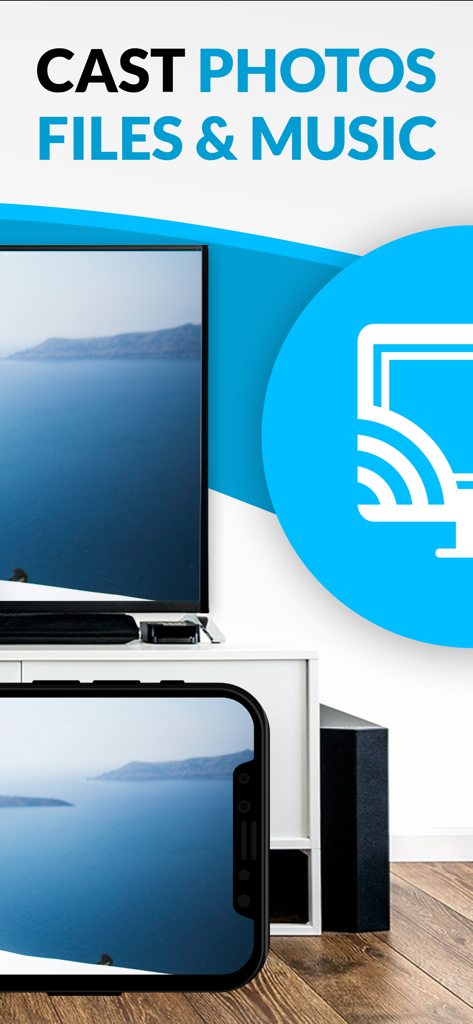
A smartphone wirelessly casting a personal video of a woman at the beach onto a large smart TV screen

TV Cast Pro for Google Cast - iPhone casting a scenic landscape photo to a television screen

iPhone casting a scenic landscape photo to a television screen

Description

Watch web-videos, online-movies, livestreams and live-tv shows and your personal photos, videos & music by using Google Cast on your Sony TV, Vizio SmartCast TV, Philips TV, Sharp TV, Toshiba TV, Chromecast, Nexus Player or Nvidia Shield gaming console. Enjoy the show on your big screen. With Video & TV Cast you can browse through the web and stream any online video on your Google Cast enabled device (movies, tv shows, sports, music and more). Just navigate to your favorite website and send the embedded video with a single tap to your TV or gaming console. The discovered video will be shown below the browser. A tap on the video link will send it to your Google Cast enabled device immediately. Streaming personal media from your device is also supported. * The app only works with devices with Google Cast or Chromecast built-in, like Vizio TV, Toshiba TV, Sony TV, Philips TV, Sharp TV, Chromecast, Nexus Player, Nvidia Shield gaming console * iTunes movies, Flash video and DRM protected videos like Amazon Prime, Netflix, Hulu, Vudu, DirecTV, Xfinity, HBO now are not supported! * The app streams only the video part of a website and not the whole website content (No screen or tab mirroring!). * Sometimes it is necessary to play the video on your iPad or iPhone first before it gets discovered by the app for streaming. * If a specific video does not cast, please check our FAQ. If that does not help, please give us a chance to help you by dropping a mail to info@video-tv-cast.com instead of leaving a negative comment on the App Store. We will try to add support for your video as soon as possible. >>> PRO FEATURES * Remote Playbar: A remote control that allows you to fast forward or rewind videos while browsing. It syncs across all your iPads & iPhones that are connected to the same Chromecast. So your video can be controlled by different users in the same room. * Personal Media: Cast unlimited personal photos, videos and music directly from your device or from cloud services like iCloud and Dropbox. * Ad-Blocker + No Sponsoring Ads: The Pro app version has no ads and the Ad-Blocker blocks ads & popups on most websites that you visit. You can update, enable/disable ad-blocking at any time in the settings. * Bookmarks: Save unlimited website bookmarks. Synchronize and transfer them between different TV Cast apps and iOS devices by using backup and restore via iCloud. * Subtitles: Display subtitles & closed captions on TV. * Change Homepage: Set your personal homepage in the settings. >>> A MESSAGE FROM THE DEVELOPERS We want to say thank you for all your great support and kindly invite you to honestly rate our app. This helps us to keep up our app development and support for you. Please do not trust other apps that ask you for 5-star ratings in exchange for premium upgrades. This is against good developer ethics and also against Apple guidelines. If you have any feedback, feature requests or other request, please notify us at info@video-tv-cast.com Disclaimer: This app is not affiliated with Google, Sony, Philips, Vizio, Sharp, Asus, Nvidia or one of their products and trademarks.

Download

Download on App Store

This page is not an official page of the app or its developer, but an independent editorial publication created for informational and commentary purposes. Unless expressly stated otherwise, neither the app nor its developer is affiliated with, endorsed by, sponsored by, authorized by, or otherwise officially connected with MWM, Apple, Google Play, the app publisher, or the app's developer, and nothing on this page implies that the app was developed using MWM's services. Any trademarks, logos, screenshots, and other content remain the property of their respective owners.







