TYPE S Drive

TYPE S Drive

Download on App Store
Logo of TYPE S Drive

TYPE S Drive: Smart DIY Upgrades for Total Roadside Confidence

Turn your smartphone into a high-definition safety hub. Seamlessly connect your dash cams and backup cameras to protect your vehicle, your family, and your business with professional-grade security.

Download on App Store

Publisher

Winplus North America Inc.

Category

Productivity

Downloads

63K+

User Rating

1.7/5

Total Ratings

400

Locales

4

Your Drive, Visualized

Discover the interface used by 63K+ users.
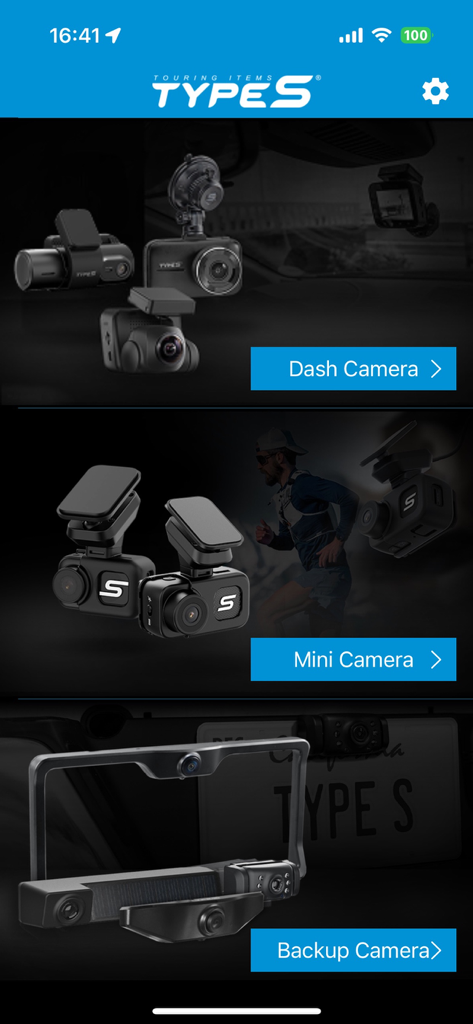
TYPE S Drive app home screen showing selection categories for Dash Camera, Mini Camera, and Backup Camera products.

TYPE S Drive app home screen showing selection categories for Dash Camera, Mini Camera, and Backup Camera products.

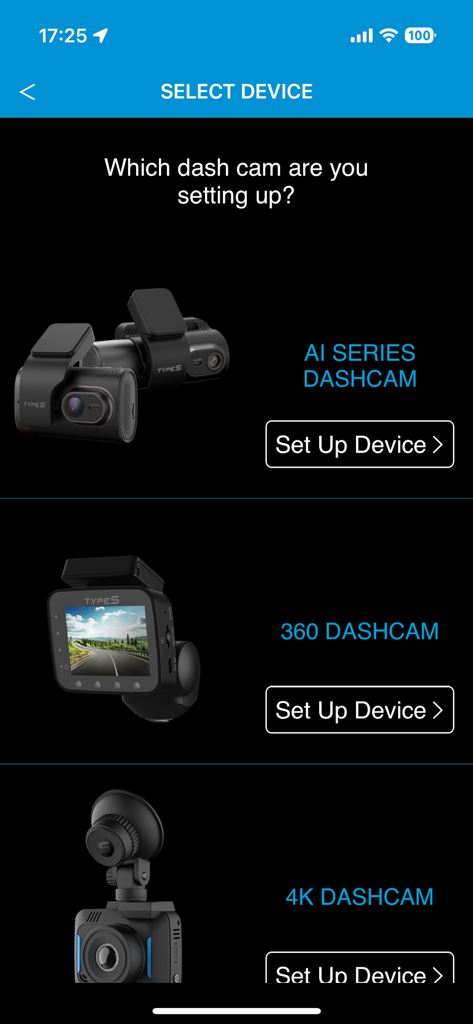
Screen in the TYPE S Drive app showing options to select and set up AI Series 360 or 4K dash cams

Screen in the TYPE S Drive app showing options to select and set up AI Series 360 or 4K dash cams

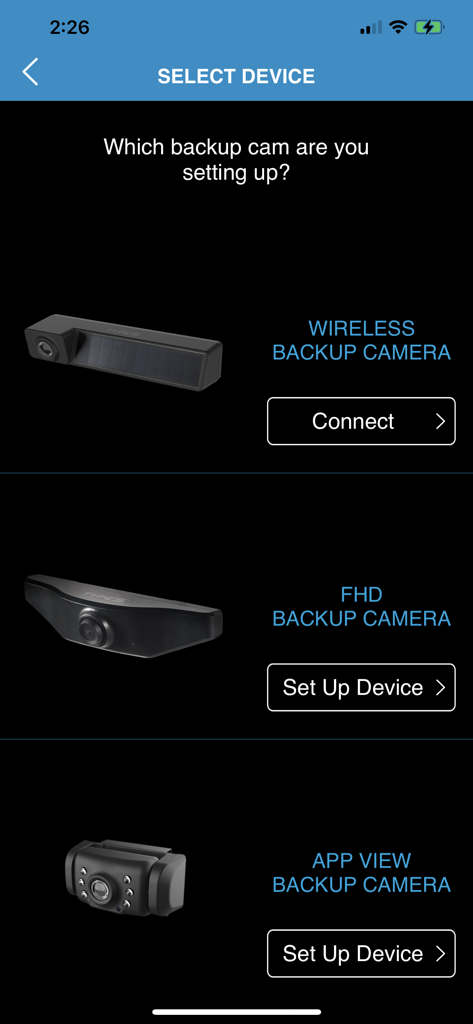
Setup screen in the TYPE S Drive app showing options to connect or set up wireless FHD and App View backup cameras

Setup screen in the TYPE S Drive app showing options to connect or set up wireless FHD and App View backup cameras

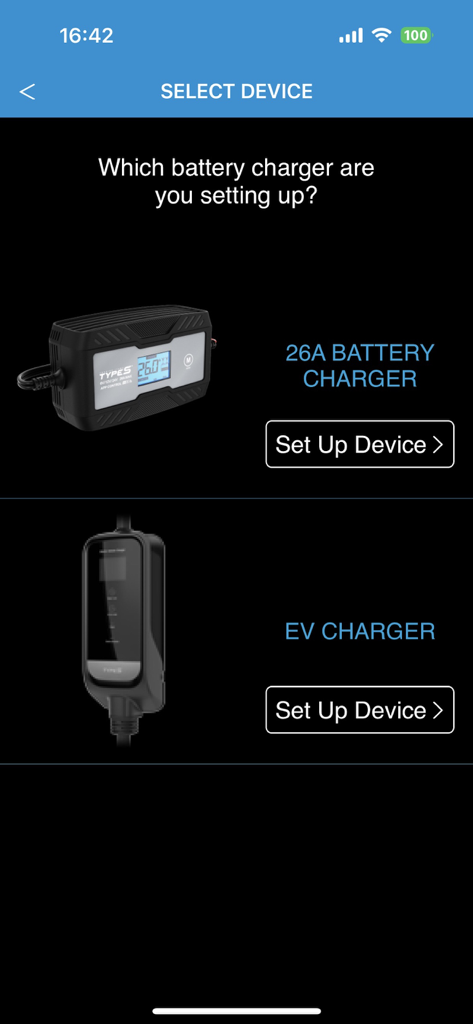
Type S Drive app screen showing setup options for a 26A battery charger and an EV charger

Type S Drive app screen showing setup options for a 26A battery charger and an EV charger

Setup screen for the solar powered parking sensor in the TYPE S Drive app

Setup screen for the solar powered parking sensor in the TYPE S Drive app

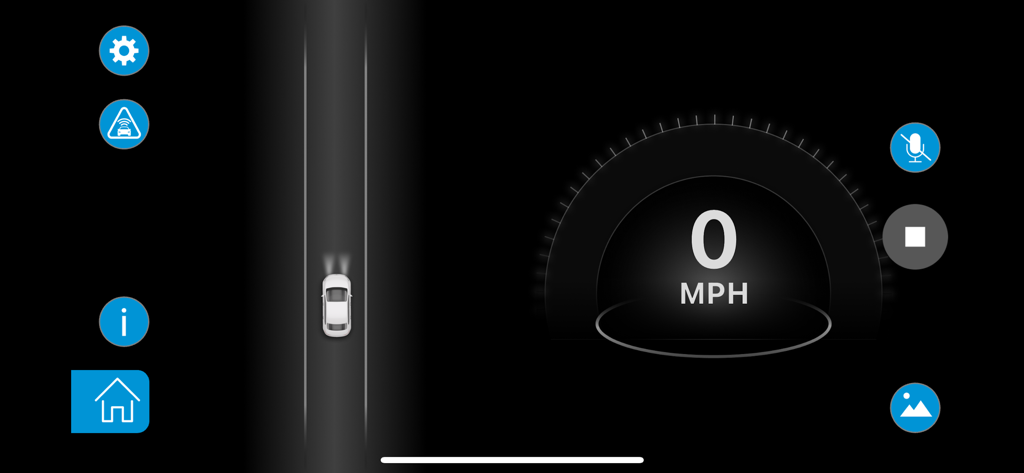
TYPE S Drive app interface featuring a digital speedometer at 0 MPH and a top-down vehicle animation

TYPE S Drive app interface featuring a digital speedometer at 0 MPH and a top-down vehicle animation

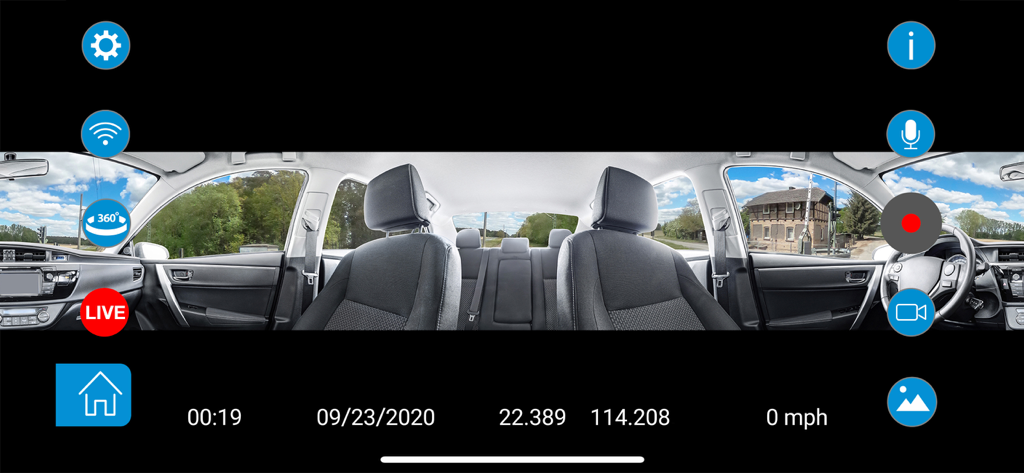
Interface of the TYPE S Drive app showing a panoramic 360-degree dash cam view of a car interior and exterior with recording icons and GPS data.

Interface of the TYPE S Drive app showing a panoramic 360-degree dash cam view of a car interior and exterior with recording icons and GPS data.

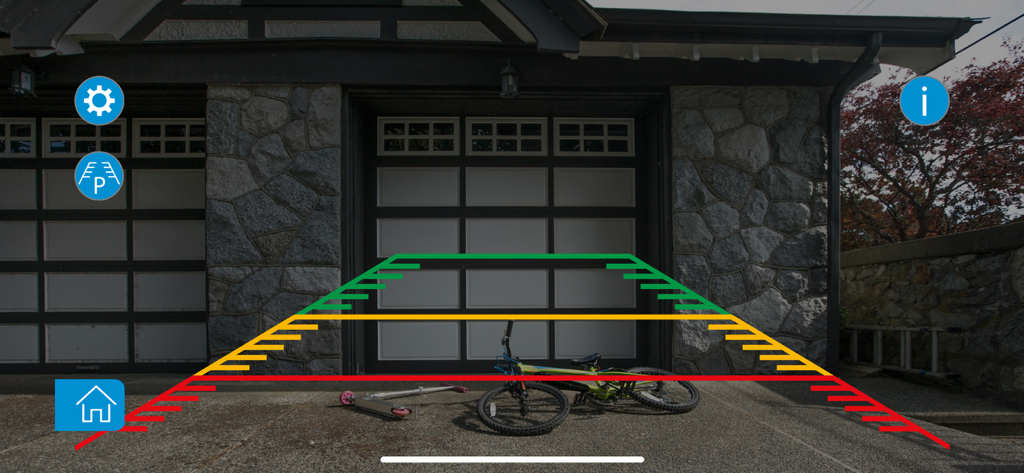
TYPE S Drive app interface showing a wireless backup camera feed with colored parking guidelines and a bicycle behind the vehicle

TYPE S Drive app interface showing a wireless backup camera feed with colored parking guidelines and a bicycle behind the vehicle

Modern Safety for Every Road

The tools that make this app stand out, trusted by 63K+ users.

🛡️

Digital Accident Witness

Drive with peace of mind. Our G-Sensor technology automatically detects and locks footage during accidents to protect you from insurance fraud.

🅿️

Wire-Free Backup Clarity

Eliminate blind spots instantly. Get a high-definition rear view with parking assistant lines directly on your phone without complex professional installation.

📲

Stream & Share Your Ride

From scenic road trips to rideshare safety, record the road and cabin in 360° and live stream directly to your favorite social platforms.

About the app

Everything you need to know about TYPE S Drive.

Description

Drive with confidence. TYPE S backup cameras, dash cams, and parking sensors will enhance your driving experience. These do-it-yourself-installation WiFi products give daily commuters, rideshare operators, and road-trippers the confidence they need to enjoy the road ahead of them. Drive safer today with TYPE S. Products powered by TYPE S Drive: • Drive 360 Dash Cam (BT57143) • Drive 360 Dash Cam with Live Streaming (BT530211) • 4K Dash Cam (BT530024) • Wireless Backup Camera (BT57799) • App View Backup Camera (BT56484) • App View and Solar Powered Parking Sensor (BT56485) Drive 360 Dash Cam (BT57143) • 360° HD Recording - Record the road and vehicle cabin simultaneously • VR Mode - Control the viewing experience and zoom for close-up looks with your phone • Share Your Ride – Post adventures (or mishaps) on social media through the DRIVE 360 App • Park & Record - 24-Hr vehicle surveillance for peace of mind • G-Sensor Technology - Automatically locks video during an accident or break-in event. Drive 360 Dash Cam with Live Streaming (BT530211) • 360° HD Recording - Record the road and vehicle cabin simultaneously • Live stream to Facebook and YouTube • VR Mode - Control the viewing experience and zoom for close-up looks with your phone • Share Your Ride – Post adventures (or mishaps) on social media through the DRIVE 360 App • Park & Record - 24-Hr vehicle surveillance for peace of mind • G-Sensor Technology - Automatically locks video during an accident or break-in event. 4K Dash Cam (BT530024) • App Controlled – Post adventures (or mishaps) on social media thru the app • 139° Wide Angle View - Expansive coverage to record enter road • Wide Dynamic Range – Clear recordings day or night • G-Sensor Technology – Auto saves video during an impact incident • GPS – Speed recording & map integration • Loop Recording – Continuous recording if SD card is full Wireless Backup Camera (BT57799) • Digital Signal – Ensure a secure link with no interference • Solar Rechargeable – Integrated solar panels recharge the camera battery • 120° Wide Angle Camera – Drive safer with an expansive rear view • Weatherproof IP67 Rated – All season weatherproof design • Wire-free Installation - Charge, pair, install & drive. App View Backup Camera (BT56484) • 110° wide angle camera with night vision • Easy Installation • Parking assistant lines App View and Solar Powered Parking Sensor (BT56485) • App view backup sensor with audio alert • Solar powered • Easy Installation

Latest Version

4.40.5

Size

295.2 MB

First Released

Mar 27, 2018

Ready to Drive with Total Confidence?

Join over 63,000 drivers who have modernized their ride. Download the TYPE S Drive app today to sync your cameras, protect your vehicle with a digital witness, and experience the ultimate peace of mind on every journey.

Download on App Store

App information, icons, screenshots, and descriptions displayed on this page are sourced from the Apple App Store and are the property of their respective developers. Download estimates and rankings are based on MWM's proprietary models and may not reflect actual figures. This page is provided for informational and analytical purposes only.

Believe this page infringes your intellectual property? File a dispute