
This page is not an official page of the app or its developer, but an independent editorial publication created for informational and commentary purposes. Unless expressly stated otherwise, neither the app nor its developer is affiliated with, endorsed by, sponsored by, authorized by, or otherwise officially connected with MWM, Apple, Google Play, the app publisher, or the app's developer, and nothing on this page implies that the app was developed using MWM's services. Any trademarks, logos, screenshots, and other content remain the property of their respective owners.


Typography Insight
Go beyond textbooks with a tactile, interactive environment for exploring font anatomy. Master kerning, trace historical structures with Apple Pencil, and experience type in a new dimension on Apple Vision Pro.
Downloads
71K+User Rating
Total Ratings
500Publisher
Category
EducationLocales
1Latest Version
6.0Size
178.3 MBFirst Released
Jun 1, 2011Master the Art of Typography
Ditch the static textbooks. Experience an interactive museum of typefaces designed to refine your eye and elevate your creative workflow.
Precision Overlay Analysis
Instantly compare two typefaces by stacking them. Spot subtle variations in serifs, counters, and x-heights to make informed design choices.
Tactile Tracing Mode
Master letterform anatomy through kinesthetic learning. Trace historical typefaces with your Apple Pencil to feel the tension and structure of every stroke.
The following screenshots and description are sourced directly from the app's official store listing and are the property of the app developer.
App Store
Screenshots
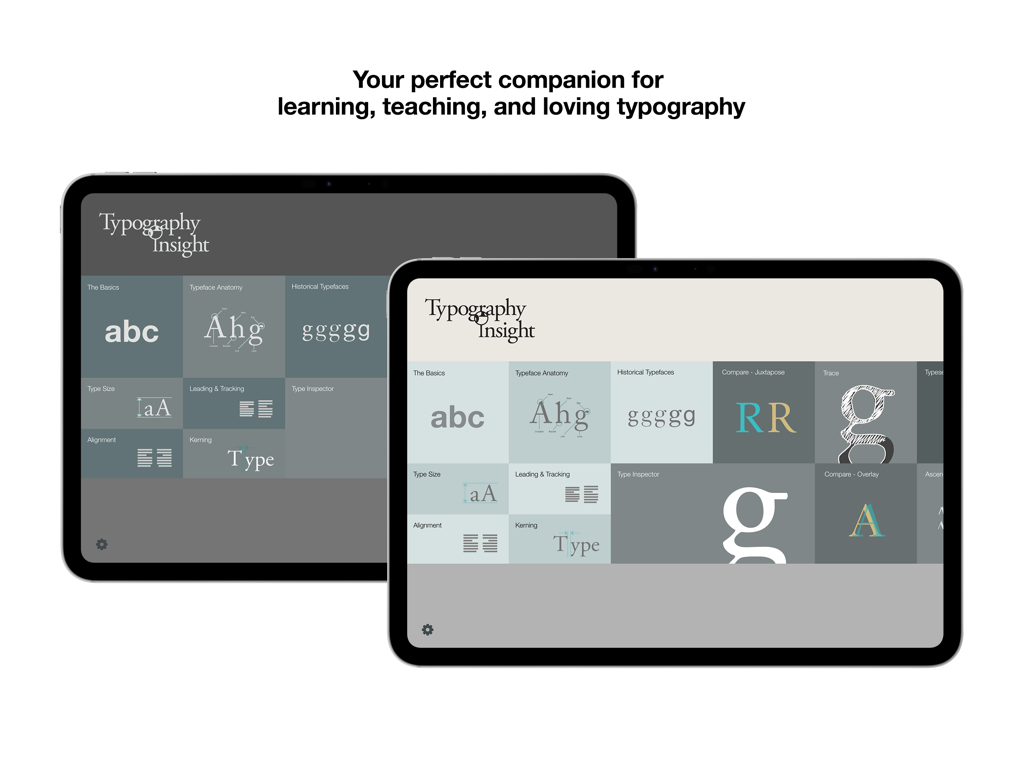
Typography Insight app dashboard displayed on two iPads showcasing various learning modules
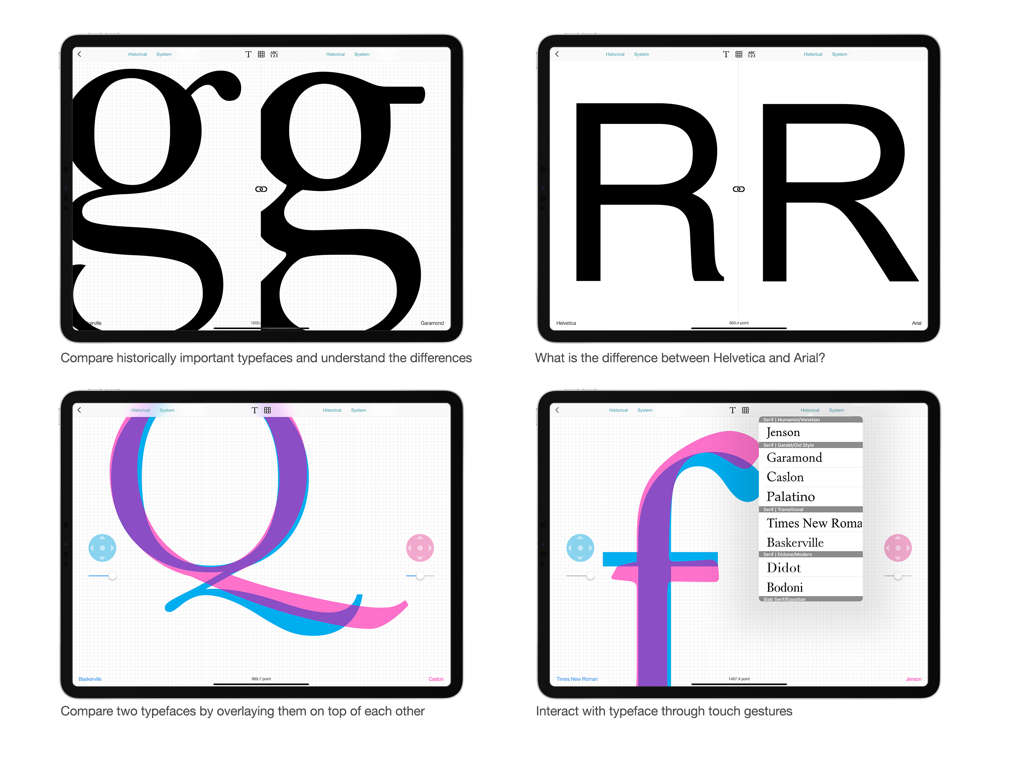
Four screens from the Typography Insight iPad app demonstrating font comparison and overlay features for design students and professionals.
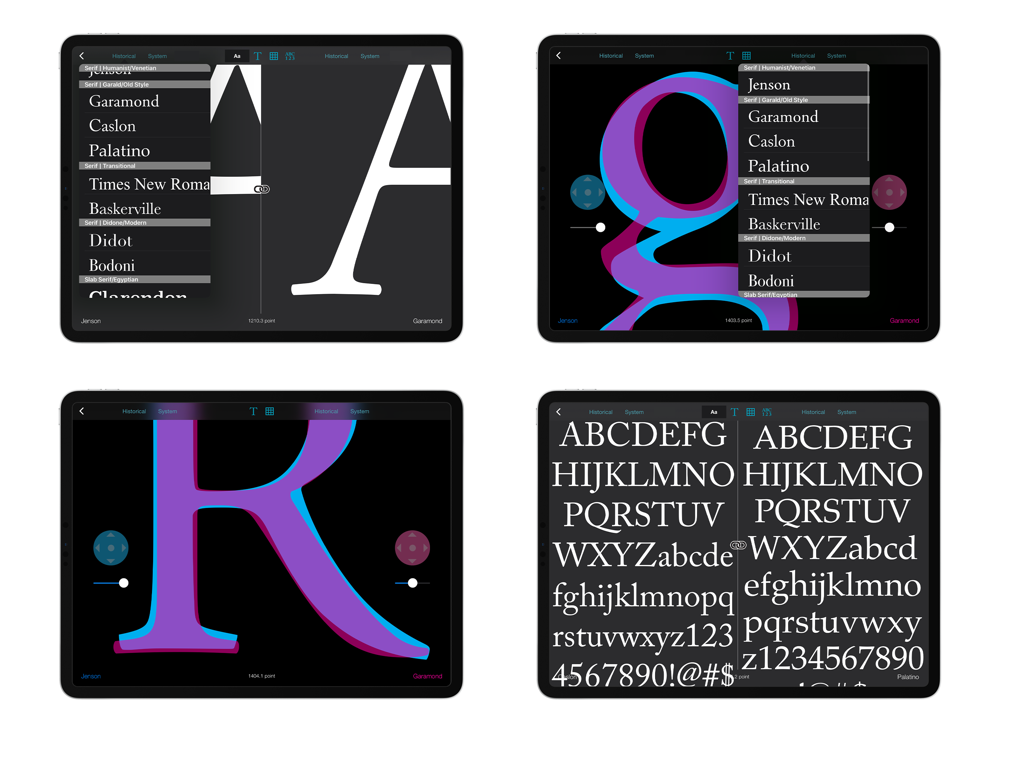
Collage of Typography Insight app screenshots showing font overlay and side by side comparison on iPad
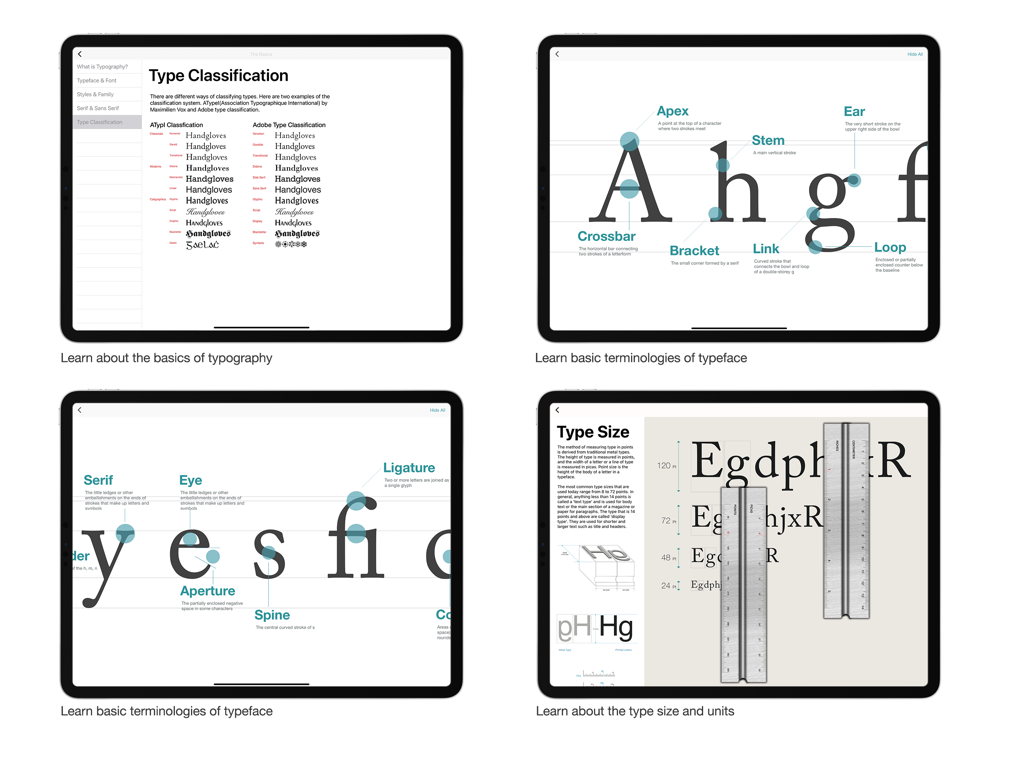
Four screens from Typography Insight showing font classification systems, anatomy diagrams of letters, and type size measurement tools.
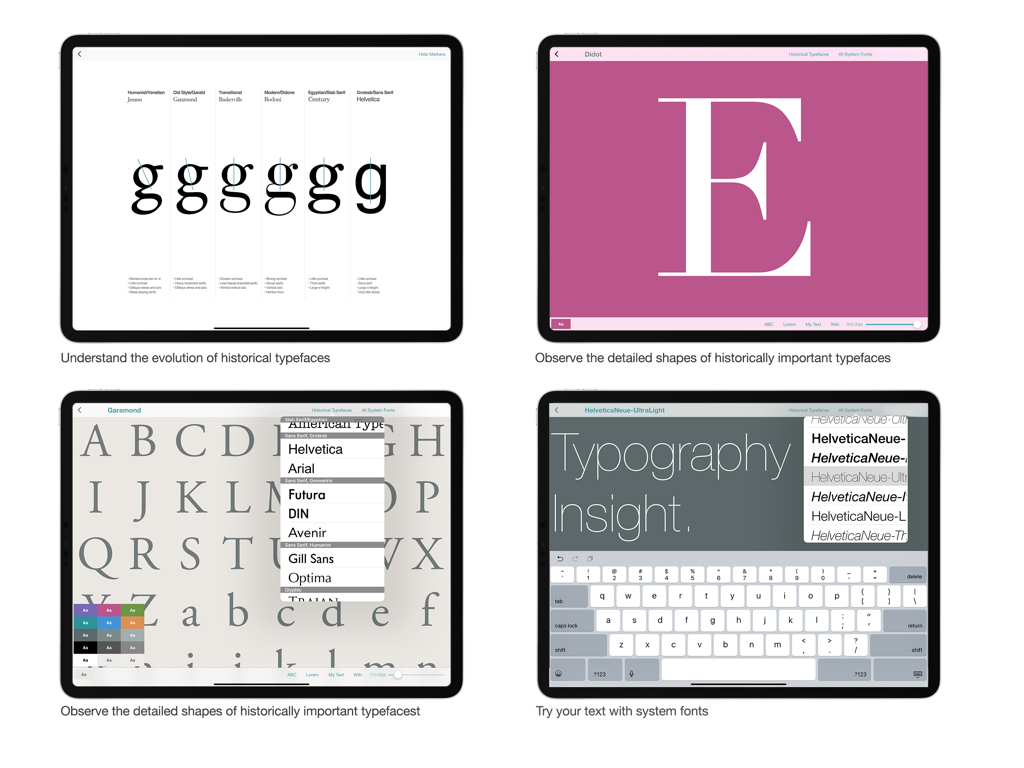
Four screenshots of the Typography Insight app showing typeface evolution, detailed font shapes, and custom text input on an iPad.
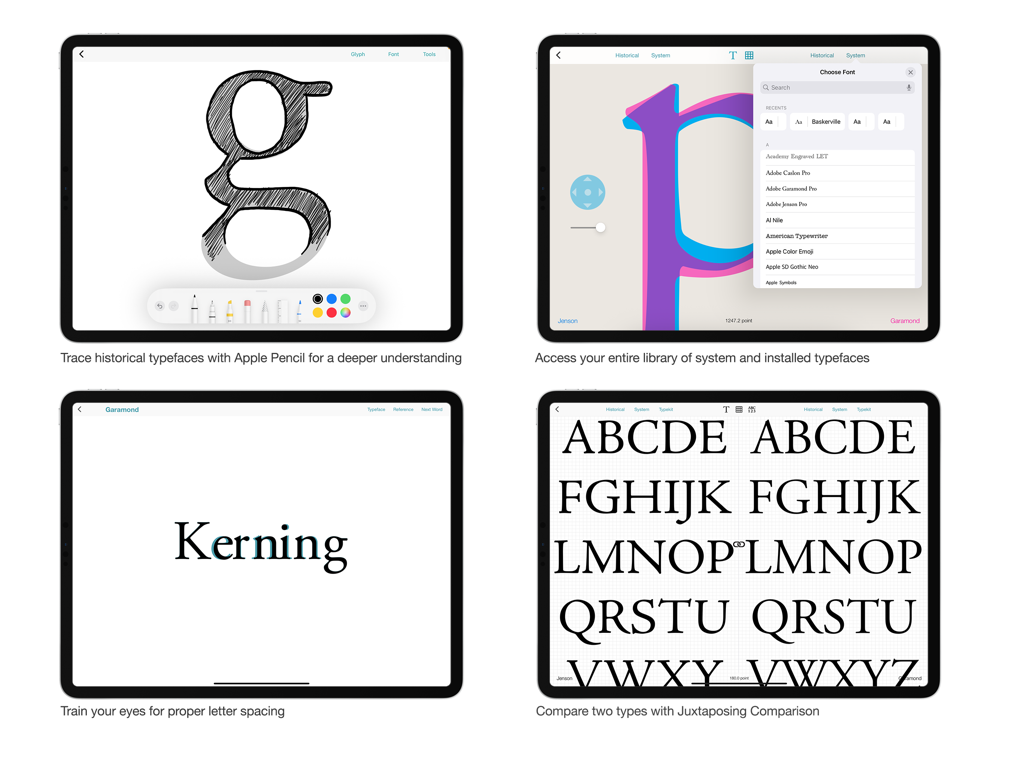
Four screens of Typography Insight app showing font tracing, font library selection, kerning training, and side-by-side typeface comparison.
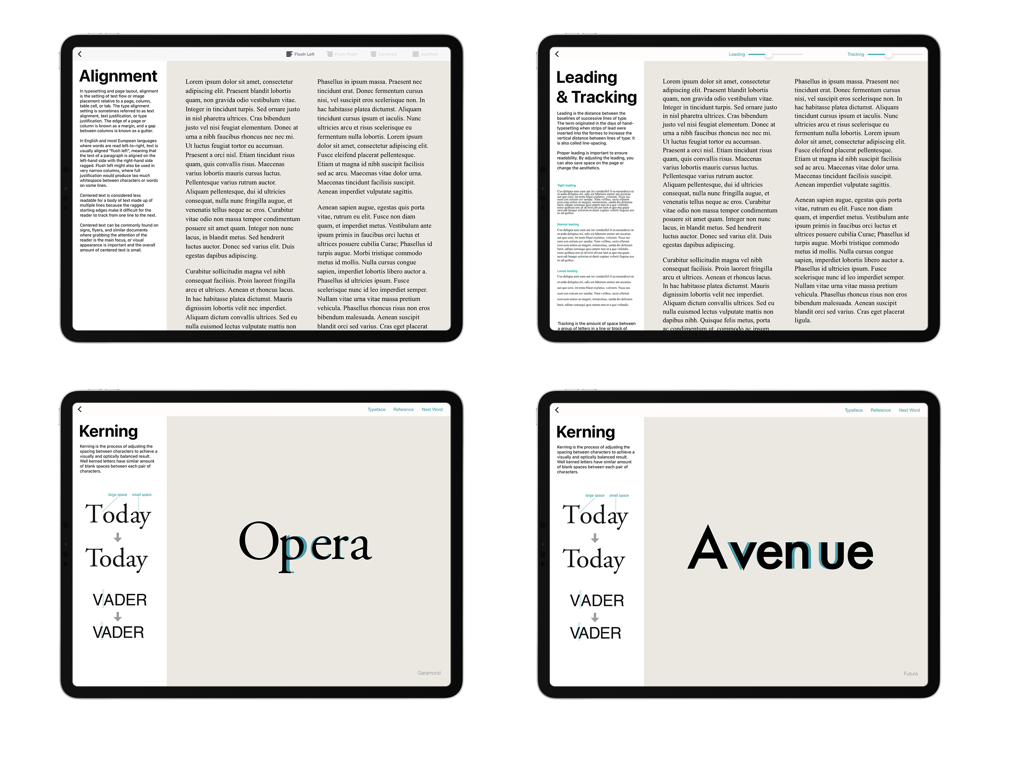
Four screens from the Typography Insight app showing interactive lessons on text alignment leading tracking and kerning
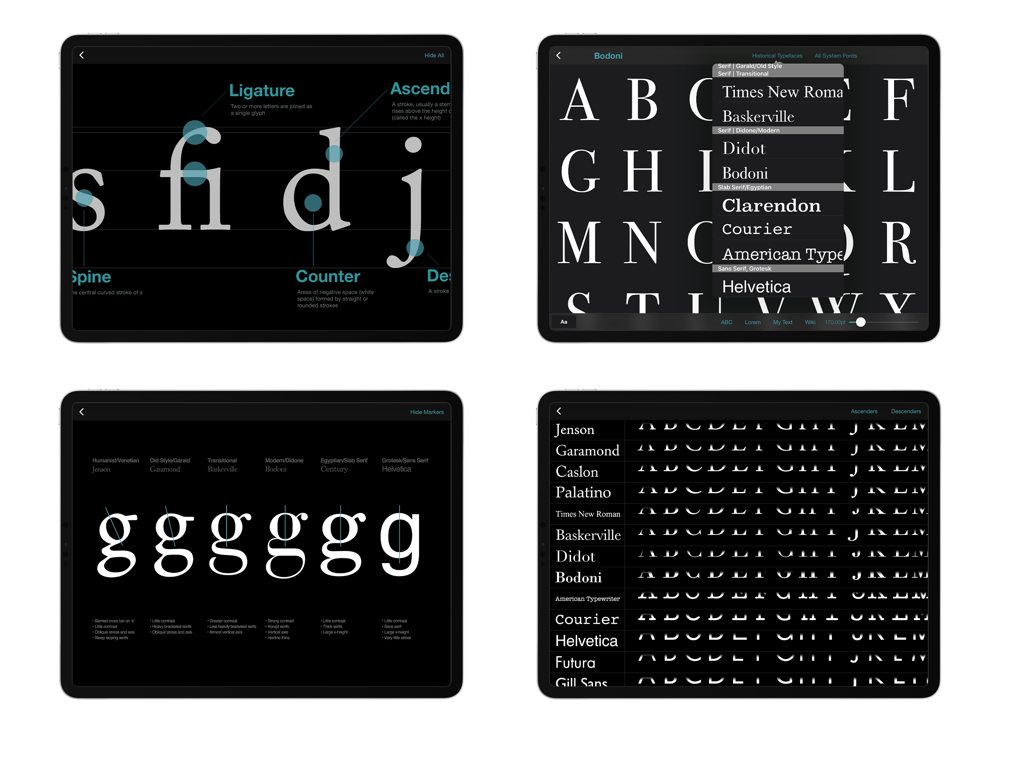
Four screenshots of the Typography Insight app showing font anatomy diagrams and typeface comparisons on an iPad
Description
Download
More Like This
Top-ranked apps in the same category

Duolingo - Language Lessons
Duolingo, Inc

Speak & Learn English: Learna
DEEP FLOW SOFTWARE SERVICES - FZCO

驾考宝典-科一科四驾驶证考试驾考通
Wuhan Jiakaobaodian Information Service Co., Ltd.

Toca Boca World
Toca Boca AB

Google Classroom
Google LLC

作业帮-中小学家长作业检查和辅导工具
Guangzhou Polar Future Culture Technology Co., Ltd

学信网
Student Information Consultation Service Co., Ltd.

Gauth: AI Study Companion
GAUTHTECH PTE. LTD.

ArtWorkout: Learn How to Draw
Aleksandr Ulitin
This page is not an official page of the app or its developer, but an independent editorial publication created for informational and commentary purposes. Unless expressly stated otherwise, neither the app nor its developer is affiliated with, endorsed by, sponsored by, authorized by, or otherwise officially connected with MWM, Apple, Google Play, the app publisher, or the app's developer, and nothing on this page implies that the app was developed using MWM's services. Any trademarks, logos, screenshots, and other content remain the property of their respective owners.