
This page is not an official page of the app or its developer, but an independent editorial publication created for informational and commentary purposes. Unless expressly stated otherwise, neither the app nor its developer is affiliated with, endorsed by, sponsored by, authorized by, or otherwise officially connected with MWM, Apple, Google Play, the app publisher, or the app's developer, and nothing on this page implies that the app was developed using MWM's services. Any trademarks, logos, screenshots, and other content remain the property of their respective owners.


Ubiquiti WiFiman
Eliminate dead zones and congestion with enterprise-grade diagnostics. Scan devices, conduct speed tests, and secure your connection with Teleport VPN—all in one powerful, ad-free utility.
Downloads
1M+User Rating
Total Ratings
102K+Publisher
Category
UtilitiesLocales
11Latest Version
1.36.0Size
118.8 MBFirst Released
Aug 4, 2018Master Your Network Environment
Professional-grade diagnostics and optimization tools to eliminate buffering, boost signal strength, and secure your digital life.
Real-Time Performance Metrics
Run advanced speed tests and monitor latency to ensure your network is ready for 4K streaming and lag-free gaming.
Smart Channel Optimization
Identify congested airwaves and relocate your access points to the clearest channels for maximum throughput.
Frequently Asked Questions
Everything you need to know about Ubiquiti WiFiman
What is the Ubiquiti WiFiman app?
Ubiquiti WiFiman is a free, ad-free app for optimizing home or office networks. It detects Wi-Fi networks, performs speed tests, and helps relocate access points to enhance signal strength and reduce traffic.
Is the WiFiman app free to use?
Yes, the Ubiquiti WiFiman app is free to use. It is also entirely ad-free, providing a clean user experience for network analysis and optimization.
Can WiFiman perform internet speed tests?
Yes, Ubiquiti WiFiman conducts download and upload speed tests. It records results, enables network performance comparison, and allows users to share their insights.
How does WiFiman improve Wi-Fi signal strength?
WiFiman improves signal strength by enabling users to relocate access points to less congested data channels. This action instantly increases signal strength and reduces network traffic volume.
Can Ubiquiti WiFiman discover connected devices on my network?
Yes, Ubiquiti WiFiman scans your network subnet to discover details on all available devices. This includes both Ubiquiti devices and other connected client devices.
Does the WiFiman app support remote UniFi network connections?
Yes, the Ubiquiti WiFiman app supports remote network connections. Users connect remotely to their UniFi network using its integrated Teleport VPN feature.
What network protocols does WiFiman use for device discovery?
Ubiquiti WiFiman uses Bonjour, SNMP, NetBIOS, and Ubiquiti discovery protocols. These protocols facilitate comprehensive scanning of the network subnet for detailed device identification.
Can WiFiman detect available Wi-Fi networks instantly?
Yes, the Ubiquiti WiFiman app detects and connects to all available Wi-Fi networks and devices instantly. This feature streamlines network access and management.
How can I monitor internet health using the WiFiman app?
The WiFiman app monitors internet health by displaying current internet connection status, Wi-Fi experience percentage, and real-time network performance metrics for various applications.
Does WiFiman provide detailed information about connected client devices?
Yes, WiFiman provides detailed information for connected client devices. This includes the manufacturer, model, system version, IP address, MAC address, and Wi-Fi experience percentage.
The following screenshots and description are sourced directly from the app's official store listing and are the property of the app developer.
App Store
Screenshots
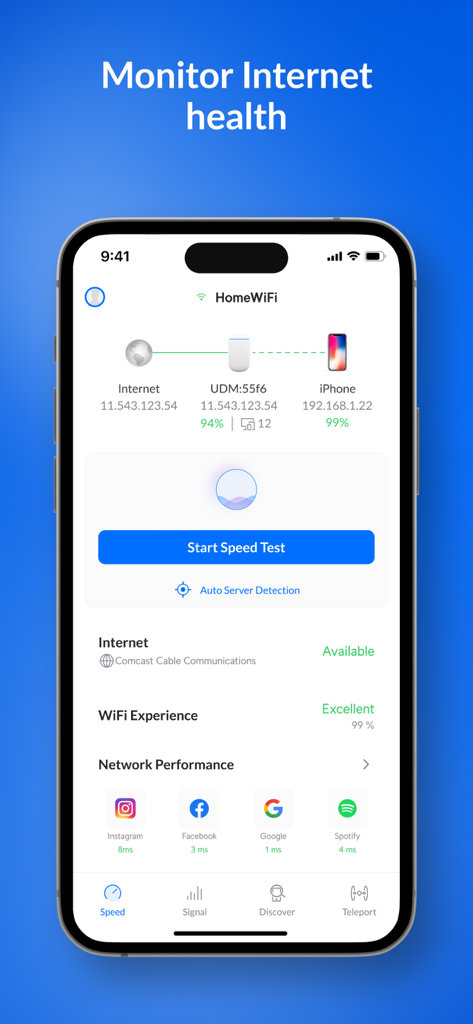
Ubiquiti WiFiman dashboard showing internet health network topology and app latency metrics
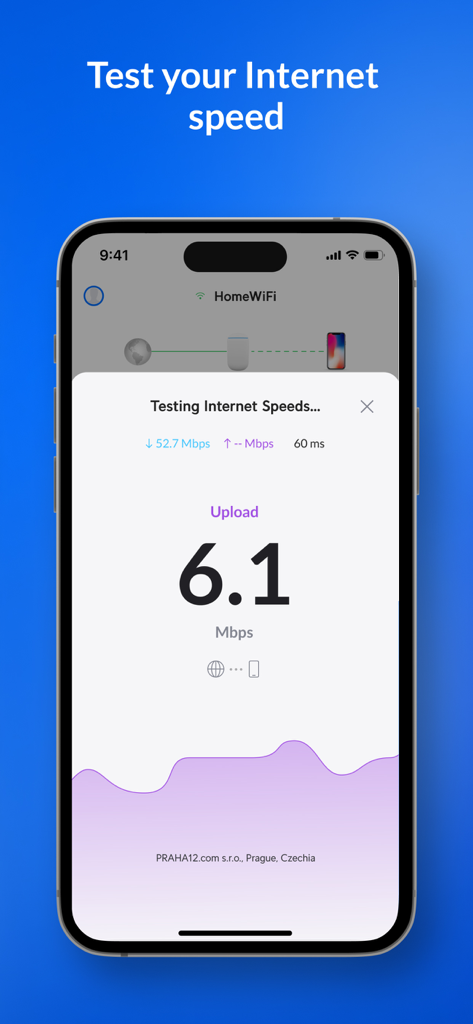
Ubiquiti WiFiman app interface displaying an internet speed test with upload and download results
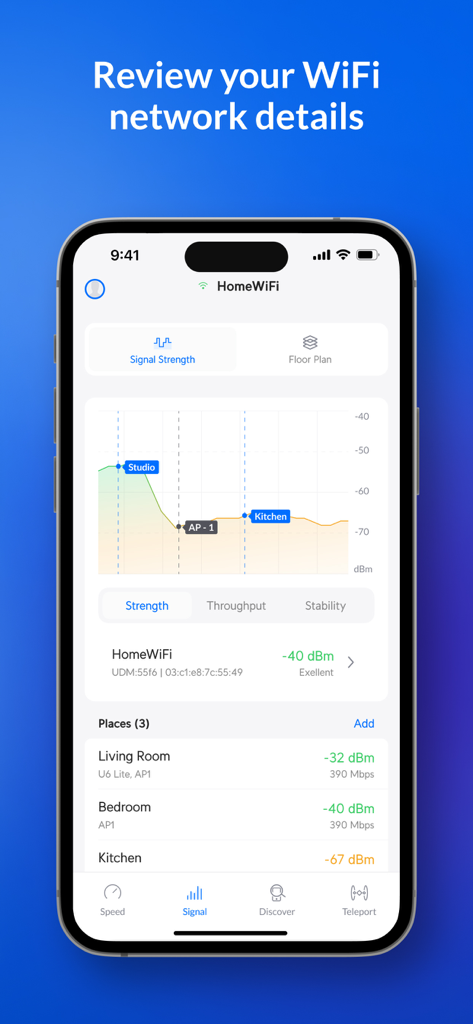
Ubiquiti WiFiman app interface displaying a WiFi signal strength graph and a breakdown of signal quality across different rooms like the Living Room and Bedroom.
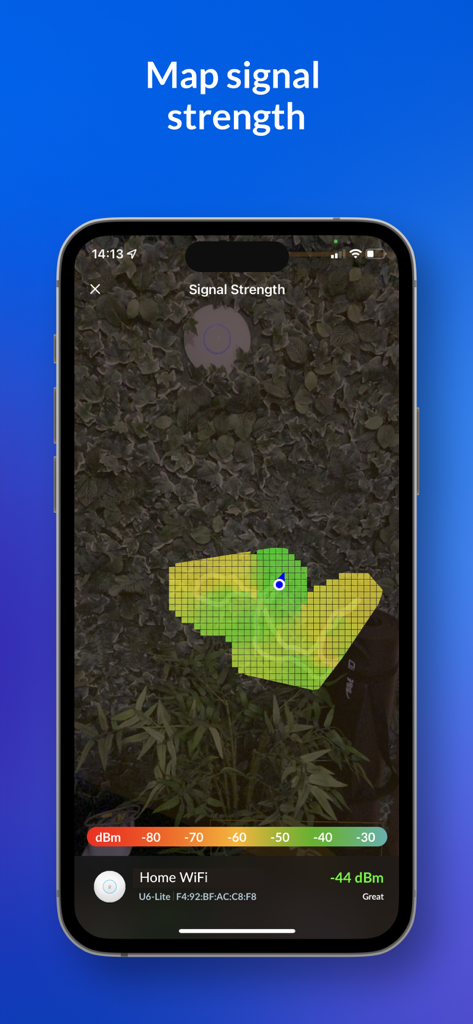
Augmented reality heat map showing wifi signal strength in the WiFiman app
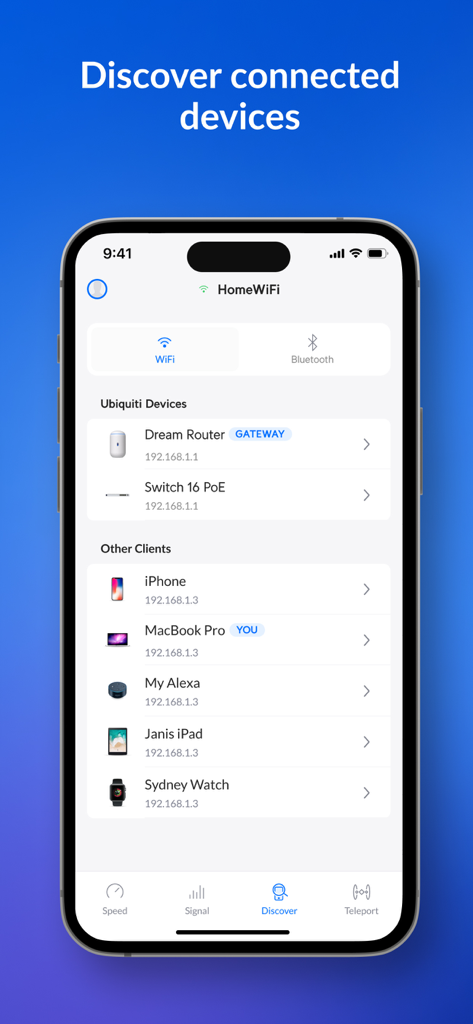
A mobile interface of the Ubiquiti WiFiman app displaying a detailed list of devices connected to a local Wi-Fi network including routers and smart devices.
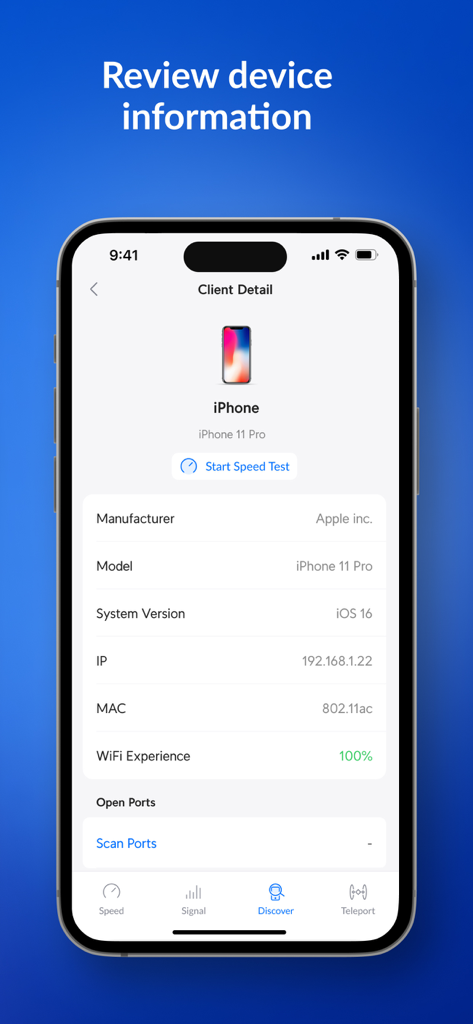
Ubiquiti WiFiman app displaying detailed network client information and system version for a connected iPhone
Description
Download
More Like This
Apps with similar features and user experience

Fing - Network Scanner
Fing Limited

SPEED TEST MASTER: Wifi Tester
Spring Tech Co., Ltd.

Internet Speed Test Master App
Huacen Co., LTD

NetClash-Network's Vital Signs
Mattis Knutsson

Network Analyzer Pro
Jiri Techet

Network Analyzer: net tools
Jiri Techet

Speed Test - WiFi Analyzer +
方勇 侯

Ping - network utility
Iurii Mozharovskyi
wifi万能助手-万能wifi管家,wifi安全管理
荣阳 乌
This page is not an official page of the app or its developer, but an independent editorial publication created for informational and commentary purposes. Unless expressly stated otherwise, neither the app nor its developer is affiliated with, endorsed by, sponsored by, authorized by, or otherwise officially connected with MWM, Apple, Google Play, the app publisher, or the app's developer, and nothing on this page implies that the app was developed using MWM's services. Any trademarks, logos, screenshots, and other content remain the property of their respective owners.