
This page is not an official page of the app or its developer, but an independent editorial publication created for informational and commentary purposes. Unless expressly stated otherwise, neither the app nor its developer is affiliated with, endorsed by, sponsored by, authorized by, or otherwise officially connected with MWM, Apple, Google Play, the app publisher, or the app's developer, and nothing on this page implies that the app was developed using MWM's services. Any trademarks, logos, screenshots, and other content remain the property of their respective owners.


Uchiwa Maker – Get Fan Service
The ultimate DIY tool for concert fans. Design stunning custom boards with glitter, stickers, and bilingual fonts to make your support shine and capture that perfect fan service moment.
Downloads
44K+User Rating
Total Ratings
600Publisher
Category
Graphics & DesignLocales
2Latest Version
1.4.4Size
188.0 MBFirst Released
Mar 18, 2025Get Noticed by Your Bias
Everything you need to create viral-worthy concert fans and name boards in minutes. Turn your fan energy into eye-catching designs that stand out from the VIP floor to the nosebleeds.
One-Tap Background Removal
Instantly turn any photo of your favorite artist into a clean sticker. Our AI removes backgrounds perfectly so you can focus on the aesthetic.
Stan-Level Customization
Make it sparkle with glitter textures, neon gradients, and trendy fonts. We support English, Japanese, and Korean characters for that authentic k-pop look.
Frequently Asked Questions
Everything you need to know about Uchiwa Maker – Get Fan Service
What is FanMaker: K-Pop Sign & Card (Uchiwa Maker)?
Uchiwa Maker, also known as FanMaker: K-Pop Sign & Card, is an app designed to create custom support fans and name boards for events like concerts, sports games, or celebrations. Users can easily design, customize, and print their unique cheering items.
Can I create custom K-Pop fan signs with Uchiwa Maker?
Yes, FanMaker: K-Pop Sign & Card allows users to create custom support fans ideal for K-Pop concerts and events. The app supports both Japanese and Korean (Hangul) fonts to personalize messages for favorite idols.
How do I print my fan designs from Uchiwa Maker?
Users can easily print their designs from Uchiwa Maker. The app allows downloading the completed design as a PDF, which can then be printed, cut out, and attached to a physical fan, like those found at 100-yen stores.
Are there templates available in FanMaker: K-Pop Sign & Card?
Yes, Uchiwa Maker offers a wide variety of templates, including options for name fans, message fans, and event boards. These templates help first-time users easily create meaningful support items.
Can I add my own photos to designs in Uchiwa Maker?
Yes, Uchiwa Maker supports importing your own photos. The app includes an automatic background removal feature, allowing users to turn their images into stickers for their custom fan designs.
Does Uchiwa Maker support 3D text and rhinestone effects?
Yes, the FanMaker: K-Pop Sign & Card app, Uchiwa Maker, includes features to create 3D text and apply a rhinestone look to designs. Users can also add glitter, gradients, and patterns for extensive customization.
Where can I find the privacy policy for Uchiwa Maker?
The privacy policy for the Uchiwa Maker app is accessible via the link provided in the app's description: 'https://uchiwa-app.mystrikingly.com/#privacy-policy'.
The following screenshots and description are sourced directly from the app's official store listing and are the property of the app developer.
App Store
Screenshots
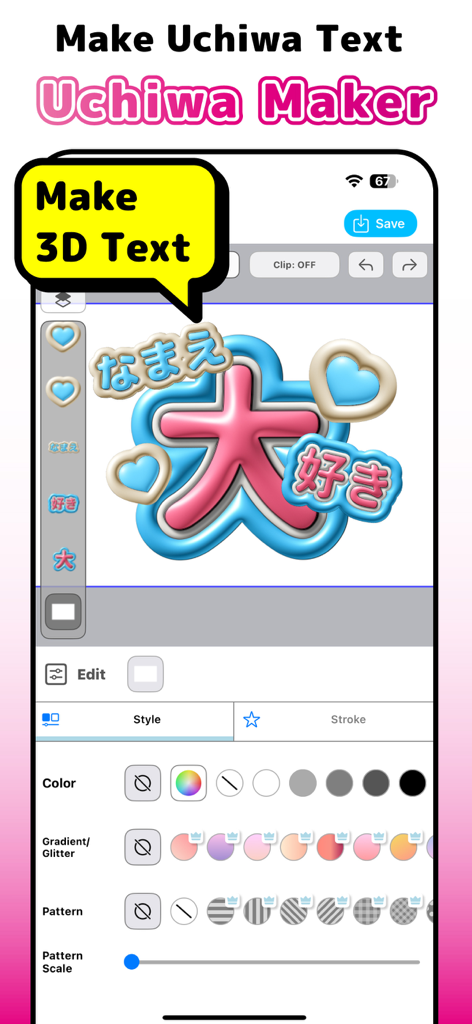
Mobile app interface of Uchiwa Maker showing 3D text design with Japanese characters and customization tools
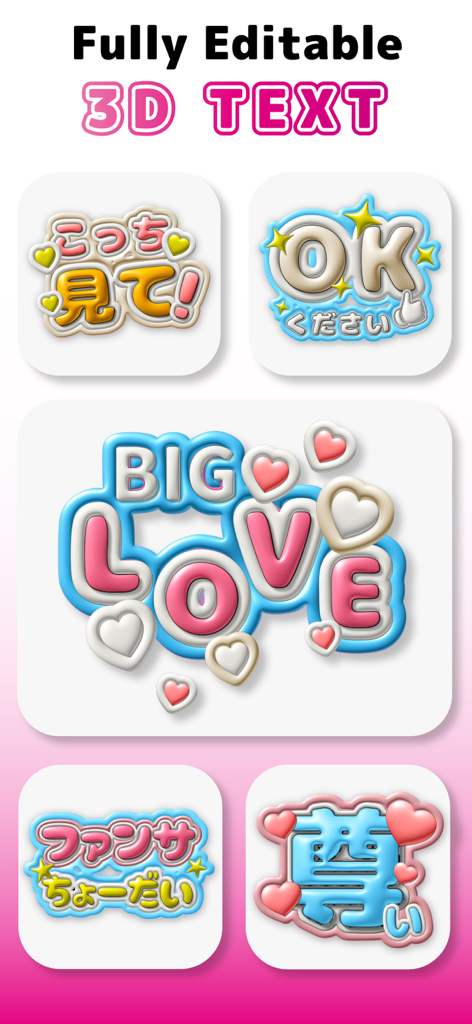
Fully editable 3D text stickers in English and Japanese for concert fan signs
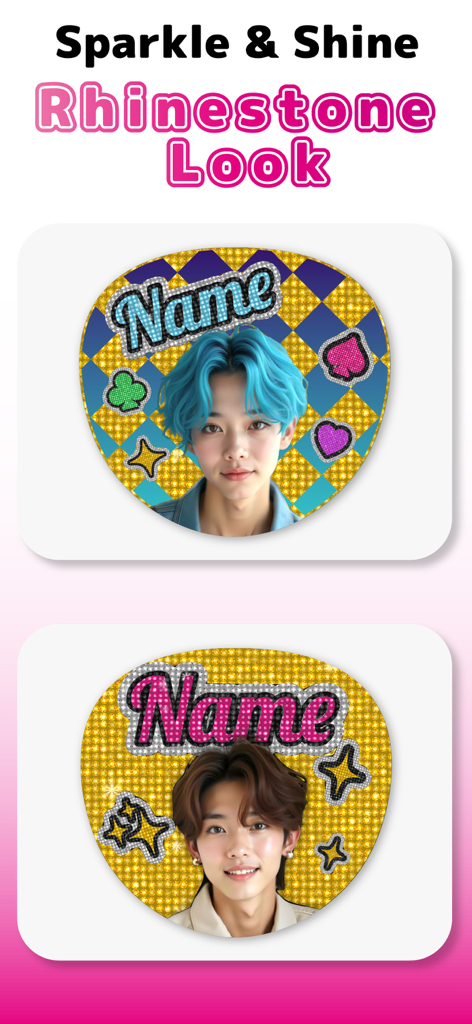
Examples of sparkle and shine uchiwa fan designs with a rhinestone look and glittery backgrounds
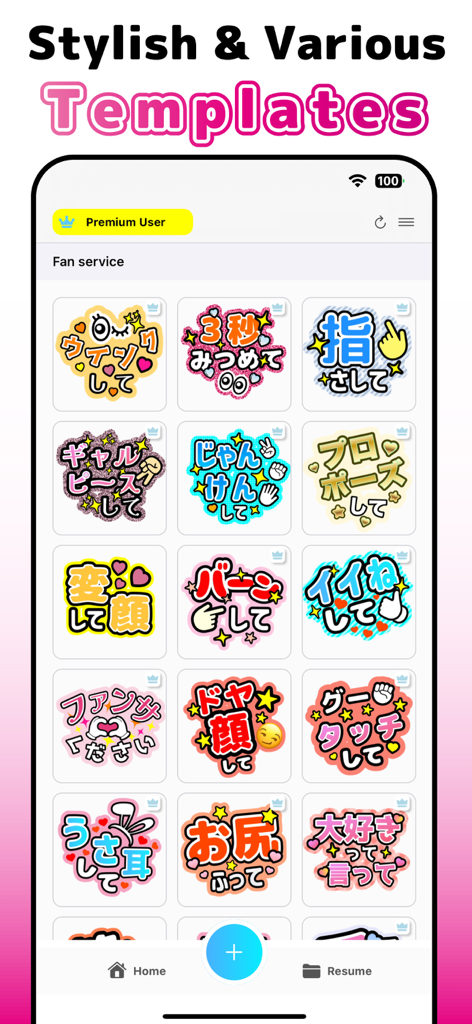
Uchiwa Maker app interface showing a grid of colorful and stylish fan service templates for concerts
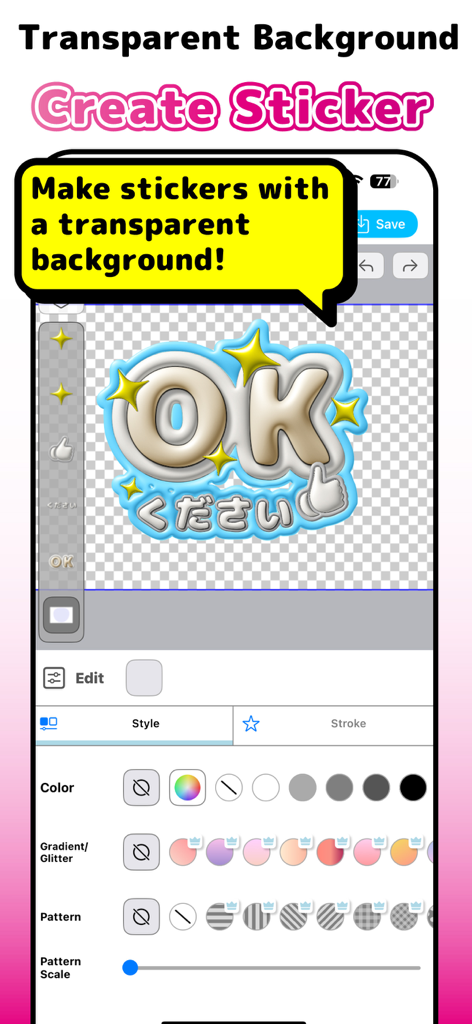
Uchiwa Maker mobile app interface for creating custom stickers with transparent backgrounds and glitter effects
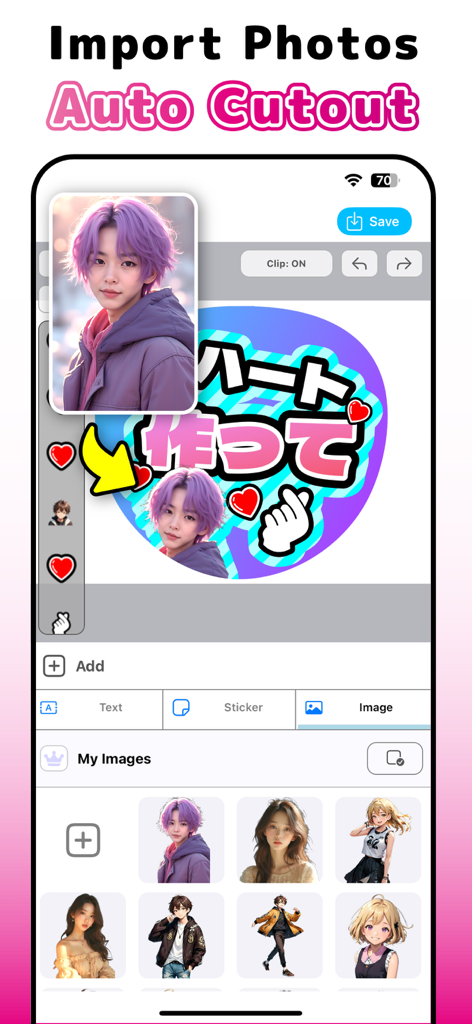
A screenshot of the Uchiwa Maker app interface showing the auto cutout feature used to import and place a photo onto a custom concert fan design
Description
Download
More Like This
Apps with similar features and user experience

Moshicam Photo Editor & Frames
GALLERY LABS INC
Share Aura
Aura Movement Technology, Inc.
Frame Watermark Camera
燕辉 王
Most: Aesthetic Story Editor
MOST STORY LLC, TOO

Vieno
天刚 李

PIP Magic - Selfie Camera App
pixel force private limited

FloralWhisper: Lovely Language
VOLIO VIET NAM COMPANY LIMITED

Crafto App
Primetrace Technologies Private Ltd

Status Saver - Status Download
Vivek Vadhaiya
This page is not an official page of the app or its developer, but an independent editorial publication created for informational and commentary purposes. Unless expressly stated otherwise, neither the app nor its developer is affiliated with, endorsed by, sponsored by, authorized by, or otherwise officially connected with MWM, Apple, Google Play, the app publisher, or the app's developer, and nothing on this page implies that the app was developed using MWM's services. Any trademarks, logos, screenshots, and other content remain the property of their respective owners.