
This page is not an official page of the app or its developer, but an independent editorial publication created for informational and commentary purposes. Unless expressly stated otherwise, neither the app nor its developer is affiliated with, endorsed by, sponsored by, authorized by, or otherwise officially connected with MWM, Apple, Google Play, the app publisher, or the app's developer, and nothing on this page implies that the app was developed using MWM's services. Any trademarks, logos, screenshots, and other content remain the property of their respective owners.


UGREEN NAS
It grants total dominion over data, stripping away reliance on cloud giants.
Downloads
100k+User Rating
Total Ratings
1.2KPublisher
Category
UtilitiesLocales
10Latest Version
1.14.0Size
474.7 MBFirst Released
May 30, 2024An in-depth analysis of its core functionalities and their significance for the target audience.
UGREEN NAS: Key Features Evaluation
Advanced Storage Management
This tool features robust support for multiple storage modes including Basic, JBOD, and RAID, alongside visual monitoring of hard drives, volumes, and SSD caches, and online capacity expansion with Hot Spare.
Comprehensive Data Security
It provides an integrated ClamAV engine for full virus scanning, supporting scheduled scans and real-time protection to safeguard data.
Flexible User & Access Management
The app enables flexible assignment of user access permissions and fine-grained control over shared folder access.
Versatile Network & File Protocol Support
It allows users to configure internal/external network connections and supports multiple file protocols such as SMB, FTP, NFS, and WebDAV for broad compatibility.
Extensible App Ecosystem
This tool features an App Center for downloading desired applications by usage scenario and supports offline manual installation for expanded functionality.
Intelligent File Management & Sharing
The app offers intelligent filter, search, and categorization features, along with one-click file sharing that supports access without login.
Frequently Asked Questions
Everything you need to know about UGREEN NAS
How does UGREEN NAS manage user access permissions?
UGREEN NAS manages user access permissions through its Control Panel. Users assign access permissions flexibly via the User Management feature. This ensures controlled access to personal data and resources.
What storage modes does UGREEN NAS support?
UGREEN NAS supports multiple storage modes, including Basic, JBOD, and RAID modes. It provides visual monitoring of hard drives, volumes, and SSD caches for comprehensive storage management.
Can I install applications offline on UGREEN NAS?
Yes, UGREEN NAS supports offline manual installation of applications through its App Center. Users can also filter applications by usage scenarios and download them directly.
Does UGREEN NAS offer virus scanning capabilities?
Yes, UGREEN NAS includes an integrated ClamAV engine for full virus scanning. It supports both scheduled scans and real-time protection to ensure robust data security.
How does UGREEN NAS help organize photos and videos?
UGREEN NAS organizes photos and videos in a timeline view and allows creation of custom personal people albums. Users can define custom conditions to manage their cherished moments.
What file sharing features does UGREEN NAS provide?
UGREEN NAS provides one-click file sharing and allows accessing sharing links without login. It supports adjusting user access permissions for shared folders and multiple protocols like SMB, FTP, and WebDAV.
Can UGREEN NAS display movie information and categorize series?
Yes, the UGREEN NAS Theater feature automatically generates elaborate poster walls and matches film information accurately. It categorizes series films for a seamless viewing experience.
What hardware configurations can I manage with UGREEN NAS?
UGREEN NAS allows management of hardware and power settings. Users can configure the buzzer, fan, and hard drive sleep modes directly from the Control Panel for optimal device operation.
The following screenshots and description are sourced directly from the app's official store listing and are the property of the app developer.
App Store
Screenshots
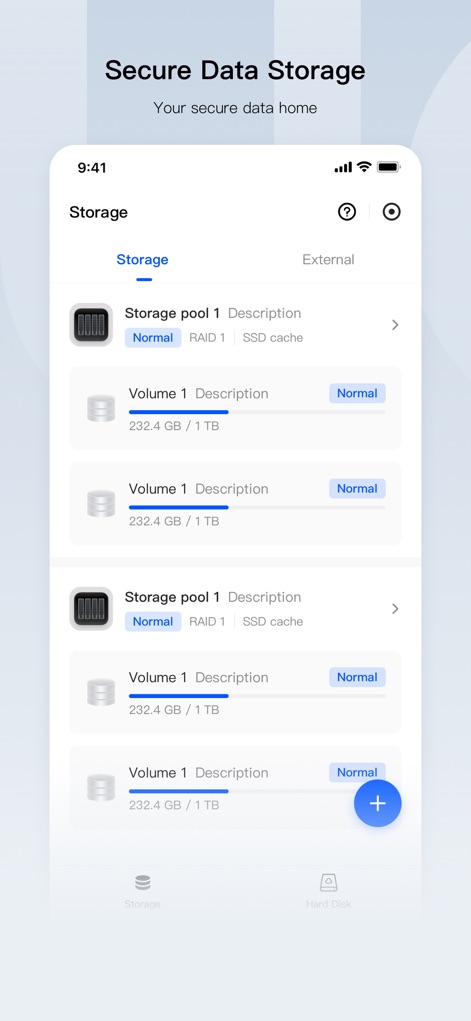
Discover how the app provides visual monitoring of storage pools and detailed volume status for comprehensive data management.
Master Your Storage
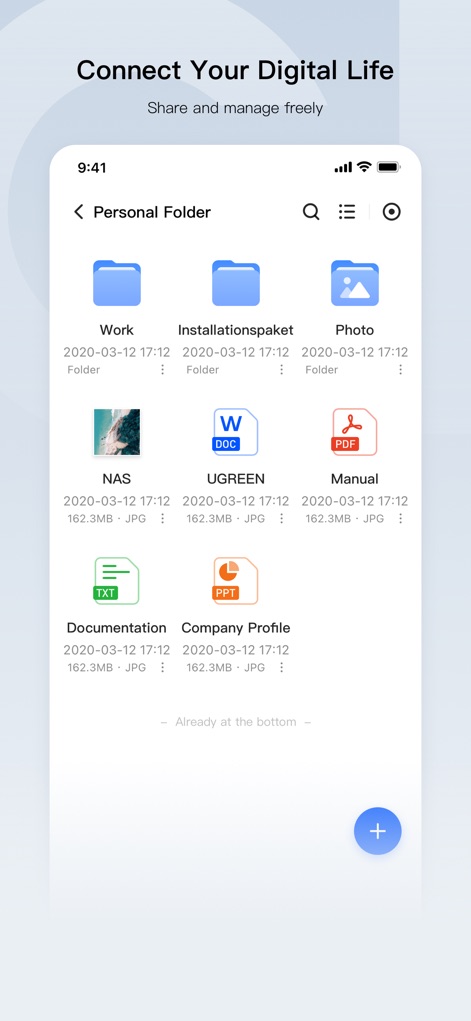
Explore the intuitive interface for organizing personal folders and managing diverse file types with ease and efficiency.
Seamless File Access
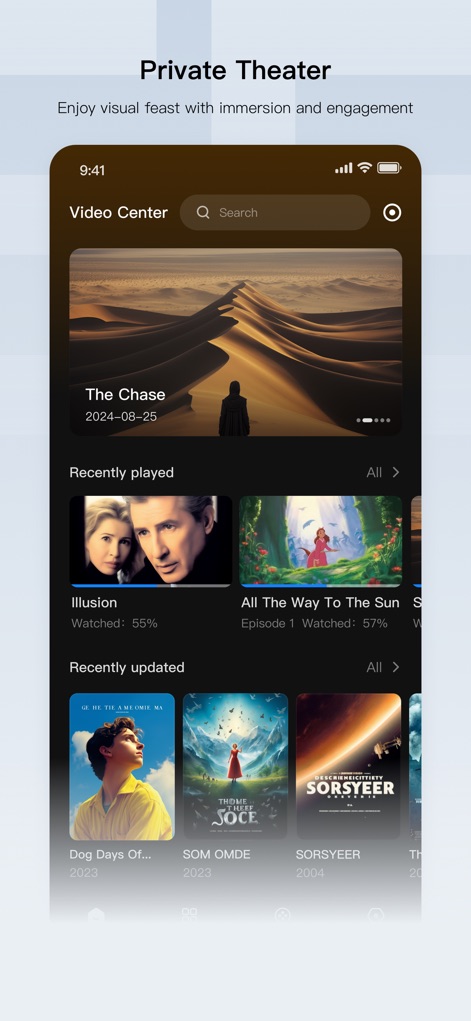
Immerse yourself in a rich media experience with automatically generated poster walls and intelligently categorized film libraries.
Your Personal Cinema
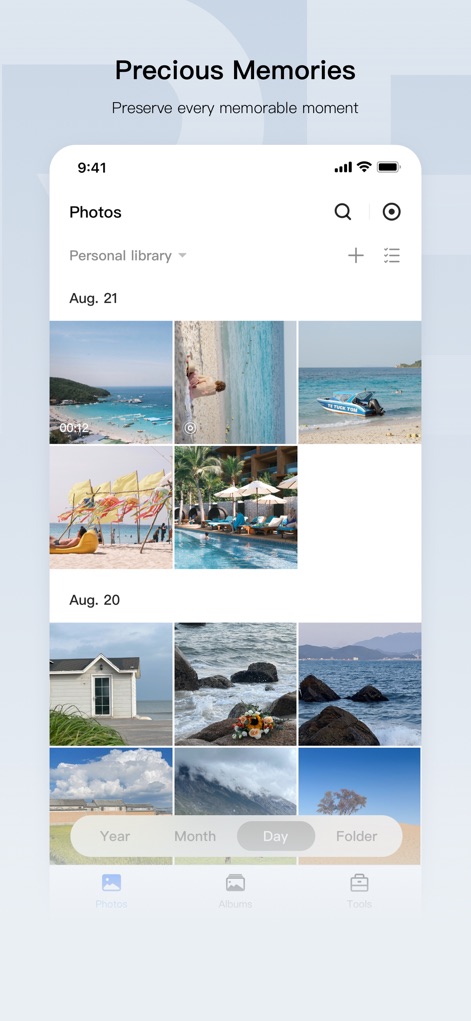
Effortlessly manage your visual memories with an organized photo grid and convenient date-based navigation.
Cherished Moments Preserved
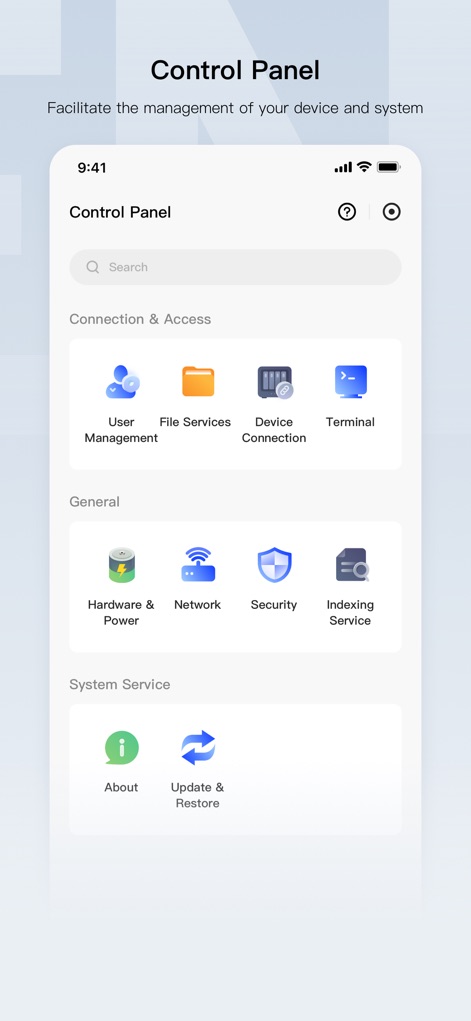
Gain full command over your NAS with intuitive icons for User Management and comprehensive Hardware & Power configurations.
Centralized System Control
Description
Download
More Like This
Apps with similar features and user experience

Skylight App
Glimpse LLC.

Remote Control for Samsung TV・
Red Paket sp. z o.o.

BARDI Smart Home
nadi digital indonesia, pt

LG TV Remote Control Smart TVs
Aleh Piashkou

UPPAbaby Home
Thorley Industries LLC

Calex Smart
Electro Cirkel Retail BV

Remote Control for TV Stick
Pol Nadal Serra

Firestick・Fire TV Remote Stick
Jonathan Reed

Bravia Controller - Sony TV
YONGXING JIN
This page is not an official page of the app or its developer, but an independent editorial publication created for informational and commentary purposes. Unless expressly stated otherwise, neither the app nor its developer is affiliated with, endorsed by, sponsored by, authorized by, or otherwise officially connected with MWM, Apple, Google Play, the app publisher, or the app's developer, and nothing on this page implies that the app was developed using MWM's services. Any trademarks, logos, screenshots, and other content remain the property of their respective owners.