
This page is not an official page of the app or its developer, but an independent editorial publication created for informational and commentary purposes. Unless expressly stated otherwise, neither the app nor its developer is affiliated with, endorsed by, sponsored by, authorized by, or otherwise officially connected with MWM, Apple, Google Play, the app publisher, or the app's developer, and nothing on this page implies that the app was developed using MWM's services. Any trademarks, logos, screenshots, and other content remain the property of their respective owners.


Unicorn HTTPS
Online censorship is a reality. Unicorn HTTPS weaponizes your browser, granting unfettered access and silencing snoopers.
Downloads
2.5M+User Rating
Total Ratings
182.4KPublisher
Category
UtilitiesLocales
14Latest Version
2.0.9Size
16.8 MBFirst Released
Jun 7, 2019An evaluation of the core functionalities that empower users with secure and unblocked internet access.
Unicorn HTTPS: Key Features Analysis
HTTPS Blocking Bypass
The app provides robust capabilities to bypass HTTPS blocking and eavesdropping, ensuring uninterrupted access to online content for users in restricted regions.
No Personal Data Collection
It ensures user privacy by explicitly stating that no personal information, usage data, or browsing history is ever collected, addressing critical data surveillance concerns.
High-Speed Browsing
This tool features a unique packet manipulation method that allows users to access blocked content at high speeds, distinguishing it from traditional VPNs which often reduce performance.
Completely Free & Ad-Free
The app is provided completely free of charge and without any advertisements, making it accessible to a global audience and enhancing the user experience without interruptions.
SNI Field Protection
The app incorporates SNI (Server Name Indication) field protection, which helps obscure the destination server, further enhancing privacy and making it more difficult to detect and block traffic.
Quick DNS Configuration
It allows users to quickly change their DNS settings to popular secure and fast providers like 1.1.1.1 or 8.8.8.8, aiding in bypassing DNS-level blocking and potentially improving connection speed.
Frequently Asked Questions
Everything you need to know about Unicorn HTTPS
Is the Unicorn HTTPS app free to use?
Yes, Unicorn HTTPS is completely free of charge. It provides all its features, including HTTPS blocking bypass and DNS changes, without any cost or advertisements.
Does Unicorn HTTPS collect my personal information or data?
No, Unicorn HTTPS does not collect or trace any personal information. It secures users' private data and visited websites, ensuring user privacy.
Will Unicorn HTTPS reduce my internet speed?
No, Unicorn HTTPS does not reduce internet speed. It is designed to allow fast web surfing without any slowdown, unlike some other proxy apps.
What browsers are compatible with Unicorn HTTPS?
Unicorn HTTPS supports various browsers. It works with Chrome, Samsung Internet, Firefox, Opera, and more, allowing freedom of use across platforms.
How do I activate HTTPS protection in the Unicorn HTTPS app?
To activate HTTPS protection in Unicorn HTTPS, open the app and tap the toggle switch. The main screen shows "HTTPS connection is securely protected" when enabled.
Can I change my DNS settings using Unicorn HTTPS?
Yes, Unicorn HTTPS allows users to change DNS settings quickly. The app offers options such as 1.1.1.1 (Cloudflare) and 8.8.8.8.
The following screenshots and description are sourced directly from the app's official store listing and are the property of the app developer.
App Store
Screenshots
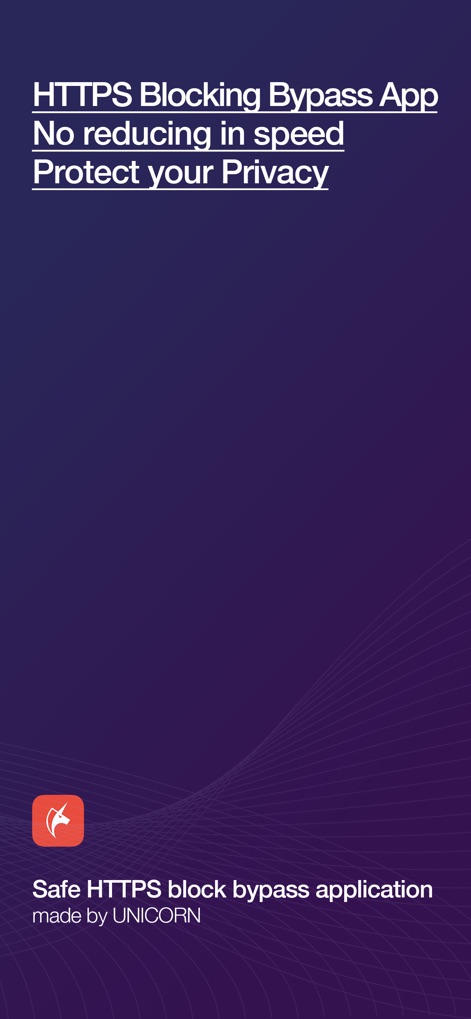
Discover the app's core promise, highlighting its function as an 'HTTPS Blocking Bypass App' and a commitment to 'Protect your Privacy'.
Unicorn HTTPS Unveiled

Observe the intuitive interface when 'HTTPS connection is securely protected,' clearly indicated by the prominent lock icon and its active toggle switch.
Security Activated
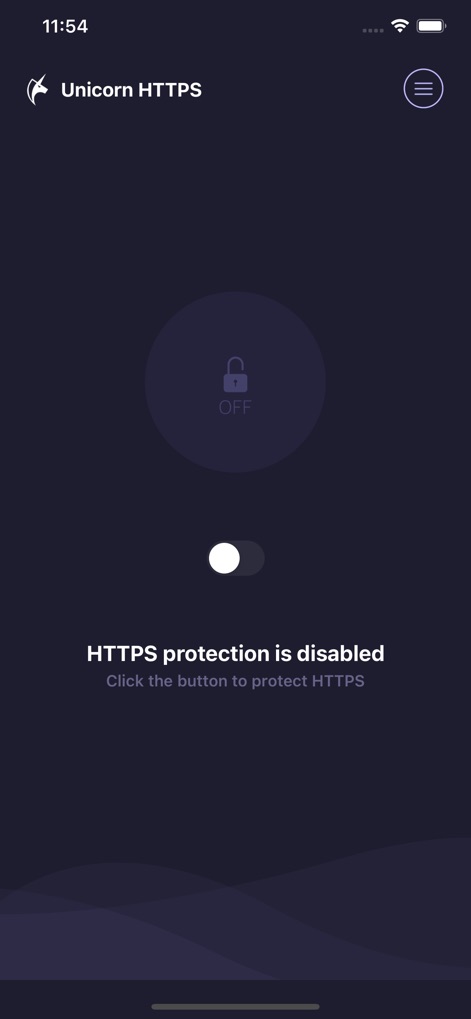
Examine the straightforward controls for managing protection, showcasing the clear 'HTTPS protection is disabled' message and its easily accessible off-state toggle switch.
Protection Management
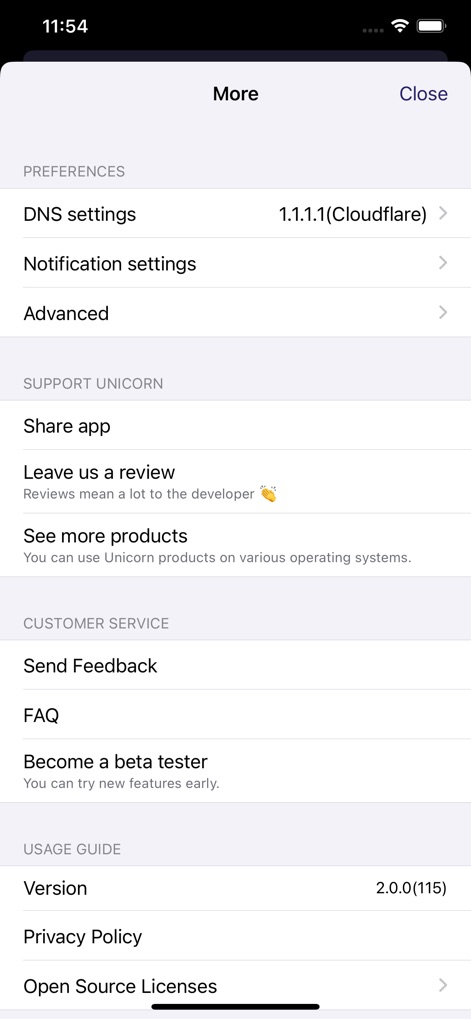
Explore the comprehensive 'More' menu, revealing advanced functionalities like customizable 'DNS settings' and dedicated sections for 'Share app' and 'Send Feedback'.
Settings & Support
Description
Download
More Like This
Apps with similar features and user experience
VPN - Super VPN Buck
FATCAT TECH PTE. LTD.

Clash Mi
SUPERNOVA NEBULA LLC

VPN FIy
YUNFAN TECHNOLOGY CO., LIMITED

V2Box - V2ray Client
techlaim

v2RayTun
DATABRIDGES TECHNOLOGIES LTD

sing-box VT
VIRAL TECH, INC.

Karing
SUPERNOVA NEBULA LLC

V2Lite VPN - Super VPN Proxy
Surf Safe Network Ltd

Hiddify Proxy & VPN
Holistic Resilience
This page is not an official page of the app or its developer, but an independent editorial publication created for informational and commentary purposes. Unless expressly stated otherwise, neither the app nor its developer is affiliated with, endorsed by, sponsored by, authorized by, or otherwise officially connected with MWM, Apple, Google Play, the app publisher, or the app's developer, and nothing on this page implies that the app was developed using MWM's services. Any trademarks, logos, screenshots, and other content remain the property of their respective owners.