
This page is not an official page of the app or its developer, but an independent editorial publication created for informational and commentary purposes. Unless expressly stated otherwise, neither the app nor its developer is affiliated with, endorsed by, sponsored by, authorized by, or otherwise officially connected with MWM, Apple, Google Play, the app publisher, or the app's developer, and nothing on this page implies that the app was developed using MWM's services. Any trademarks, logos, screenshots, and other content remain the property of their respective owners.

VPN - Super VPN Buck
Master your global connectivity with smart routing, custom node management, and built-in professional tools designed for peak security and seamless performance.
Downloads
832K+User Rating
Total Ratings
5K+Publisher
Category
BusinessLocales
5Latest Version
1.0.7Size
88.0 MBFirst Released
Apr 23, 2025Engineered for Performance and Precision
Go beyond basic browsing with professional-grade network management and global connectivity tailored for power users.
Advanced Professional Control
Tailor your network environment with custom configurations and granular settings designed for tech-savvy professionals.
Intelligent Node Management
Seamlessly add and manage server nodes via QR codes or URLs with smart routing that optimizes your traffic automatically.
Frequently Asked Questions
Everything you need to know about VPN - Super VPN Buck
What is Super VPN Buck?
Super VPN Buck is a VPN application designed for efficient and convenient global network solutions. It provides features like professional mode, node management, global proxy access, and multiple proxy modes for a seamless internet experience.
How does Super VPN Buck provide global connectivity?
Super VPN Buck provides global connectivity through its global proxy access, allowing users to connect with one tap to optimized proxy configurations. It also offers a selection of global servers.
Can I customize network configurations in Super VPN Buck?
Yes, Super VPN Buck offers a Professional Mode for advanced custom network configurations. It also supports custom nodes, which users can add via QR codes, files, URLs, or default configurations.
What methods are available for adding nodes in Super VPN Buck?
Super VPN Buck allows users to add nodes via QR codes, files, URLs, or default configurations. The app also supports importing nodes locally from your device.
Does Super VPN Buck offer different proxy modes?
Yes, Super VPN Buck offers multiple proxy modes, including Global Direct, Global Proxy, and Smart Routing. These modes intelligently manage your network traffic.
Does Super VPN Buck include a network speed test?
Yes, Super VPN Buck includes built-in tools such as a network speed testing function. This allows users to check their download and upload speeds directly within the app.
Is Super VPN Buck a paid application?
Super VPN Buck offers exclusive features through a VIP subscription, indicating some services are paid. The app also presents an option to "Go Premium pro" for enhanced features.
Can I share nodes within the Super VPN app?
Yes, Super VPN Buck supports sharing nodes. The node management feature allows users to easily share their configured node list within the application.
Does Super VPN Buck use rules for traffic management?
Yes, Super VPN Buck allows for traffic management using rules. It offers a "Rule" mode to forward traffic based on specific configurations and supports enabling rules configuration.
What is the maximum speed Super VPN Buck can reach?
Super VPN Buck offers ultra-high speeds, stating it can reach up to 10 Gbps. Users can verify their connection performance using the in-app network speed test.
The following screenshots and description are sourced directly from the app's official store listing and are the property of the app developer.
App Store
Screenshots
Introductory screen for Super VPN Buck app featuring global landmarks and the tagline swift and trustworthy VPN.
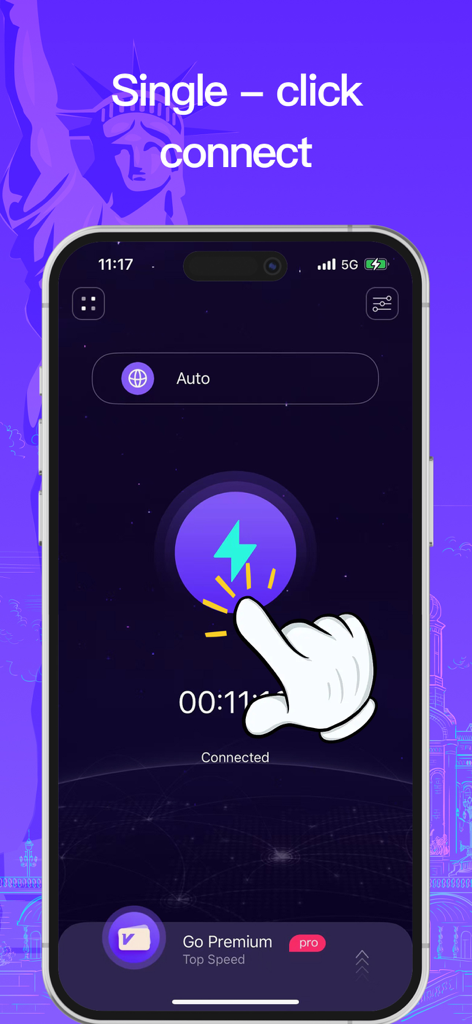
Super VPN Buck mobile app interface showing the single click connection feature for secure global proxy access
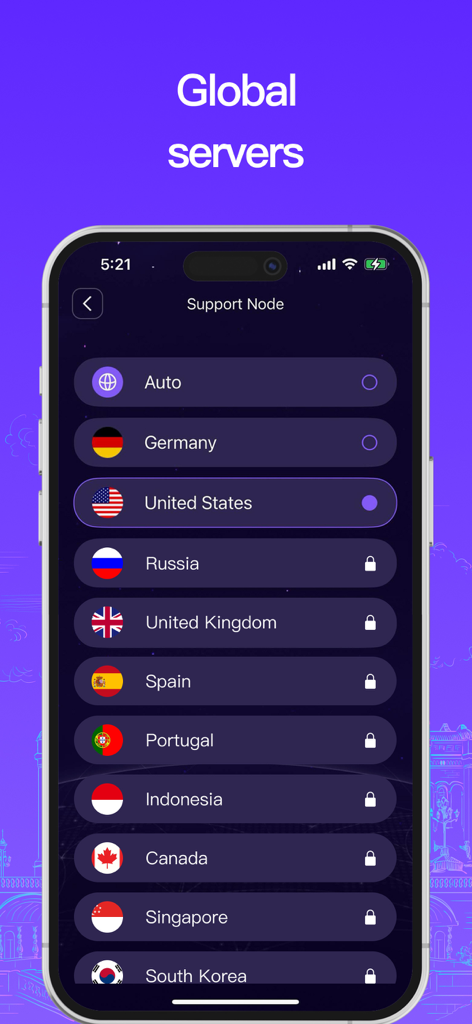
A list of global VPN server locations showing countries like Germany United States and United Kingdom in the Super VPN Buck app
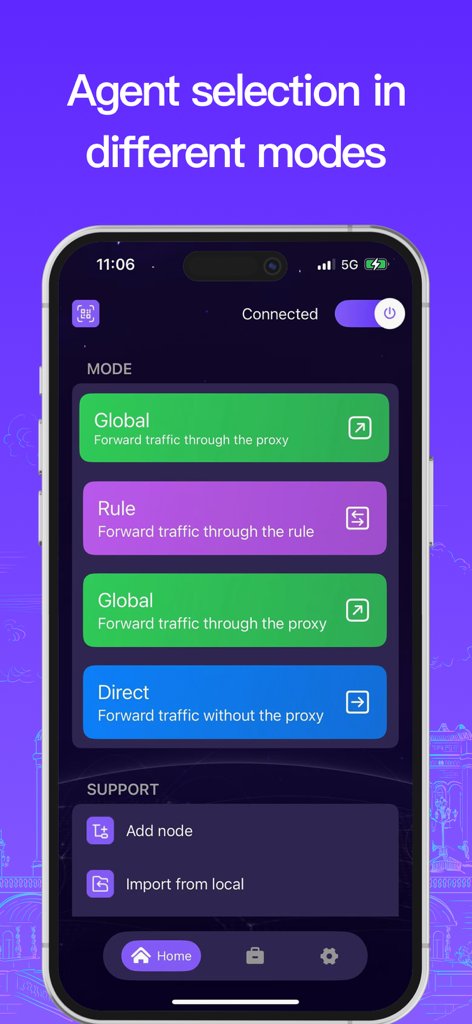
Interface showing global, rule, and direct proxy modes for VPN connection.
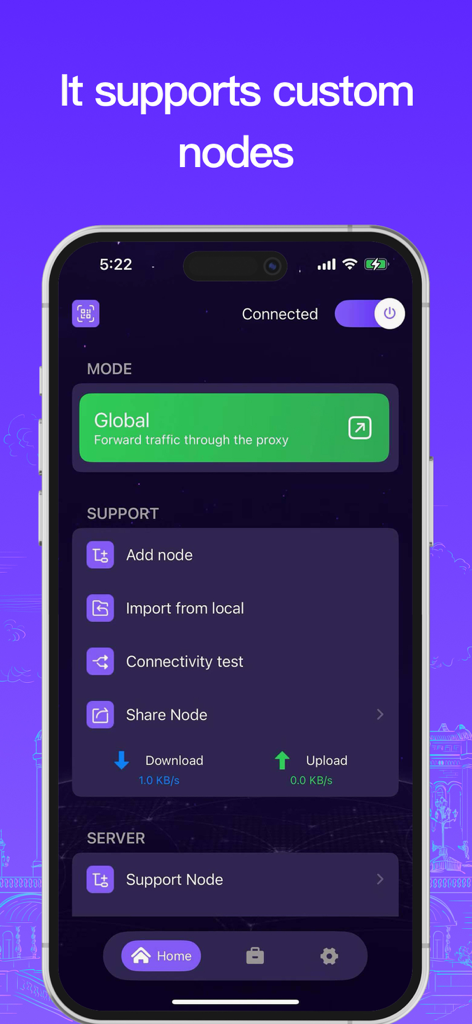
Interface of the Super VPN Buck app displaying custom node management features like adding importing and sharing nodes on an iPhone.
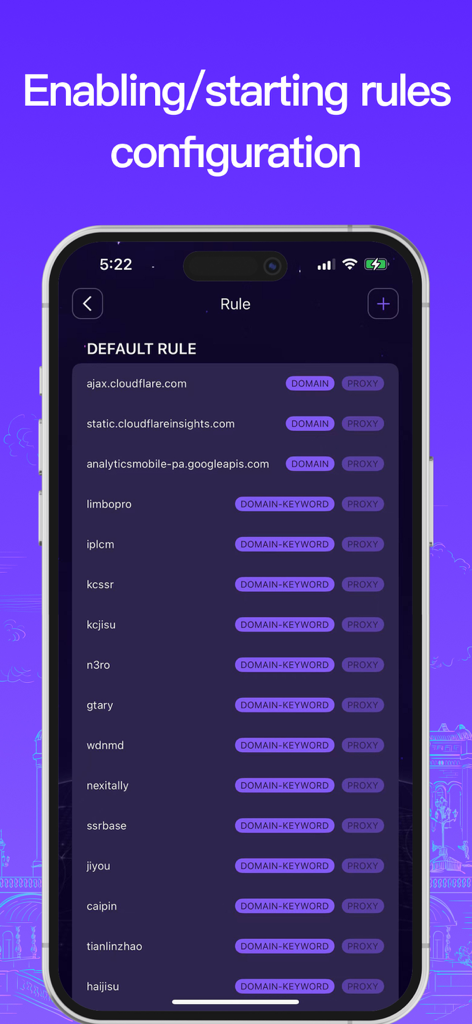
Interface for configuring custom network rules and proxy settings in Super VPN Buck
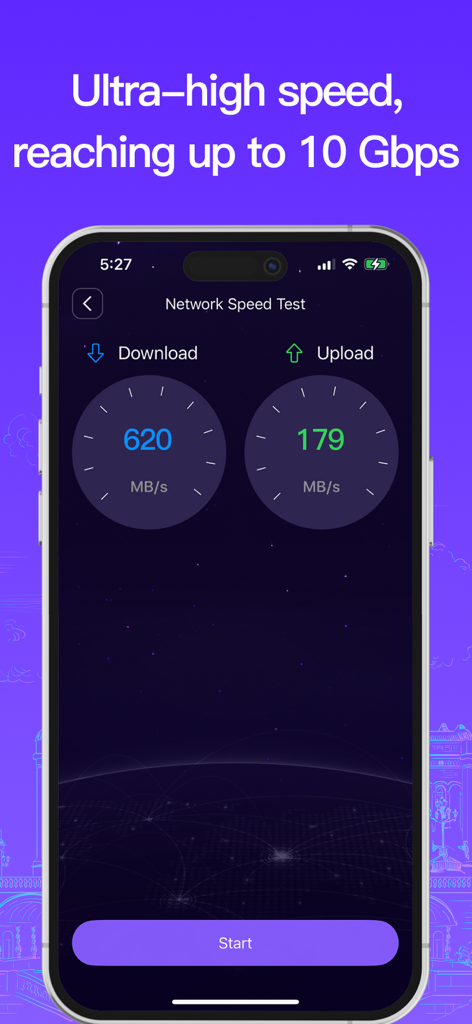
Super VPN Buck app network speed test interface showing high download and upload speeds reaching up to 10 Gbps
Description
Download
More Like This
Apps with similar features and user experience
Unicorn HTTPS
Unicorn Soft, Inc.

Clash Mi
SUPERNOVA NEBULA LLC
VPN FIy
YUNFAN TECHNOLOGY CO., LIMITED
V2Box - V2ray Client
techlaim
v2RayTun
DATABRIDGES TECHNOLOGIES LTD

sing-box VT
VIRAL TECH, INC.
Karing
SUPERNOVA NEBULA LLC

V2Lite VPN - Super VPN Proxy
Surf Safe Network Ltd

Hiddify Proxy & VPN
Holistic Resilience
This page is not an official page of the app or its developer, but an independent editorial publication created for informational and commentary purposes. Unless expressly stated otherwise, neither the app nor its developer is affiliated with, endorsed by, sponsored by, authorized by, or otherwise officially connected with MWM, Apple, Google Play, the app publisher, or the app's developer, and nothing on this page implies that the app was developed using MWM's services. Any trademarks, logos, screenshots, and other content remain the property of their respective owners.