
This page is not an official page of the app or its developer, but an independent editorial publication created for informational and commentary purposes. Unless expressly stated otherwise, neither the app nor its developer is affiliated with, endorsed by, sponsored by, authorized by, or otherwise officially connected with MWM, Apple, Google Play, the app publisher, or the app's developer, and nothing on this page implies that the app was developed using MWM's services. Any trademarks, logos, screenshots, and other content remain the property of their respective owners.

Verizon Call Filter
Take back control of your phone with automated spam blocking and real-time caller ID. Protect yourself and your family with carrier-grade security built for the Verizon network.
Downloads
5M+User Rating
Total Ratings
276K+Publisher
Category
UtilitiesLocales
1Latest Version
18.1Size
88.1 MBFirst Released
Jun 22, 2017Reclaim Your Phone and Your Peace of Mind
Say goodbye to intrusive robocalls and neighborhood spoofing with the carrier-grade security built exclusively for Verizon users.
Smart Spam Blocking
Our advanced algorithms automatically detect and silence high-risk scammers before your phone even rings, keeping your personal time safe.
Neighborhood Spoofing Filter
Stop being fooled by numbers that look local. Easily identify and block callers using your specific area code and prefix to gain your trust.
Frequently Asked Questions
Everything you need to know about Verizon Call Filter
What is Verizon Call Filter?
Verizon Call Filter screens and automatically blocks incoming spam calls. It identifies suspected spam and provides features to manage unwanted callers, enhancing confidence when answering the phone.
How does Verizon Call Filter block spam calls?
Verizon Call Filter automatically blocks spam calls based on their risk level, sending them directly to voicemail. It is pre-set to block high-risk callers.
Can I customize spam blocking settings in Verizon Call Filter?
Yes, users can adjust spam filter settings in Verizon Call Filter at any time. Options include blocking high risk only, high and medium risk, or all risk levels.
Does Verizon Call Filter identify unknown callers?
Yes, Verizon Call Filter identifies suspected spam calls with alerts. The upgraded Call Filter Plus includes Caller ID for enhanced security and identification of unknown callers.
How do I report a spam number using Verizon Call Filter?
Users can report phone numbers as spam directly within the Verizon Call Filter app. The app provides an interface to categorize and submit reports for unwanted callers.
What additional features does Call Filter Plus offer?
Call Filter Plus offers additional security features including Caller ID and the ability to block entire neighborhoods, giving users more granular control over incoming calls.
What is the cost of Verizon Call Filter Plus?
Verizon Call Filter Plus costs $3.99 per month, per line. For accounts with three or more eligible lines, a Multi-line option is available for $10.99 per month.
Is there a free trial for Verizon Call Filter Plus?
Yes, eligible customers receive a 15-day free trial for Call Filter Plus. After the trial, customers can subscribe to Call Filter Plus or will be auto-enrolled in the free version.
What are the system requirements for Verizon Call Filter?
Verizon Call Filter requires a Verizon standard monthly account on an eligible device. Data charges apply for app usage.
Can I view a history of identified spam and blocked calls in Verizon Call Filter?
Yes, Verizon Call Filter allows users to view a history of identified spam and blocked calls. The app also provides insights into spam call patterns and recent activity.
The following screenshots and description are sourced directly from the app's official store listing and are the property of the app developer.
App Store
Screenshots
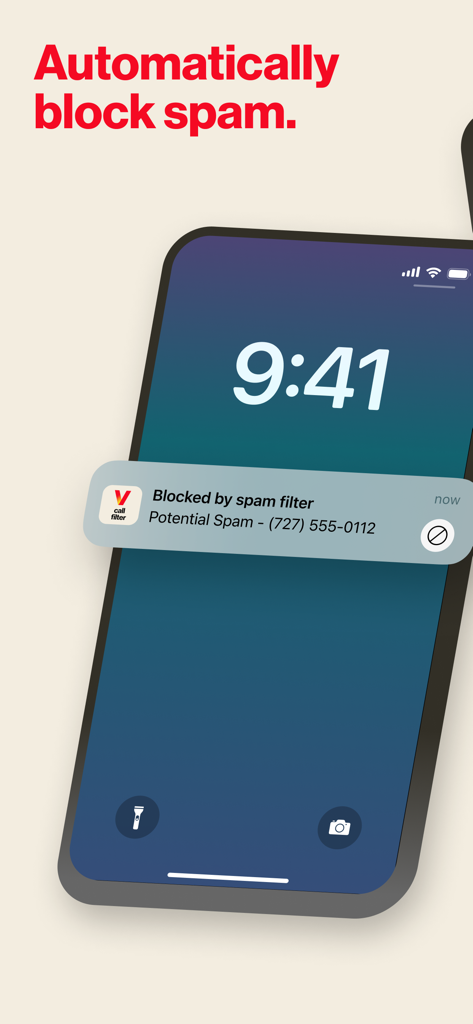
Verizon Call Filter notification showing a blocked spam call on a smartphone
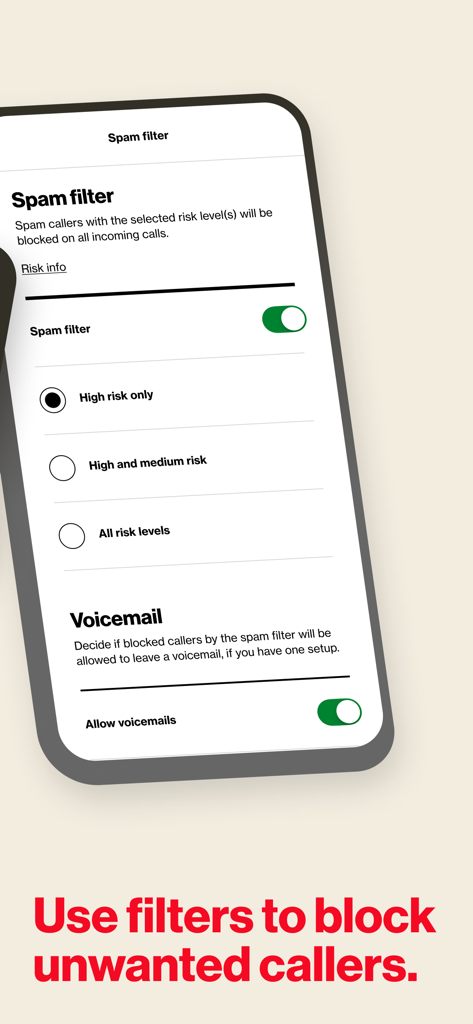
Verizon Call Filter app interface showing spam risk level settings and voicemail options on an iPhone.
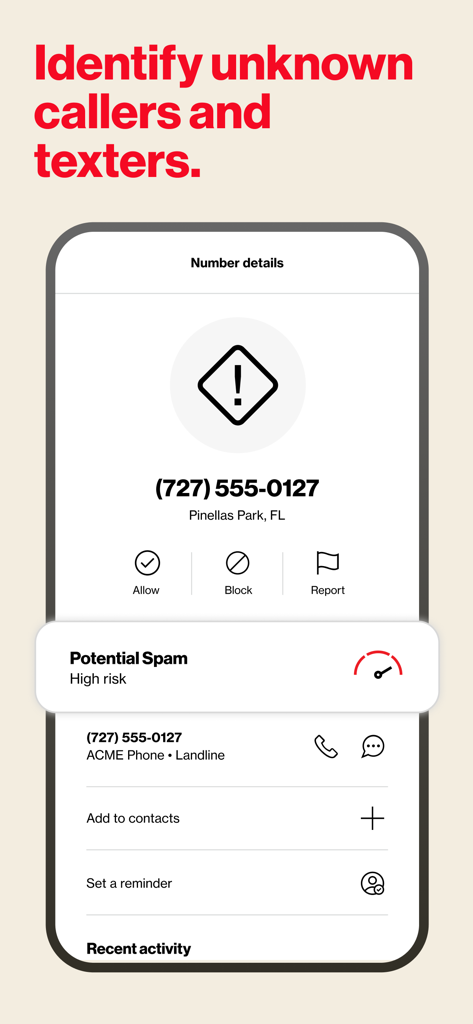
Verizon Call Filter app screen identifying a high risk potential spam caller with options to block or report.
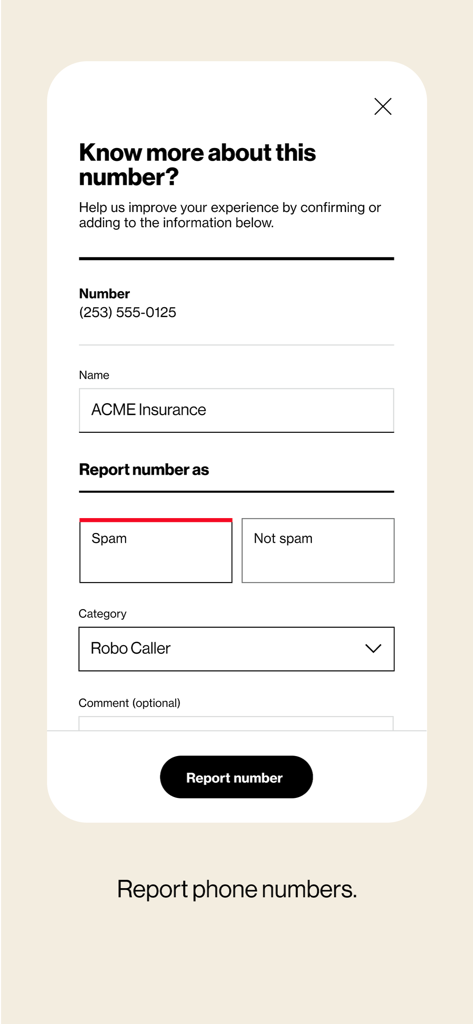
Interface for reporting a phone number as spam or a robocaller within the Verizon Call Filter app
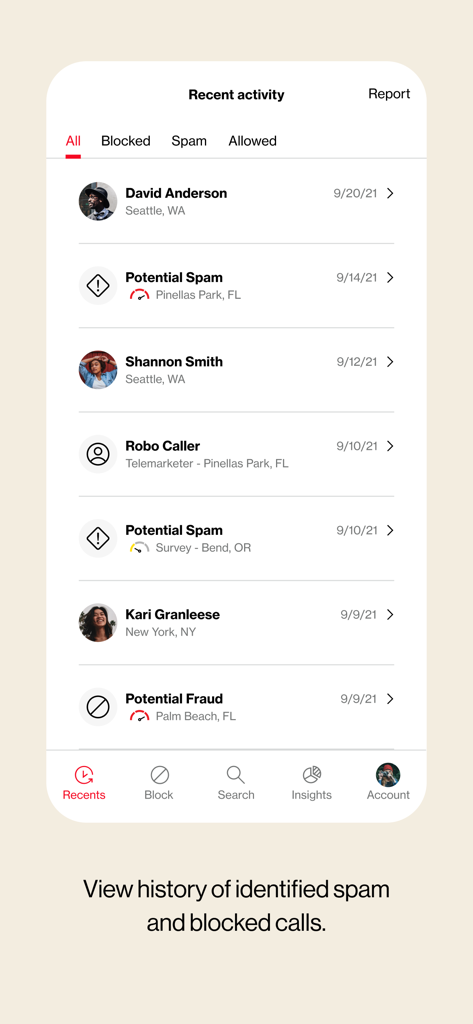
Screenshot of the Verizon Call Filter app showing the recent activity log with identified spam, blocked, and legitimate calls.
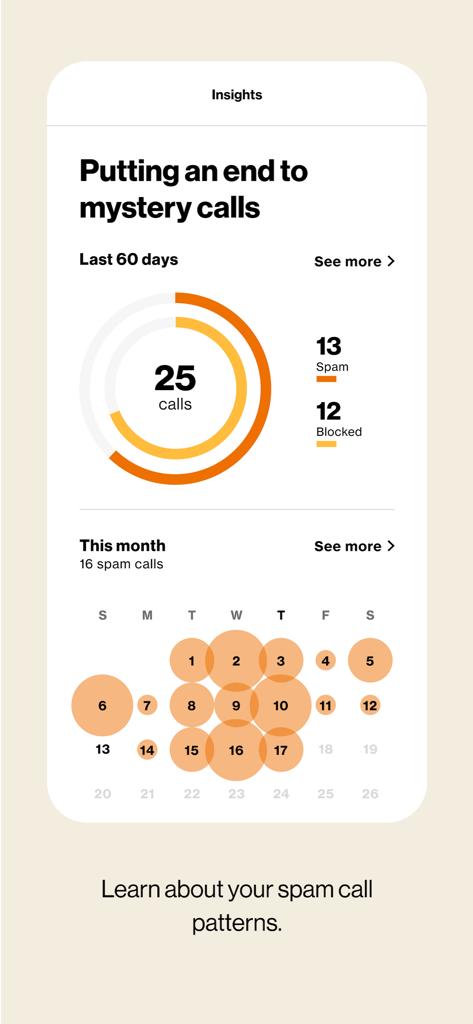
Verizon Call Filter app insights dashboard displaying spam call statistics and patterns
Description
Download
More Like This
Apps with similar features and user experience
Whoscall: Safer Together
GOGOLOOK CO., LTD.
Saracroche : bloqueur d'appels
Camille Bouvat
Getcontact
GETVERIFY LDA

Robokiller: Spam Call Blocker
Mosaic S.r.l.
Begone: Spam Call Blocker
AKE Software GmbH
GetCaller: True Caller ID
MALKAN LLC
Reverse Lookup
Orave Technologies (P) Ltd
Call Filter - Caller ID
Thao Tran
iCallme - Caller ID Lookup
EWAY JOINT STOCK COMPANY
This page is not an official page of the app or its developer, but an independent editorial publication created for informational and commentary purposes. Unless expressly stated otherwise, neither the app nor its developer is affiliated with, endorsed by, sponsored by, authorized by, or otherwise officially connected with MWM, Apple, Google Play, the app publisher, or the app's developer, and nothing on this page implies that the app was developed using MWM's services. Any trademarks, logos, screenshots, and other content remain the property of their respective owners.