
VIA App


Break free from cables and dongles. Empower your team with instant wireless sharing, interactive whiteboarding, and HD streaming for smarter meetings and classrooms.
Publisher
Category
ProductivityDownloads
79K+User Rating
Total Ratings
0Locales
10Discover the interface used by 79K+ users.
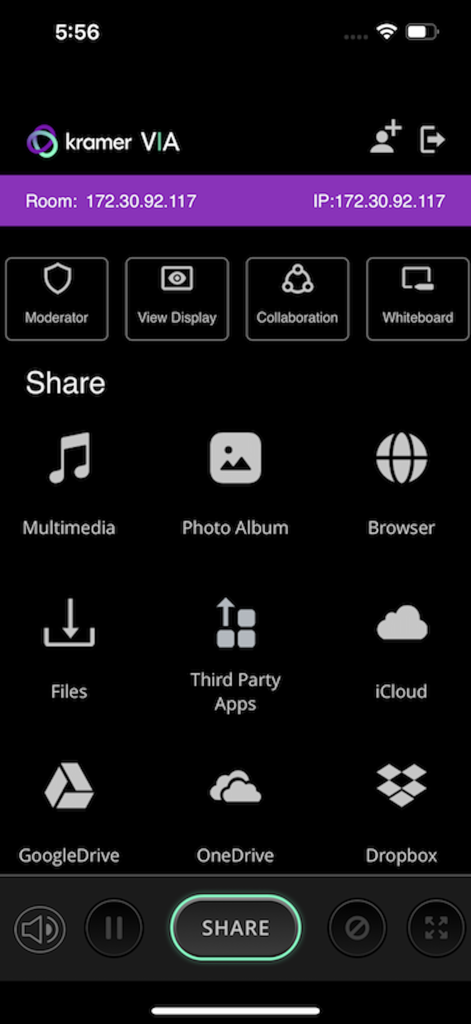
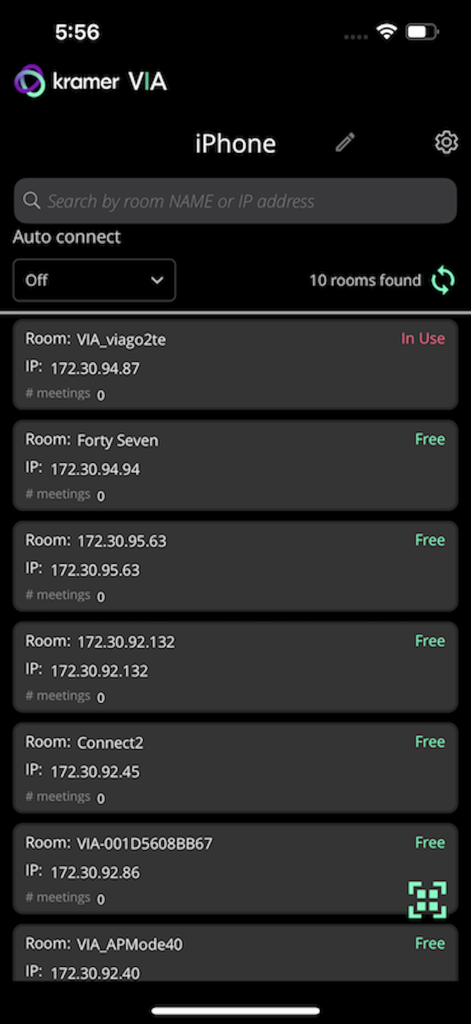
The tools that make this app stand out, trusted by 79K+ users.
Eliminate the "dongle hunt." Connect your iPhone or iPad to any display instantly over your existing network for a frictionless start to every meeting.
Turn presentations into conversations. Use the interactive whiteboard and real-time annotation tools to capture ideas the moment they happen.
Deliver high-impact content with crystal-clear HD video streaming and dynamic layouts that keep your audience engaged and your professional image polished.
Everything you need to know about VIA App.
Description
Latest Version
4.2.955
Size
37.1 MB
First Released
Jun 19, 2014
Join over 79,000 professionals who have ditched the cables for seamless wireless collaboration. Download the VIA app for your iPhone or iPad and transform any screen into a collaborative workspace today.
Top-ranked apps in the same category

OpenAI OpCo, LLC

Google LLC

X.AI Corporation

Google LLC

Shanghai Zhixin Puhui Technology Co., Ltd.

Google LLC

Microsoft Corporation

Google LLC

Google LLC
App information, icons, screenshots, and descriptions displayed on this page are sourced from the Apple App Store and are the property of their respective developers. Download estimates and rankings are based on MWM's proprietary models and may not reflect actual figures. This page is provided for informational and analytical purposes only.
Believe this page infringes your intellectual property? File a dispute