Video Assist

Video Assist

Download on App Store
Logo of Video Assist

Video Assist: Professional Cinema Monitoring & ProRes Recording on iPad

Transform your iPad into a high-end external monitor with False Color, LUTs, and Focus Peaking. Capture frame-accurate footage and automate record triggers for ARRI, RED, and Sony workflows.

Download on App Store

Publisher

Auron Studios Pty Ltd

Category

Photo & Video

Downloads

2K+

User Rating

1.0/5

Total Ratings

0

Locales

1

The Ultimate Field Monitor

Discover the interface used by 2K+ users.
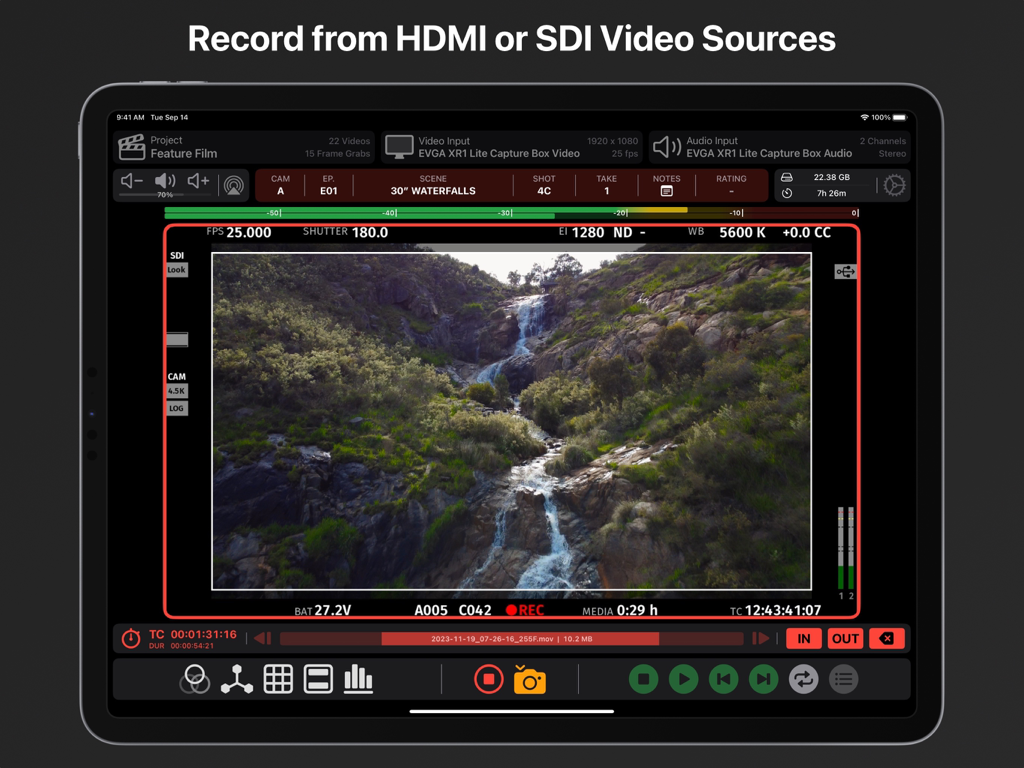
Video Assist app interface on iPad displaying a live video feed of a waterfall with professional monitoring tools and metadata

Video Assist app interface on iPad displaying a live video feed of a waterfall with professional monitoring tools and metadata

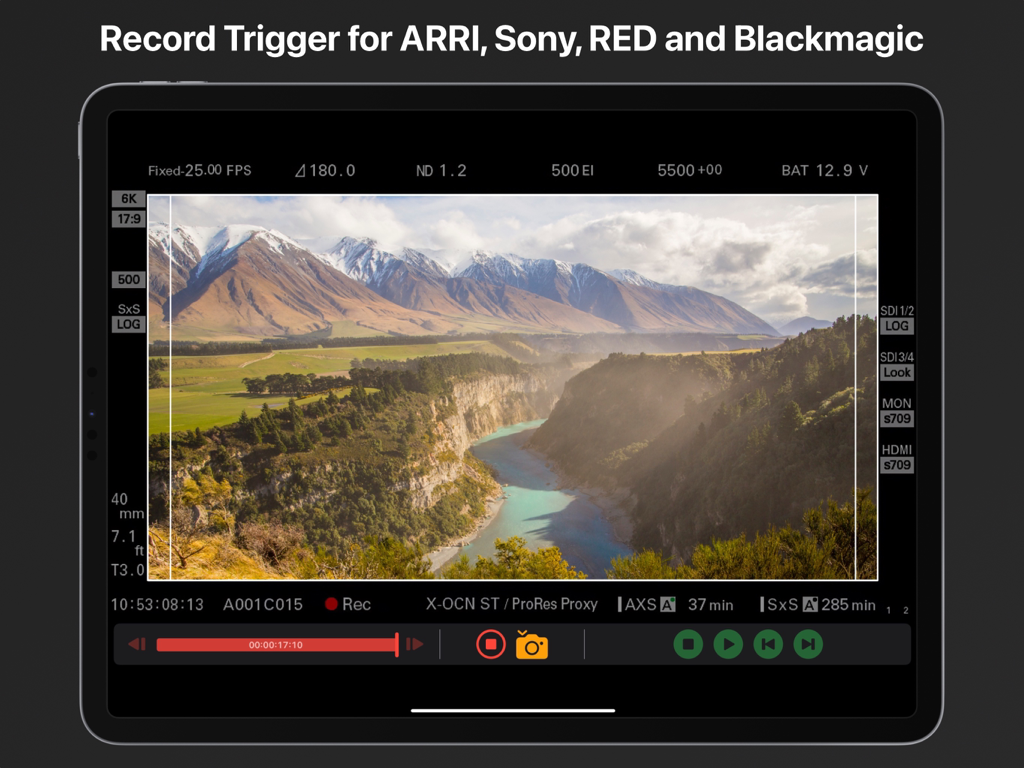
Video Assist app on iPad showing the record trigger feature for professional cinema cameras

Video Assist app on iPad showing the record trigger feature for professional cinema cameras

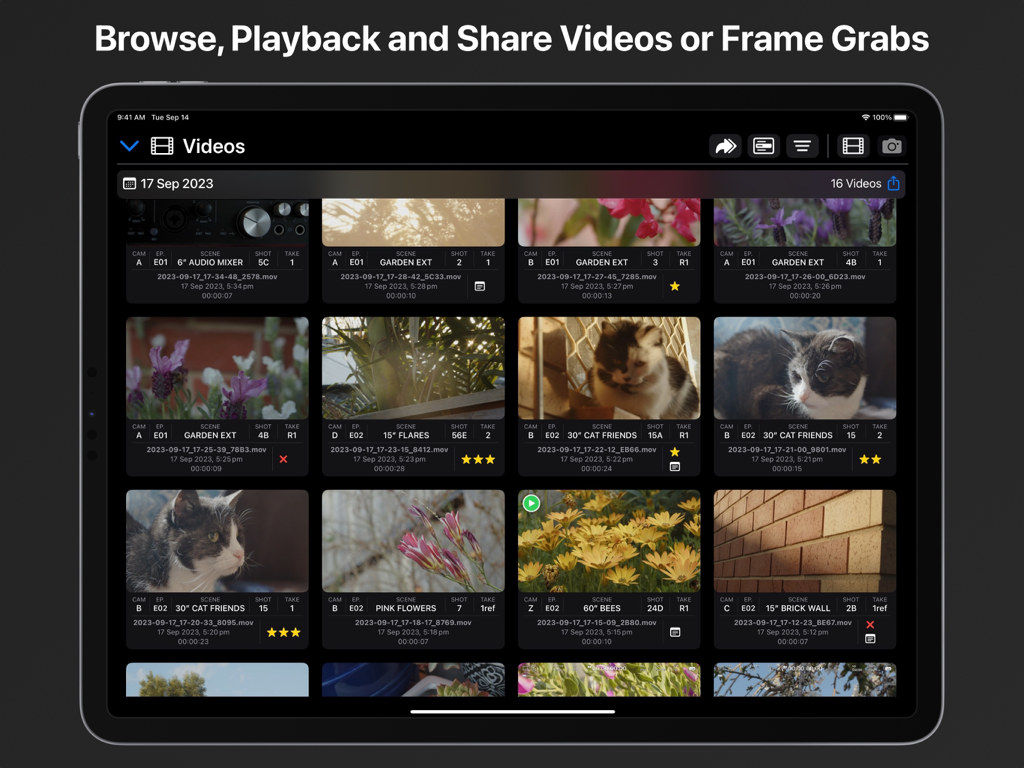
A media library view in the Video Assist iPad app showing recorded video clips with professional metadata including scene and shot details.

A media library view in the Video Assist iPad app showing recorded video clips with professional metadata including scene and shot details.

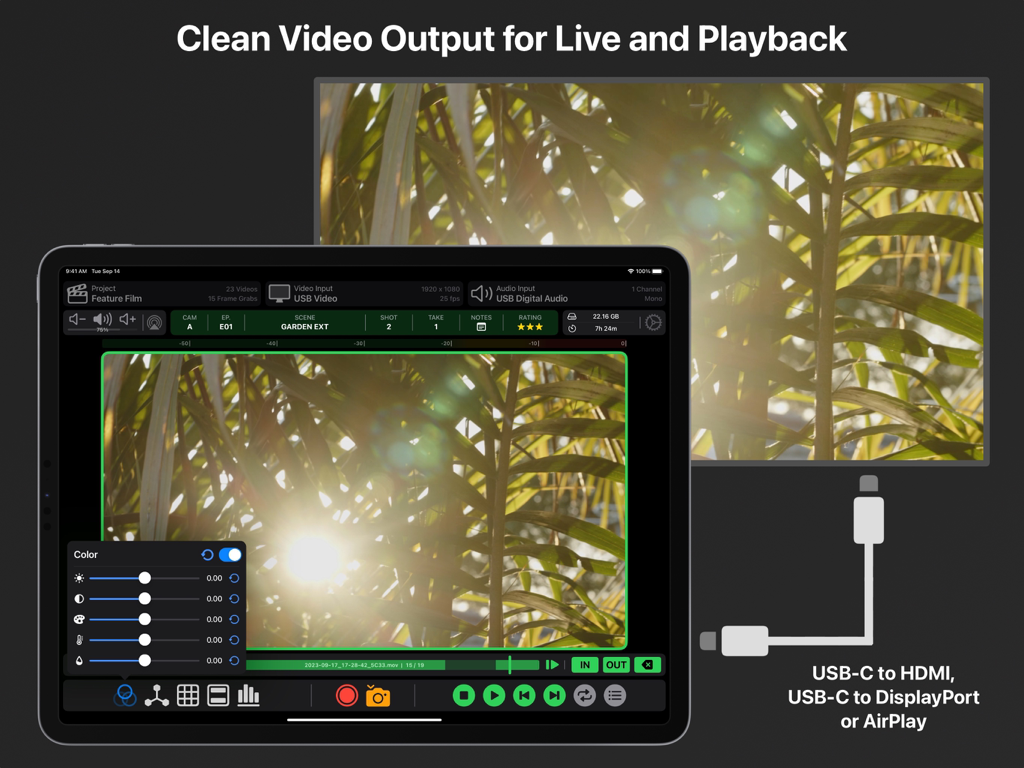
Video Assist app on iPad displaying clean video output to an external monitor via USB-C and AirPlay

Video Assist app on iPad displaying clean video output to an external monitor via USB-C and AirPlay

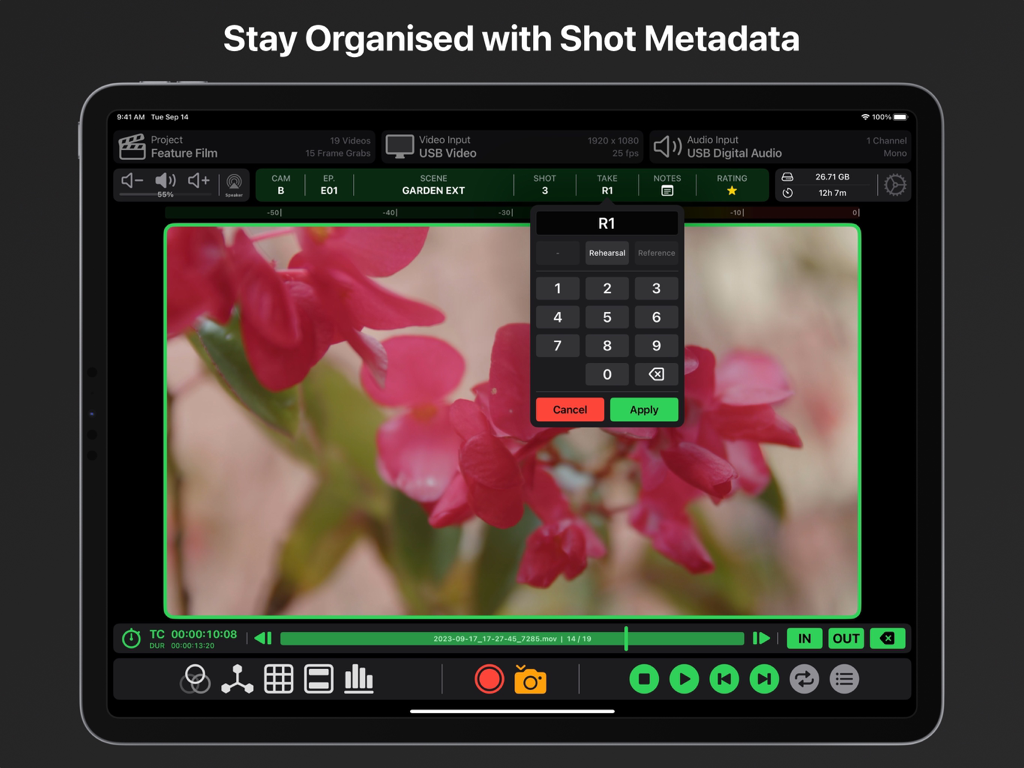
Interface of Video Assist app on iPad showing shot metadata organization and take entry for professional video production.

Interface of Video Assist app on iPad showing shot metadata organization and take entry for professional video production.

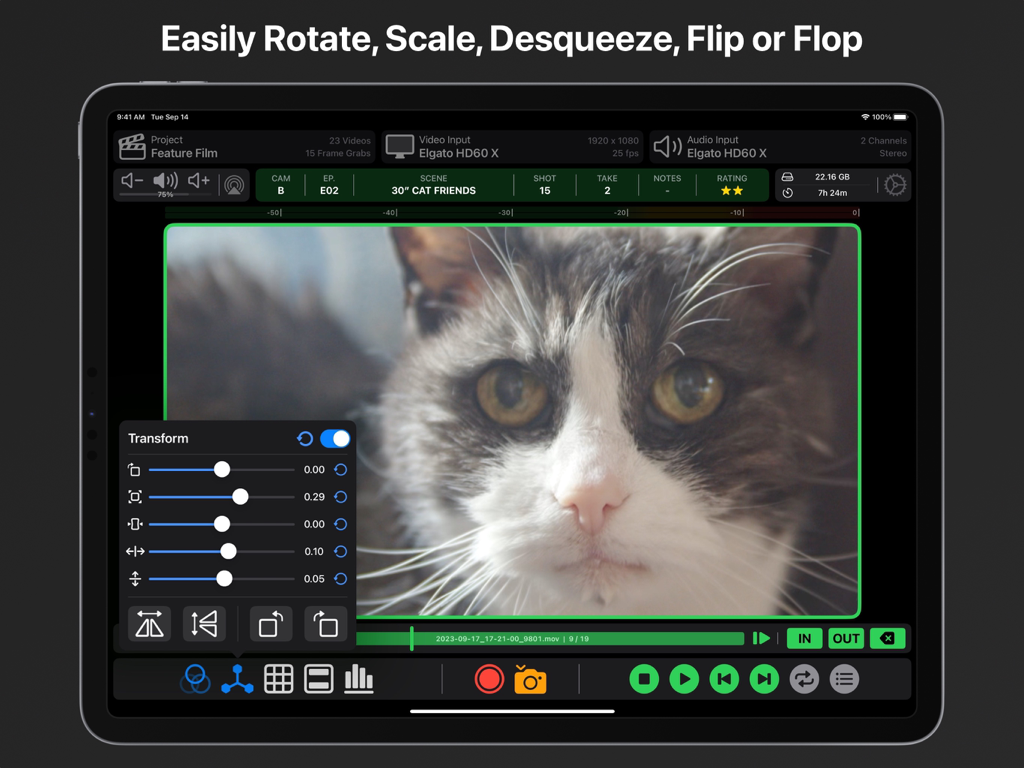
Professional video monitoring app interface on iPad showing image transformation and scaling controls

Professional video monitoring app interface on iPad showing image transformation and scaling controls

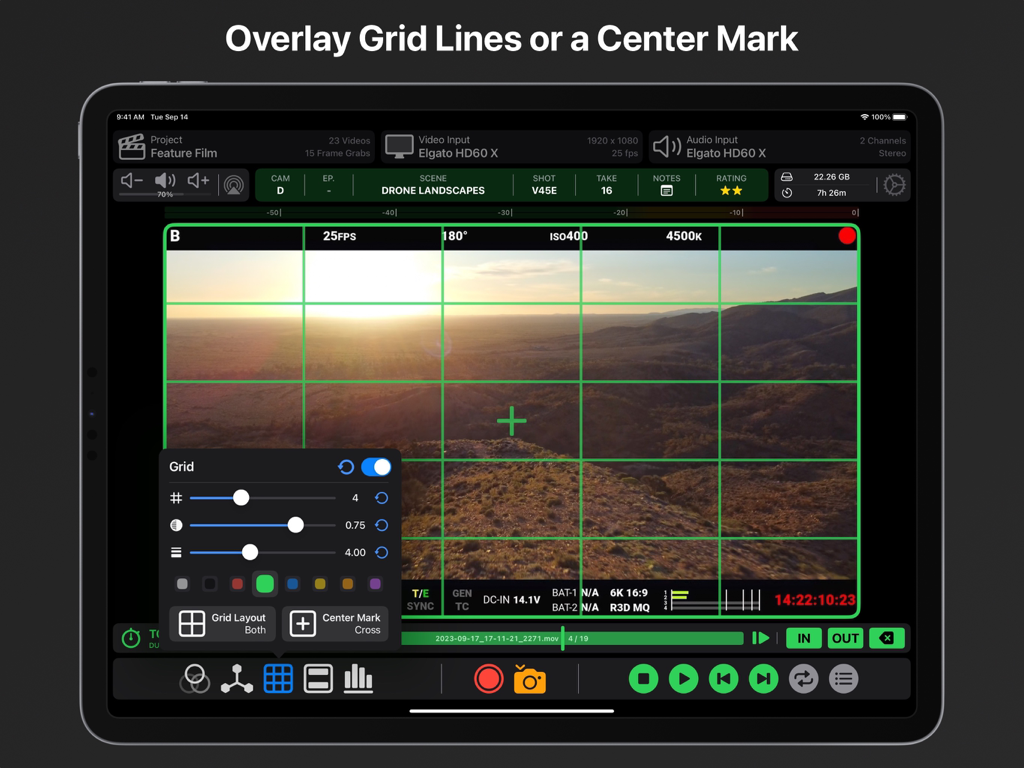
Video Assist app showing customizable green grid lines and center marks on an iPad for professional video composition

Video Assist app showing customizable green grid lines and center marks on an iPad for professional video composition

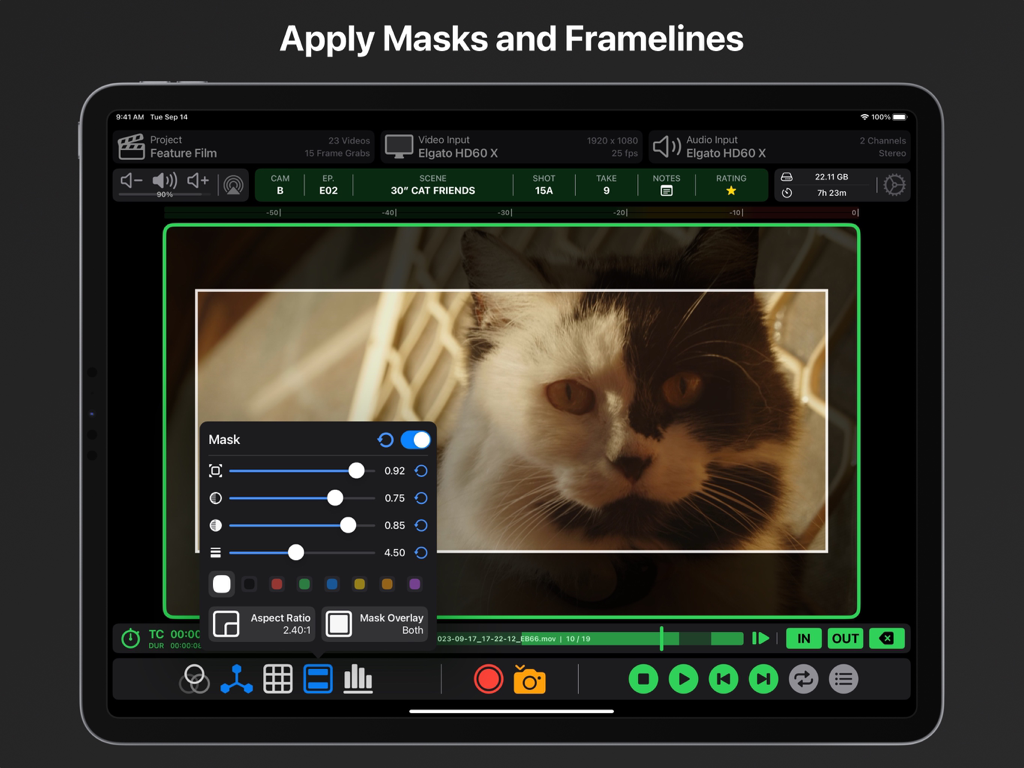
Video Assist iPad app interface displaying adjustable aspect ratio masks and framelines for professional video monitoring.

Video Assist iPad app interface displaying adjustable aspect ratio masks and framelines for professional video monitoring.

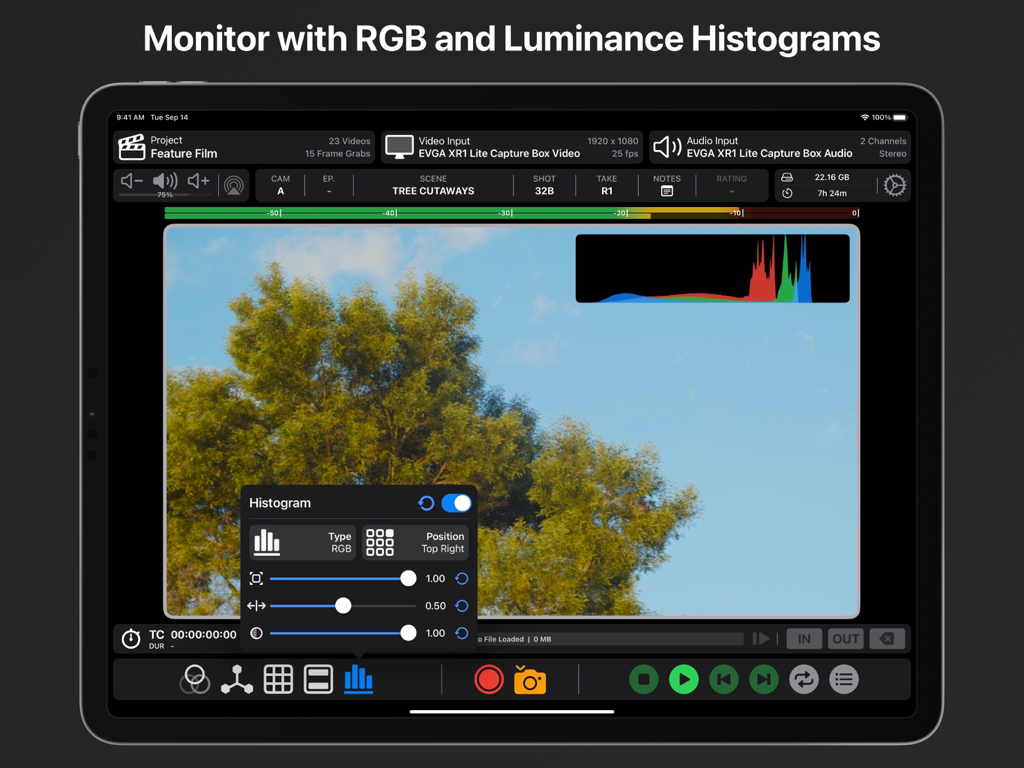
Professional video monitoring on iPad featuring RGB and luminance histograms with customizable settings.

Professional video monitoring on iPad featuring RGB and luminance histograms with customizable settings.

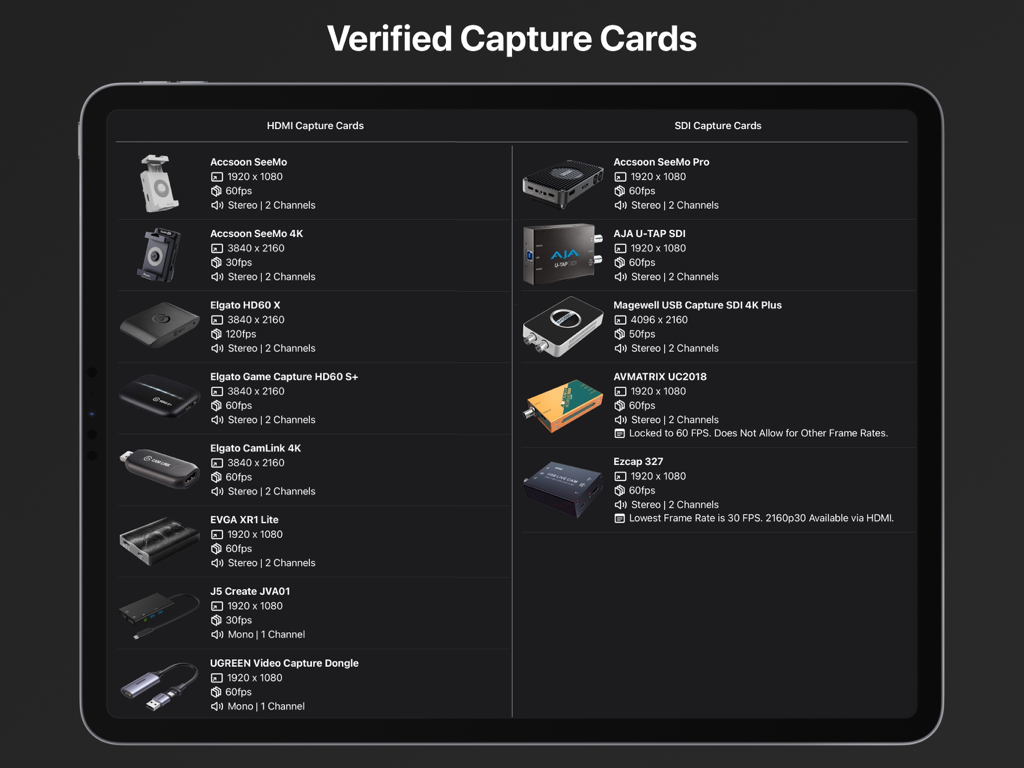
A list of verified HDMI and SDI capture cards compatible with the Video Assist app on iPad.

A list of verified HDMI and SDI capture cards compatible with the Video Assist app on iPad.

Professional Monitoring and Recording on Your iPad

The tools that make this app stand out, trusted by 2K+ users.

šŸŽØ

Cinema-Grade Exposure & Focus

Master your image with False Color, Zebras, and 3D LUTs. Utilize Focus Peaking to ensure every frame is razor-sharp on the iPad's Liquid Retina display.

āŗļø

ProRes Recording & Instant Dailies

Capture high-quality ProRes directly to your iPad or external SSD. Review takes instantly with in-built playback tools and share clips via AirDrop.

šŸ¤–

AI-Powered Camera Sync

Automate your workflow with Computer Vision triggers for ARRI, RED, and Sony. Your iPad starts and stops recording in perfect sync with your camera.

About the app

Everything you need to know about Video Assist.

Description

Use your iPad as an external monitor and recording device with compatible USB Capture Cards. Easily record videos or capture frame grabs from any HDMI or SDI Video Source. Equipped with professional tools such as LUTs, Compositing, Focus Peaking, False Color, Zebras, Video Transform, Grid Lines, Center Marks, Aspect Ratio Masks, Anamorphic Desqueeze and Audio Meters. Verified HDMI Capture Cards: Accsoon SeeMo Accsoon SeeMo 4K Elgato HD60 X Elgato HD60 S+ Elgato CamLink 4K EVGA XR1 Lite J5 Create JVA01 UGREEN Video Capture Dongle AverMedia Live Gamer Mini AverMedia ExtremeCap UV (BU110) Roland UVC-01 Simplecom DA315 Verified SDI Capture Cards: Accsoon SeeMo Pro AJA U-Tap SDI Magewell SDI 4K Plus AVMATRIX UC2018** Ezcap 327*** Review captured video with our suite of in-built playback tools. Set multiple in/out points for a video to quickly get an idea of how it will feel in an edit. Our Playback Controls allow you to scrub to any point in time and navigate frame by frame when required. Playback will loop between different in/out points for takes with multiple actions. The Playback Browser makes finding and sharing specific clips via AirDrop a breeze, you can even assign each clip a rating to keep track of preferred takes. Clean Video Output is supported for both live video and playback. Simply connect an external monitor to your iPad with a USB-C to HDMI/DisplayPort Adaptor or via AirPlay. You’ll then be able to control Video Assist from your iPad while providing a clean video feed to another monitor. When using USB Video Output in tandem with a USB Capture Card you will need to use a USB Hub. Automatic Record Trigger is supported for ARRI, RED, Sony Venice, Sony Burano, Blackmagic and DJI Cameras via custom built computer vision models. Record Trigger requires status info on your camera output, it will not work on a clean video feed. If we don’t support Record Trigger for a camera you own please get in touch, we’d love to bring that functionality to Video Assist. All Videos and Frame Grabs are stored on your iPad and can be accessed from the ā€˜Files’ App, you can choose if they record ā€˜On My iPad’, to ā€˜iCloud Drive’ or on an ā€˜External Drive’. Create Projects for better organisation when using Video Assist on different jobs or for breaking things down episode to episode on longer projects. A demo of ā€˜Video Assist 2.0’ can be viewed here: https://youtu.be/KehgqY0O1FA A pre-release demo of ā€˜Video Assist’ can be viewed here: https://youtu.be/-KxTDOyLeWQ Features That Require a ā€˜Pro’ Subscription: • LUTs • Focus Peaking • False Color • Zebras • Compositing • ProRes Recording Compatible iPad Models: iPad Pro 12.9-inch (3rd Generation and Later) iPad Pro 11-inch (1st Generation and Later) iPad (10th Generation) iPad Air (4th Generation and Later) iPad Mini (6th Generation and Later) As a general rule, if your iPad has a USB-C or Thunderbolt 3/4/5 Port then it will be compatible. It is recommend that your iPad has an M1 Chip or newer. Incompatible SDI Capture Cards*: Blackmagic UltraStudio Recorder 3G Blackmagic UltraStudio 4K Mini *USB Capture Cards must be UVC Compliant to work with Video Assist. **AVMatrix UC2018 is Locked to 60 FPS. Does Not Allow for Other Frame Rates. ***Lowest Frame Rate for the Ezcap 327 is 30fps. 2160p30 Available via HDMI Input. Terms of Use: https://f004.backblazeb2.com/file/video-assist-public/terms-of-use.pdf Privacy Policy: https://f004.backblazeb2.com/file/video-assist-public/privacy-policy.pdf

Latest Version

2.1.1

Size

87.7 MB

First Released

Sep 18, 2023

Ready to Transform Your iPad into a Professional Production Monitor?

Unlock LUTs, False Color, and ProRes recording. Download Video Assist today and bring elite-level cinematography tools to your next shoot.

Download on App Store

App information, icons, screenshots, and descriptions displayed on this page are sourced from the Apple App Store and are the property of their respective developers. Download estimates and rankings are based on MWM's proprietary models and may not reflect actual figures. This page is provided for informational and analytical purposes only.

Believe this page infringes your intellectual property? File a dispute