Video Compressor - resize all

Video Compressor - resize all


Download on App Store
Logo of Video Compressor - resize all

Video Compressor - resize all: Free Up Storage and Share Memories Without Limits

Shrink large video files in seconds without losing quality. Keep your private memories safe with 100% offline processing and say goodbye to 'Storage Full' alerts forever.

Publisher

LANARS LLC

Category

Photo & Video

Downloads

54K+

User Rating

4.8/5

Total Ratings

800

Locales

34

A Glimpse Inside

Discover the interface used by 54K+ users.
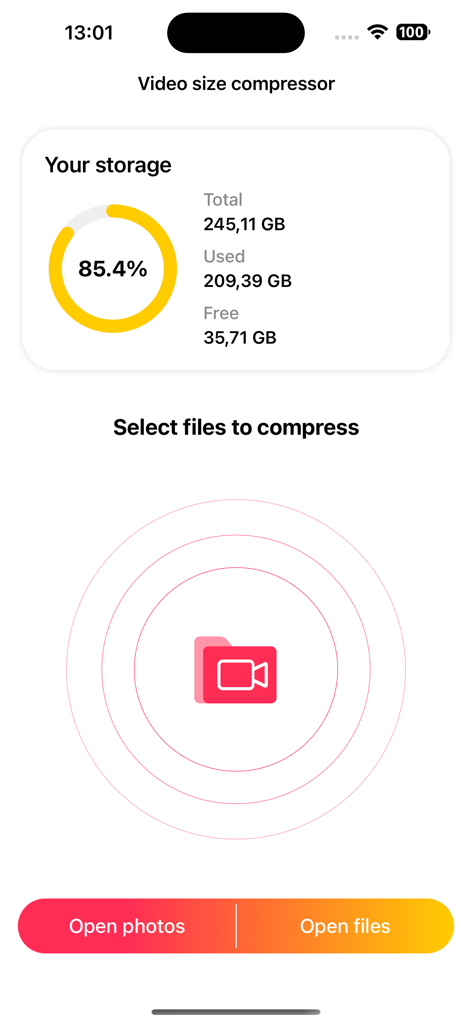
Interface of the Video Compressor app showing device storage usage and options to select video files from photos or folders

Interface of the Video Compressor app showing device storage usage and options to select video files from photos or folders

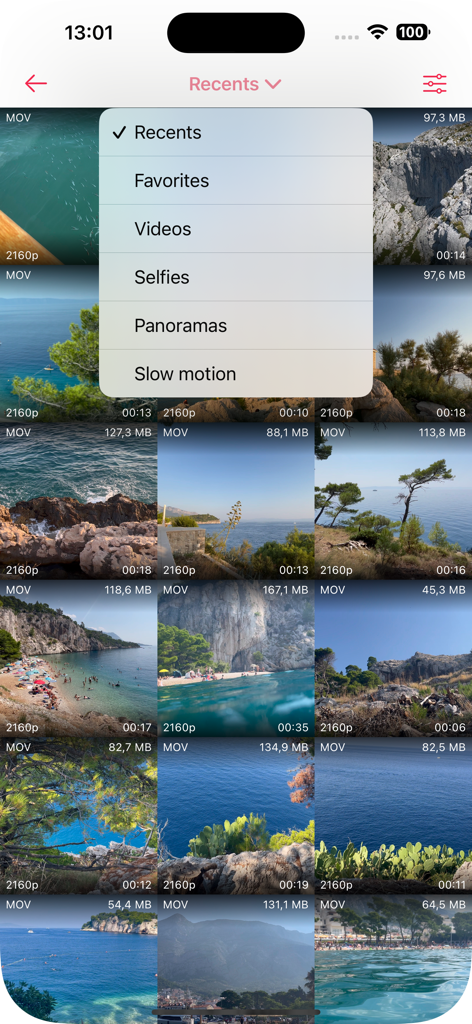
Video gallery view with a selection menu showing high resolution video files and their sizes.

Video gallery view with a selection menu showing high resolution video files and their sizes.

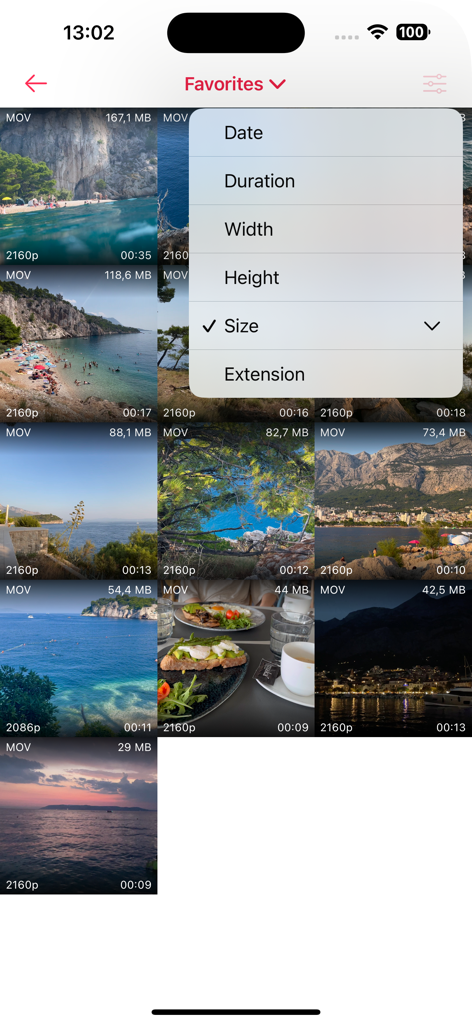
Video Compressor app interface showing video gallery and sorting options like file size and duration

Video Compressor app interface showing video gallery and sorting options like file size and duration

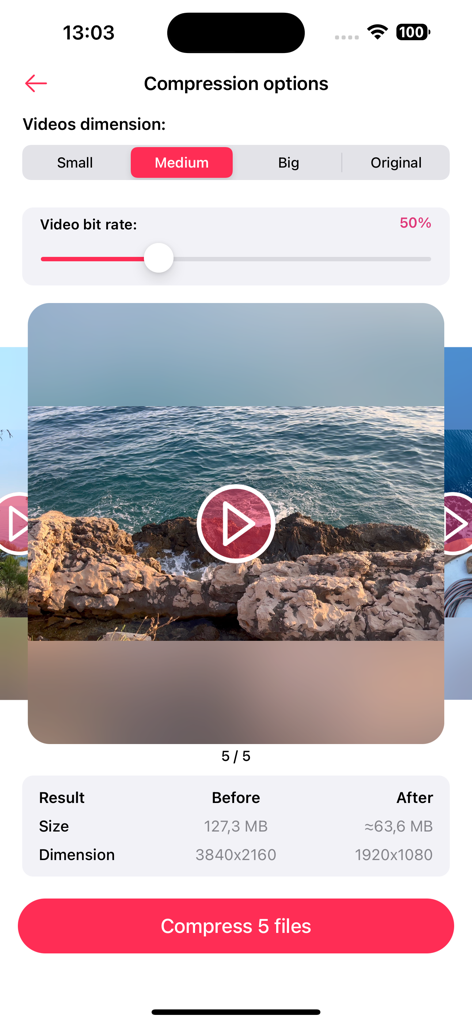
Interface showing video compression options including dimension selection and bit rate slider

Interface showing video compression options including dimension selection and bit rate slider

Interface of the video compressor app showing a sunset video preview with playback controls like pause and skip

Interface of the video compressor app showing a sunset video preview with playback controls like pause and skip

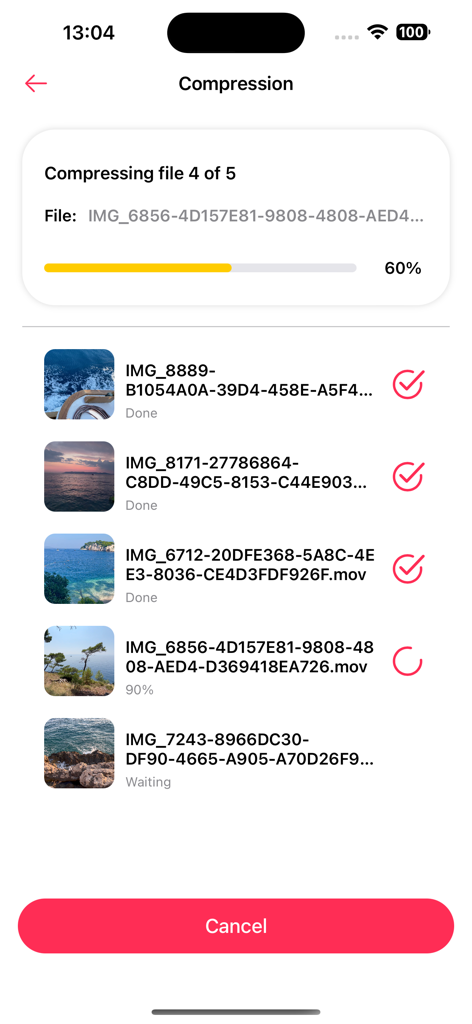
A screenshot of the Video Compressor app showing a batch of videos being processed with a progress indicator

A screenshot of the Video Compressor app showing a batch of videos being processed with a progress indicator

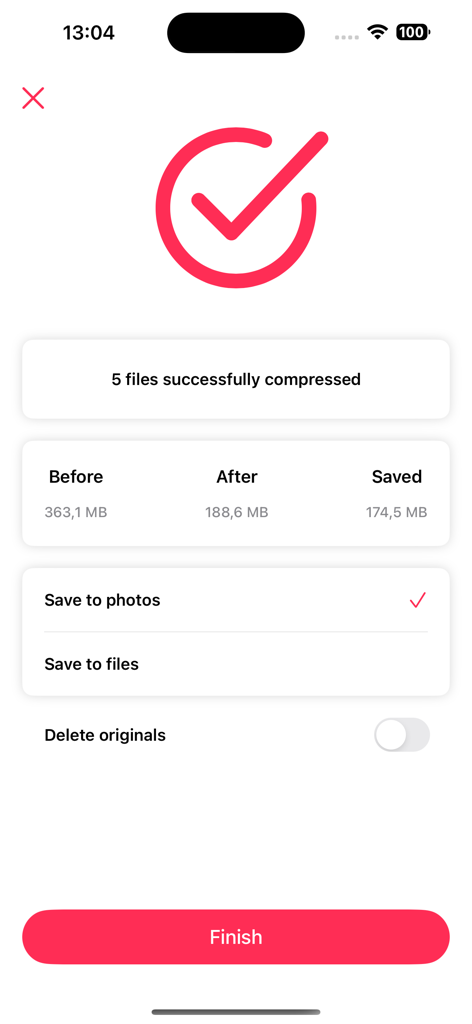
Success screen of Video Compressor app showing 174MB of storage saved after batch compression of five files

Success screen of Video Compressor app showing 174MB of storage saved after batch compression of five files

Stop Deleting, Start Compressing

The tools that make this app stand out, trusted by 54K+ users.

📱

Reclaim Gigabytes Instantly

Compress up to 20 videos at once to clear massive space on your device. Perfect for cleaning up your library without losing a single memory.

đź”’

100% Private & Offline

Your videos never leave your phone. All processing happens offline, ensuring your personal moments stay secure and under your control.

🚀

Bypass Sharing Limits

Say goodbye to 'file too large' errors. Shrink your videos for faster uploads to iMessage, WhatsApp, and email while keeping crystal-clear sound.

About the app

Everything you need to know about Video Compressor - resize all.

Description

All of us have struggled with storage space limitations on our devices and the unpleasant task of choosing which videos to delete in order to free up some space. If you relate to this, we have exceptionally good news for you! Multi Video Compressor allows you to minimize the size of your videos and get more storage space without any quality loss. You can also send the videos to your friends and family faster, since smaller files take less time to upload! You can compress one video or up to 20 videos at a time to make the process even faster. These are some of advantages of using this application: - Intuitive and easy to use interface - Preserve sound quality - Faster uploads and sending via messaging apps - Keep both reduced and original files - Restore deleted files if needed - Multiple file compression - Your private files stay secured - Offline compression - No need to delete your favorite videos to free up space Most importantly, the sound in the video will remain unchanged so that you can enjoy videos of the highest quality. By using this app, you get to free up storage space and also make your uploads faster. Smaller files take less time to upload to clouds, social media, and messaging applications, which is another surprising advantage of using Multi Video Compressor. If you prefer to keep the original uncompressed files, you are free to do so. If you delete a file by mistake and want to restore it, you can later find it in the “Recently deleted” folder. Another piece of good news is that this application supports a lot of different video formats, so you will not need to use a video converter to compress your files. Multi Video Compressor supports the following formats: mov, mp4, m4v, sdv, 3gp, 3gpp, 3g2, 3gp2 At this point, there is really no reason not to use this app! But let’s talk about safety. It is important to note that this application operates in the offline mode only, that means that no data is being sent to any server, cloud, or any third-party application. This is our way of making sure that your data stays protected and that only you have access to your private files. You do not need to worry about deleting your favorite videos to free up space anymore. Download this app to try out this modern approach to data storage and enjoy all the benefits! We’re planning to develop our application together with you. For any questions, contact support - hello@lanars.com

Latest Version

1.3.0

Size

7.7 MB

First Released

Aug 11, 2020

Never Delete a Memory to Save Space Again

Join 54,000+ users shrinking videos in seconds. Free up GBs of storage while keeping your high-quality files 100% offline and private.

Download on App Store

App information, icons, screenshots, and descriptions displayed on this page are sourced from the Apple App Store and are the property of their respective developers. Download estimates and rankings are based on MWM's proprietary models and may not reflect actual figures. This page is provided for informational and analytical purposes only.

Believe this page infringes your intellectual property? File a dispute