Video Divider - Video Splitter

Video Divider - Video Splitter

Download on App Store
Logo of Video Divider - Video Splitter

Video Divider - Video Splitter: Split Long Videos for Social Media & Chat

Bypass file size limits and share your high-quality videos anywhere. Create perfectly timed, numbered clips for Instagram Stories, WhatsApp, and Email in seconds.

Download on App Store

Publisher

Ruchira Ramesh

Category

Photo & Video

Downloads

800

User Rating

1.0/5

Total Ratings

0

Locales

1

Precision in Every Clip

Discover the interface used by 800 users.
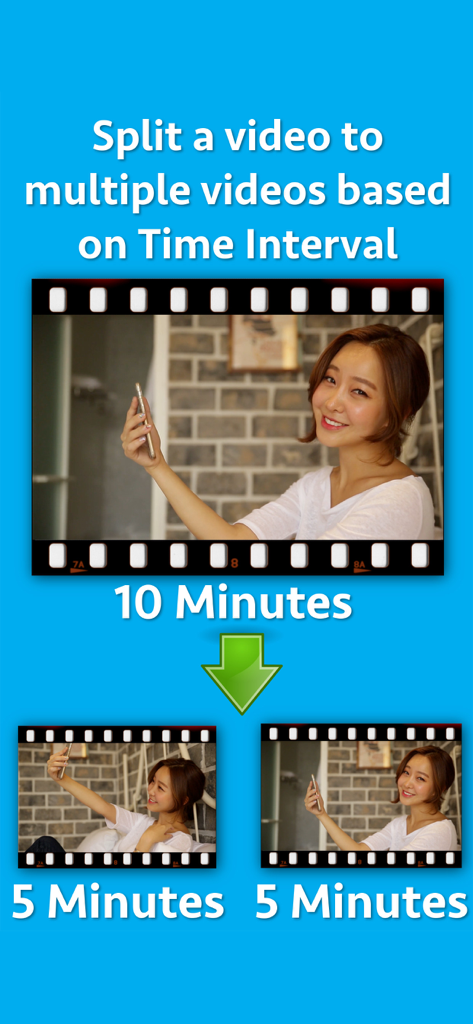
Graphic showing a ten minute video being split into two five minute segments

Graphic showing a ten minute video being split into two five minute segments

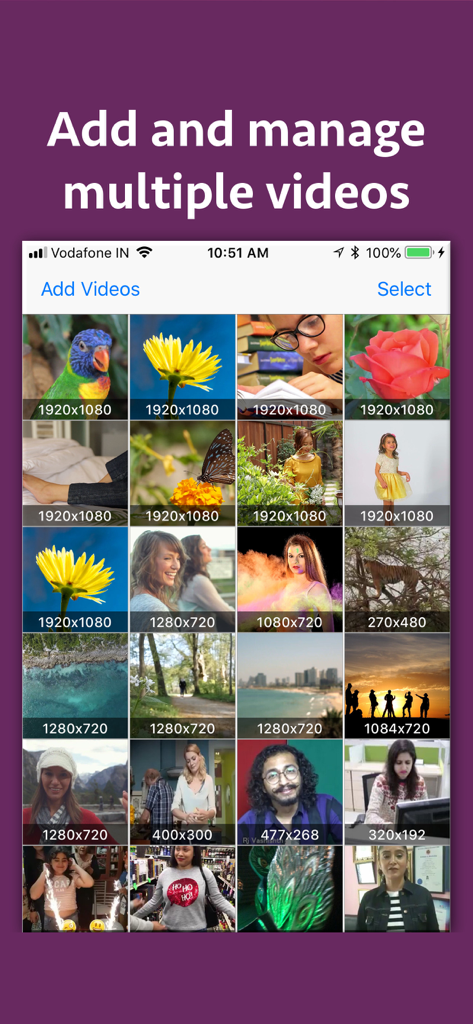
A screen in the Video Divider app showing a grid of uploaded videos with their respective resolutions displayed.

A screen in the Video Divider app showing a grid of uploaded videos with their respective resolutions displayed.

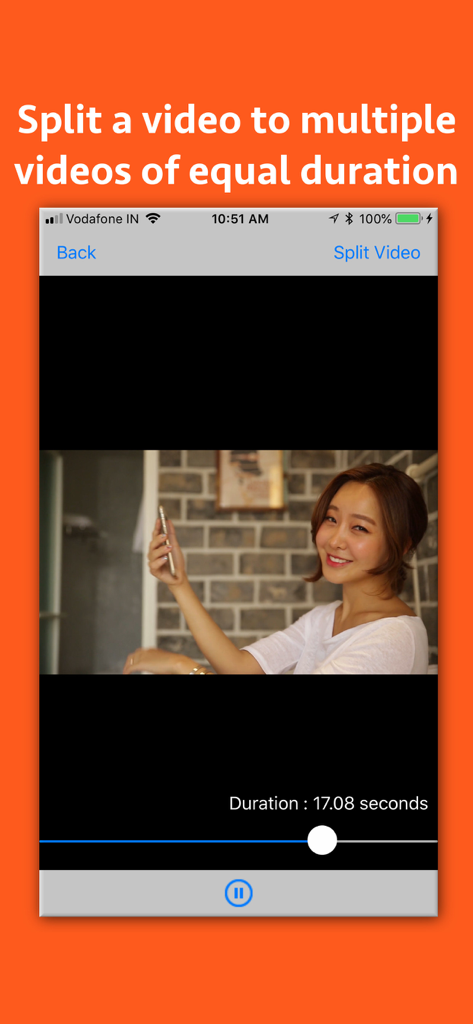
Video Divider app screen showing how to split a video into equal parts.

Video Divider app screen showing how to split a video into equal parts.

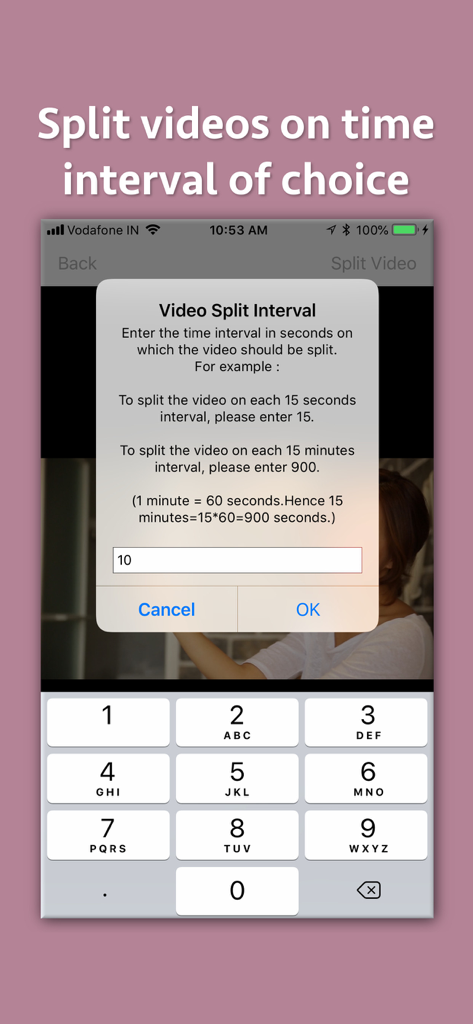
Interface of the Video Divider app showing a pop up window to enter the video split interval in seconds with a numeric keypad

Interface of the Video Divider app showing a pop up window to enter the video split interval in seconds with a numeric keypad

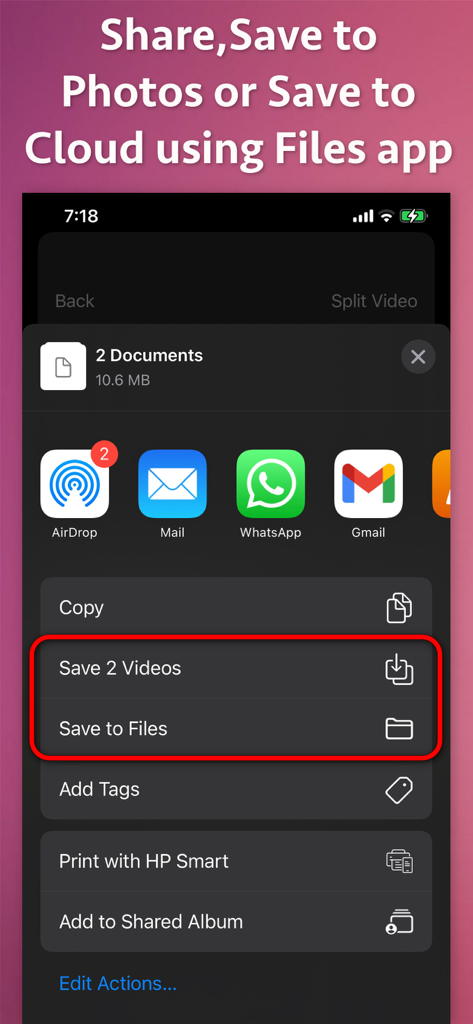
iOS share menu showing options to save split video clips to Photos or Files and share via social media apps

iOS share menu showing options to save split video clips to Photos or Files and share via social media apps

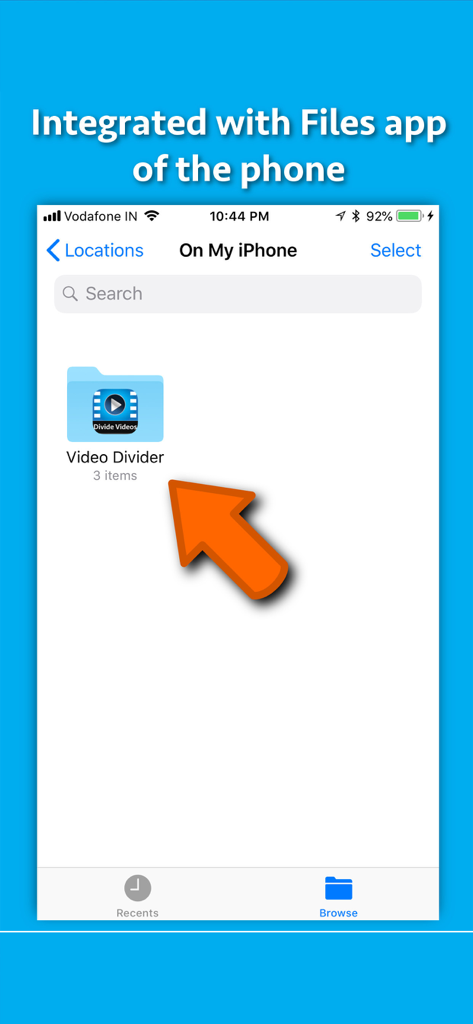
Screenshot showing Video Divider app integration with the iPhone Files app for easy storage and access to split videos.

Screenshot showing Video Divider app integration with the iPhone Files app for easy storage and access to split videos.

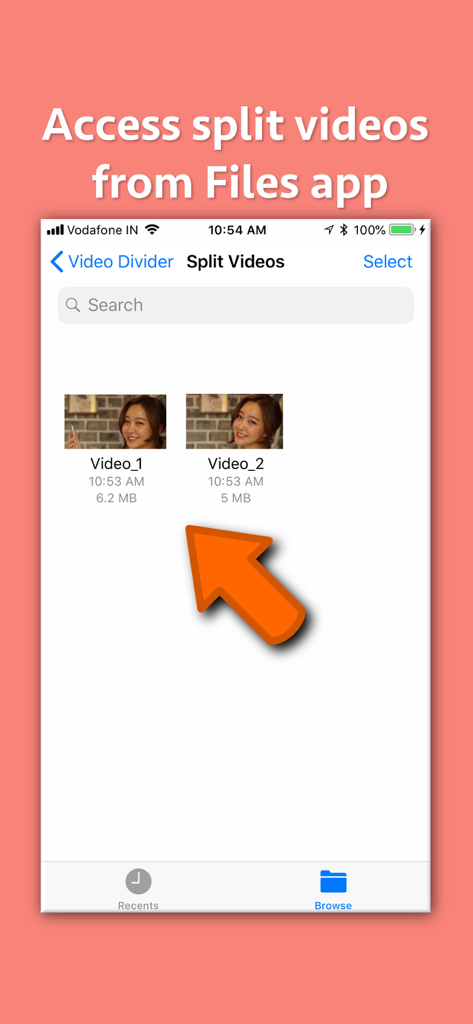
Interface showing split video files labeled Video_1 and Video_2 for easy organization and access

Interface showing split video files labeled Video_1 and Video_2 for easy organization and access

Promotional graphic for Video Divider app showing family video clips on a filmstrip with text about splitting videos for easier sharing

Promotional graphic for Video Divider app showing family video clips on a filmstrip with text about splitting videos for easier sharing

Divide, Share, and Conquer Content Limits

The tools that make this app stand out, trusted by 800 users.

📱

Perfect for Social Stories

Automatically chop long vlogs or concert footage into precise segments for Instagram Stories, WhatsApp Status, or TikTok without the manual headache.

💎

Pro-Quality Preservation

Stop settling for blurry, compressed videos. Split your 4K or HD files into smaller chunks while maintaining the original resolution and crystal-clear detail.

🔢

Smart Sequential Numbering

Never lose track of your timeline. All clips are exported with numbered filenames so you can upload them in the perfect chronological order every time.

About the app

Everything you need to know about Video Divider - Video Splitter.

Description

Split videos based on time interval. Send, store and share large videos by dividing them into high quality videos of equal time interval. A video could be split based on specified Time in Seconds. For example : a) If there is a video of duration 50 seconds, just specify the time in Seconds in which you want it to split.If you specify 10 seconds, the application will split the video into 5 parts each having 10 seconds duration.If you specify the time to 5 seconds, the application will split the video into 10 videos , each having duration of 5 seconds. The generated videos are numbered so that their playing order could be understood. For example : A video named "Video.MOV" will be split into Video_1.MOV, Video_2.MOV, Video_3.MOV and so on. There are multiple benefits of splitting the video. For example : -- If there is a video of 100MB, you could split them into chunks of smaller sizes and send them in multiple emails. -- You could split video based on time and have multiple video parts that are equal in time duration.This could be very useful if you have to offer episodes or tutorials of a specified time duration. -- There are various messaging platforms that impose size restrictions on videos. In such cases, the entire large video could be sent by splitting it into multiple small videos using the application. -- You could divide the large video into videos of smaller duration and upload them to your website.Later on you could provide the links of each part separately to download. -- Apart from this, wherever there are size limitations for the video, the application could prove to be very beneficial by splitting the videos into smaller sized videos.

Latest Version

7.5

Size

2.6 MB

First Released

Jul 30, 2018

Ready to Share Without Limits?

Join thousands of creators bypassing size restrictions. Split your long videos into high-quality, numbered clips for WhatsApp, Instagram, and email in just one tap.

Download on App Store

App information, icons, screenshots, and descriptions displayed on this page are sourced from the Apple App Store and are the property of their respective developers. Download estimates and rankings are based on MWM's proprietary models and may not reflect actual figures. This page is provided for informational and analytical purposes only.

Believe this page infringes your intellectual property? File a dispute