VideoCam+ Video Recorder

VideoCam+ Video Recorder


Download on App Store
Logo of VideoCam+ Video Recorder

VideoCam+: The All-in-One Camera That Finally Lets You Pause and Resume

Stop stitching clips together. Record in 4K, add timestamps, and overlay GIFs or photos instantly for professional vlogs and seamless documentation.

Publisher

Grzegorz Wojcik

Category

Photo & Video

Downloads

972K+

User Rating

4.5/5

Total Ratings

15K+

Locales

9

A Glimpse Inside

Discover the interface used by 972K+ users.
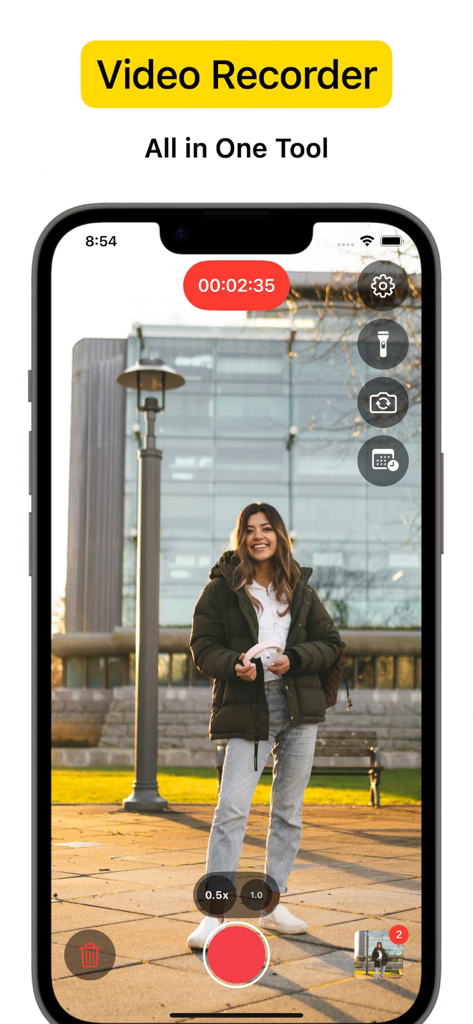
VideoCam app interface recording a woman standing in a park with camera tools

VideoCam app interface recording a woman standing in a park with camera tools

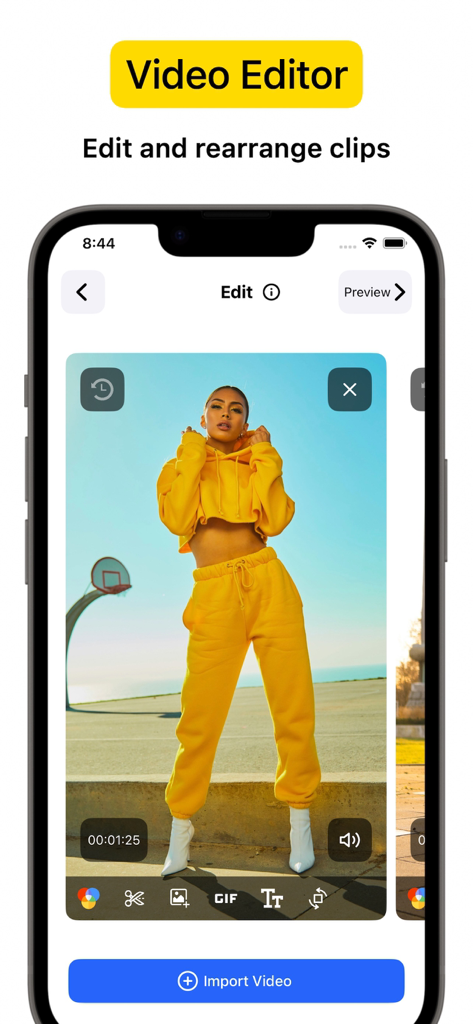
iPhone screen displaying the VideoCam plus video editor interface with a video clip and editing tools

iPhone screen displaying the VideoCam plus video editor interface with a video clip and editing tools

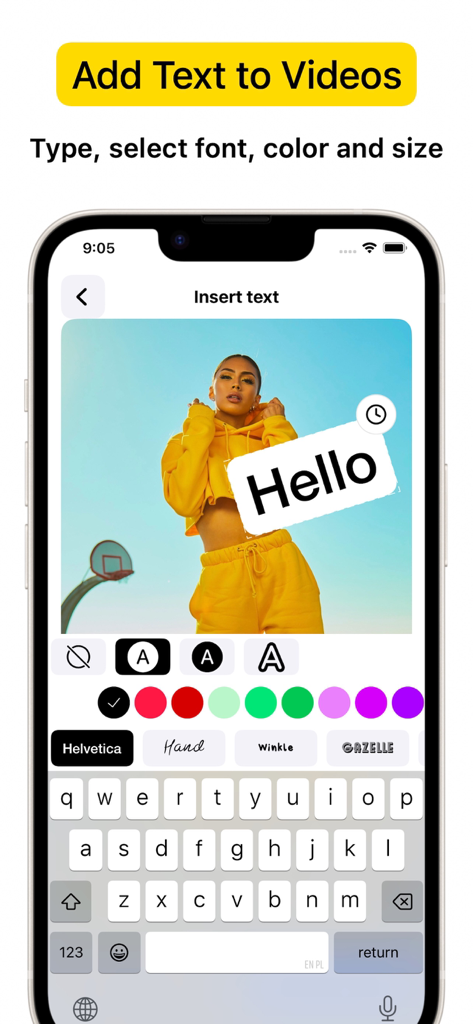
iPhone interface showing the VideoCam+ app adding customized text and fonts to a video recording

iPhone interface showing the VideoCam+ app adding customized text and fonts to a video recording

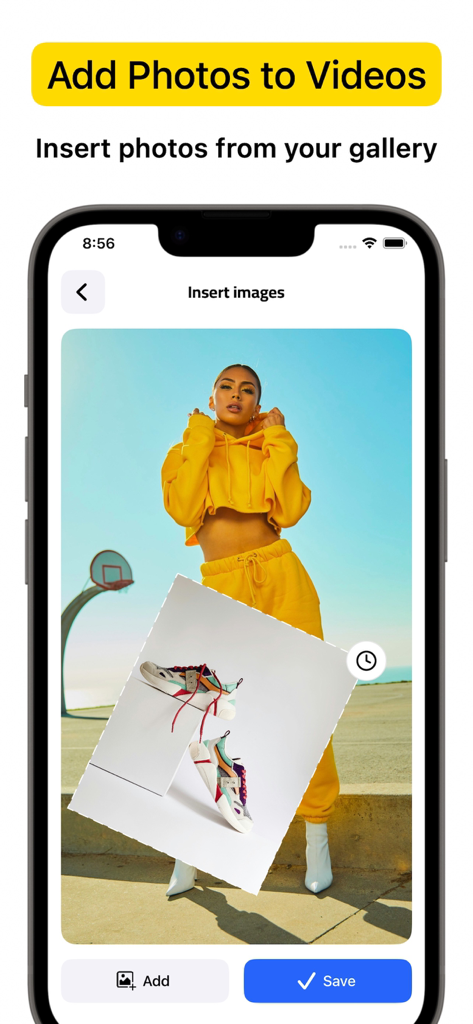
Interface of the VideoCam plus app showing how to insert a photo overlay from the gallery onto a video recording

Interface of the VideoCam plus app showing how to insert a photo overlay from the gallery onto a video recording

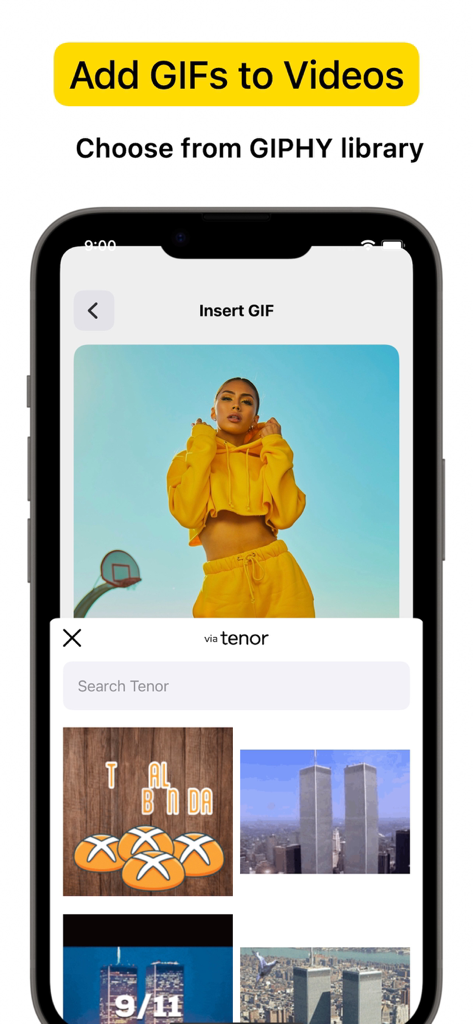
iPhone screen showing VideoCam plus app interface for inserting GIFs from a library into a video project

iPhone screen showing VideoCam plus app interface for inserting GIFs from a library into a video project

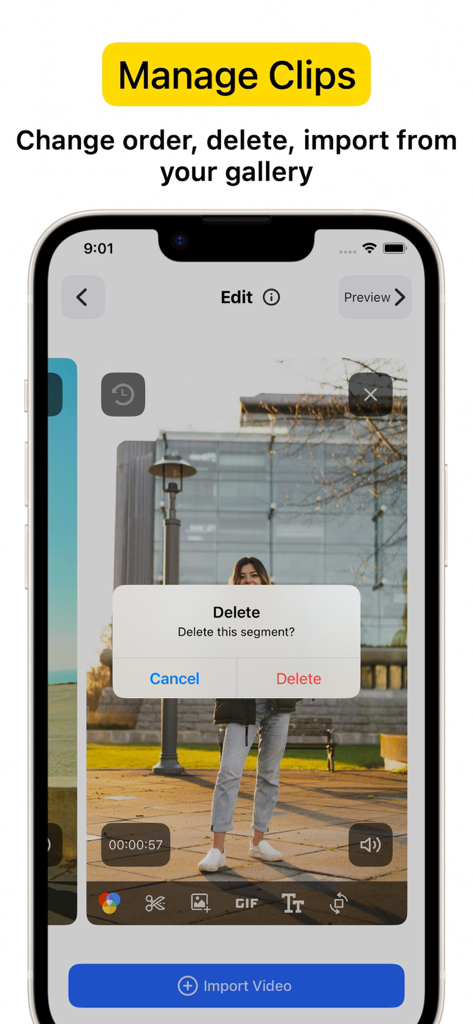
Smartphone screen showing the VideoCam+ app interface with a delete clip confirmation dialog over a recorded segment.

Smartphone screen showing the VideoCam+ app interface with a delete clip confirmation dialog over a recorded segment.

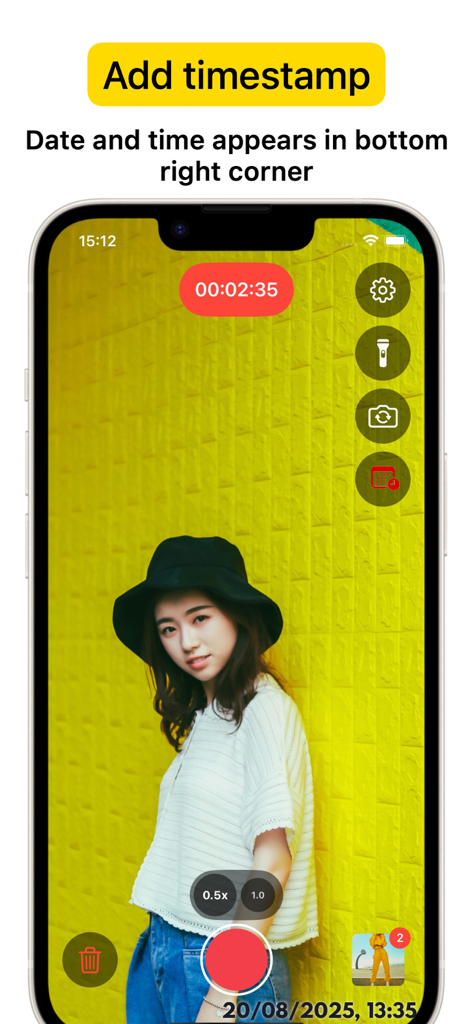
iPhone screen showing VideoCam plus app interface with a recording session and a date and time timestamp in the bottom right corner

iPhone screen showing VideoCam plus app interface with a recording session and a date and time timestamp in the bottom right corner

Capture, Create, and Brand in One Take

The tools that make this app stand out, trusted by 972K+ users.

⏸️

Seamless Pause & Resume

Stop and start your recording instantly to capture the perfect story. Create a single, continuous video without the headache of stitching multiple clips together later.

Real-Time Creative Overlays

Brand your content while you film. Add logos, text, or fun GIFs directly into your video sessions to make your tutorials and vlogs social-media-ready in seconds.

🕒

Pro Timestamp & 4K Quality

Document every moment with crystal-clear 4K precision. Built-in timestamps provide essential proof-of-work for professionals, real estate agents, and fitness coaches.

About the app

Everything you need to know about VideoCam+ Video Recorder.

Description

Powerful all-in-one Video Recorder & Video Editor lets you create camera video sessions, manage recorded clips and add Text / Image / GIF to video. Video Camera with Timestamp Camera Capture every detail in HD or 4K, with the option to add a timestamp. VideoCam+ functions as an advanced video camera with a built-in timestamp camera. GIF Creation and GIF Integration in Videos Make any moment memorable by creating GIFs directly from your video recordings with this video recorder. The GIF feature lets you add fun elements or GIF animations to your videos for extra creativity, making this video camera perfect for social media, tutorials, or creative vlogging. Add Photos and Text to Your Videos Add photos directly into your video with this video camera to create richer stories. You can also overlay text to highlight details, or add a personal touch to your recorded video. This makes VideoCam+ an excellent camera for tutorials, presentations, and storytelling. Pause and Resume Recording The pause recoding feature lets you stop and resume seamlessly, making this video camera ideal for long-form content. This video camera allows you to pause, which is perfect for continuous content creation. Video Editing with a Flexible Video Recorder Text Overlays and Customizations Overlay text anywhere in your video recordings. This camera allows you to adjust text style, size, and color to match your vision, adding an extra layer of personalization to every recorded video. Why Choose VideoCam+? VideoCam+ is designed for those who want a video camera that does more than basic recording. Its timestamp camera helps create organized, clear memories; its Video to GIF feature adds animated fun; and it supports adding photos and text for professional-quality results. This video camera is perfect for: Vloggers needing continuous recording with a timestamp camera and pause feature. Content Creators who want video editor that integrates GIFs, photos, and text into videos, also Video to GIF. Professional Users requiring a video editor to document events accurately and clearly. FAQ Can I add photos and GIFs to any video? Yes, VideoCam+ allows you to integrate photos and GIFs into your recorded videos, maximizing the capabilities of this recorder. How does the pause work during recording? With this recorder, simply hit pause to stop recording, then resume. VideoCam+ makes every recording session seamless, letting you focus on your creative flow. Does the app support adding timestamps to GIFs? Currently, timestamp apply to video recordings only, but you can easily create GIFs from a timestamp video for a fully branded look. Download VideoCam+ now and turn every moment into a video masterpiece with the most versatile video camera / video editor around. Whether you’re filming, converting Video to GIF, organizing events with a timestamp camera, or adding photos and text to enhance each video, VideoCam+ has everything you need in one powerful recorder to capture, customize, and share your best moments. Start Premium with a free trial. Once the trial is over, you’ll be charged a monthly subscription fee. Premium will automatically renew unless auto-renew is turned off at least 24 hours before the end of the current period. You can go to your Settings > iTunes Account & App Store > Apple ID > Subscriptions to manage your subscription and turn auto-renew off. Your iTunes Account will be charged when the purchase is confirmed. Terms of Use: http://videocam.wiseapps.pl/policies/videocam_tc.html Privacy Policy: http://videocam.wiseapps.pl/policies/videocam_privacy_policy.html

Latest Version

6.3

Size

20.7 MB

First Released

Aug 18, 2015

Create Your Video Masterpiece in One Take

Join over 15,000+ top-rated creators. Record in 4K, use seamless pause-and-resume, and add timestamps or GIFs instantly. Start your free trial today.

Download on App Store

App information, icons, screenshots, and descriptions displayed on this page are sourced from the Apple App Store and are the property of their respective developers. Download estimates and rankings are based on MWM's proprietary models and may not reflect actual figures. This page is provided for informational and analytical purposes only.

Believe this page infringes your intellectual property? File a dispute